manuals.online logo
Brands
  1. Home
  2. •
  3. Brands
  4. •
  5. Philips
  6. •
  7. Coffee Maker
  8. •
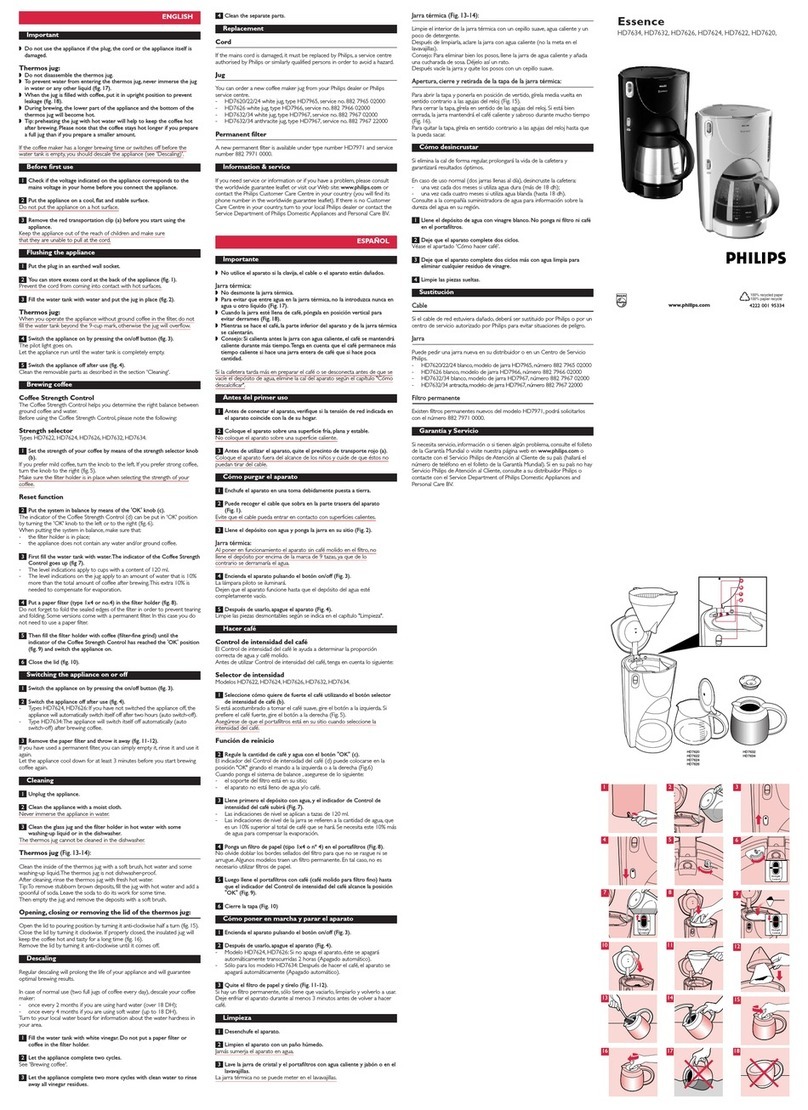
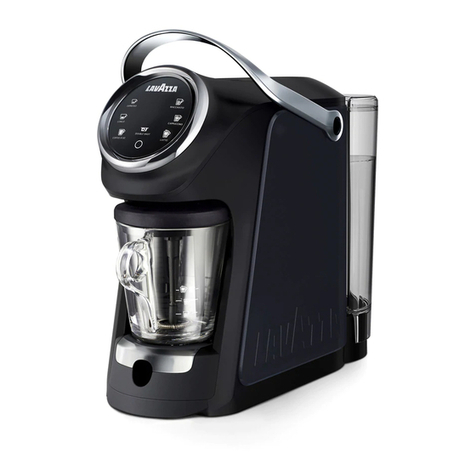
  9. Philips EP3363 User manual

Philips EP3363 User manual

This manual suits for next models

10

Other Philips Coffee Maker manuals

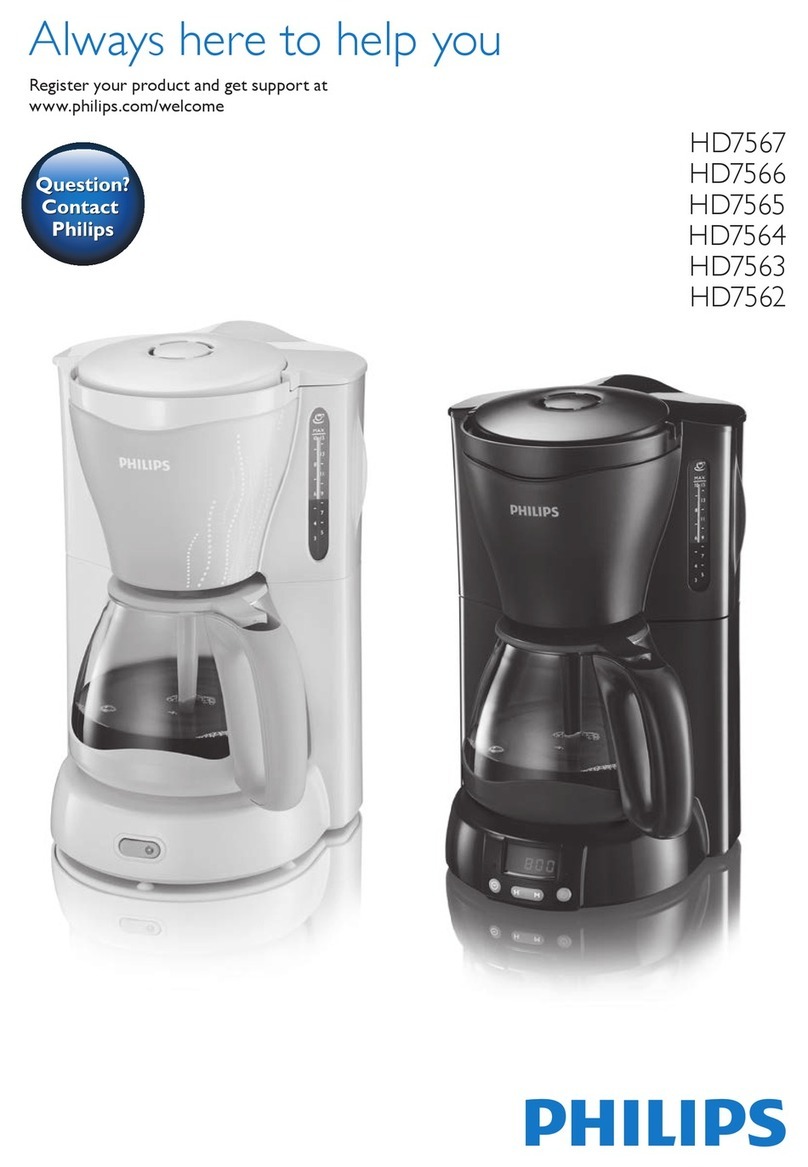
Philips HD 7120 User manual

Philips

Philips HD 7120 User manual

Philips Senseo hd7873 User manual

Philips

Philips Senseo hd7873 User manual

Philips Saeco Minuto Mounting instructions

Philips

Philips Saeco Minuto Mounting instructions

Philips HD7828/10 User manual

Philips

Philips HD7828/10 User manual

Philips HD7698 User manual

Philips

Philips HD7698 User manual

Philips HD7852/50 User manual

Philips

Philips HD7852/50 User manual

Philips SENSEO HD7865/80 User manual

Philips

Philips SENSEO HD7865/80 User manual

Philips RI9752/11 User manual

Philips

Philips RI9752/11 User manual

Philips HD8837/32 User manual

Philips

Philips HD8837/32 User manual

Philips Syntia HD8833 User manual

Philips

Philips Syntia HD8833 User manual

Philips EP5065 User manual

Philips

Philips EP5065 User manual

Philips Gaggia Baby RI8155 User manual

Philips

Philips Gaggia Baby RI8155 User manual

Philips HD7692 Manual

Philips

Philips HD7692 Manual

Philips HD7892 User manual

Philips

Philips HD7892 User manual

Philips Senseo Switch HD7892/60/G User manual

Philips

Philips Senseo Switch HD7892/60/G User manual

Philips HD7502/04 User manual

Philips

Philips HD7502/04 User manual

Philips EP 800 Series User manual

Philips

Philips EP 800 Series User manual

Philips 740607308 User manual

Philips

Philips 740607308 User manual

Philips Cafe Cino User manual

Philips

Philips Cafe Cino User manual

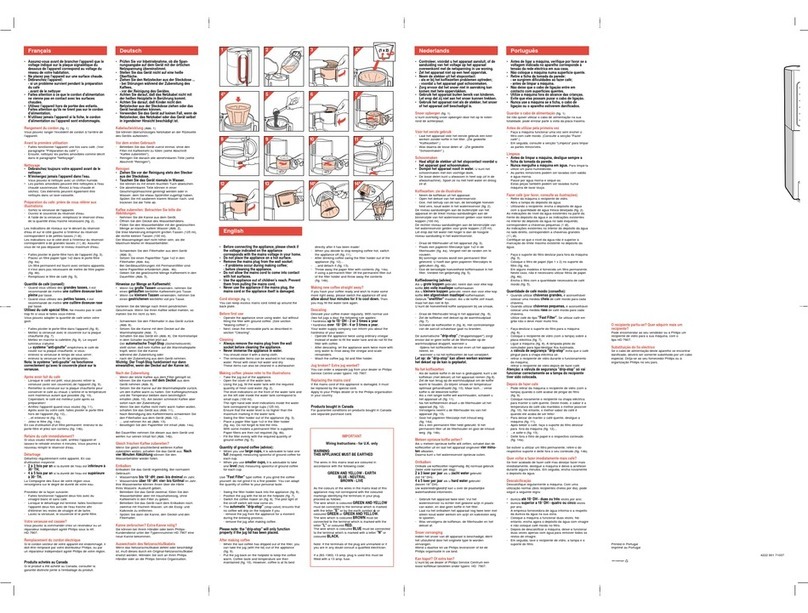
Philips Essence User manual

Philips

Philips Essence User manual

Philips HD7814/60 User manual

Philips

Philips HD7814/60 User manual

Philips Senseo HD7833/50 User manual

Philips

Philips Senseo HD7833/50 User manual

Philips Senseo HD7800 User manual

Philips

Philips Senseo HD7800 User manual

Philips Essence 5000 Series User manual

Philips

Philips Essence 5000 Series User manual

Popular Coffee Maker manuals by other brands

illy FrancisFrancis X7.1 user manual

illy

illy FrancisFrancis X7.1 user manual

Continental Electric CE23601 instruction manual

Continental Electric

Continental Electric CE23601 instruction manual

Electrolux EKF3 series Instruction book

Electrolux

Electrolux EKF3 series Instruction book

MIA KF 1740 instruction manual

MIA

MIA KF 1740 instruction manual

DeLonghi ECAM26455M Instructions for use

DeLonghi

DeLonghi ECAM26455M Instructions for use

Fagor CG-414 D Instructions for use

Fagor

Fagor CG-414 D Instructions for use

Bunn JDF-2S Installation & operating guide

Bunn

Bunn JDF-2S Installation & operating guide

Somogyi Elektronic Home HG PR 14 instruction manual

Somogyi Elektronic

Somogyi Elektronic Home HG PR 14 instruction manual

Morphy Richards Accents Espresso MR47580 instructions

Morphy Richards

Morphy Richards Accents Espresso MR47580 instructions

Crux 14634 instruction manual

Crux

Crux 14634 instruction manual

Taurus Livorno 6 manual

Taurus

Taurus Livorno 6 manual

Delta-q QUICK instruction manual

Delta-q

Delta-q QUICK instruction manual

Bunn LCA-1 Installation & operating guide

Bunn

Bunn LCA-1 Installation & operating guide

Chris Coffee Service Silvano owner's manual

Chris Coffee Service

Chris Coffee Service Silvano owner's manual

Black & Decker BLACK DECKER HOME DE790 Use and care book

Black & Decker

Black & Decker BLACK DECKER HOME DE790 Use and care book

Saeco Vienna Plus Sup 018M operating instructions

Saeco

Saeco Vienna Plus Sup 018M operating instructions

INCAPTO BXCO1470E Instructions for use

INCAPTO

INCAPTO BXCO1470E Instructions for use

Bosch TASSIMO finesse TAS16B Series user manual

Bosch

Bosch TASSIMO finesse TAS16B Series user manual

manuals.online logo
manuals.online logoBrands
  • About & Mission
  • Contact us
  • Privacy Policy
  • Terms and Conditions

Copyright 2025 Manuals.Online. All Rights Reserved.

3100 series
Super automatic
espresso machine
EP3363, EP3362, EP3360
EP3559, EP3558, EP3551
EP3550
4219.460.4098.1 PHILIPS3100 OTC GLOSSY_FRONT-BACK_A5_WE.indd 1 04-07-17 14:07
27
2
19
17
15
32
30
33
22
23
24
25
20
4
5
3
11 12
18
29
7 6
26
16
14
13
28
10
8
9
31
21
1
1
5 sec.
2
3
4
FILTER
0%
NEW?
AQUA CLEAN
5
FILTER
1 / 8
AQUA CLEAN
6
0 / 8
ON
OFF
7
FILTER
2 / 8
AQUA CLEAN
8
9
MEMO
2x
10
11
2
1
1
12
13
14
15
16
17
1
2
3
4
5
18
1
2
19
20
21
22
23
24
25
26
27
28
29
30
12
1
31
32
2
1
33
34
35
36
START
CALC
CLEAN
37
38
39
REMOVE
FILTER
40
MAX
CALC
CLEAN
CALC
CLEAN
1
2
41
Contents
Machine overview________________________________________________________________ 6
Introduction ____________________________________________________________________ 7
First installation__________________________________________________________________ 7
AquaClean filter__________________________________________________________________ 7
Measuring water hardness_________________________________________________________ 8
Using the control panel ___________________________________________________________ 8
Brewing drinks___________________________________________________________________ 9
Personalizing drinks______________________________________________________________ 10
Adjusting grinder settings__________________________________________________________ 11
Handling the brew group__________________________________________________________ 11
Cleaning and maintenance_________________________________________________________ 12
Descaling procedure______________________________________________________________ 15
Warning icons and error codes______________________________________________________ 16
Ordering accessories______________________________________________________________ 18
Troubleshooting_________________________________________________________________ 18
Machine overview
1 Control panel
2 Adjustable coffee dispensing spout
3 Lid of water tank
4 Lid of bean hopper
5 Lid of pre-ground coffee compartment
6 Main switch
7 Socket for cord
8 Service door
9 'Drip tray full' indicator
10 Drip tray
11 Drip tray release button
12 Cord
13 Grind setting knob
14 Cover of bean hopper
15 Bean hopper
16 Brew group
18 Coffee exit duct
19 Coffee residues drawer
20 Coffee grounds container
21 Drip tray cover
22 Hot water dispensing spout
23 Opening for hot water dispensing spout
24 Water tank
25 AquaClean filter
26 Milk container
27 Milk dispensing unit
28 Lid of milk dispensing unit
29 Milk dispensing spout
30
31
32 Measuring scoop
33 Water hardness test strip
17 Inside of service door with contact
information
6English
Grease tube (optional)
Cleaning brush (optional)
Introduction
Congratulations on your purchase of a Philips full-automatic coffee machine! To fully benefit from the
support that Philips offers, please register your product at www.philips.com/coffee-care.
Read the separate safety booklet carefully before you use the machine for the first time and save it for
future reference.
To help you get the best out of your coffee machine, Philips offers full support in 3 different ways:
1The separate quick start guide for first installation and first use.
2This user manual for more detailed information.
3Online support and movies: scan the QR code on the front page or visit www.philips.com/coffee-
care
Note: This machine has been tested with coffee. Although it has been carefully cleaned, there may be
some coffee residues left. We guarantee, however, that the machine is absolutely new.
First installation
To prepare your coffee machine for use, you need to perform a few simple steps such as filling the
water circuit and activating the AquaClean filter. These steps are shown in the separate quick start
guide.
For the best-tasting coffee, you need to brew 5 coffees initially to allow the machine to complete its
self-adjustment.
The machine has been set up to get the best taste out of your coffee beans. Therefore we advise you
not to adjust the grinder settings until you have brewed 100-150 cups (approx. 1 month of usage).
AquaClean filter
The AquaClean filter is designed to reduce limescale deposits in your coffee machine and provide
filtered water to preserve the aroma and flavor of each cup of coffee. If you use a series of 8
AquaClean filters as indicated by the machine and in this user manual, you don't have to descale your
machine for up to 5000 cups. With each filter you can enjoy up to 625 cups, depending on the
selected coffee varieties and the rinsing and cleaning frequencies.
Preparing the AquaClean filter for activation
Before you place the AquaClean filter in the water tank, you need to prepare it for use:
1 Shake the filter for about 5 seconds (Fig. 2).
2 Immerse the filter upside down in a jug with cold water and wait until no more air bubbles come
out (Fig. 3).
3 Push the filter onto the filter connection to the lowest possible point (Fig. 4).
Activating the AquaClean filter
You need to activate every new AquaClean filter that you use. By activating the AquaClean filter, the
machine monitors the capacity of the AquaClean filter and the number of filters used. There are 3
ways to activate the AquaClean filter.
1. Activating the AquaClean filter during first installation
After switching on for the first time, the machine guides you through the first installation steps such as
filling the water tank, filling the water circuit and activating the AquaClean filter. Simply follow the
instructions on the screen.
7
English
2. Activating the AquaClean filter when prompted
Note: Replace the AquaClean filter as soon as the capacity has dropped to 0% and the filter icon
flashes quickly. Replace the AquaClean filter at least every 3 months, even if the machine has not yet
indicated that replacement is required.
Tip: We advise you to buy a new filter when the capacity has dropped to 10% and the filter icon starts
flashing slowly. This ensures that you can replace the filter when the capacity has dropped to 0%.
1Press the MENU button, scroll to AQUACLEAN FILTER and press the OK button to confirm.
-The display asks if you want to activate a new filter (Fig. 5).
2Press the OK button to confirm.
-The display automatically updates the number of filters used (Fig. 6).
Note: If you want to replace the AquaClean filter after 8 filters have been used, you first need to
descale the machine. Follow the instructions on the display.
3. Activating the AquaClean filter at any other time
You can start (re)using the AquaClean filter at any time by following the instructions below.
1Press the MENU button, select MENU and press the OK button to confirm. Scroll to AQUACLEAN
FILTER. Press the OK button to confirm.
-The display shows the numbers of AquaClean filters that have been installed previously from 0
to 8 filters (Fig. 6).
2Select ON on the display and press the OK button to confirm (Fig. 7).
-The display automatically updates the number of filters used (Fig. 8).
-Then the 'machine ready' screen appears with the AquaClean 100% icon to indicate that the
filter has been installed (Fig. 9).
3Dispense 2 cups of hot water (0.5 l) to complete the activation. Discard this water.
Note: In some situations the machine will tell you that you need to descale the machine before you
can install and activate a new AquaClean filter. This is because your machine has to be completely
limescale-free before you start to use the AquaClean filter. Follow the instructions on the screen.
Measuring water hardness
Use the water hardness test strip supplied to set the water hardness. Press the MENU button, select
MENU and scroll to select WATER HARDNESS.
1Immerse the water hardness test strip in tap water for 1 second. Then wait for 1 minute.
2Check how many squares have turned red.
3Select the appropriate water hardness setting and press the OK button to confirm.
Number of red squares:
Value to be set 1 2 3 4
Using the control panel
Below you find an overview and description of the control panel of the machine. Some of the buttons
have a double function; if applicable the navigation icons appear on the display. Use the buttons next
to this icon to select or confirm your choices.
Use the MENU button to select other drinks and to change settings such as the water hardness and
coffee temperature.
8English
EP3558, EP3550
MEMO
ESPRESSO
AROMA STRENGTH
MENU
MEMO
COFFEE
MEMO
CAPPUCCINO
HOT WATER
1
2
3
5
4
1. One-touch drink buttons 4. On/off button
2. AROMA STRENGTH button 5. Navigation icons (up, down, back, ok)
3. MENU button
EP3363, EP3362, EP3360, EP3559, EP3551
MEMO
ESPRESSO
MENU
MEMO
COFFEE
AROMA STRENGTH
CAPPUCCINO
LATTE MACCHIATO
MEMO
MEMO
2
45
1
3
1. One-touch drink buttons 4. Navigation icons (up, down, back, ok)
2. MENU button 5. AROMA STRENGTH button
3. On/off button
Brewing drinks
You can select a drink by pressing one of the one-touch drink buttons or by selecting another drink in
the menu.
-If you want to brew two cups, press the one-touch drink button of the selected drink twice (Fig. 10)
or select a coffee drink via the MENU and press it twice. The machine automatically carries out two
grinding cycles in sequence for the selected drink. You can only brew two coffee drinks at the same
time.
9
English
-Slide the dispensing spout up or down to adjust its height to the size of the cup or glass you are
using.
Brewing coffee drinks
1Fill the water tank with tap water and fill the bean hopper with beans.
2To brew a coffee, press one of the one-touch drink buttons. To select another type of coffee, press
the MENU button, select DRINKS, scroll down to the desired drink and press the OK button.
3To stop dispensing coffee, press the OK button.
Brewing milk-based drinks
1Fill the water tank with tap water and fill the bean hopper with beans.
2Remove the lid of the milk container and fill the milk container with milk (Fig. 11).
Aways use milk coming directly from the fridge for optimal results.
3Place the lid back onto the milk container.
4If attached, remove the hot water spout from the machine (Fig. 12).
5Slightly tilt the milk carafe and attach it to the machine (Fig. 13).
6Open the milk dispensing spout (Fig. 14) and place a cup on the drip tray.
7To brew a milk-based drink, press one of the one-touch drink buttons. To select another type of
milk-based drink, press the MENU button, select DRINKS, scroll down to the desired drink and
press the OK button.
8Directly after dispensing the milk-based drink, the display asks you if you want to perform the
quick clean procedure for the milk carafe. You have 10 seconds to activate the quick clean
procedure. Press the OK button to confirm.
Brewing coffee with pre-ground coffee
1Open the lid and pour one measuring scoop of pre-ground coffee into the pre-ground coffee
compartment. Then close the lid (Fig. 15).
2Press the AROMA STRENGTH button and select the pre-ground coffee brewing function.
3Press the ESPRESSO button or select another coffee drink.
Note: With pre-ground coffee you can only brew one coffee at a time.
Dispensing hot water
1If it is not attached, attach the hot water spout to the machine (Fig. 16).
2EP3363, EP3362, EP3360, EP3559, EP3551 only: Press the MENU button. Select DRINKS, confirm
and scroll to select HOT WATER.
-EP3558, EP3550 only: Press the one-touch HOT WATER button to dispense hot water.
3To stop dispensing hot water, press the OK button.
Personalizing drinks
Adjusting coffee and milk volume
You can adjust the volume of the drink brewed according to your taste and to the size of the cups. We
advise you to use glass cups or cups with a ceramic-coated rim.
10 English

1To adjust the espresso volume, press and hold the ESPRESSO button until the display shows the
MEMO icon (Fig. 17).
-The machine enters the programming phase and starts to brew the selected drink.
2Press the OK button when the cup contains the desired amount of espresso.
-The tick on the display shows that the button is programmed: every time it is pressed, the
machine brews the set espresso volume.
Note: To set the volume of coffee, cappuccino, latte macchiato (EP3363, EP3362, EP3360, EP3559,
EP3551 only), follow the same procedure: press and hold the button of the drink and press the OK
button when the cup contains the desired amount of coffee or milk. Make sure that the milk carafe is
in place and that the milk spout is open.
Adjusting coffee strength

-To change the coffee strength, press the AROMA STRENGTH button.
-Each time you press the AROMA STRENGTH button, the machine selects a higher aroma strength
setting. There are 5 strengths, 1 is very mild and 5 is very strong. After setting 5, setting 1 is selected
again (Fig. 18).
-The display shows the chosen strength. After adjusting the coffee strength, the display shows the
main menu again and saves the chosen aroma strength when you brew a coffee.
Adjusting grinder settings
You can adjust the grinder settings by using the grind setting knob inside the bean container. There
are 5 different grind settings you can choose from. The lower the setting, the stronger the coffee.
Note: You can only adjust the grind settings when the machine is grinding coffee beans. You need to
brew 2 to 3 drinks before you can taste the full difference.
Caution: Do not turn the grind setting knob more than one notch at a time to prevent damage to the
grinder.
1Place a cup under the coffee dispensing spout.
2Open the lid of the bean hopper.
3Press the ESPRESSO button.
4When the grinder starts grinding, press down the grind setting knob and turn it to the left or right
(Fig. 19).
Handling the brew group
Go to www.philips.com/coffee-care for detailed video instructions on how to remove, insert and
clean the brew group.
Removing the brew group from the machine
1Switch off the machine by pressing the main switch on the back of the machine.
2Open the service door (Fig. 20).
3Press the PUSH button (Fig. 21) and pull at the grip of the brew group to remove it from the
machine (Fig. 22).
4Remove the coffee residues drawer (Fig. 23).
11
English