manuals.online logo
Brands
  1. Home
  2. •
  3. Brands
  4. •
  5. Pinegreen Lighting
  6. •
  7. Work Light
  8. •
  9. Pinegreen Lighting CL-WL70 User manual

Pinegreen Lighting CL-WL70 User manual

Other Pinegreen Lighting Work Light manuals

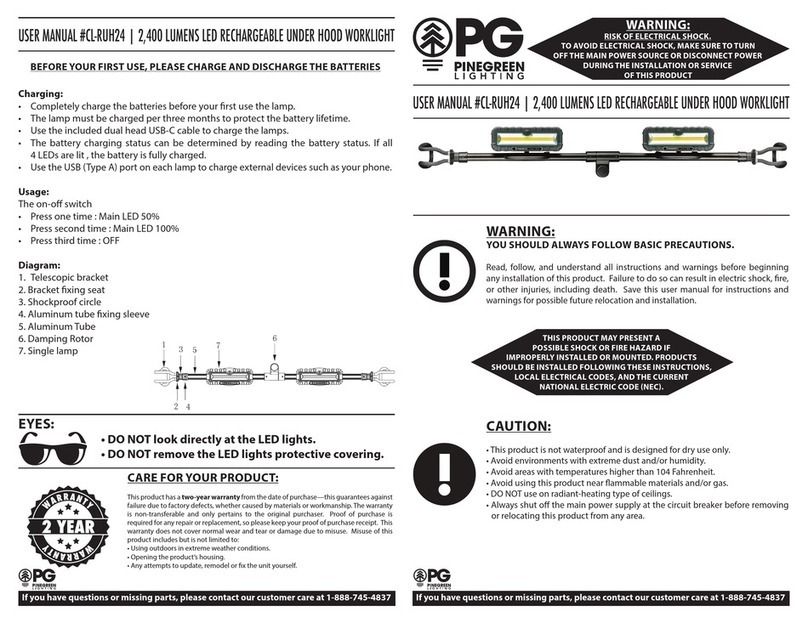
Pinegreen Lighting CL-RUH24 User manual

Pinegreen Lighting

Pinegreen Lighting CL-RUH24 User manual

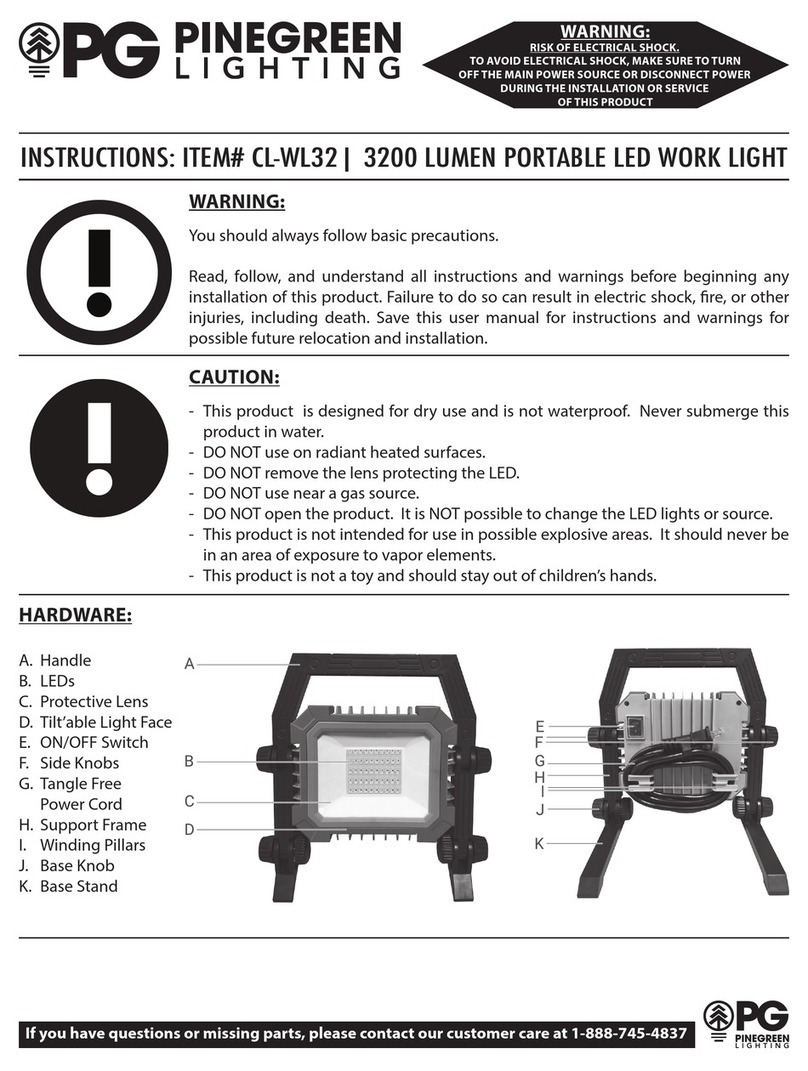
Pinegreen Lighting CL-WL32 User manual

Pinegreen Lighting

Pinegreen Lighting CL-WL32 User manual

Pinegreen Lighting CL-TWL20K User manual

Pinegreen Lighting

Pinegreen Lighting CL-TWL20K User manual

Popular Work Light manuals by other brands

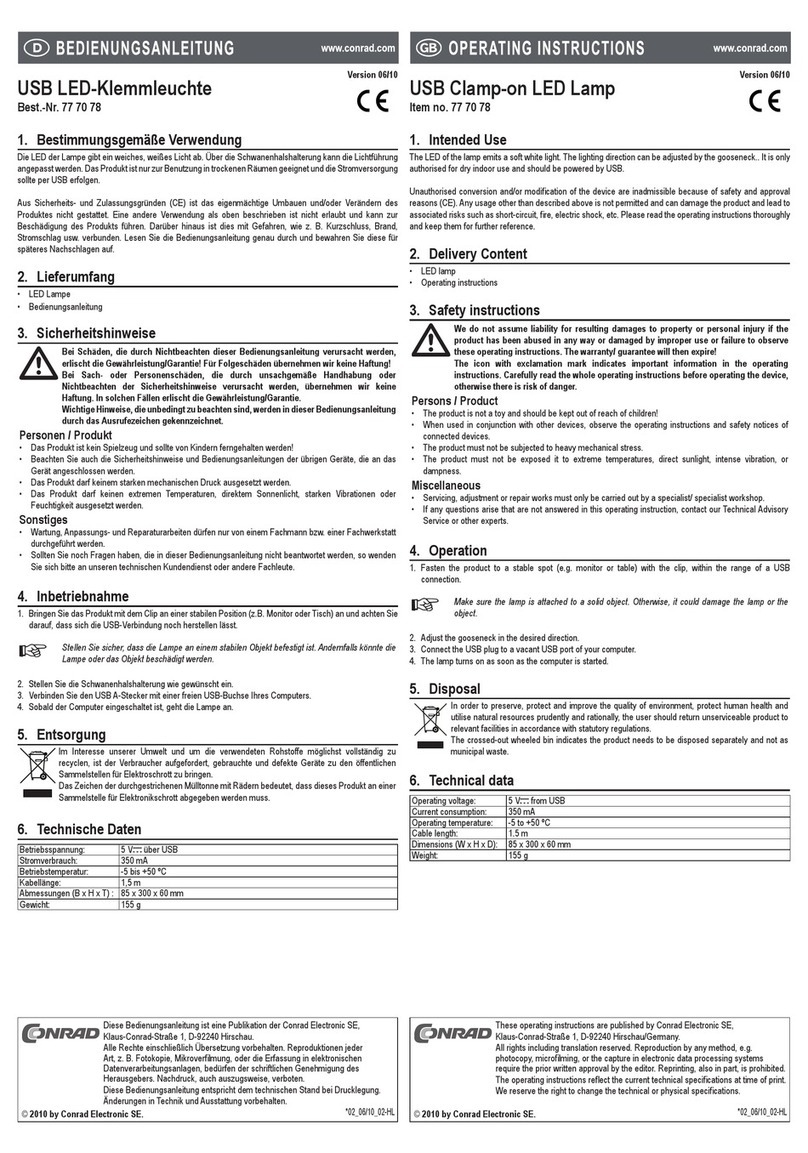
Conrad 77 70 78 operating instructions

Conrad

Conrad 77 70 78 operating instructions

EBS Seeberg 1 Operation manual

EBS

EBS Seeberg 1 Operation manual

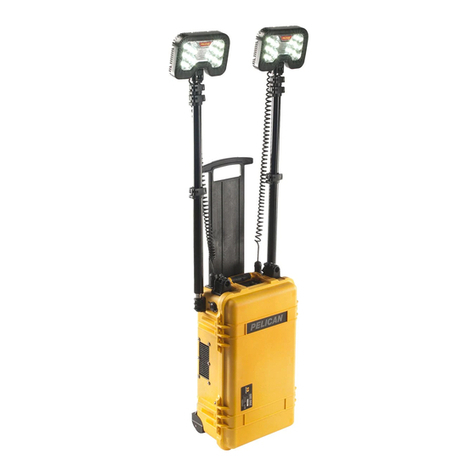
Pelican 9460 user manual

Pelican

Pelican 9460 user manual

Anslut 425-080 User instructions

Anslut

Anslut 425-080 User instructions

Govee H6071 user manual

Govee

Govee H6071 user manual

LumX INSPEC LED instruction manual

LumX

LumX INSPEC LED instruction manual

LED2WORK TECLED User instructions

LED2WORK

LED2WORK TECLED User instructions

ANSMANN POWERLIGHT 5.1 operating instructions

ANSMANN

ANSMANN POWERLIGHT 5.1 operating instructions

RTRMAX RTX1868 instruction manual

RTRMAX

RTRMAX RTX1868 instruction manual

FeinTech LAL00220 quick start guide

FeinTech

FeinTech LAL00220 quick start guide

Bunker Hill Security 64735 user manual

Bunker Hill Security

Bunker Hill Security 64735 user manual

Goobay 30450 user manual

Goobay

Goobay 30450 user manual

REV Ritter SPOT Assembly and operating instructions

REV Ritter

REV Ritter SPOT Assembly and operating instructions

Ignition Stagepix Line 100 IP user manual

Ignition

Ignition Stagepix Line 100 IP user manual

SCANGRIP DUO CONNECT manual

SCANGRIP

SCANGRIP DUO CONNECT manual

Bosch GLI 18 V operating instructions

Bosch

Bosch GLI 18 V operating instructions

Bayco SL-1514 instruction manual

Bayco

Bayco SL-1514 instruction manual

EUFAB SMD LED 8+1 operating instructions

EUFAB

EUFAB SMD LED 8+1 operating instructions

manuals.online logo
manuals.online logoBrands
  • About & Mission
  • Contact us
  • Privacy Policy
  • Terms and Conditions

Copyright 2025 Manuals.Online. All Rights Reserved.

WARNING:
RISK OF ELECTRICAL SHOCK.
TO AVOID ELECTRICAL SHOCK, MAKE SURE TO TURN
OFF THE MAIN POWER SOURCE OR DISCONNECT POWER
DURING THE INSTALLATION OR SERVICE
OF THIS PRODUCT
INSTRUCTIONS: ITEM# CL-WL70 | 7,000 LUMEN LED PORTABLE WORK LIGHT
CAUTION:
- This product is designed for dry use and is not waterproof. Never submerge this
product in water.
- DO NOT use on radiant heated surfaces.
- DO NOT remove the lens protecting the LED.
- DO NOT use near a gas source.
- DO NOT open the product. It is NOT possible to change the LED lights or source.
- This product is not intended for use in possible explosive areas. It should never be
in an area of exposure to vapor elements.
- This product is not a toy and should stay out of children’s hands.
WARNING:
You should always follow basic precautions.
Read, follow, and understand all instructions and warnings before beginning any
installation of this product. Failure to do so can result in electric shock, re, or other
injuries, including death. Save this user manual for instructions and warnings for
possible future relocation and installation.
HARDWARE:
A. Handle
B. LEDs
C. Protective Lens
D. Tilt’able Light Face
E. USB port (5V 2A)
F. Side Knobs
G. ON/OFF Switch
H. Tangle Free
Power Cord
I. Support Frame
J. Winding Pillars
K. Base Knob
L. Base Stand
If you have questions or missing parts, please contact our customer care at 1-888-745-4837
WARNING:
RISK OF ELECTRICAL SHOCK.
TO AVOID ELECTRICAL SHOCK, MAKE SURE TO TURN
OFF THE MAIN POWER SOURCE OR DISCONNECT POWER
DURING THE INSTALLATION OR SERVICE
OF THIS PRODUCT
INSTRUCTIONS: ITEM# CL-WL70 | 7,000 LUMEN LED PORTABLE WORK LIGHT
No assembly is needed. Simply open the foldable
base stand. Turn the unit on, and turn the side
knobs to adjust the light direction.
USAGE:
1. Loosen the Base Knobs (K) but do not unscrew
completely.
2. Open up the Base Stands (L) and place on a
solid surface.
3. Tilt the Support Frame (I) and Base Stands (L)
to your desired angle.
4. Tighten the Base Knobs (K) to hold their place
(do not over tighten).
5. Loosen the Side Knobs (F) but do not unscrew
completely.
6. Tilt the Light Face (D), and to your desired angle.
7. Tighten the Side Knobs (F) to hold its place
(do not over tighten).
8. Plug the Power Cord (H) into the unit.
9. Press the ON Switch (G) to turn the unit on.
10. To turn the unit o, press OFF Switch (G).
11. It is best to store the unit in a dry and cool place.
Avoid areas with standing water.
EYES:
• DO NOT look directly at the LED lights.
• DO NOT remove the LED lights protective covering.
If you have questions or missing parts, please contact our customer care at 1-888-745-4837
CARE FOR YOUR PRODUCT:
This product has a two-year warranty from the date of purchase—this guarantees against failure due to factory defects, whether caused by materials or
workmanship. The warranty is non-transferable and only pertains to the original purchaser. Proof of purchase is required for any repair or replacement, so
please keep your proof of purchase receipt. This warranty does not cover normal wear and tear or damage due to misuse. Misuse of this product includes
but is not limited to:
• Using outdoors in extreme weather conditions.
• Opening the product’s housing.
• Any attempts to update, remodel or x the unit yourself.