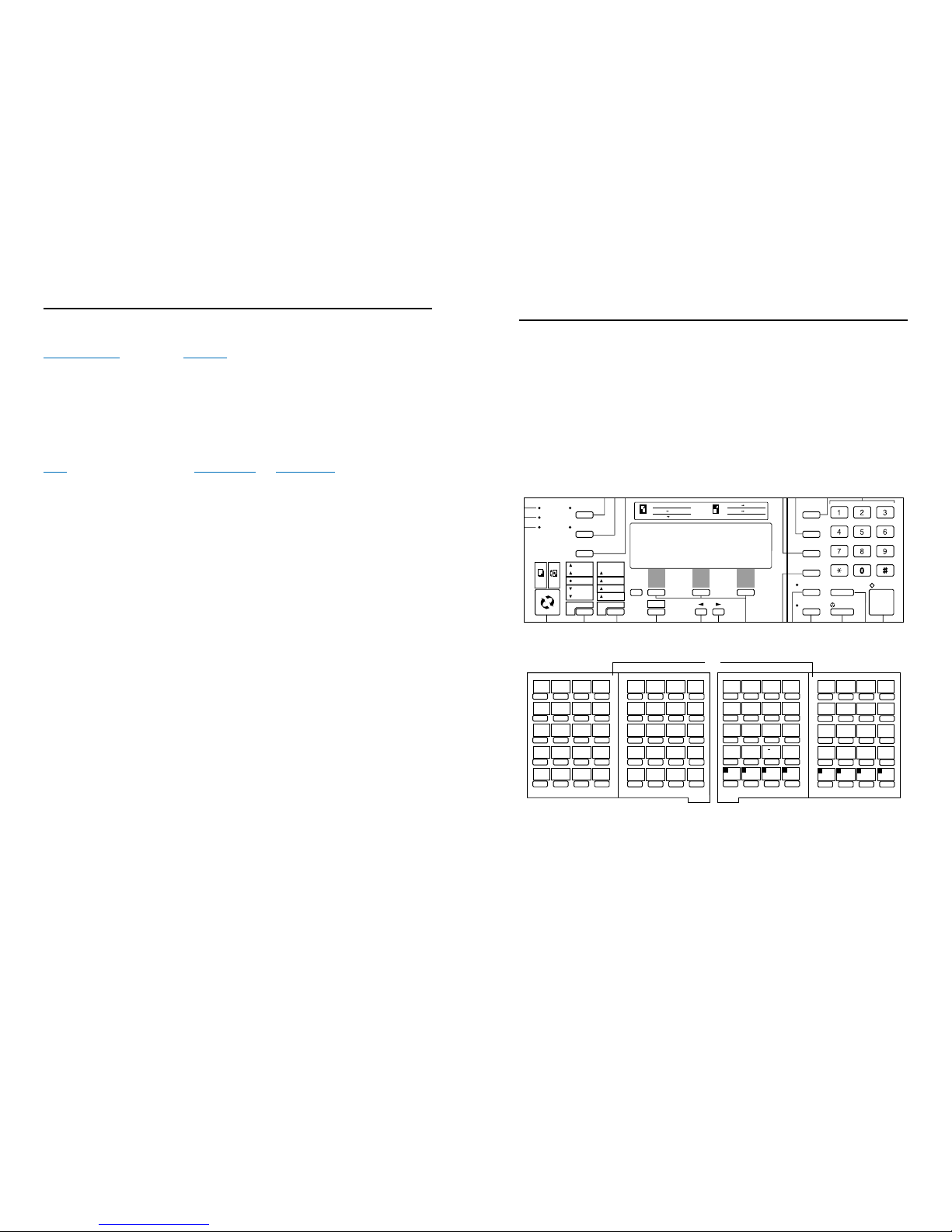
• Entering or Changing a One-Touch Key
1. Press PROGRAM, Enter.
2. “Set” is highlighted. Press Enter.
3. Press the desired One-Touch key (e.g.,01). Press Enter.
4. Enter the desired fax number*. Press Enter.
5. “Name” is highlighted. Press Enter.
6. Enter the Location ID (Name)*, up to 24 characters total,
using the One-Touch keys for letters (or press Enter if you
do not want to name the destination and go to Step #8).
7. Press Enter to save the setting.
8. You may nowenter anAlternate Number (Alt.No.) orpress
CLEAR ALL to end this One-Touch setting.
9. Highlight“Alt.No.”usingor .Press Enter.The4200
will automatically dial the alternate number if the primary
number is busy.
10. Enter theAlternate Numberusing thenumeric keypad.Press
Enter.
11. You may now enter this One-Touch number in a Call Group
or press CLEAR ALL to end this One-Touch setting.
12. Highlight “GroupNo.” using or . Press Enter. You
can designate up to 32 Call Groups (1-32) to which this
number will belong. This enables, for example, broadcast
operations.
13. Enter theCall Groupnumber (1-32).Toassign thisOne-Touch
numberto more thanoneCall Group,press“Comma (,)”after
each number (except the last one), e.g., 3,6,7. To assign this
One-Touch number to all 32 Call Groups, enter 0 (zero).
14. Press Enter to save the setting.
15. If you wish to enter another One-Touch number, select“End”
and go back to Step #3. If not…
16. Press CLEAR ALL to finish.
*Note: If corrections are needed, press STOP/CLEAR to erase
characters to the left. To erase one character at a time, press
to move the cursor left, or to move the cursor right and press
STOP/CLEAR to erase.
See Page 12 of this guide for instructions on sending a fax using a
One-Touch key.
6
• Delayed Transmission via Programmed One-Touch Key
(Operator’s Guide – Page 142)
1. Place document in the feeder or on flat bed scanner.
2. Press the programmed One-Touch key* (e.g., 73).
The document is automatically stored into memory.The word
“Reserved” appears in the display.The transmission will take
place at the designated time.
*Note: See Page 9 of this guide, “Programming a One-Touch
Key for a Delayed Transmission.”
B. Broadcasting
• Immediate Broadcast (Operator’s Guide – Page 97)
The fastest way to send one document to multiple recipients is
broadcasting. In an ordinary broadcast, you enter up to 197
numbers (5 random-dial numbers [from the keypad], plus 192
numbersfrom theautodialer).(To programa keyfor broadcasting
whenever the key is pressed, see “Programming a One-Touch
Key for a Broadcast,” Page 10.) To program a “one-time”
broadcast, proceed as follows:
1. Place document in the feeder or on flat bed scanner.
2. Press the BROADCAST key.
3. Enter the first fax number* via One-Touch, Speed Dial,
Call Group or Numeric Keypad.
4. Toadd successivefax numbers(when enteredvianumeric
keypad), press BROADCAST.This inserts a comma. Do
not insert a comma after the last fax number.
5. After all numbers are entered, press START.
*Note:If correctionsare needed,press STOP/CLEAR to erase
entries/characters to the left.To erase One-Touch, Speed Dial
orCall Group(s), positionthecursor over theentry by pressing
to move the cursor left, or pressing to move the cursor
right and press STOP/CLEAR. To erase one or more
characters of a Random Dial number,press STOP/CLEAR to
erase characters to the left. To erase one character at a time,
position the cursor over the entry (outlined above) and press
STOP/CLEAR.
• Delayed Broadcast (Operator’s Guide – Page 98)
1. Place document in the feeder or on flat bed scanner.
2. Press the COMMUNICATION OPTIONS key.
15