manuals.online logo
Brands
  1. Home
  2. •
  3. Brands
  4. •
  5. Pixapro
  6. •
  7. Camera Accessories
  8. •
  9. Pixapro ST-III User manual

Pixapro ST-III User manual

Other manuals for ST-III

1

Other Pixapro Camera Accessories manuals

Pixapro LECO 500 User manual

Pixapro

Pixapro LECO 500 User manual

Pixapro ORBIT300 SMART User manual

Pixapro

Pixapro ORBIT300 SMART User manual

Pixapro ST-IV+ S User manual

Pixapro

Pixapro ST-IV+ S User manual

Pixapro GLOWPAD 144SB User manual

Pixapro

Pixapro GLOWPAD 144SB User manual

Pixapro ST-III User manual

Pixapro

Pixapro ST-III User manual

Pixapro ST-IV F User manual

Pixapro

Pixapro ST-IV F User manual

Pixapro ST-III Plus-C User manual

Pixapro

Pixapro ST-III Plus-C User manual

Pixapro ST-III Plus-N User manual

Pixapro

Pixapro ST-III Plus-N User manual

Pixapro VNIX300 User manual

Pixapro

Pixapro VNIX300 User manual

Pixapro EssentialPhoto User manual

Pixapro

Pixapro EssentialPhoto User manual

Pixapro PRO AC User manual

Pixapro

Pixapro PRO AC User manual

Pixapro ST-III Plus-F User manual

Pixapro

Pixapro ST-III Plus-F User manual

Popular Camera Accessories manuals by other brands

CamRanger CamRanger user manual

CamRanger

CamRanger CamRanger user manual

Custom Brackets HDV CAGE KIT Instructions for use

Custom Brackets

Custom Brackets HDV CAGE KIT Instructions for use

Aegis ABL052010P user manual

Aegis

Aegis ABL052010P user manual

Saft SRA Series Installation and operating instructions

Saft

Saft SRA Series Installation and operating instructions

Kodak TIB5200 technical information

Kodak

Kodak TIB5200 technical information

Videotec HEG instruction manual

Videotec

Videotec HEG instruction manual

Ikelite 6171.11 manual

Ikelite

Ikelite 6171.11 manual

Pentax Auto Bellows Slide Copier K user manual

Pentax

Pentax Auto Bellows Slide Copier K user manual

Nikon UT-1 user manual

Nikon

Nikon UT-1 user manual

dji RONIN 4D quick start guide

dji

dji RONIN 4D quick start guide

SLIK ABLE 300DX user manual

SLIK

SLIK ABLE 300DX user manual

Rebelcell 36V70 user manual

Rebelcell

Rebelcell 36V70 user manual

Trojan GC2 48V quick start guide

Trojan

Trojan GC2 48V quick start guide

Calumet 7100 Series CK7114 operating instructions

Calumet

Calumet 7100 Series CK7114 operating instructions

Ropox 4Single Series User manual and installation instructions

Ropox

Ropox 4Single Series User manual and installation instructions

Cambo Wide DS Digital Series Main operating instructions

Cambo

Cambo Wide DS Digital Series Main operating instructions

Samsung SHG-120 Specification sheet

Samsung

Samsung SHG-120 Specification sheet

Ryobi BPL-1820 Owner's operating manual

Ryobi

Ryobi BPL-1820 Owner's operating manual

manuals.online logo
manuals.online logoBrands
  • About & Mission
  • Contact us
  • Privacy Policy
  • Terms and Conditions

Copyright 2025 Manuals.Online. All Rights Reserved.

For Nikon
Instruction Manual
A0000DP0-00
PIXAPRO® LTD.
50 Popes Lane,
Oldbury,
West Midlands,
B69 4PA
Tel: 0845 872 7904
Web: www.essentialphoto.co.uk
E-mail: [email protected]
Company Registration No. 07601334
TTL
TTL Wireless Flash Trigger
Foreword
For Your Safety
Names of Parts
Body
LCD Panel
Accessories
Battery
Installing Batteries
Low Battery Level Indication
Using the Flash Trigger
As a Wireless Studio Flash Trigger
As a Wireless Speedlight Trigger
As a Wireless Shutter Release
As a Wireless Studio Flash Trigger
or Speedlight
Trigger with PC Sync Socket
20
21
23
26
27
Setting the Transmitter
Power Switch
Power Switch of AF Assist Beam
Channel Settings
Mode Settings
Current Group Settings
Group Settings
Test Flash
29
Automatically Enter Power Saving Mode
C.Fn: Setting Custom Functions
Wireless Shutter Release Mode
Setting the Camera
Setting the Receiver
Channel Settings
Group Settings
Automatically Enter Power Saving Mode
Attentions
Caring for Flash Trigger
Technical Data
35
37
37
38
Foreword
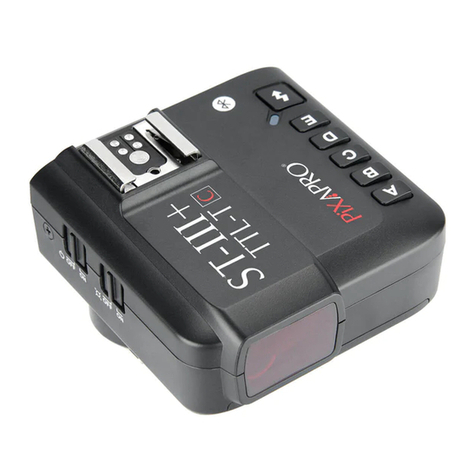
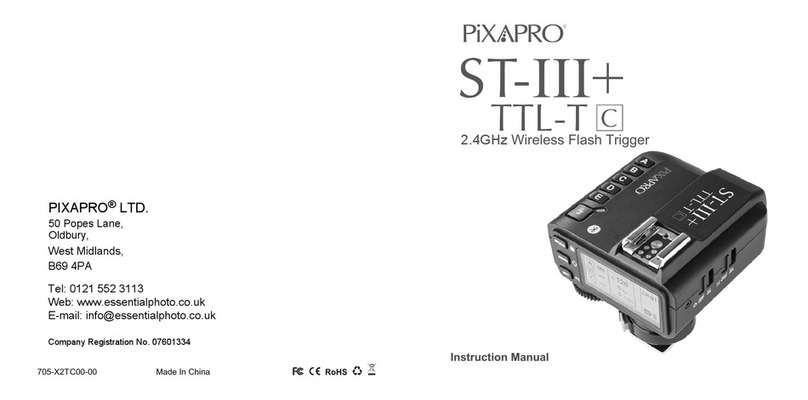
Thanks for your purchase of this ST-III TTL wireless flash trigger.
This TTL wireless flash trigger can be used with a transmitter and one or more receivers for
studio flash, speedlight, and camera shutter. Featuring multi-channel triggering, stable
signal transmission, and sensitive reaction, it gives photographers unparalleled flexibility
and control over their strobist setups. The flash trigger applies to hotshoe-mounted Nikon
DSLR series cameras, as well as the cameras which have PC sync sockets.
With ST-III wireless flash trigger, high speed synchronization is available for most of
camera flashes in the market which support i-TTL. The max flash synchronization speed is
up to 1/8000s *.
*: 1/8000s is achievable when the camera has a max camera shutter speed of 1/8000s.
Contents
- 20 -- 19 -
For Your Safety For Your Safety
- 22 -- 21 -
To prevent damage to your product or injury to you or to others, read the following safety
precautions in their entirety before using this device. Keep these safety instructions where
all those who use this device will read them.
Failure to observe the precautions listed in this section could result in damage to the
product.
The following icon indicates warnings that should be read before using this device in case
of possible damage or injury.
Do not disassemble or modify
Failure to observe this precaution could result in electric shock or product malfunction.
Should the product break open as the result of a fall or other accident, remove the
batteries and take the product to an authorized maintenance center for inspection.
Keep dry
Do not handle with wet hands or immerse in or expose to water or rain. Failure to
observe this precaution could result in fire or electric shock.
Do not use in the presence of flammable gas
Failure to observe this precaution could result in explosion or fire.
Keep out of reach of children
This device contains small parts which may pose a choking hazard. Consult a
physician immediately if a child swallows any part of this device.
Turn off the transceiver immediately in the event of malfunction
Should smoke or an unusual smell comes from this device, remove the batteries
immediately in case of burning and take the device to an authorized maintenance
center for inspection. Injuries could occur if it is further used.
Do not expose to high temperature
Do not leave the device in a closed vehicle in the sun or in other areas subject to
extremely high temperature. Failure to observe this precaution could result in fire or
damage to the casing or internal parts.
Observe precautions when handling batteries
Batteries may leak or explode if improperly handled. Observe the following precautions
when handling batteries for use in this device:
Use only batteries listed in this manual. Do not use old and new batteries or
batteries of different types at the same time.
Read and follow all warnings and instructions provided by the manufacturer.
Batteries cannot be short-circuited or disassembled.
Do not put batteries into a fire or apply direct heat to them.
Do not attempt to insert batteries upside down or backwards.
Batteries are prone to leakage when fully discharged. To avoid damage to the
product, be sure to remove batteries when the product is not used for a long time or
when batteries run out of charge.
Should liquid from the batteries come into contact with skin or clothing, rinse
immediately with fresh water.

2.5mm Shutter
Release Port
Names of Parts
Receiver
TEST Trigger Button
Power Switch
--ON (Power On)
--OFF (Power Off)
Status Indicator Lamp
--LED Red Color Lamp
CH Channel Setting Button
GR Group Setting Button
LCD Panel
Hot Shoe Speedlight
Connection
Micro USB Port
Battery
Compartment
MODE Mode Selection Button
CH Channel Setting Button
GR Group Setting Button
Select Dial
Hot Shoe Camera
Connection
LCD Panel
- 24 -
- 23 -
Names of Parts
Body
Transmitter
Power Switch
--ON (Power On)
--OFF (Power Off)
AF Assist Beam Switch
--ON(AF Assist Beam outputs)
--OFF(AF Assist Beam do
not output)
Status Indicator Lamp
--LED Red Color Lamp
TEST Trigger Button
--Half Press
--Fully Press
Micro USB Port
PC Sync Socket
Battery
Compartment
Hot Shoe Speedlight
Connection
(A) Group Setting (B) Channel Setting (C) Low Battery Indicator
Receiver Panel
Installing Batteries
As shown in the illustration, slide the battery compartment lid of the transmitter and
receiver and insert two AA batteries (sold separately)separately.
Low Battery Indication
When the battery power (2 AA
batteries <2.0V) gets low,
Status Indicator Lamp blinks
quickly (blink cycle=0.5s).
Please replace new batteries,
as low power leads to no flash
or flash missing in case of
long distance.
Battery
- 26 -
- 25 -
(A) Output Settings per Group in the M Mode; FEC Settings per Group in the TTL Mode
(B) Mode Settings (C) Group (D) Currently Selected Group (E) Channel Settings
(F) GR Grouping Icon (G) Synchronization Delay Setting Icon (H) Low Battery Indicator
(I) Single Contact Icon
AB
C
D
E
F
G
H
I
Names of Parts
Transmitter Panel
C
BA
Names of Parts
Accessories
1.
Remote Cable (N1, N3)2. Sync Cable 3.Sync Adapter
3. As a Wireless Shutter Release
3.1 Connect the receiver and the camera by Remote
Cable (one end in receiver’s Shutter Release
Port, the other end in camera’s shutter port)
before turning on the camera.
3.2 Half press the <TEST> Trigger Button to focus.
When fully press the <TEST> Trigger Button to
shoot, the Status Indicator Lamp will turn red until
releasing the button.
1. As a Wireless Studio Flash Trigger
1.1 Mount the transmitter on camera hotshoe and turn it
on before turning on the camera.
1.2 Connect the receiver to studio flash by Sync Cable
(one end in 2.5mm Shutter Release Port of the
receiver, the other end in sync port of studio flash)
before turning on the studio flash.
1.3 Set the transmitter and the receiver to the same
channel.
1.4 Press the camera shutter button, and the studio
flash will be triggered simultaneously. Status
Indicator Lamp of both transmitter and receiver
units turn red.
The flash trigger features the following functions:
2. As a Wireless Speedlight Trigger
2.1 Mount the transmitter on camera hotshoe and turn it
on before turning on the camera.
2.2 Mount the speedlight to Hot Shoe Speedlight
Connection of receiver unit. Set the speedlight to M
mode.
2.3 Set the transmitter and the receiver units to the
same channel.
2.4 Press the camera shutter button, and the speedlight
will be triggered simultaneously. Status Indicator
Lamp of both transmitter and receiver units turn red.
Using the Flash Trigger
4. As a Wireless Studio Flash Trigger or Speedlight
Trigger with PC Sync Socket
4.1 The connection method of the receiver can be
found in As a Wireless Studio Flash Trigger and As
a Wireless Speedlight Trigger section.
4.2 The transmitter will control the flash on the
receiver end to fire via using PC Sync Socket as
input by default.
4.3 Press the camera shutter and use the PC Sync
Socket’s signal to control the flash.
4.4 PC Sync Socket can also be set as output. Long
press the <CH> Button of the transmitter until
<Fn> is displayed on the panel. Then, set the
value of Fn 03 to 1, and the PC Sync Socket is
under output mode.
- 28 -
- 27 -
Using the Flash Trigger
Setting the Transmitter
Slide the Power Switch to ON, and the device is on and Status Indicator Lamp will not blink.
Note: In order to avoid power consumption, turn off the transmitter when not in use.
Power Switch
Slide the power switch to ON, and the AF lighting is allowed to output.
Power Switch of AF Assist Beam
Channel Setting
1. Short press the <CH> Button until the
channel amount blinks.
2. Turn the Select Dial to choose the
appropriate channel. Press the <CH> Button
again to confirm the setting.
3. This flash trigger contains 32 channels
which can be changed from 1 to 32. Set the
transmitter and the receiver to the same
channel before usage.
Setting the Transmitter
Mode Setting
1. Short press the <MODE> Button, and the
mode of the current group will change.
2. The current group's mode will be changed
by the order of TTL/M/-- modes (-- means
OFF, and the current group will not fire a
flash in this mode).
Current Group Settings
1. Short press the <GR> Button to set the
current group.
2. The current group settings will blink and
turn the Select Dial to change the settings.
3. When the current group is in the M mode,
the power output value is changeable from
1/1 full power to 1/128th power in 0.3 stop
increments. When the current group is in
the TTL mode, the FEC amount is changeable
from -3 to 3 in 0.3 stop increments. When the current group is in the -- mode (flash
off), the amounts will not change.
4. Short press the <GR> Button again to confirm the setting.
- 30 -- 29 -
Using the Flash Trigger
1. To fire flashes normally, please set the camera flash which connects to the transmitter
or receiver to i-TTL mode.
2. To set ZOOM functions, please open the ZOOM functions on the camera flash.
Setting the Transmitter
Group Settings
1. Long press the <GR> Button to set all the groups that in the same modes
simultaneously.
2. The settings of the groups which are in the same mode with the current group will
blink. Turn the Select Dial to change the settings.
3. If the current group is in the M mode, all the other groups which are in the M mode will
change their power output value simultaneously. The power output value is
changeable from 1/1 full power to 1/128th power in 0.3 stop increments, until one of
the group’s setting turns to the maximum(1/1) or the minimum(1/128). If the current
group is in the TTL mode, all the other groups which are in the M mode will change
their FEC amount simultaneously. The FEC amount is changeable from -3 to 3 in 0.3
stop increments, until one of the group’s setting turns to the maximum(3) or the
minimum(-3). If the current group is in the -- mode (flash off), the amounts will not
change.
4. Short press the <GR> Button again to confirm the setting.
Setting the Transmitter
Test Flash
5. The settings on the transmitter end will synchronize to the receiver end at the same
time.
1. Press the <TEST> Trigger Button to see the
whether flash will fire normally or not.
2. Fully press the <TEST> Trigger Button, and
the Status Indicator Lamp turns red and the
flash on the receive end can be triggered.
3. Use the transmitter to control camera to
focus or shoot, and the transmitter is
connecting to the camera (do not connect to
the flash) now.
4. In the standby mode, press the TEST
Button can wake up the receiver.
- 32 -- 31 -
Automatically Enter Power Saving Mode
1. The flash trigger will go into standby mode after the transmitter enter sleep mode, and
the displays on the LCD panel will disappear.
2. Press any of the button (<TEST> fully pressed/<CH>/<GR>/<MODE>) can wake up
the flash trigger. If the transmitter is attached to the Nikon DSLR camera, half press
the shutter can also wake up the system.
3. If the transmitter is set to single contact mode( isdisplayed), the system will not
enter power saving mode.
Setting the Transmitter Setting the Transmitter
The following table lists the available and unavailable custom functions of this flash. The
icon“√”indicates the flash custom function is supported but “0”indicates the custom
function is not supported.
Note: Some icons will be displayed when setting the relevant custom functions to make users
have a good understanding.
Settings and Description
OFF
Master flash synchronization delay N*100 us
(synchronization delay icon is displayed.)
OFF
ON(The single contact mode set icon
is displayed.)
It is advisable to set the transmitter to single
contact mode when using it to trigger the flash
by PC cord or through camera’s single contact.
Changing with camera's zoom value, Flash's
auto ZOOM functions should be turned on.
Zoom(20/24/28/35/50/70/80/105/135/
200mm)
Setting Signs
0
1~100
0
1
AU
20,24,28,35,50,70,
80,105,135,135+
Functions
Synchronization
delay setting
Single contact
mode
Zoom setting
Custom
Functions No.
C.Fn-00
C.Fn-01
C.Fn-02
Application
√
√
- 34 -- 33 -
C.Fn: Setting Custom Functions Settings and Description
PC sync socket connects with camera
PC sync socket connects with flash
Setting Signs
0
1
Functions
PC sync socket
connects with
camera/flash
Custom
Functions No.
C.Fn-03
Application
√
√
1. Press the <CH> Button for 2 seconds or longer until <Fn> is displayed.
2. Select the custom function No.
* Turn the Select Dial to choose the Custom Function No.
3. Change the Setting.
* Press the <GR> Button until the custom function No. blinks.
* Turn the Select Dial to set the desired number. Pressing <GR> button will confirm the
settings.
* Press <MODE> button to exit the C.Fn settings.
Wireless Shutter Release Mode
Half press the <TEST> Trigger Button to focus. Fully press the <TEST> Trigger Button,
and the Status Indicator Lamp turns red. Now camera is ready to shoot. When releasing
the button, the Status Indicator Lamp turns off.
Setting the Transmitter Setting the Receiver
Setting the Camera
To achieve FP flash, set “e1: flash sync speed” to “1/250s (Auto FP)” in the Nikon
camera setting to get a stable transition from standard sync mode to high speed sync
mode. Do not use 1/320s (Auto FP).
4. The channel amount will increase from 1 to 32. When the current channel is 32, press
the <CH> Button again and the channel 1 will be displayed on the panel.
- 36 -- 35 -
Group Settings
4. The group amount will increase from A to C. When the current group is C, press the
<GR> Button again and the group A will be displayed on the panel.
1. Short press the <GR> Button and the group
amount will increase a step each time.
2. Long press the <GR> Button will enter quicker
adjustment mode. The group amount will
increase fast in this mode.
3. Release the <GR> Button and the current
group amount is confirmed.
Setting the Receiver
Channel Setting
1. Short press the <CH> Button and the channel
amount will increase a step each time.
2. Long press the <CH> Button will enter quicker
adjustment mode. The channel amount will
increase fast in this mode.
3. Release the <CH> Button and the current
channel amount is confirmed.
Automatically Enter Power Saving Mode
1. The system will go into standby mode after the transmitter goes into standby mode.
And the displays on the LCD panel disappear now.
2. To wake up the system, press the <TEST> Button or the <GR> Button. Fully press the
<TEST> Trigger Button of the transmitter can also wake up the receiver’s system. If
the transmitter is attached to the NIKON DSLR camera, half press the camera shutter
can also wake up the system.