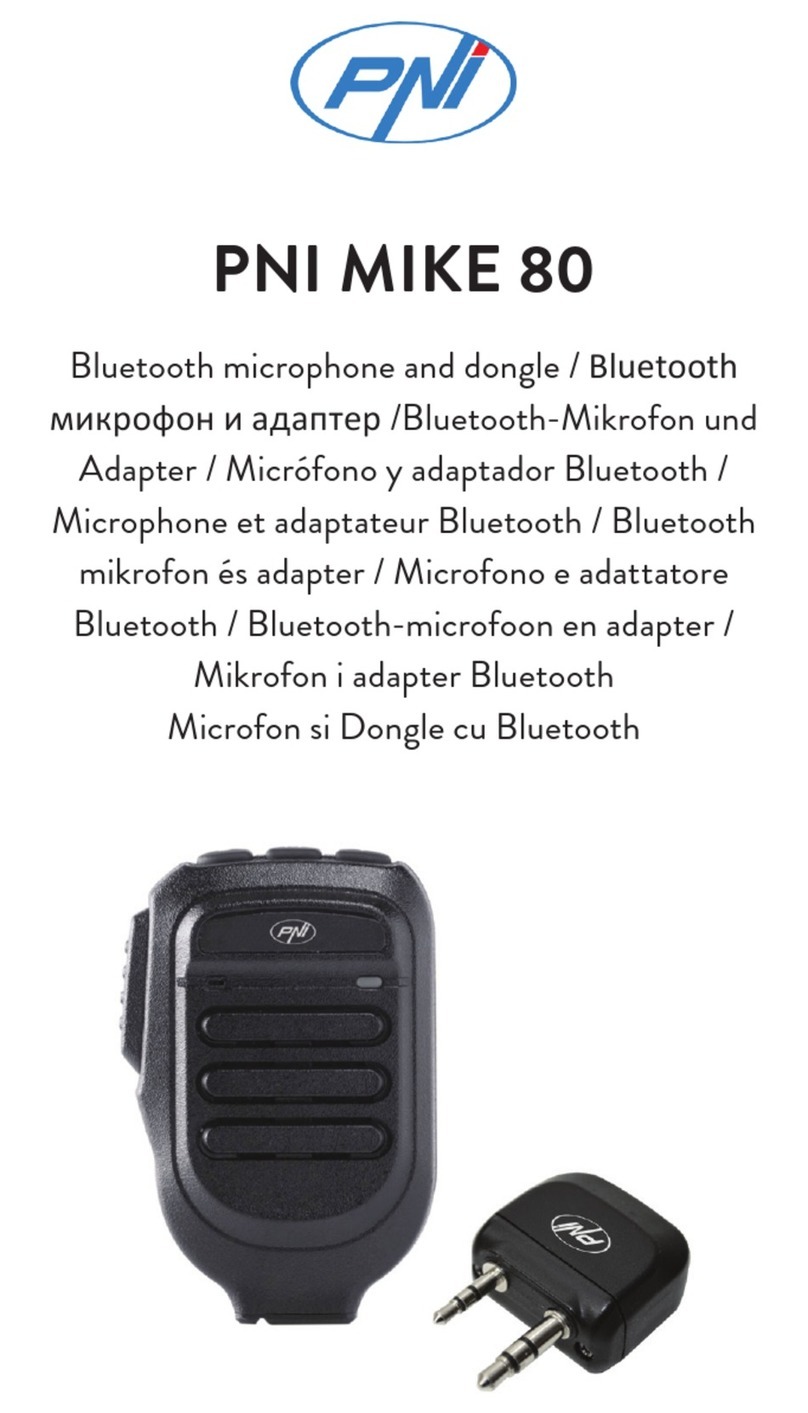
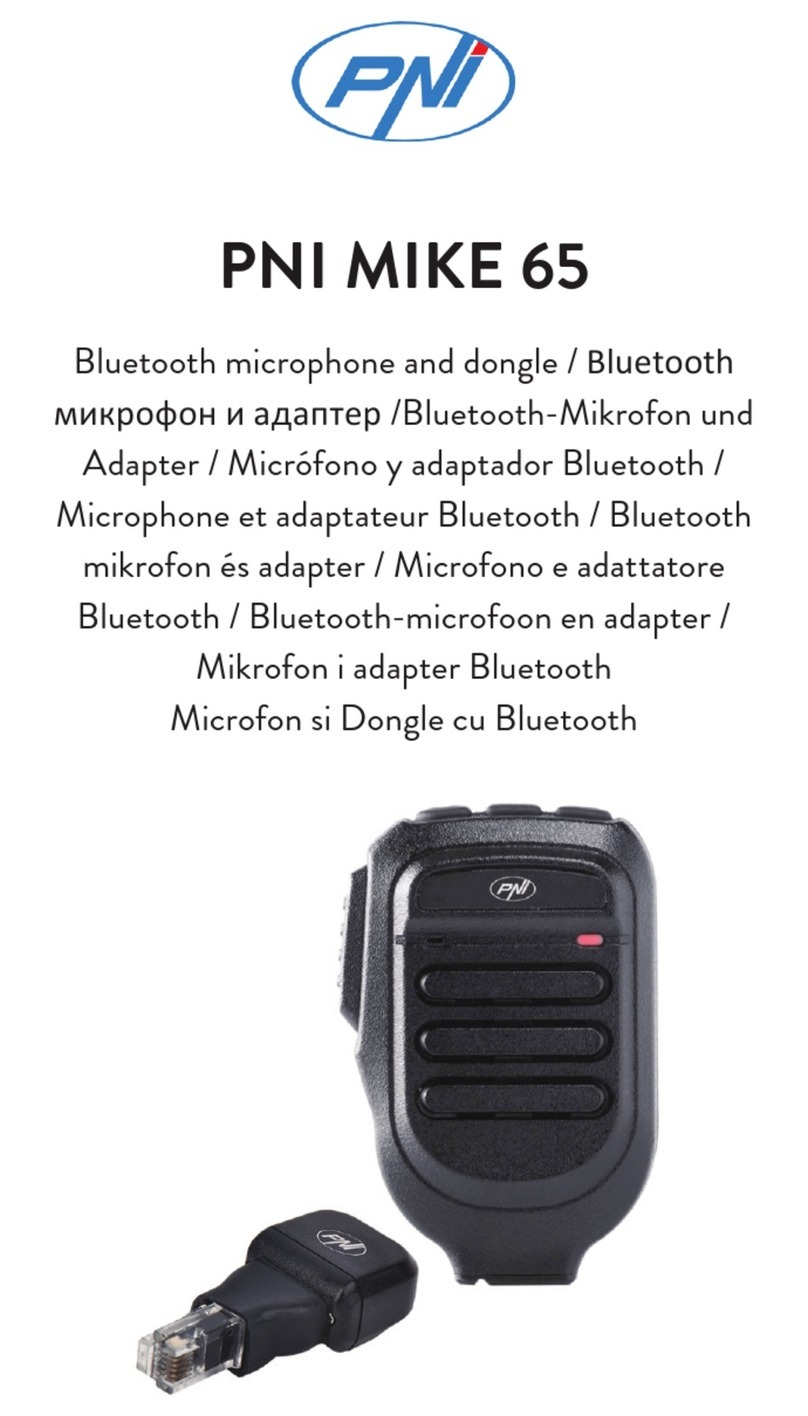
PNI BT-MIKE 8500 Instruction manual

1
Ghid rapid de utilizare
Microfon cu Bluetooth PNI BT-MIKE 8500 Dual Channel
Introducere:
Noul microfon Bluetooth PNI BT-MIKE 8500 poate comunica wireless cu statia CB. In plus, iti permite sa cobori
din masina si sa continui sa comunici pana la o distanta de 10 m.
Pentru a permite comunicarea wireless dintre microfon si statia radio, trebuie sa conectati la aceasta din urma
adaptorul Bluetooth PNI BT-DONGLE 8001 (compatibil cu statia radio CB PNI Escort HP 8001L ASQ cu 2 pini tip
Kenwood pentru accesorii audio). Apoi trebuie sa imperecheati adaptorul Bluetotooth cu microfonul Bluetooth.
O caracteristica speciala o reprezinta faptul ca puteti conecta simultan microfonul atat cu statia radio, cat si cu
telefonul mobil. Cu BT-MIKE 8500 puteti raspunde la telefon fara sa mai luati telefonul in mana.
Compartiment acumulator:
Pentru a deschide compartimentul pentru acumulator, rotiti spre dreapta sau spre stanga clema de pe spatele
microfonului. Apoi, folosind o surubelnita, rotiti usor spre dreapta surubul din partea superioara. Indepartati
capacul.
Nota: Acumulatorul este inclus in pachet. Microfonul foloseste un acumulator Li-Ion 3.7V 1200 mAh.
Incarcare acumulator:
Introduceti un capat al cablului de alimentare in mufa jack din partea inferioara a microfonului, iar celalalt capat in
portul USB al unui computer sau adaptor 220V cu USB.
Nota: Cablul de alimentare este inclus in pachet.
RO
Mufa jack 3.5mm
pentru incarcare
acumulator

2
Procedura de imperechere BT-DONGLE 8001 cu microfonul BT-MIKE 8500:
1. Cand statia radio este oprita, conectati adaptorul BT-DONGLE 8001. Porniti statia radio si asteptati ca adaptorul
sa intre in modul de imperechere care se activeaza dupa circa 2 minute, cand ledul incepe sa clipeasca alternativ
rosu si albastru.
2. Porniti microfonul BT-MIKE 8500 si activati modul de imperechere:
• Apasati lung tasta multifunctionala de pe microfon (tasta “M“). Veti auzi conrmarea vocala“Power on”
• Continuati sa tineti apasata tasta multifunctionala pana auziti mesajul “Pairing“. Ledul va clipi alternativ rosu
si albastru pana se va realiza conexiunea.
• Dupa ce s-a stabilit conexiunea, veti auzi mesajul “Connected“. Ledul de pe microfon va clipi rar albastru.
• Apasati tasta PTT pentru a emite.
Procedura de imperechere BT-DONGLE 8001 cu BT-MIKE 8500 si telefonul mobil:
1. Imperecheati BT-MIKE 8500 cu telefonul mobil:
• Porniti microfonul BT-MIKE si activati modul de imperechere:Apasati lung tasta multifunctionala de pe microfon
(tasta “M“). Veti auzi conrmarea vocala“Power on”. Continuati sa tineti apasata tasta multifunctionala pana
auziti mesajul “Pairing“. Ledul va clipi alternativ rosu si albastru pana se va realiza conexiunea.
• Activati functia Bluetooth pe telefonul mobil. Din lista dispozitivelor Bluetooth, selectati BT-MIKE 8500.
• Dupa ce s-a stabilit conexiunea, veti auzi mesajul “Connected“. Ledul de pe microfon va clipi rar albastru.
2. Inchideti BT-MIKE 8500. Tineti apasat lung tasta multifunctionala pana auziti mesajul “Power o“.
3. Imperecheati BT-MIKE 8500 cu BT-DONGLE 8001 (urmati pasii descrisi la procedura anterioara)
4. Reconectati manual BT-MIKE 8500 la telefonul mobil.
Acum toate cele 3 dispozitive: microfon, adaptor Bluetooth si telefon mobil sunt conectate.
Pentru a emite apasati tasta PTT. Pentru a raspunde la telefon apasati scurt tasta “M“.
Specicatii tehnice:
• Frecventa: 2.4GHz
• Acumulator: Li-Ion 3.7V 1200mAh
• Ristanta de comunicare: pana la 10 m
• Durata de functionare: pana la 8 ore
• Dimensiuni: 90 x 43 x 58 mm
• Greutate: 113 g (acumulatorul inclus)
Cotinut pachet: Microfon, cablu USB, acumulator 1200mAH, manual de utilizare.

3
Quick user guide
Bluetooth microphone PNI BT-MIKE 8500
Introduction:
The new Bluetooth microphone PNI BT-MIKE 8500 can communicate wireless with your CB radio. Furthermore,
you can get out your car while keep using remotely BT-MIKE 8500 up to a distance of 10 m.
To enable this system you have to make Bluetooth your transceiver. You have to connect to your CB radio a
Bluetooth adapter: PNI BT-DONGLE 8001 compatible with PNI Escort HP 8001L ASQ CB transceiver with 2 pins
Kenwood type. Then you have to pair the microphone with the adapter.
The big news is the opportunity to use simultaneously the transceiver, the smart phone and the Bluetooth
microphone. With BT-MIKE 8500 you can answer your phone without taking your mobile phone in your hands.
Battery compartment:
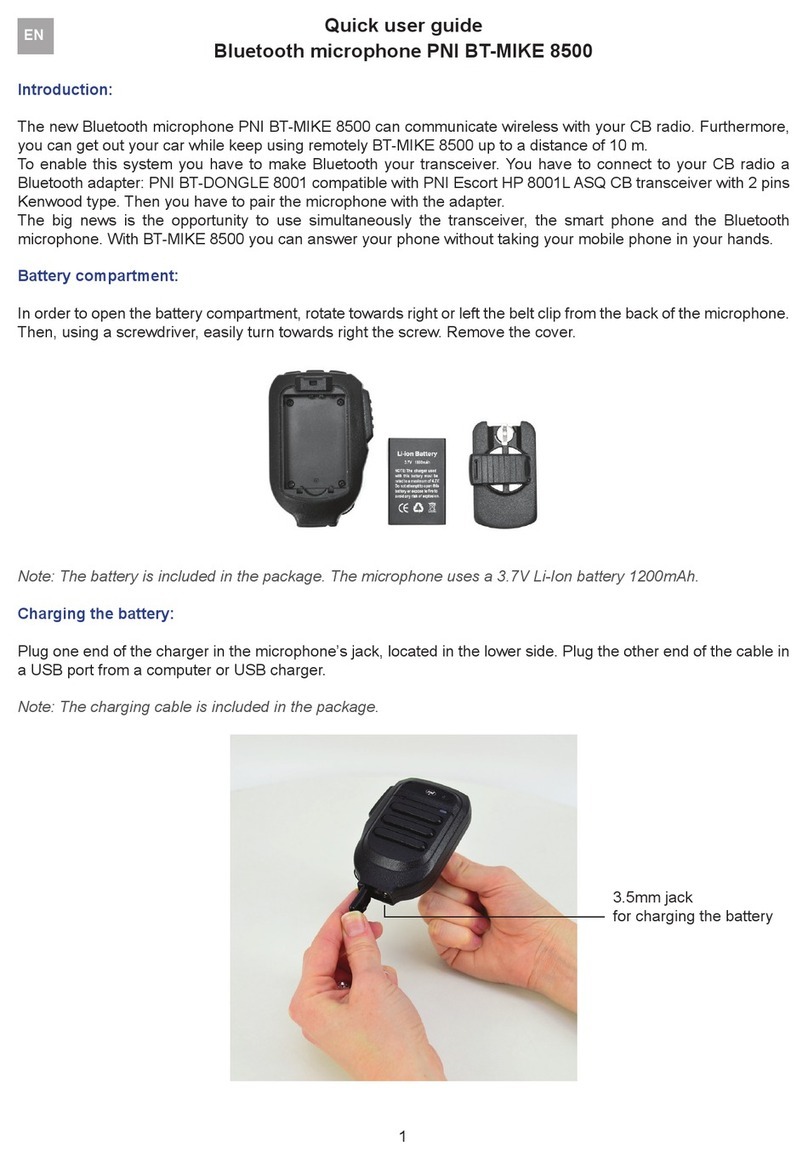
In order to open the battery compartment, rotate towards right or left the belt clip from the back of the microphone.
Then, using a screwdriver, easily turn towards right the screw. Remove the cover.
Note: The battery is included in the package. The microphone uses a 3.7V Li-Ion battery 1200mAh.
Charging the battery:
Plug one end of the charger in the microphone’s jack, located in the lower side. Plug the other end of the cable in
a USB port from a computer or USB charger.
Note: The charging cable is included in the package.
EN
3.5mm jack
for charging the battery

4
Pairing procedure between BT-DONGLE 8001 and BT-MIKE 8500:
1. Connect BT-DONGLE to the transceiver and wait for the adapter to activate pairing mode (after ~2 minutes).
The led starts to ash alternatively red and blue.
2. Turn on BT-MIKE 8500 and activate pairing mode:
• Long press “M“ multifunctional key
• The vocal menu will conrm “Power on”
• Continue pressing the “M” key until you hear the vocal warning “Pairing“. The led will ash red and blue until
the connection is established.
• One the connection is established, you can hear the message “Connected“. The led will ash blue.
• Press PTT button to transmit
Pairing procedure between BT-DONGLE 8001, BT-MIKE 8500 and smartphone:
1. Pair BT-MIKE 8500 with your smartphone:
• Turn on BT-MIKE 8500 and activate pairing mode (follow the steps described to the previous procedure)
• Activate Bluetooth function on yours mart phone. From the list of Bluetooth devices, select BT-MIKE 8500
• Once connection is established, you can hear the message “Connected“. The led on the microphone will
ash blue
2. Turn o BT-MIKE 8500. Long press multifunctional key “M“ until you hear the message “Power o“
3. Pair BT-MIKE 8500 with BT-DONGLE (follow the steps described to the previous procedure)
4. Manually reconnect BT-MIKE 8500 to your smartphone
Now, all three devices: microphone, Bluetooth adapter and smartphone are connected.
To emit push PTT button. To answer the phone push once “M“ key.
Technical specications:
Frequency: 2.4GHz
Battery: Li-Ion 3.7V 1200mAh
Range: up to 10 m
Dimensions: 90 x 43 x 58 mm
Package contents:
Microphone, battery 1200mAh, power cable, user manual.
Other manuals for BT-MIKE 8500
1
Table of contents
Languages:
Other PNI Microphone manuals