10
GET STARTED
POLAR M460 USER MANUAL
INTRODUCTION
Congratulations on your new M460! The Polar M460 all-round GPS bike computer is fully compatible with several
Bluetooth power meters and makes cycling even more exciting with Strava Live Segments®. Your M460 is com-
patible with TrainingPeaks® coaching and analyzing platform and the following advanced TrainingPeaks power met-
rics for cycling are available on your M460: NORMALIZED POWER® (NP®),INTENSITY FACTOR® (IF®) and
TRAINING STRESS SCORE® (TSS®).
When combined with a heart rate sensor, Polar M460 offers access to unique heart rate based features, such as Fit-
ness Test, Orthostatic Test, Training Load and Recovery Status. It is splash-proof (IPX7) and has a battery life for up to
16 hours of training. GPS and barometer enable you to track your speed, distance, altitude and gradient. Polar M460
keeps you connected wherever, whenever with smart notifications from your phone. It even looks after your safety
with a front LED light. Get an instant overview of your training right after a session with the Flow app. Plan and ana-
lyze your training in detail with the Flow web service.
This user manual helps you get started with your new training companion. Further support is available at sup-
port.polar.com/en/M460.
TAKE FULL ADVANTAGE OF YOUR M460
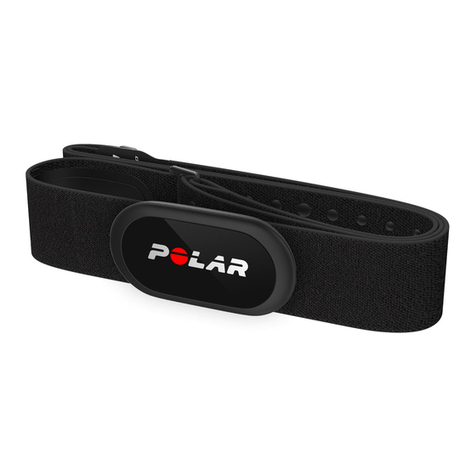
See live, accurate heart rate on your M460 during training with Polar H10 heart rate sensor. Your heart rate is inform-
ation used to analyze how your session went. If you bought a set that does not include a heart rate sensor, not to
worry, you can always buy one later.
View your training data at a glance after every session with Polar Flow mobile app. Flow app syncs your training data
wirelessly to the Polar Flow web service. Download it from the App Store or Google Play.
Polar Flowsync software allows you to sync data between your M460 and the Flow web service on your computer via
the USB cable. Go to flow.polar.com/start to download and install Polar FlowSync software. Plan and analyze every
detail of your training, customize your device and learn more about your performance with Polar Flow web service at
flow.polar.com.
NORMALIZED POWER®,INTENSITY FACTOR® and TRAINING STRESS SCORE® are trademarks of TrainingPeaks,
LLC and are used with the permission. Learn more at http://www.trainingpeaks.com.
SET UP YOUR M460
Please do the setup in the Polar Flow web service. There you can fill in all the physical details required for accurate train-
ing data at once. You can also select language and get the latest firmware for your M460. To do the setup in the Flow
web service, you need a computer with an Internet connection.