REV 6 –Feb 2017
QUICK REFERENCE GUIDE - VSS-05 SOUND SELECTOR & RADIO
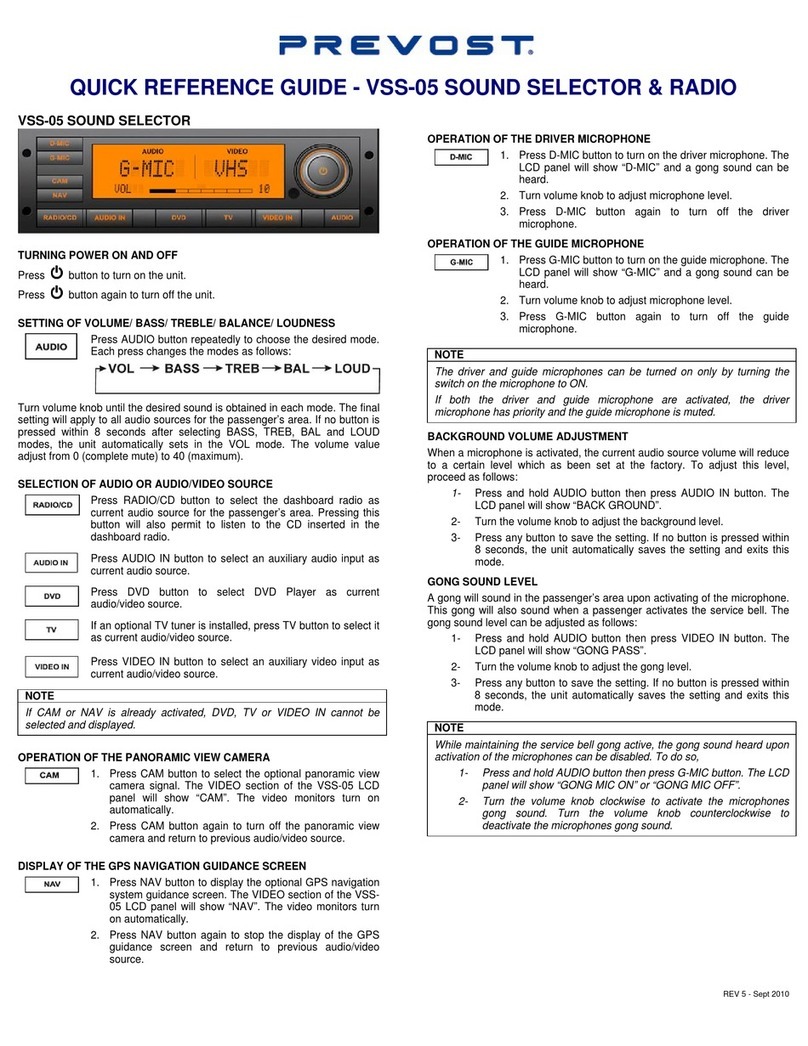
VSS-05 SOUND SELECTOR
TURNING POWER ON AND OFF
Press button to turn on the unit.
Press button again to turn off the unit.
SETTING OF VOLUME/ BASS/ TREBLE/ BALANCE/ LOUDNESS
Press AUDIO button repeatedly to choose the desired mode.
Each press changes the modes as follows:
Turn volume knob until the desired sound is obtained in each mode. The final
setting will apply to all audio sources for the passenger’s area. If no button is
pressed within 8 seconds after selecting BASS, TREB, BAL and LOUD
modes, the unit automatically sets in the VOL mode. The volume value
adjust from 0 (complete mute) to 40 (maximum).
SELECTION OF AUDIO OR AUDIO/VIDEO SOURCE
Press RADIO/CD button to select the dashboard radio as
current audio source for the passenger’s area. Pressing this
button will also permit to listen to the CD inserted in the
dashboard radio.
Press AUDIO IN button to select an auxiliary audio input as
current audio source.
Press DVD button to select DVD Player as current
audio/video source.
If an optional TV tuner is installed, press TV button to select it
as current audio/video source.
Press VIDEO IN button to select an auxiliary video input as
current audio/video source.
If CAM or NAV is already activated, DVD, TV or VIDEO IN cannot be
selected and displayed.
OPERATION OF THE PANORAMIC VIEW CAMERA
1. Press CAM button to select the optional panoramic view
camera signal. The VIDEO section of the VSS-05 LCD
panel will show “CAM”. The video monitors turn on
automatically.
2. Press CAM button again to turn off the panoramic view
camera and return to previous audio/video source.
DISPLAY OF THE GPS NAVIGATION GUIDANCE SCREEN
1. Press NAV button to display the optional GPS navigation
system guidance screen. The VIDEO section of the VSS-
05 LCD panel will show “NAV”. The video monitors turn
on automatically.
2. Press NAV button again to stop the display of the GPS
guidance screen and return to previous audio/video
source.
OPERATION OF THE DRIVER MICROPHONE
1. Press D-MIC button to turn on the driver microphone. The
LCD panel will show “D-MIC” and a gong sound can be
heard.
2. Turn volume knob to adjust microphone level.
3. Press D-MIC button again to turn off the driver
microphone.
OPERATION OF THE GUIDE MICROPHONE
1. Press G-MIC button to turn on the guide microphone. The
LCD panel will show “G-MIC” and a gong sound can be
heard.
2. Turn volume knob to adjust microphone level.
3. Press G-MIC button again to turn off the guide
microphone.
The driver and guide microphones can be turned on only by turning the
switch on the microphone to ON.
If both the driver and guide microphone are activated, the driver
microphone has priority and the guide microphone is muted.
BACKGROUND VOLUME ADJUSTMENT
When a microphone is activated, the current audio source volume will reduce
to a certain level which as been set at the factory. To adjust this level,
proceed as follows:
1- Press and hold AUDIO button then press AUDIO IN button. The
LCD panel will show “BACK GROUND”.
2- Turn the volume knob to adjust the background level.
3- Press any button to save the setting. If no button is pressed within
8 seconds, the unit automatically saves the setting and exits this
mode.
GONG SOUND LEVEL
A gong will sound in the passenger’s area upon activating of the microphone.
This gong will also sound when a passenger activates the service bell. The
gong sound level can be adjusted as follows:
1- Press and hold AUDIO button then press VIDEO IN button. The
LCD panel will show “GONG PASS”.
2- Turn the volume knob to adjust the gong level.
3- Press any button to save the setting. If no button is pressed within
8 seconds, the unit automatically saves the setting and exits this
mode.
While maintaining the service bell gong active, the gong sound heard upon
activation of the microphones can be disabled. To do so,
1- Press and hold AUDIO button then press G-MIC button. The LCD
panel will show “GONG MIC ON” or “GONG MIC OFF”.
2- Turn the volume knob clockwise to activate the microphones
gong sound. Turn the volume knob counterclockwise to
deactivate the microphones gong sound.