MONITOR
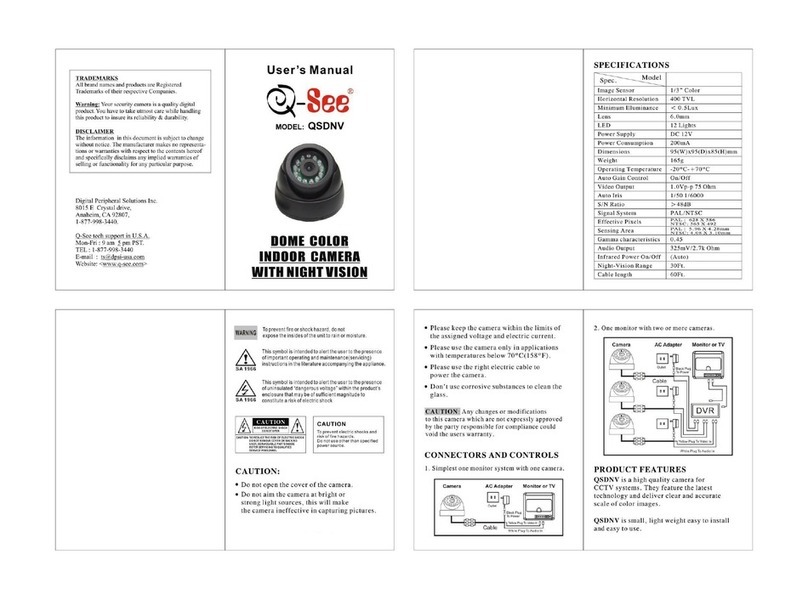
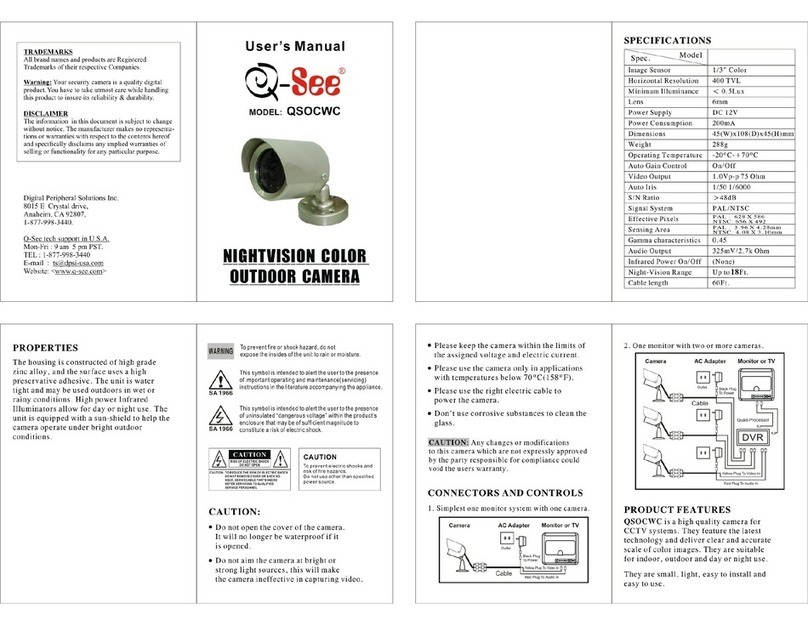
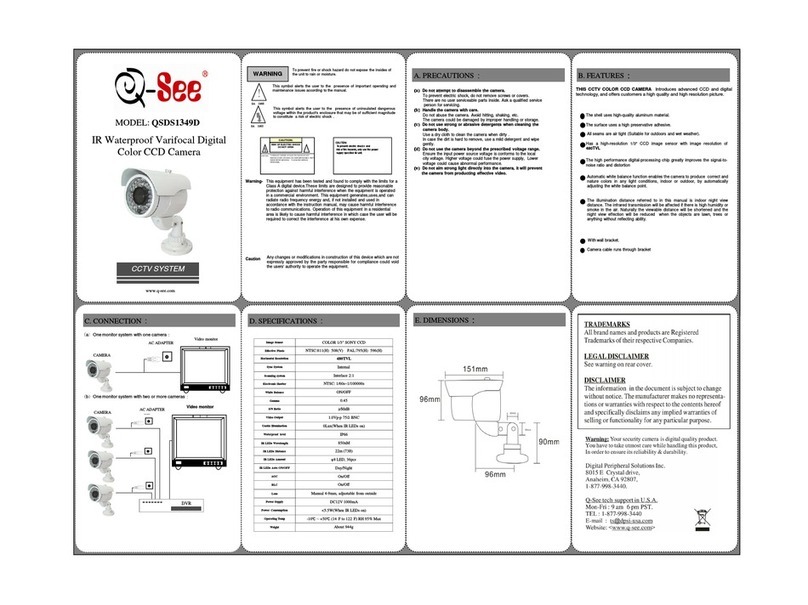
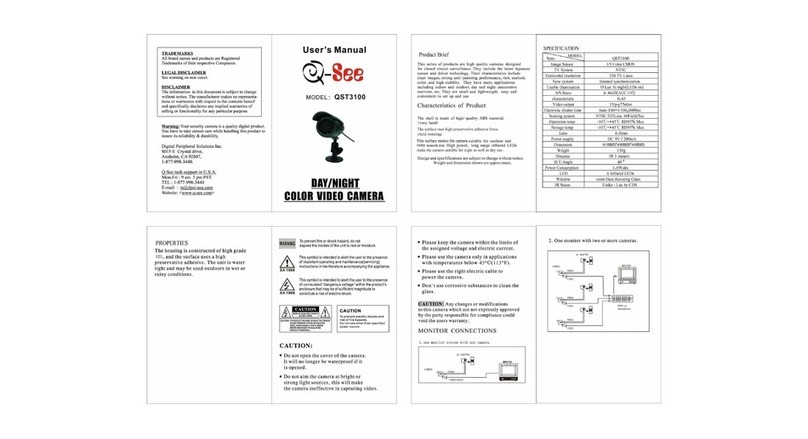
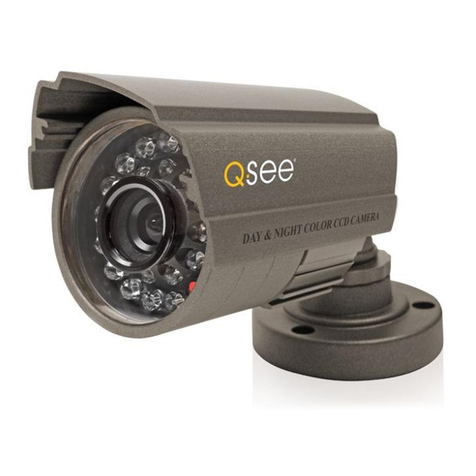
Indoor Digital Color CCD Box
Camera With Manual Lens
CCTV SYSTEM
This equipment has been tested and found to comply with the limits for a
Class A digital device, pursuant to part 15 of the FCC Rules.These limits
are designed to provide reasonable protection against harmful
interference when the equipment is operated in a commercial
environment. This equipment generates,uses,and can radiate radio
frequency energy and, if not installed and used in accordance with the
instruction manual, may cause harmful interference to radio
communications. Operation of this equipment in a residential area is
likely to cause harmful interference in which case the user will be
required to correct the interference at his own expense.
Warning-
Caution Any changes or modifications in construction of this device which are
not expressly approved by the party responsible for compliance could
void the users' authority to operate the equipment.
(
((
(
a
)
))
)
Do not attempt to disassemble the camera.
To prevent electric shock, do not remove screws or covers.
There are no user serviceable parts inside. Ask a qualified service
person for servicing.
(
((
(
b
)
))
)
Handle the camera with care.
Do not abuse the camera. Avoid hitting, shaking, etc.
The camera could be damaged by improper handling or storage.
(
((
(
c
)
))
)
Do not use strong or abrasive detergents when cleaning the
camera body.
Use a dry cloth to clean the camera when dirty .
In case the dirt is hard to remove, use a mild detergent and wipe
gently.
(
((
(
d
)
))
)
Do not use the camera beyond the prescribed voltage range.
Ensure the input power source voltage is conforms to the local
city voltage. Higher voltage could fuse the power supply, Lower
voltage could cause abnormal performance.
(
((
(
e
)
))
)
Do not aim strong light directly into the camera, it will prevent
the camera from producting effective video.
A. PRECAUTIONS
:
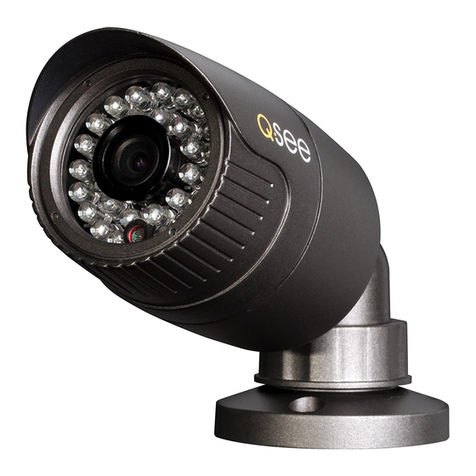
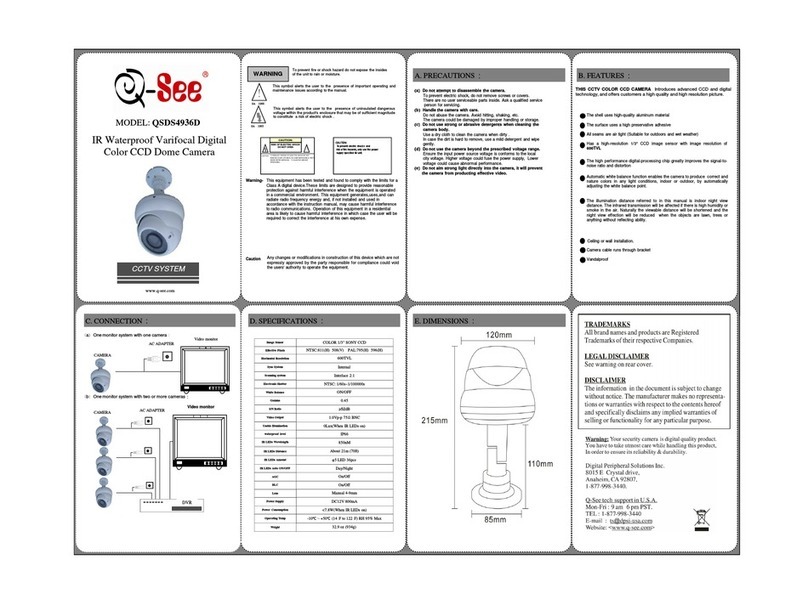
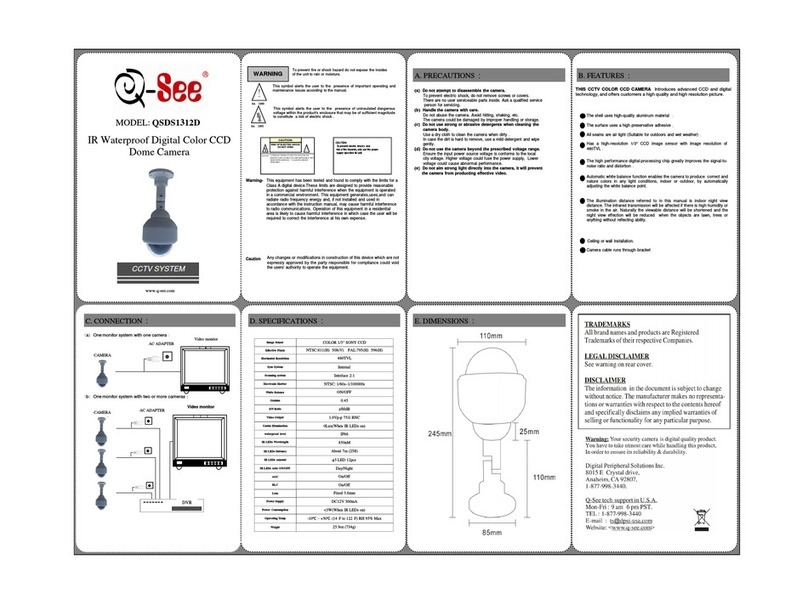
THIS CCTV COLOR CCD CAMERA Introduces advanced CCD and digital
technology, and offers customers a high quality and high resolution picture.
Has a high-resolution 1/3" CCD image sensor with image resolution of
480TVL
Automatic white balance function enables the camera to produce correct
and nature colors in the day, by automatically adjusting the white balance
point.
Comes with manual lens
The high performance digital-processing chip greatly improves the signal-to-
noise ratio and distortion
B. FEATURES
:
Low power consumption
Indoor use only
www.q-see.com
WARNING To prevent fire or shock hazard do not expose the insides
of the unit to rain or moisture.
!
This symbol alerts the user to the presence of important operating and
maintenance issues according to the manual.
SA 1966
This symbol alerts the user to the presence of uninsulated dangerous
voltage within the product's enclosure that may be of sufficient
magnitude to constitute a risk of electric shock .
SA 1965
CAUTION:
To prevent electric shocks and
risk of fire hazards, only use the power
supply specifled for unit.
CAUTION: TO EDU CE THE ISK OF ELECT IC SHOCK DO NOT
EMOVE COVE (O BACK) NO USE -SE VICEABLE
PA TS INSIDE EFE SE VICING TO QUALFIED SE VICE
PE SONINEL
CAUTION:
RISK OF ELECTRIC SHOCK
DO NOT OPEN !
MODEL: QSDS13358M
MONITOR
电源
摄像机
E. DIMENSIONS
:
Indoor Digital Color CCD Box
Camera With Manual Lens
CCTV SYSTEM
This equipment has been tested and found to comply with the limits for a
Class A digital device, pursuant to part 15 of the FCC Rules.These limits
are designed to provide reasonable protection against harmful
interference when the equipment is operated in a commercial
environment. This equipment generates,uses,and can radiate radio
frequency energy and, if not installed and used in accordance with the
instruction manual, may cause harmful interference to radio
communications. Operation of this equipment in a residential area is
likely to cause harmful interference in which case the user will be
required to correct the interference at his own expense.
Warning-
Caution Any changes or modifications in construction of this device which are
not expressly approved by the party responsible for compliance could
void the users' authority to operate the equipment.
(
((
(
a
)
))
)
Do not attempt to disassemble the camera.
To prevent electric shock, do not remove screws or covers.
There are no user serviceable parts inside. Ask a qualified service
person for servicing.
(
((
(
b
)
))
)
Handle the camera with care.
Do not abuse the camera. Avoid hitting, shaking, etc.
The camera could be damaged by improper handling or storage.
(
((
(
c
)
))
)
Do not use strong or abrasive detergents when cleaning the
camera body.
Use a dry cloth to clean the camera when dirty .
In case the dirt is hard to remove, use a mild detergent and wipe
gently.
(
((
(
d
)
))
)
Do not use the camera beyond the prescribed voltage range.
Ensure the input power source voltage is conforms to the local
city voltage. Higher voltage could fuse the power supply, Lower
voltage could cause abnormal performance.
(
((
(
e
)
))
)
Do not aim strong light directly into the camera, it will prevent
the camera from producting effective video.
A. PRECAUTIONS
:
THIS CCTV COLOR CCD CAMERA Introduces advanced CCD and digital
technology, and offers customers a high quality and high resolution picture.
Has a high-resolution 1/3" CCD image sensor with image resolution of
480TVL
Automatic white balance function enables the camera to produce correct
and nature colors in the day, by automatically adjusting the white balance
point.
Comes with manual lens
The high performance digital-processing chip greatly improves the signal-to-
noise ratio and distortion
B. FEATURES
:
Low power consumption
(
b
)
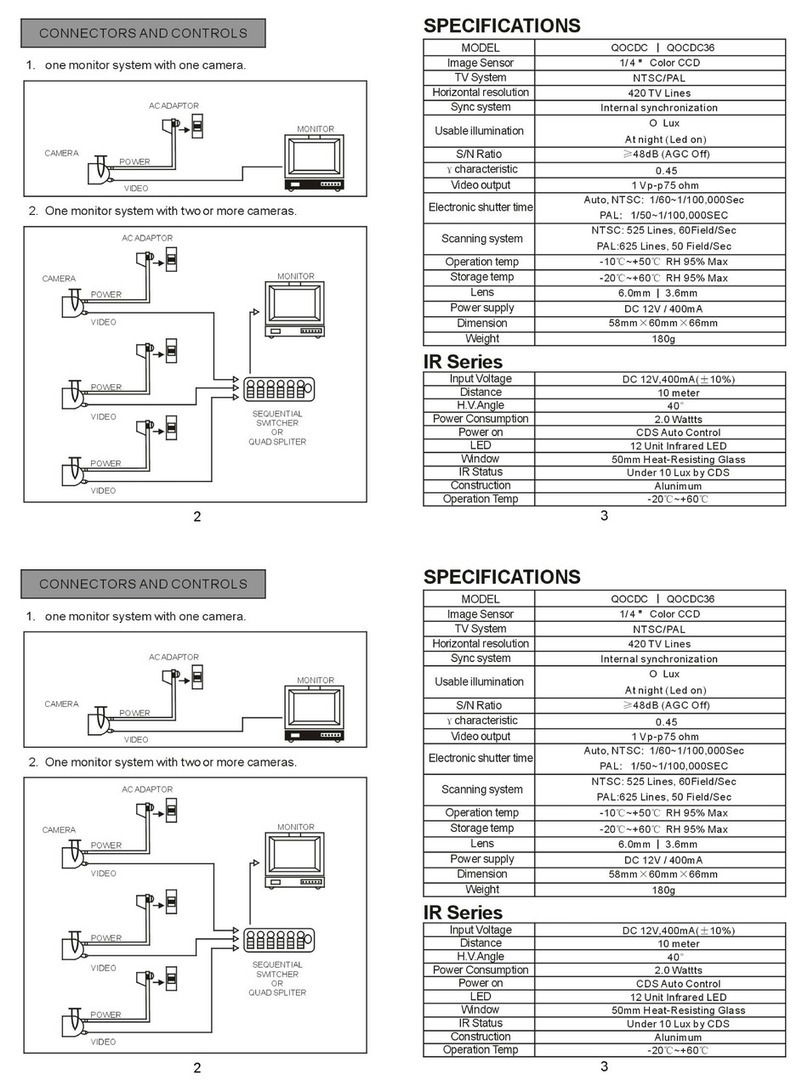
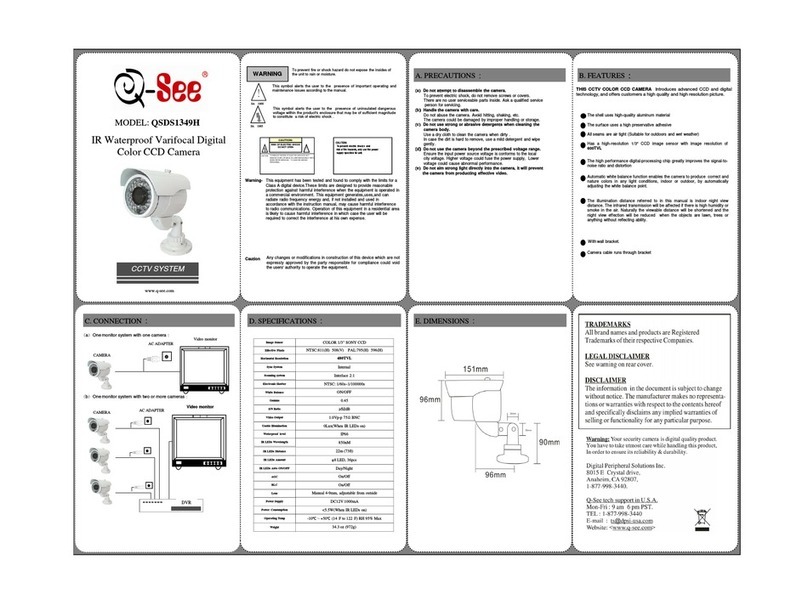
One monitor system with two or more cameras
:
(
a
)
One monitor system with one camera
:
Video monitor
AC ADAPTER
CAMERA
Video monitor
AC ADAPTER
CAMERA
C. CONNECTION
:
COLOR 1/3" SONY CCD
NTSC:811(H) 508(V) PAL:795(H) 596(H)
480TVL
Internal
Interlace 2:1
NTSC: 1/60s~1/100000s
ON/OFF
0.45
1.0Vp-p 75ΩBNC
Yes
---
Manual 3.5-8mm
On/Off
On/Off
DC12V 150mA
<2.5W
About 240g
-10
(14 F to 122 F) RH 95% Max
≥50dB
Scanning system
Sync System
Electronic Shutter
White Balance
Image Sensor
Pixel
Horizontal Resolution
Lens
Indoor Use only
Mounting
S/N Ratio
Gamma
Video Output
Auto DC/Iris Drive
Power Supply
Power Consumption
Operating Temp
AGC
BLC
Weight
D. SPECIFICATIONS
:
Indoor use only
www.q-see.com
C/CS
WARNING To prevent fire or shock hazard do not expose the insides
of the unit to rain or moisture.
!
This symbol alerts the user to the presence of important operating and
maintenance issues according to the manual.
SA 1966
This symbol alerts the user to the presence of uninsulated dangerous
voltage within the product's enclosure that may be of sufficient
magnitude to constitute a risk of electric shock .
SA 1965
CAUTION:
To prevent electric shocks and
risk of fire hazards, only use the power
supply specifled for unit.
CAUTION: TO EDU CE THE ISK OF ELECT IC SHOCK DO NOT
EMOVE COVE (O BACK) NO USE -SE VICEABLE
PA TS INSIDE EFE SE VICING TO QUALFIED SE VICE
PE SONINEL
CAUTION:
RISK OF ELECTRIC SHOCK
DO NOT OPEN !
MODEL: QSDS13358M
0.2 Lux
Usable Illumination
MONITOR
电源
摄像机
E. DIMENSIONS
:
Indoor Digital Color CCD Box
Camera With Manual Lens
CCTV SYSTEM
This equipment has been tested and found to comply with the limits for a
Class A digital device, pursuant to part 15 of the FCC Rules.These limits
are designed to provide reasonable protection against harmful
interference when the equipment is operated in a commercial
environment. This equipment generates,uses,and can radiate radio
frequency energy and, if not installed and used in accordance with the
instruction manual, may cause harmful interference to radio
communications. Operation of this equipment in a residential area is
likely to cause harmful interference in which case the user will be
required to correct the interference at his own expense.
Warning-
Caution Any changes or modifications in construction of this device which are
not expressly approved by the party responsible for compliance could
void the users' authority to operate the equipment.
(
((
(
a
)
))
)
Do not attempt to disassemble the camera.
To prevent electric shock, do not remove screws or covers.
There are no user serviceable parts inside. Ask a qualified service
person for servicing.
(
((
(
b
)
))
)
Handle the camera with care.
Do not abuse the camera. Avoid hitting, shaking, etc.
The camera could be damaged by improper handling or storage.
(
((
(
c
)
))
)
Do not use strong or abrasive detergents when cleaning the
camera body.
Use a dry cloth to clean the camera when dirty .
In case the dirt is hard to remove, use a mild detergent and wipe
gently.
(
((
(
d
)
))
)
Do not use the camera beyond the prescribed voltage range.
Ensure the input power source voltage is conforms to the local
city voltage. Higher voltage could fuse the power supply, Lower
voltage could cause abnormal performance.
(
((
(
e
)
))
)
Do not aim strong light directly into the camera, it will prevent
the camera from producting effective video.
A. PRECAUTIONS
:
THIS CCTV COLOR CCD CAMERA Introduces advanced CCD and digital
technology, and offers customers a high quality and high resolution picture.
Has a high-resolution 1/3" CCD image sensor with image resolution of
480TVL
Automatic white balance function enables the camera to produce correct
and nature colors in the day, by automatically adjusting the white balance
point.
Comes with manual lens
The high performance digital-processing chip greatly improves the signal-to-
noise ratio and distortion
B. FEATURES
:
Low power consumption
(
b
)
One monitor system with two or more cameras
:
(
a
)
One monitor system with one camera
:
Video monitor
AC ADAPTER
CAMERA
Video monitor
AC ADAPTER
CAMERA
C. CONNECTION
:
COLOR 1/3" SONY CCD
NTSC:811(H) 508(V) PAL:795(H) 596(H)
480TVL
Internal
Interlace 2:1
NTSC: 1/60s~1/100000s
ON/OFF
0.45
1.0Vp-p 75ΩBNC
Yes
---
Manual 3.5-8mm
On/Off
On/Off
DC12V 150mA
<2.5W
About 240g
-10
(14 F to 122 F) RH 95% Max
≥50dB
Scanning system
Sync System
Electronic Shutter
White Balance
Image Sensor
Pixel
Horizontal Resolution
Lens
Indoor Use only
Mounting
S/N Ratio
Gamma
Video Output
Auto DC/Iris Drive
Power Supply
Power Consumption
Operating Temp
AGC
BLC
Weight
D. SPECIFICATIONS
:
Indoor use only
www.q-see.com
C/CS
WARNING To prevent fire or shock hazard do not expose the insides
of the unit to rain or moisture.
!
This symbol alerts the user to the presence of important operating and
maintenance issues according to the manual.
SA 1966
This symbol alerts the user to the presence of uninsulated dangerous
voltage within the product's enclosure that may be of sufficient
magnitude to constitute a risk of electric shock .
SA 1965
CAUTION:
To prevent electric shocks and
risk of fire hazards, only use the power
supply specifled for unit.
CAUTION: TO EDU CE THE ISK OF ELECT IC SHOCK DO NOT
EMOVE COVE (O BACK) NO USE -SE VICEABLE
PA TS INSIDE EFE SE VICING TO QUALFIED SE VICE
PE SONINEL
CAUTION:
RISK OF ELECTRIC SHOCK
DO NOT OPEN !
MODEL: QSDS13358M
0.2 Lux
Usable Illumination