© QI-201003 - BioShake iQ - Short Manual - rev005
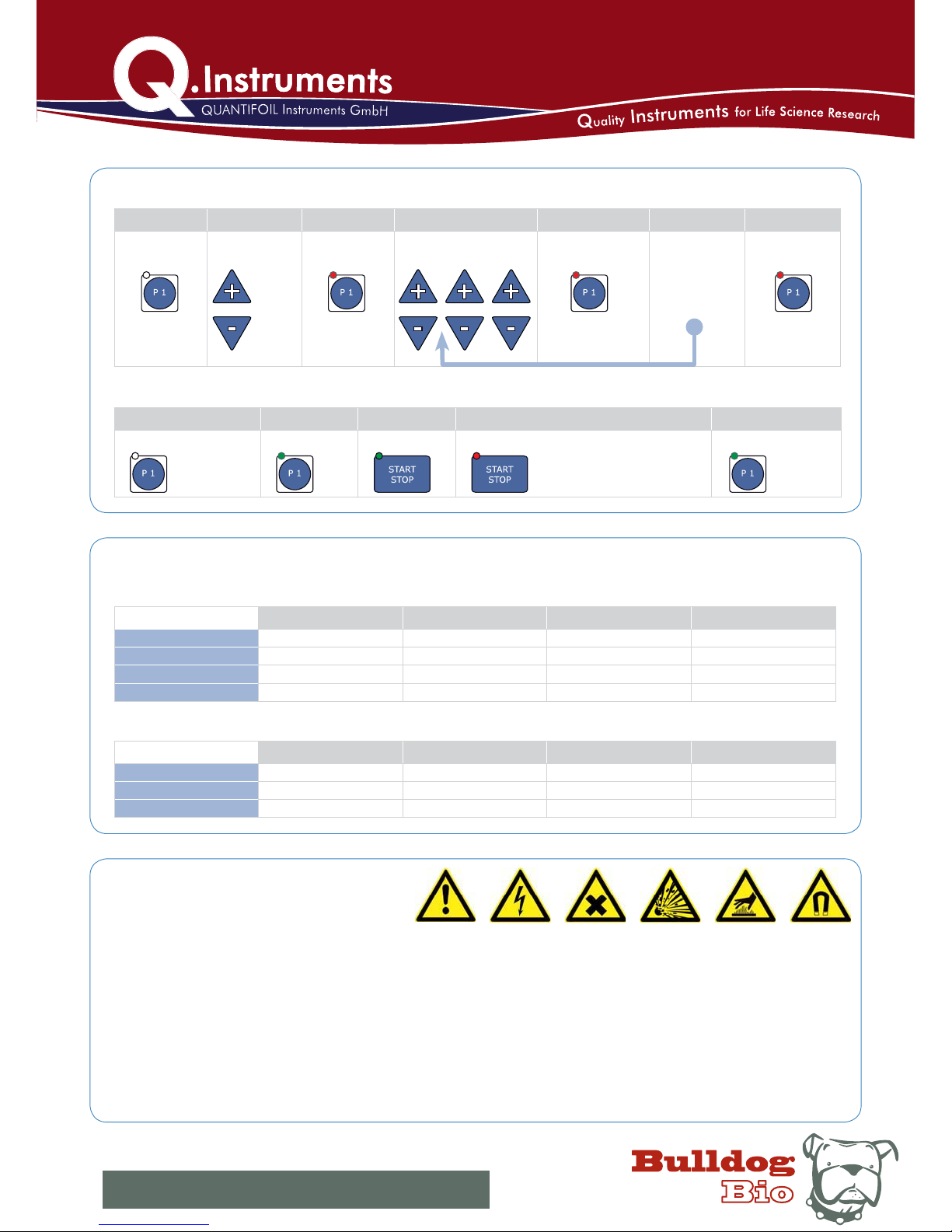
STEP 1 STEP 2 STEP 3 STEP 4 STEP 5 STEP 6 STEP 7
Pr o g r a m P1 (or P2 ) activated STA RT STO P deactivate
Filling volume 96-well (standard) 384-well (standard) 384-well (small-vol.) 1536-well (standard)
10 % 1800 - 2200 rpm 2200 - 2600 rpm 2800 - 3000 2800 - 3000
25 % 1600 - 2000 rpm 2000 - 2400 rpm 2400 - 3000 2600 - 3000
50 % 1400 - 1800 rpm 1800 - 2200 rpm 2200 - 2600 2400 - 2600
75 % 1200 - 1600 rpm 1600 - 2000 rpm 2000 - 2400 2200 - 2600
Filling volume 0.2 ml tubes 0.5 ml tubes 1.5 ml tubes 2.0 ml tubes
25 % 1400 - 1800 rpm 1200 - 1600 rpm 1000 - 1300 1000 - 1300
50 % 1200 - 1500 rpm 1100 - 1300 rpm 1000 - 1200 900 - 1200
75 % 1000 - 1300 rpm 1000 - 1200 rpm 900 - 1100 900 - 1100
To Start press P1
(or P2 )
and hold for at
least 2 sec.
SAFETY
RECOMMENDED MIXING SPEEDS
For MICROPLATES depending on filling volume/well [%] for diluted fluids
For TUBES depending on filling volume/ well [%] for diluted fluids
Sh o r t p r e ss P1
(or P2 )
PROGRAMMING P1 and P2
Delete program
Ye s / N o ?
egnahC
values
with the
cursors!
Ti me
Change values with the
cursors as for progr. step I
Time Mix Temp.
Sh o r t p r e ss P1
(or P2 )
to go forward
to the next
program step
Repeat STEP 4-5
for program
step II a nd
step III
To End press P1
(or P2 )
and hold for at
least 2 sec.
TO RUN THE PROGRAM
Sh o r t p r ess P1 (or P2 ) Short press Short press
or
If you do not press Start/
Stop, the program will stop,
when it is finished.
Sh o r t p r e ss P1 (or P2 )
IMPO RTANT NOTES:
Do not operate the device in rooms where work is being carried out with explosive substances.•
Do not use this device to process any explosive, radioactive or highly reactive substances.•
Do not use this device to process any substances, which could create an explosive atmosphere.•
Danger! Electric shock from damage to device/ power cable. Danger! Lethal voltages inside the device.•
Warning! General hazard point.•
Warning! Injury from rapidly rotating holder. Injury from rapidly rotating imbalance compensation. Injury from flying tubes and plates.•
Warning! Injury from sample material being flung out. Injury from incorrect vortexing.•
Warning! Damage due to incorrect power supply.•
Caution! Damage to the display from mechanical pressure. Severe vibration.•
Caution! Damage to electronic components caused by spilled liquids. Damage to electronic components from condensation.•
Caution! Poor safety due to missing operating manual. Caution when using aggressive chemicals.•
Please start even with minimal mixing frequencies to avoid overloading.•
Only mix in sealed tubes and plates. Sample material can be flung out of open, inadequately sealed or unstable tubes and plates.•
When working with hazardous, toxic and pathogenic samples, always comply with the nationally specified safety environment.•
Pay particular attention to personal safety gear (gloves, clothing, glasses etc., the extraction hood and the safety class of the laboratory.•
www.bulldog-bio.com lphone: 603-570-4248 lfax: 603-766-0524
4515 Culver Road, Suite 307 |Rochester, NY 14622



















