manuals.online logo
Brands
  1. Home
  2. •
  3. Brands
  4. •
  5. Rainforest Automation
  6. •
  7. Measuring Instrument
  8. •
  9. Rainforest Automation EAGLE-200 User manual

Rainforest Automation EAGLE-200 User manual

Other Rainforest Automation Measuring Instrument manuals

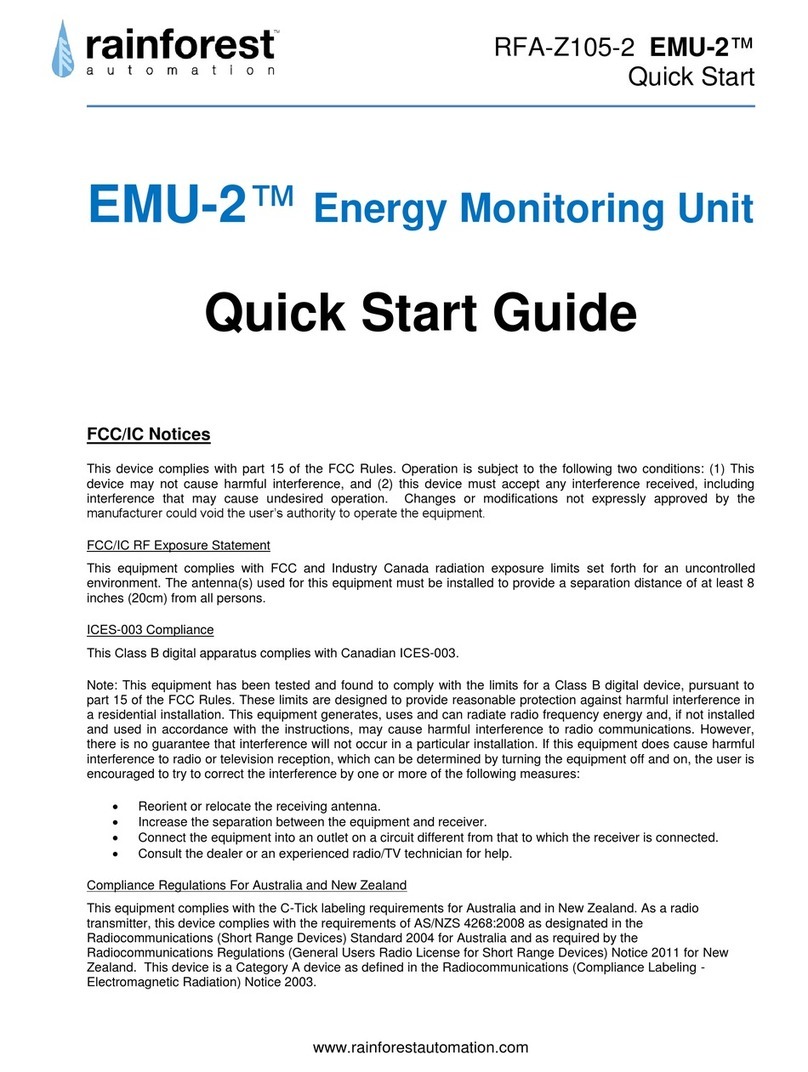
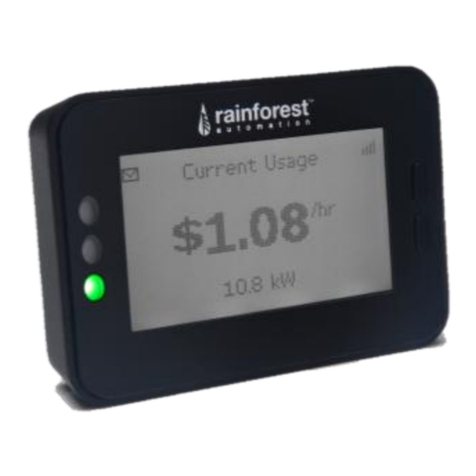
Rainforest Automation EMU-2 User manual

Rainforest Automation

Rainforest Automation EMU-2 User manual

Rainforest Automation EMU-2 User manual

Rainforest Automation

Rainforest Automation EMU-2 User manual

Popular Measuring Instrument manuals by other brands

Powerfix Profi 278296 Operation and safety notes

Powerfix Profi

Powerfix Profi 278296 Operation and safety notes

Test Equipment Depot GVT-427B user manual

Test Equipment Depot

Test Equipment Depot GVT-427B user manual

Fieldpiece ACH Operator's manual

Fieldpiece

Fieldpiece ACH Operator's manual

FLYSURFER VIRON3 user manual

FLYSURFER

FLYSURFER VIRON3 user manual

GMW TG uni 1 operating manual

GMW

GMW TG uni 1 operating manual

Downeaster Wind & Weather Medallion Series instruction manual

Downeaster

Downeaster Wind & Weather Medallion Series instruction manual

Hanna Instruments HI96725C instruction manual

Hanna Instruments

Hanna Instruments HI96725C instruction manual

Nokeval KMR260 quick guide

Nokeval

Nokeval KMR260 quick guide

HOKUYO AUTOMATIC UBG-05LN instruction manual

HOKUYO AUTOMATIC

HOKUYO AUTOMATIC UBG-05LN instruction manual

Fluke 96000 Series Operator's manual

Fluke

Fluke 96000 Series Operator's manual

Test Products International SP565 user manual

Test Products International

Test Products International SP565 user manual

General Sleep Zmachine Insight+ DT-200 Service manual

General Sleep

General Sleep Zmachine Insight+ DT-200 Service manual

Sensa Core Lacto Spark user manual

Sensa Core

Sensa Core Lacto Spark user manual

VOLTCRAFT UTS-1980 operating instructions

VOLTCRAFT

VOLTCRAFT UTS-1980 operating instructions

EBCHQ 94915 Operation manual

EBCHQ

EBCHQ 94915 Operation manual

Balluff BIP LD2-T017-01-EP-S4 Series user guide

Balluff

Balluff BIP LD2-T017-01-EP-S4 Series user guide

Pulsar IMP Lite Series instruction manual

Pulsar

Pulsar IMP Lite Series instruction manual

ETCR 6800 user manual

ETCR

ETCR 6800 user manual

manuals.online logo
manuals.online logoBrands
  • About & Mission
  • Contact us
  • Privacy Policy
  • Terms and Conditions

Copyright 2025 Manuals.Online. All Rights Reserved.

A new way to see your energy
Quick Start GUIDE
NEED HELP WITH YOUR EAGLE-200?
For a full user manual, FAQs, and to contact support:
rainforestautomation.com/eagle200_support
LED LIGHT INDICATOR KEY
LED lights on the front of the device give you a quick way to check the
status of the EAGLE-200.
V1.04
WHAT’S IN THE BOX:
•EAGLE-200 ENERGY GATEWAY
•AC POWER ADAPTER
•ETHERNET CABLE
YOU WILL NEED:
•A BROADBAND INTERNET CONNECTION VIA
ETHERNET OR WIFI
•A COMPUTER OR DEVICE WITH A WEB BROWSER
rainforestautomation.com

POWER ETHERNET WIFI CLOUD METER
Power is on. IP address
obtained. WiFi network
is active Connected to
the Cloud Meter network
is active
Model: RFA –Z114 –Z2 –001 Control Gateway
Rainforest Automation, Inc.
Assembled in
New Hampshire U.S.A.
Contains FCC IDs:
YCXRFA –W900
2AC2E –68M04
This device complies with Part 15 of
the FCC Rules. Operation is subject
to the following two conditions (1)
This device may not cause harmful
interference, and (2) this device
must accept any interference
received, including interference
that may cause undesired
operation.
Cloud ID: 123456
MAC: d8d5 b900 0000 0000
IN: e80f 63cd a532 0a3d
EAGLE-200 INFORMATION LABEL
Located on the underside of the EAGLE-200 is the Information Label that
identifies each individual device. You will need the three numbers
indicated below to register the device. Please make a note of them:
Cloud ID (6 characters)
Install Code (16 characters)
MAC Address (16 characters)
GET DIRECT ACCESS TO YOUR REAL-TIME
ENERGY INFORMATION IN
THREE EASY STEPS:
STEP 1: REGISTER WITH YOUR UTILITY
(BC Hydro customers are pre-registered and can skip this step)
You will need to provide the MAC Address and Install Code from the
Information Label on the bottom of your EAGLE-200. It may take
some time for your utility to enable your meter to connect to your
device. It is important to wait until this is complete before
proceeding to the next step.
STEP 2: PLUG IN YOUR EAGLE-200
Connect the Ethernet cable to your router (to use WiFi instead, see
the EAGLE-200 User Manual on our website), and plug in the power
adapter. Use only the included adapter to power your EAGLE-
200. If another adapter is used, it may cause permanent damage
to your EAGLE-200.
It should take about two minutes for your EAGLE-200 to boot up.
EAGLE-200 router
power
STEP 2: CONNECT TO THE CLOUD
Create your Cloud Account and connect to your EAGLE-200 to start
viewing your energy data.
WEB BROWSER MOBILE APP
portal.rainforestcloud.com EnergyVUE
•Log in to your account from the app.
•Click on “Settings”.
•Click “Add an EAGLE”.
•Click “scan EAGLE barcode” and
scan the label of your EAGLE-200.
SEE THE FULL EAGLE-200 USER MANUAL:
rainforestautomation.com/eagle200_support
CONNECTING TO THE CLOUD
Use your Web Browser to go to portal.rainforestcloud.com
•Click on “Register”.
•Fill in the “Account Registration” form and click “Register”.
•Check your email to find the message from Rainforest Automation
with the subject line “EAGLE Cloud Account activation”. Click the
“SETUP PASSWORD FOR MY ACCOUNT” link in the email.
•Set up your password and click “Activate Account”.
Download the EnergyVUE app from the App Store
or Google Play
You are all set!
If you can’t use the EnergyVUE app, you can add your EAGLE-200 to
your account by logging in at portal.rainforestcloud.com
rainforestautomation.com