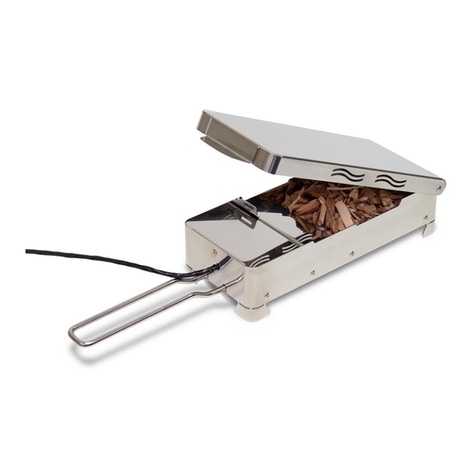
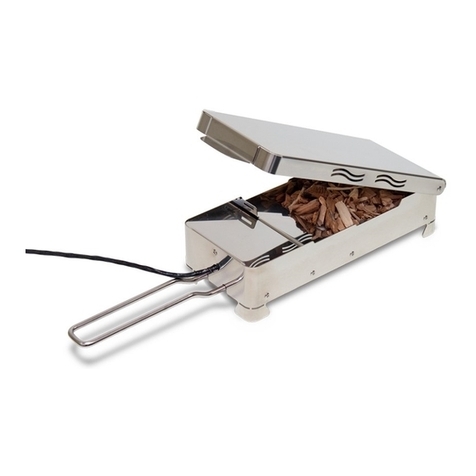
Smoking without an extra smoker oven? The VarioSmoker allows you
to cook and smoke food at the same time in your cooking system. This
according to your preferences.
In the iCombi Pro, the VarioSmoker is controlled intelligently via the USB
interface. Once the VarioSmoker has been connected to the cooking
system, cooking paths are displayed in the iCookingSuite, which ensures
optimal smoking results.
few minutes of heating up, the intelligence of the iCombi Pro will deliver
an optimal and professional cooking and smoking result. You can also use
the VarioSmoker in all RATIONAL combi-steamers manufactured from
1997, but in manual mode.
This application manual will help you achieve optimal and professional
cooking and smoking results both when using the intelligent cooking
paths in the iCombi Pro and when smoking manually in RATIONAL
combi-steamers.
Fill the VarioSmoker with wood chips, place it in your iCombi Pro on a rack
above or below the food and close the cooking cabinet door. If you are
using the bottom rack level, slide another Gastronorm container above the
VarioSmoker so that fat does not drip onto it.
Intelligent mode
1. Remove the protective cover on the power supply for the USB port.
2. Insert the USB connector into the power supply and the USB port on the
cooking system.
the smoker cooking paths are displayed in the iCookingSuite.
4. Press the smoker button to display all the intelligent smoker
cooking paths.
5. Start the desired cooking process. The VarioSmoker will be controlled
automatically during the cooking path.
If you remove the USB cable from the power supply during operation,
a message will appear on the display. The intelligent cooking path will
the USB cable is reconnected, the VarioSmoker will restart in the intelligent
cooking path.
Manual operation
Switch on the VarioSmoker with the mains switch. The VarioSmoker will
heat up and smoking will begin.
Manual operating mode in the iCombiPro
Once the VarioSmoker has been connected with the USB cable and
switched on, on and o will be shown on the display. This means the
VarioSmoker can be used at any time.
Smoking made easy. General instructions for using the VarioSmoker
successfully.
How the VarioSmoker works.
Information:
›
› If the option "New batch" is available, check whether the smoking chips need
to be piled up.
›
cleaning tips for your VarioSmoker in your operating instructions.
1
4 5