manuals.online logo
Brands
  1. Home
  2. •
  3. Brands
  4. •
  5. Raycus
  6. •
  7. Measuring Instrument
  8. •
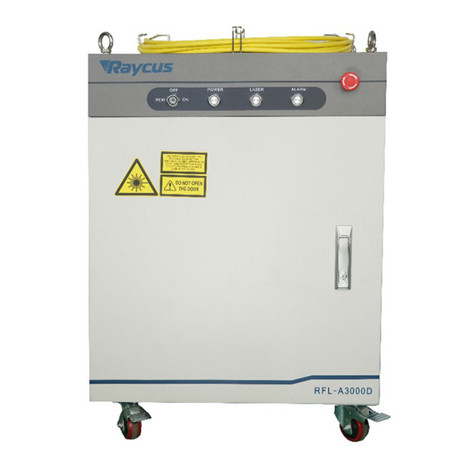
  9. Raycus RFL-A200D User manual

Raycus RFL-A200D User manual

This manual suits for next models

3

Other Raycus Measuring Instrument manuals

Raycus RFL-P200 User manual

Raycus

Raycus RFL-P200 User manual

Raycus RFL-C6000S-CE User manual

Raycus

Raycus RFL-C6000S-CE User manual
Raycus RFL-QCW300 User manual

Raycus

Raycus RFL-QCW300 User manual
Raycus RFL-C30000XZ User manual

Raycus

Raycus RFL-C30000XZ User manual
Raycus RFL-P20QB User manual

Raycus

Raycus RFL-P20QB User manual
Raycus RFL-P100MX Installation instructions
Raycus

Raycus RFL-P100MX Installation instructions

Raycus RFL-P20QS+ Installation instructions
Raycus

Raycus RFL-P20QS+ Installation instructions

Raycus RFL-B500D User manual

Raycus

Raycus RFL-B500D User manual

Raycus RFL-A1000D User manual

Raycus

Raycus RFL-A1000D User manual
Raycus RFL-P120MX Installation instructions
Raycus

Raycus RFL-P120MX Installation instructions

Raycus RFL-QCW150/1500 User manual

Raycus

Raycus RFL-QCW150/1500 User manual
Raycus RFL-C3000S User manual

Raycus

Raycus RFL-C3000S User manual
Raycus RFL-C15000TZ User manual

Raycus

Raycus RFL-C15000TZ User manual

Raycus RFL-P200MX Installation instructions
Raycus

Raycus RFL-P200MX Installation instructions

Raycus RFL-C1500H User manual

Raycus

Raycus RFL-C1500H User manual

Raycus RFL-P20QE User manual

Raycus

Raycus RFL-P20QE User manual
Raycus RFL-C30000M-CE User manual

Raycus

Raycus RFL-C30000M-CE User manual

Raycus RFL-P200S+ Installation instructions
Raycus

Raycus RFL-P200S+ Installation instructions

Raycus A6000D User manual

Raycus

Raycus A6000D User manual

Raycus RFL-P60QB Installation instructions
Raycus

Raycus RFL-P60QB Installation instructions
Raycus RFL-DDL Series User manual

Raycus

Raycus RFL-DDL Series User manual

Raycus RFL-C Series User manual

Raycus

Raycus RFL-C Series User manual

Raycus RFL-A2000D User manual

Raycus

Raycus RFL-A2000D User manual

Raycus XZ Series User manual

Raycus

Raycus XZ Series User manual

Popular Measuring Instrument manuals by other brands

Powerfix Profi 278296 Operation and safety notes

Powerfix Profi

Powerfix Profi 278296 Operation and safety notes

Test Equipment Depot GVT-427B user manual

Test Equipment Depot

Test Equipment Depot GVT-427B user manual

Fieldpiece ACH Operator's manual

Fieldpiece

Fieldpiece ACH Operator's manual

FLYSURFER VIRON3 user manual

FLYSURFER

FLYSURFER VIRON3 user manual

GMW TG uni 1 operating manual

GMW

GMW TG uni 1 operating manual

Downeaster Wind & Weather Medallion Series instruction manual

Downeaster

Downeaster Wind & Weather Medallion Series instruction manual

Hanna Instruments HI96725C instruction manual

Hanna Instruments

Hanna Instruments HI96725C instruction manual

Nokeval KMR260 quick guide

Nokeval

Nokeval KMR260 quick guide

HOKUYO AUTOMATIC UBG-05LN instruction manual

HOKUYO AUTOMATIC

HOKUYO AUTOMATIC UBG-05LN instruction manual

Fluke 96000 Series Operator's manual

Fluke

Fluke 96000 Series Operator's manual

Test Products International SP565 user manual

Test Products International

Test Products International SP565 user manual

General Sleep Zmachine Insight+ DT-200 Service manual

General Sleep

General Sleep Zmachine Insight+ DT-200 Service manual

Sensa Core Lacto Spark user manual

Sensa Core

Sensa Core Lacto Spark user manual

VOLTCRAFT UTS-1980 operating instructions

VOLTCRAFT

VOLTCRAFT UTS-1980 operating instructions

EBCHQ 94915 Operation manual

EBCHQ

EBCHQ 94915 Operation manual

Balluff BIP LD2-T017-01-EP-S4 Series user guide

Balluff

Balluff BIP LD2-T017-01-EP-S4 Series user guide

Pulsar IMP Lite Series instruction manual

Pulsar

Pulsar IMP Lite Series instruction manual

ETCR 6800 user manual

ETCR

ETCR 6800 user manual

manuals.online logo
manuals.online logoBrands
  • About & Mission
  • Contact us
  • Privacy Policy
  • Terms and Conditions

Copyright 2025 Manuals.Online. All Rights Reserved.

Fiber Delivered Direct Diode
RFL-A200D
Laser User Guide
(compact module)
Wuhan Raycus Fiber Laser Technologies Co., Ltd
武汉锐科光纤激光技术股份有限公司
WUHAN RAYCUS FIBER LASER TECHNOLOGIES CO. LTD.
2
1. Safety Information
Thank you for choosing Raycus Fiber Delivered Direct Diode laser. This
User Guide provides important safety, operation, warranty and other
information. Please read it carefully before you use this product. In order
to ensure safe operation and optimal performance of the product, please
follow the warnings, cautions, operating procedures and other instructions
accordingly.
1.1 Symbols Used in this User Guide
WARNING: Describes a hazard that lead to a personal injury or death.
CAUTION: Describes a hazard that lead to a minor personal injury
or product damage.
1.2 Laser Classification
This series of lasers are classified as a high power Class 4 laser
instrument according to the European Community standards EN 60825-1, clause
9. This product emits invisible laser radiation at or around a wavelength
of 915 nm, and the total light power radiated from the optical output is
greater than 200W. Direct or indirect exposure of this level of light
intensity may cause damage to the eye or skin. Despite the radiation being
invisible, the beam may cause irreversible damage to the retina and/or cornea.
Appropriate and approved laser safety eyewear must be worn all the time while
the laser is operational.
武汉锐科光纤激光技术股份有限公司
WUHAN RAYCUS FIBER LASER TECHNOLOGIES CO. LTD.
3
WARNING: You must use appropriate laser safety eyewear when operating
this device. The laser safety eyewear is selected according to the
range of wavelengths emitted from this product. The end user must
ensure that the laser safety eyewear used protects against light
emitted by the device over its entire range of wavelengths. Please
check the safety labeling on the product and verify that the personal
protective equipment (e.g. enclosures, viewing windows or view ports,
eyewear, etc.) being utilized is adequate for the output power and
wavelength ranges listed on the product.
1.3 Safety Labels
These include warning labels, apertures through which laser radiation
is emitted and labels of certification and identification, etc.
Specifications of these labels are as follows:
1:
Laser Radiation Hazard
2: Aperture Label
3: Aperture Label(CN)
4: Class 4 Laser Product(EN)
5: Class 4 Laser Product(CN)
6:Class 2M Laser Product
Label for Guide Laser(EN)
7: Class 2M Laser Product
Label for Guide Laser(CN)
8: Electrical Hazard Label
9:Identification Plate
武汉锐科光纤激光技术股份有限公司
WUHAN RAYCUS FIBER LASER TECHNOLOGIES CO. LTD.
4
1.4 Optical Safety
Any dust on the end of the collimator assembly can burn the lens and
damage the laser.
CAUTION: If the output of the device is delivered through a lens with
an anti-reflection coating, make sure that the lens is of good quality
and clean.
CAUTION: DO NOT emit when the protective cap is not removed, or the
laser will be damaged.
1.5 Electrical Safety
a) Make sure your product is grounded through the PE line of the AC power
cord. The grounding must be firm and reliable.
WARNING: Any interruption from the protective earth will electrify
the enclosure, which may result in personal injury.
b) Make sure that the correct voltage of the DC power source is used.
CAUTION: Failure to connect the laser to the correct voltage could
damage the product.
c) There are no operator serviceable parts inside, so do not try to
remove covers, or electrical shock may be caused, and warranty will
be void.
1.6 Other Safety Rules
a) Never look into the laser output port when power is supplied to the
laser.
b) Avoid using the laser in a dim or darkened environment.
c) If this device is used in a manner not specified in this document,
武汉锐科光纤激光技术股份有限公司
WUHAN RAYCUS FIBER LASER TECHNOLOGIES CO. LTD.
5
the protection provided by the device may be impaired and the warranty
will be voided.
d) Do not remove the covers of the laser, or the warranty will be voided.
All maintenance must be performed in Raycus or by qualified Raycus
personnel.
2. Product Description
2.1 Features
Your Raycus Fiber Delivered Direct Diode laser is designed for
industrial and scientific research applications with high pump conversion
efficiency, low power consumption and excellent beam quality. It is compact
and ready to use. It can be used as a stand-alone unit or easily inserted
into user’s apparatus.
Main Features:
Fiber delivery
Reliable, long lifetime
Maintenance free operation
High wall-plug efficiency
Convenient control interface
Fast modulation
Applications:
Soldering Tin
Welding plastics
Scientific research
2.2 Package Contents
Please refer to the packing list accompanying the shipment to check
actual items included.
2.3 Unpacking and Inspection
Your Raycus fiber delivered direct diode laser is shipped in a package
designed to provide maximum protection. Upon delivery, please inspect all
packaging for evidence of mishandling or damage. If you find any evidence
武汉锐科光纤激光技术股份有限公司
WUHAN RAYCUS FIBER LASER TECHNOLOGIES CO. LTD.
6
of mishandling, please save the damaged material and contact the shipping
agent and Raycus immediately.
Remove all the contents from the packing case. Take extra care when
removing the unit from the packing case to ensure that the fiber optic cable
is not snagged and damaged. A comprehensive packing list is included with
the system documentation. Check all items against the list and contact Raycus
immediately if there is any missing item or evident damage to the unit.
DO NOT attempt to install or operate the laser, if there is any evident
or suspected damage to the unit.
It is recommended that you do not discard the packing materials, as they
will be necessary if you ever need to ship the unit back for service at a
later date.
CAUTION: The fiber optic cable and output head are precise optic
instrument, Any vibration or impact to the output head, and twist
or excessive bend to the cable will damage the instrument.
2.4 Operation Environment
Table 1 The Operation Conditions for the Laser
Installation Environment
Flat and no vibration
Ambient Temperature
0℃~30℃
Relative Humidity
<70%
It is recommended to install the product in an environment with air
conditioning.
2.5 Precautions for Use
a) Make sure the instrument is properly grounded before you use it;
b) Make sure that the correct voltage of 48VDC power source is used.
Failure to connect power source correctly will damage the device;
c) There are no user serviceable parts, equipment or assemblies inside
the product. All service and maintenance shall be performed by
qualified Raycus personnel. In order to prevent electric shock,
please do not break the seal or uncover the shield. Failure to comply
with this instruction will void the warranty;
武汉锐科光纤激光技术股份有限公司
WUHAN RAYCUS FIBER LASER TECHNOLOGIES CO. LTD.
7
d) Please inspect the output head carefully for dust or other
contamination. Use appropriate lens paper to clean it if necessary.
Do not touch the output lens at any time;
e) Please cap the output head when it is not in use, and make sure the
cap is clean;
f) It is not allowed to install the output head when the laser is in
operation;
g) Do not look into the output head directly. Wear appropriate
protective eye glasses all the time when operating the laser;
h) Failure to follow the instructions may cause malfunction and damage
to the device, such damage is not covered by warranty.
2.6 Specifications
The specifications are listed in the following table.
Table 2 Product Specifications
Model
*RFL-A200D/B/5/B/T
Max Power Consumption (W)
1200
Power Supply
48VDC±10%
Nominal Output Power(W)
>200
Output Power Instability
≤2%
Emission Wavelength(nm)
915±10
Red Guide Laser
650±10nm,0.25~1mW
Core Fiber (μm)
200
Fiber NA
0.22
Connect model
SMA905
Connect Port
DB25、DB9
Operation Mode
EXT control/RS232
Modulation Frequency (Hz)
50Hz~10KHz
Cooling Method
wind
Operating Ambient Temperature(℃)
0~30℃
NOTE:
*RFL-A200D/B/5/B/T——code rule:
200——output laser power
B——wavelength 915nm
5——delivery cable length (m)
B——connect model SMA905
武汉锐科光纤激光技术股份有限公司
WUHAN RAYCUS FIBER LASER TECHNOLOGIES CO. LTD.
8
T——wind cooling
2.7 Dimensions and Installation
Figure1 and Figure2 show dimensions and Installation of the product.
Figure 1 dimensions (unit: mm)
Figure 2 Installation (unit: mm)
Please leave a space as table 3 between Raycus fiber on every side for
the necessary air circulating.
Table 3 gap wanted (unit: mm)
GAP
UPPER
200
FRONT SIDE
300
REAL SIDE
300
武汉锐科光纤激光技术股份有限公司
WUHAN RAYCUS FIBER LASER TECHNOLOGIES CO. LTD.
9
2.8 Installation Procedure
a) Check if the power supply has the correct voltage (48VDC±10%), and
the earth line is connected, make sure it is firm and reliable;
b) Place the product in an appropriate position, immobilize it if
necessary;
c) Connect the power cable and control cable to the product when power
supply is OFF;
d) Check the output head and clean it if necessary. This procedure must
be performed by Raycus personnel or person authorized by Raycus. Make
sure the environment is clean, or the output head may be contaminated.
It is prohibited to use fan during installation, which will cause
dust in the air;
e) Prevent the delivery cable from treading, pinching or excessive
bending during installation.
CAUTION: All the cables can only be connected when power supply is off.
Hot plug may damage the laser.
CAUTION: Ensure that there are no fiber bends with radius less than 20cm
when the product is installed. Avoid excessive twisting and tight bends
during the robotic arm movements. Tight bends will damage the laser
delivery system.
When the product is in storage, the bending radius of the delivery cable
should be more than 20cm.
CAUTION: Avoid vibration and impact to output head, or it may be damaged.
CAUTION: Make sure the aperture and the cavity of the processing head
is clean;
Keep the protective cap properly, prevent it from contamination; Or the
aperture will be contaminated when capped.
武汉锐科光纤激光技术股份有限公司
WUHAN RAYCUS FIBER LASER TECHNOLOGIES CO. LTD.
10
2.9 Precautions for Product
Fiber Delivered Direct Diode Lasers RFL-A200D adopts air cooled
miniaturization design, which requires high heat dissipation. Users in
different industries have different technology application plans when using
lasers. According to the heat dissipation capacity of this laser, the
recommended and restricted use conditions are given, as shown in Table 4
and Figure 3.
Table 4 Laser operating state at different ambient temperatures
The working
temperature ℃
Continuous use of
duty cycle %
Limit duty cycle
usage %
0
100
100
10
100
100
20
100
100
25
100
100
28
*95
**97
30
*80
**85
35
0
**30
>35
0
0
Note:
* Continuous use: working time ≤ 1 Hour.
** Restricted use: the laser working for a long time under this condition
may cause the radiator to overheat, the laser alarm, automatically shut
down the laser output; Turn off the power supply of the laser, wait for
the laser to cool down, and then re-energize it for normal use.