manuals.online logo
Brands
  1. Home
  2. •
  3. Brands
  4. •
  5. Razer
  6. •
  7. Headphones
  8. •
  9. Razer HAMMERHEAD HYPERSPEED User manual

Razer HAMMERHEAD HYPERSPEED User manual

Other manuals for HAMMERHEAD HYPERSPEED

1

Other Razer Headphones manuals

Razer 344 User manual

Razer

Razer 344 User manual

Razer HAMMERHEAD HYPERSPEED Use and care manual

Razer

Razer HAMMERHEAD HYPERSPEED Use and care manual

Razer Kraken BT Kitty Edition Use and care manual

Razer

Razer Kraken BT Kitty Edition Use and care manual

Razer Adaro Stereo User manual

Razer

Razer Adaro Stereo User manual

Razer Moray User manual

Razer

Razer Moray User manual

Razer BlackShark V2 X Use and care manual

Razer

Razer BlackShark V2 X Use and care manual

Razer Adaro DJ Use and care manual

Razer

Razer Adaro DJ Use and care manual

Razer Carcharias User manual

Razer

Razer Carcharias User manual

Razer Razer Hammerhead True Wireless User manual

Razer

Razer Razer Hammerhead True Wireless User manual

Razer Hammerhead User manual

Razer

Razer Hammerhead User manual

Razer Hammerhead User manual

Razer

Razer Hammerhead User manual

Razer Moray User manual

Razer

Razer Moray User manual

Razer KRAKEN Pro User manual

Razer

Razer KRAKEN Pro User manual

Razer KRAKEN Pro User manual

Razer

Razer KRAKEN Pro User manual

Razer BARRACUDA HP-1 User manual

Razer

Razer BARRACUDA HP-1 User manual

Razer BLACKSHARK Use and care manual

Razer

Razer BLACKSHARK Use and care manual

Razer Adaro Stereo User manual

Razer

Razer Adaro Stereo User manual

Razer OPUS User manual

Razer

Razer OPUS User manual

Razer Carcharias User manual

Razer

Razer Carcharias User manual

Razer Adaro Stereo User manual

Razer

Razer Adaro Stereo User manual

Razer Orca Installation and operation manual

Razer

Razer Orca Installation and operation manual

Razer Hammerhead True Wireless Installation guide

Razer

Razer Hammerhead True Wireless Installation guide

Popular Headphones manuals by other brands

Bose SoundSport owner's guide

Bose

Bose SoundSport owner's guide

Renkforce RF-WH-150 operating instructions

Renkforce

Renkforce RF-WH-150 operating instructions

Blu ARIA POD+ quick guide

Blu

Blu ARIA POD+ quick guide

Jabra Elite Active 45e Get started

Jabra

Jabra Elite Active 45e Get started

Denver TWE-36MK2 user manual

Denver

Denver TWE-36MK2 user manual

Grandstream Networks GUV3060 quick start guide

Grandstream Networks

Grandstream Networks GUV3060 quick start guide

iMoshion TWS In-Ear Headset user manual

iMoshion

iMoshion TWS In-Ear Headset user manual

Sven AP-B250MV user manual

Sven

Sven AP-B250MV user manual

BUXTON BTW 3800 user manual

BUXTON

BUXTON BTW 3800 user manual

HiFuture Voyager user manual

HiFuture

HiFuture Voyager user manual

Philips UpBeat SHB2505 user manual

Philips

Philips UpBeat SHB2505 user manual

Denon AH-C260 owner's manual

Denon

Denon AH-C260 owner's manual

WATSON KH2130B instruction manual

WATSON

WATSON KH2130B instruction manual

Pure Acoustics Golf TWS20 user manual

Pure Acoustics

Pure Acoustics Golf TWS20 user manual

Srhythm Soulmate Series user manual

Srhythm

Srhythm Soulmate Series user manual

Motorola Talkabout MHP71 user manual

Motorola

Motorola Talkabout MHP71 user manual

Sony MDR-NC8 Specifications

Sony

Sony MDR-NC8 Specifications

AUSounds AU-Stream quick start guide

AUSounds

AUSounds AU-Stream quick start guide

manuals.online logo
manuals.online logoBrands
  • About & Mission
  • Contact us
  • Privacy Policy
  • Terms and Conditions

Copyright 2025 Manuals.Online. All Rights Reserved.

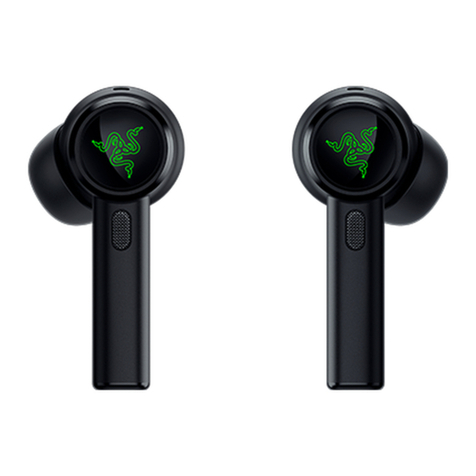
HAMMERHEAD
HYPERSPEED
Hammerhead HyperSpeed Xbox EU_AP_CHS IPIG 1116 ECR.indd 1Hammerhead HyperSpeed Xbox EU_AP_CHS IPIG 1116 ECR.indd 1 16/11/22 6:19 PM16/11/22 6:19 PM
Whether you’re at work or play, you deserve the best audio experience.
Our Razer Hammerhead range does just that. Designed with substantially larger drivers in a
sleek, lightweight body, these earbuds are perfect whether you’re at home or on your
commute—showcasing perfectly tuned sound for games, music, and everything in between.
The Razer community is built to connect those who seek the winning edge. Follow our social channels
for the latest offerings, exclusive event coverage, and opportunities to score Razer hardware.
CONNECT
WITH US
www.razer.com/getstarted
Min-Liang Tan
Co-Founder and CEO
support.razer.com
GET HELP WITH
RAZER SUPPORT
We’re here to assist you with your Razer device.
Find software downloads, register your product,
or contact us by phone, chat or email if you have
any questions.
Hammerhead HyperSpeed Xbox EU_AP_CHS IPIG 1116 ECR.indd 2-3Hammerhead HyperSpeed Xbox EU_AP_CHS IPIG 1116 ECR.indd 2-3 16/11/22 6:19 PM16/11/22 6:19 PM
WHAT’S INSIDE
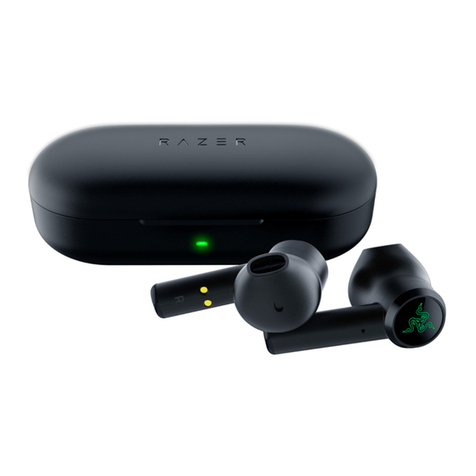
• Razer Hammerhead HyperSpeed
A Backlit function button Powered by
Razer ChromaTM RGB
C
BB Status indicator
C USB Type C charging port
• Charging case
• USB Type C wireless dongle
D
• USB Type A to USB Type C charging cable
• USB Type A to USB Type C adapter cable
• Silicon ear-tips in 3 sizes (S, M*, L)
• Important Product Information Guide
* Pre-installed with the earbuds.
WHAT’S NEEDED
• Xbox Series X|S and Xbox One
• PC (Windows 10 64-bit or higher)
• USB Type C or USB Type A port
• Devices with Bluetooth audio capability
SAFETY STATEMENT
IMPORTANT! Before using your Xbox console with this product, read its instruction manual for safety,
health, and other information regarding the use of your Xbox console.
D Earbuds mode switch
FRANÇAIS
CE QUI VOUS ATTEND
• Razer Hammerhead HyperSpeed
A Bouton de fonction alimenté par le rétroéclairage
Razer Chroma™ RGB
• Étui de chargement
B Indicateur d’état
C Port de recharge USB Type C
• DonglesanslUSBTypeC
D Bouton du mode écouteurs
• Câble de recharge USB Type A vers USB Type C
• Câble adaptateur USB Type A vers USB Type C
• Embouts en silicone disponibles en 3 tailles (S, M* et L)
• Informations importantes sur le produit
* Oreillettes préinstallées.
CE DONT VOUS AVEZ BESOIN
• Xbox SeriesTM X|S et Xbox OneTM
• PC (Windows 10 64 bits ou version ultérieure)
• Port USB Type C ou USB Type A
• Appareils prenant en charge l’audio Bluetooth
DÉCLARATION DE SÉCURITÉ
IMPORTANT ! Avant d’utiliser votre console Xbox One avec
ce produit, lisez son manuel d’instructions sur la sécurité, la
santé et autres informations concernant l’utilisation de votre
console Xbox.
ESPAÑOL
CONTENIDO
• Razer Hammerhead HyperSpeed
A Botón de función con tecnología de retroiluminación
Razer Chroma™ RGB
• Carcasa de carga
B Indicador de estado
C Puerto de carga USB tipo C
• Dongle inalámbrico USB tipo C
D Interruptor de modo de auriculares
• Cable de carga USB tipo A a USB tipo C
• Cable adaptador USB tipo A a USB tipo C
• Almohadillas de silicona en 3 tallas (S, M*, L)
• Guía de información importante del producto
* Preinstaladas en los auriculares.
REQUISITOS
• Xbox SeriesTM X|S et Xbox OneTM
• PC (Windows 10 de 64 bits o posterior)
• Puerto USB tipo C o USB tipo A
• Dispositivos con capacidad de audio Bluetooth
DECLARACIÓN DE SEGURIDAD
IMPORTANTE Antes de usar la consola Xbox One con este
producto, lee el manual de instrucciones para obtener
información sobre seguridad, salud y otros datos relacionados
con el uso de tu consola Xbox.
Hammerhead HyperSpeed Xbox EU_AP_CHS IPIG 1116 ECR.indd 4-5Hammerhead HyperSpeed Xbox EU_AP_CHS IPIG 1116 ECR.indd 4-5 16/11/22 6:19 PM16/11/22 6:19 PM
DEUTSCH
LIEFERUMFANG
• Razer Hammerhead HyperSpeed
A Hintergrundbeleuchtete Funktionstaste powered by
Razer ChromaTM RGB
• Lade-Etui
B Status-Anzeige
C USB-C-Ladeanschluss
• Kabelloser USB-C-Adapter
D Moduswahlschalter
• USB-Ladekabel (Typ A auf Typ C)
• USB-Adapterkabel (Typ A auf Typ C)
• Silikon-Ohreinsätze in 3 verschiedenen Größen (S, M* und L)
• Wichtige Produktinformationen
* vorinstalliert
DAS BRAUCHST DU
• Xbox SeriesTM X|S und Xbox OneTM
• PC (Windows 10 64 Bit (oder höher))
• USB-C- oder USB-A-Anschluss
• Geräte mit Bluetooth-Audio
SICHERHEITSHINWEIS
WICHTIG! Bevor du deine Xbox in Verbindung mit diesem
Produkt verwendest, lies das Handbuch, um Sicherheits-,
Gesundheits- und andere Informationen zur Verwendung deiner
Xbox zu erhalten.
PORTUGUÊS
CONTEÚDO DA EMBALAGEM
• Razer Hammerhead HyperSpeed
A Botão de função com retroiluminação
Razer Chroma™ RGB
• Estojo de carregamento
B Indicador de status
C Porta de carregamento USB Tipo C
• DonglesemoUSBTipoC
D Chave de modo dos fones earbud
• Cabo de carregamento USB Tipo A para USB Tipo C
• Cabo adaptador USB Tipo A para USB Tipo C
• Pontas auriculares de silicone em 3 tamanhos (P, M* e G)
• Guia de informações importantes sobre o produto
* Pré-instaladas nos fones earbud.
DO QUE VOCÊ PRECISA
• Xbox SeriesTM X|S e Xbox OneTM
• PC (Windows 10 de 64 bits ou superior)
• Porta USB Tipo C ou USB Tipo A
• Dispositivos com capacidade para áudio Bluetooth
DECLARAÇÃO DE SEGURANÇA
IMPORTANTE! Antes de usar seu Xbox com este produto, leia
o manual de instruções do console para obter informações
sobre segurança, saúde e outros tópicos referentes ao uso do
seu console Xbox.
POLSKI
W KOMPLECIE
• Razer Hammerhead HyperSpeed
 A Podświetlanyprzyciskfunkcyjnyztechnologią
Razer Chroma™ RGB
• Etuizfunkcjąładowania
 B Wskaźnikstanu
 C GniazdoładowaniaUSBType-C
• Bezprzewodowy adapter USB Type-C
 D Przełączniktrybusłuchawek
• PrzewóddoładowaniaUSBType-A/USBType-C
• PrzewódadapteraUSBType-A/USBType-C
• Silikonowewkładkiw3rozmiarach(S,M*iL)
• PrzewodnikWażneinformacjeoprodukcie
* Założonefabrycznienasłuchawkidouszne.
CO JEST POTRZEBNE
• Xbox SeriesTM X|S oraz Xbox OneTM
• PC (Windows 10 64-bitowy lub nowsza wersja)
• Port USB Type-C lub USB Type-A
• UrządzeniazobsługąaudioBluetooth
OSTRZEŻENIE
WAŻNE!ZanimzacznieszkorzystaćzkonsoliXboxwrazztym
produktem,zapoznajsięzinformacjaminatematbezpiecznego
użytkowaniaorazzpozostałymiwskazówkamidotyczącymi
korzystaniazkonsoliXbox,któreznajdująsięwjejinstrukcji
obsługi.
РУССКИЙ
СОДЕРЖИМОЕКОМПЛЕКТА
• Razer Hammerhead HyperSpeed
 A Функциональнаякнопкасподсветкойнабазе  
 технологииRazerChroma™RGB
• Зарядныйфутляр
 B Индикаторсостояния
 C ЗарядныйпортUSBType-C
• БеспроводнойдонглUSBType-C
 D Переключательрежимаработынаушников
• КабельдлязарядкиUSBType-A/USBType-C
• Кабель-переходникUSBType-A/USBType-C
• Силиконовыенасадкитрехразмеров(S,M*,L)
• Важнаяинформацияопродукте
* Установленынанаушниках.
ЧТОНЕОБХОДИМО
• Xbox SeriesTMX|SИXboxOneTM
• Компьютерс64-разряднойверсиейWindows 10
 (илиболееновой)
• ПортUSBType-CилиUSBType-A
• Устройствасподдержкойпередачиаудиопопротоколу 
Bluetooth
ПРЕДУПРЕЖДЕНИЕОБЕЗОПАСНОСТИ
ВАЖНО!Передподключениемданногопродуктакконсоли
Xboxиначаломиспользованияпрочтитеинформациюпо
техникебезопасностиипредотвращениютравм,атакже
другуюинформациюотносительноиспользованияконсоли
Xboxвсоответствующемруководстве.
УКРАЇНСЬКA
КОМПЛЕКТАЦІЯ
• Razer Hammerhead HyperSpeed
 A Функціональнакнопказпідсвічуваннямнабазі  
  технологіїRazerChroma™RGB
• Футляр-акумулятор
 B Індикаторстану
 C ГніздодлязаряджанняUSBType-C
• БезпроводовийадаптерUSBType-С
 D Перемикачрежимунавушників
• КабельдлязаряджанняUSBType-A—Type-C
• УзгоджувальнийкабельUSBType-A—Type-C
• Силіконовінасадки3розмірів(S,M*,L)
• Важливаінформаціяпропристрій
* Попередньовстановленонанавушники.
ВИМОГИЩОДОВИКОРИСТАННЯ
• Xbox SeriesTMX|SйXboxOneTM
• ПК(ОСWindows 10абоновіша64-розряднаверсія)
• USB-портType-CабоType-A
• ПристроїзпідтримкоюпередаваннязвукучерезBluetooth
ПОПЕРЕДЖЕННЯЩОДОБЕЗПЕКИ
УВАГА!Передпочаткомвикористанняцьогопристроюз
ігровоюприставкоюXboxознайомтесязінструкцієюзтехніки
безпеки,якадодаєтьсядонеї,атакожзіншоюінформацію
щодовикористанняігровоїприставкиXbox.
TÜRKÇE
İÇİNDEKİLER
• Razer Hammerhead HyperSpeed
 A RazerChroma™RGBarkadanaydınlatmadestekliişlev 
  düğmesi
• Şarjkılıfı
B Durum göstergesi
 C USBTypeCşarjbağlantınoktası
• USB Type C kablosuz dongle
 D Kulaklıkmoduanahtarı
• USBTypeA–USBTypeCşarjkablosu
• USB Type-A – USB Type C adaptör kablo
• Farklı3boyda(S,M*,L)silikonkulakuçları
• ÖnemliÜrünBilgileriKılavuzu
* Kulaklıklaraöncedentakılıdır.
GEREKENLER
• Xbox SeriesTM X|S ve Xbox OneTM
• PC (Windows 10 64 bit veya üstü)
• USBTypeCveyaUSBTypeAbağlantınoktası
• Bluetoothsesözelliğiolancihazlar
GÜVENLİKBİLDİRİMİ
ÖNEMLİ!Xboxkonsolunubuürünlekullanmadanöncegüvenlik,
sağlıkveXboxkonsolununkullanımıylailgilidiğerbilgileriçin
kullanımkılavuzunuoku.
日本語
パッケージ内 容
• RazerHammerheadHyperSpeed
 A RazerChroma™RGB対応のバックライト付き
  ファンクションボタン
•  充 電ケ ース
 B ステータスインジケーター
 C USBType-C充電ポート
• USBType-Cワイヤレスドングル
 D  イヤ フォン モ ー ドス イッチ
• USBType-A-USBType-C充電ケーブル
• USBType-A-USBType-Cアダプターケーブル
• 3種類のサイズ(S、M*、L)のシリコン製イヤーチップ
• 重要な製品情報ガイド
*  イ ヤフォン に 取 り付 け 済 み
必要なもの
• XboxSeriesTMX|S&XboxOneTM
• PC(Windows1064ビット以降)
• USBType-CまたはUSBType-Aポート
• Bluetoothオーディオ出力対応デバイス
安全上のご注意
重要!本製品をXboxコンソールで使用する前に、Xboxコンソールの
取扱説明書にてXboxコンソールの使用に関する安全性、健康、その
他 の 情 報 をよくお 読 み くだ さい 。
한국어
구성품
• RazerHammerheadHyperSpeed
 A RazerChroma™RGB백라이트로 구동되는 기능 버튼
• 충전 케이스
 B 상태 표시등
 C USBTypeC충전 포트
• USBTypeC무선 동글
 D 이어버드 모드 스위치
• USBTypeAtoUSBTypeC충전 케이블
• USBTypeAtoUSBTypeC어댑터 케이블
• 세 가지 크기(S,M*,L)의 실리콘 이어팁
• 중요 제품 정보 안내
* 이어버드에 이미 장착되어 있는 사이즈.
필요 항목
• XboxSeriesTMX|S및XboxOneTM
• PC(Windows1064비트 이상)
• USBTypeC또는USBTypeA포트
• 블루투스 오디오를 지원하는 기기
안전 정보
중요!본 제품을Xbox콘솔과 함께 사용하기 전에 안전,건강 및Xbox콘솔
사용 관련 기타 정보에 대한 지침 매뉴얼을 읽어 주십시오.
Hammerhead HyperSpeed Xbox EU_AP_CHS IPIG 1116 ECR.indd 6-7Hammerhead HyperSpeed Xbox EU_AP_CHS IPIG 1116 ECR.indd 6-7 16/11/22 6:19 PM16/11/22 6:19 PM
Your product’s serial number
can be found here.
Register your product and score
exclusive benefits
razerid.razer.com/warranty
LET’S GET YOU COVERED
Enregistrez votre produit et obtenez des avantages exclusifs
razerid.razer.com/warranty
Registra tu producto y consigue ventajas exclusivas
razerid.razer.com/warranty
Registriere dein Produkt und hol dir exklusive
razerid.razer.com/warranty
Registre seu produto e ganhe benefícios exclusivos
razerid.razer.com/warranty
Zarejestruj produkt i uzyskaj specjalne korzyści
razerid.razer.com/warranty
Зарегистрируйтесвойпродуктиполучитеэксклюзивные
преимущества
razerid.razer.com/warranty
Зареєструйтесвійпристрій,щобкористуватисявсімайого
можливостямиrazerid.razer.com/warranty
Ürününükaydetveözelavantajlarıyakala
razerid.razer.com/warranty
製品を登録して特典を手に入れましょう
razerid.razer.com/warranty
제품을 등록하고 독점 혜택을 받으세요.
razerid.razer.com/warranty
註冊產品以獲得獨家優惠razerid.razer.com/warranty

razerid.razer.com/warranty
בצע הרשמה של המוצר שלך וקבל הטבות ייחודיות
razerid.razer.com/warranty
简要介绍
雷蛇商品质保凭证
质保条例:
一. 此雷蛇产品自您最初的购买之日起享受两年有限质量保证。
二. 请保留有效购买凭证,并确保产品序列号不被磨损以作为质保凭
证。
三. 本品在质保期内,若因产品质量问题影响使用,可提供质保凭证
享受两年的有限质保服务。
四. 正常磨损或正常老化以及因意外或不当使用造成的损坏不在雷
蛇的质保范围之内。
五. 若无有效销售凭证或产品序列号不清晰及涂改,即可视作该商品
为非授权销售商品,本公司有权拒绝服务。
在线技术支持:
扫描二维码,添加Razer
雷蛇微信服务号,点击联系
我们-客服接入。
服务热线:400-0808-769 
更多质保条列请访问:
cn.razer.com/pages/warranty
简体中文
内含物品
• RazerHammerheadHyperSpeed
 A 采用RazerChroma™雷蛇幻彩RGB背光的功能按键
• 充电盒
 B 状态指示灯
 C USBTypeC充电端口
• USBTypeC无线接收器
 D 耳机模式切换开关
• USBTypeA转USBTypeC充电线
• USBTypeA转USBTypeC适配器电缆
• 3种尺寸的硅胶耳塞套(S、M*和L)
• 重要产品信息指南
* 已预先安装在耳机上。
要求
• XboxSeriesTMX|S和XboxOneTM
• 电脑(Windows1064位或更高版本)
• USBTypeC或USBTypeA端口
• 带有蓝牙音频功能的设备
安全声明
重要!在Xbox主机上使用该产品之前,请阅读Xbox主机使用手册中有
关Xbox主机使用方面的安全、健康和其他信息。
繁體中文
內含
• RazerHammerheadHyperSpeed
 A 採用RazerChroma™RGB背光的功能按鈕
• 充電盒
 B 狀態指示燈
 C USBTypeC充電埠
• USBTypeC無線傳輸器
 D 耳機模式開關
• USBTypeA轉USBTypeC充電線
• USBTypeA轉USBTypeC轉接線
• 3種尺寸的矽膠耳塞(S、M*和L)
• 重要產品資訊指南
* 已預先裝在耳機上。
使用需求
• XboxSeriesTMX|S以及XboxOneTM
• 個人電腦(Windows1064位元或更新版本)
• USBType-C或USBType-A連接埠
• 具備藍牙音訊功能的裝置
安全聲明
重要!搭配本產品使用Xbox主機前,請參閱Xbox說明手冊中與使用
Xbox遊戲主機有關的安全、健康和其他資訊。 





 
 
 
 

 •
™ 





 
 


 
 
 
 

 
 
  

 
 

 •

 

  
 


 
 
 
 


  
 


 
 
 

 •


 
 
 

  
 
 
 
 •
 
 •

 

 
 
 
 

 
 
 

 

 
 
 
 

 
 
 •




 
 
 
 •


 
 

 



 



 •

 

 



 

 
 

 
 

 •
 


 •

 
 
 
 
 

 
 
 

 
 •

 
 


 
  
  
 
 
  
   
  


  
    
  
  

  

 
 

  

  
  
    
   
 
  
  
 

 
 

תירבע
לולכ המ
Razer Hammerhead HyperSpeed •
תועצמאב תלעפומה ,תירוחא הרואת םע הלועפ ןצחל A
Razer Chroma™ RGB
הניעט זראמ •
סוטטס ןווחמ B
USB Type C הניעט תאיצי C
USB Type C יטוחלא לגנוד •
תוינזוא בצמ גתמ D
USB Type C-ל USB Type A הניעט לבכ •
USB Type C-ל USB Type A םאתמ לבכ •
)L , * M , S( םילדג השולשב ןזואל ןוקיליס תודיפר •
רצומה תודוא בושח עדימל ךירדמ •
.תוינזואב שארמ תונקתומ *
שרדנ המ
Xbox OneTM ו Xbox SeriesTM X|S •
)הלעמו תויביס 64 םע Windows 10( PC •
USB Type A וא USB Type C תאיצי •
Bluetooth-ב עמש תלוכי םע םינקתה •
תוחיטב אשונב הרהצה
ךירדמה תא בטיה ארק ,הז רצומ םע Xbox תלוסנוקב שומישה ינפל !בושח
תלוסנוקב שומישל רשקב דועו תואירב ,תוחיטב אשונב עדימ לבקל ידכ ,ולש
.Xbox
Hammerhead HyperSpeed Xbox EU_AP_CHS IPIG 1116 ECR.indd 8-9Hammerhead HyperSpeed Xbox EU_AP_CHS IPIG 1116 ECR.indd 8-9 16/11/22 6:19 PM16/11/22 6:19 PM
SETTING UP YOUR RAZER HAMMERHEAD HYPERSPEED
CHARGING YOUR EARBUDS
0% 100% 3H
USB
Type A
CONNECTING TO YOUR EARBUDS
A. Via Bluetooth
10
SEC.
1 M
PAIRING
When trying to connect your Razer product, remember to keep it within 1 meter of your mobile device. By
default, the earbuds will first search for the USB Type C wireless dongle before activating pairing mode.
2
Razer Hammerhead
HyperSpeed (BT)
3
BLUETOOTH CONNECTED
If the earbuds fail to connect to your device, the earbuds will stay in search mode and power off after
3 minutes. If this happens, place the earbuds back inside the charging case and repeat the steps above.
B. To an Xbox console via the USB Type C wireless dongle (2.4 GHz)
USB
Type A
Always use the USB Type A to USB Type C adapter cable when connecting the USB Type C wireless
dongle to an Xbox console. DON’T directly plug it into your Xbox wireless controller’s USB-C power port.
This step is only applicable if the earbuds are connected to your device via Bluetooth.
2
TAP
3X TAP
3X
OR
Hammerhead HyperSpeed Xbox EU_AP_CHS IPIG 1116 ECR.indd 10-11Hammerhead HyperSpeed Xbox EU_AP_CHS IPIG 1116 ECR.indd 10-11 16/11/22 6:19 PM16/11/22 6:19 PM
USB
Type A
HYPERSPEED WIRELESS
OR
USB
Type A
USB
Type C
C. To other devices via the USB Type C wireless dongle (2.4 GHz)
2
Open Volume Mixer
Open Sound settings
Spatial sound (Off)
Sounds
Troubleshoot sound problems
Sound
InputOutput
Choose your
output device
Razer Hammerhead
HyperSpeed 2.4
Choose your
input device
Razer Hammerhead
HyperSpeed 2.4
When using the earbuds with a compatible device, set Razer Hammerhead HyperSpeed 2.4 as the
default input and output device (if applicable).
This step is only applicable if the earbuds are connected to your device via Bluetooth.
3
TAP
3X TAP
3X
OR
USB
Type A
HYPERSPEED WIRELESS
USB
Type C
OR
Hammerhead HyperSpeed Xbox EU_AP_CHS IPIG 1116 ECR.indd 12-13Hammerhead HyperSpeed Xbox EU_AP_CHS IPIG 1116 ECR.indd 12-13 16/11/22 6:19 PM16/11/22 6:19 PM
SWITCHING BETWEEN AUDIO SOURCES
TAP
3X TAP
3X
OR
BLUETOOTH HYPERSPEED
WIRELESS (2.4 GHZ)
PERSONALIZE YOUR EXPERIENCE
RAZER HEADSET SETUP FOR XBOX APP (XBOX / PC)
Personalize your own EQ preset, customize its RGB lighting and ANC levels, and adjust other advanced
features for a truly immersive gaming experience from your PC or Xbox console.
* Download and install the Razer Headset Setup for Xbox app from the Microsoft Store on your PC
(Windows 10 64-bit or higher) or Xbox console.
RAZER AUDIO APP (MOBILE)
Remap touch gestures, enable Active Noise Cancellation (ANC), customize EQ settings, and even experience
full RGB lighting customization from your mobile device.
Only available on iOS 13 / Android 10 (or higher) devices with Bluetooth connectivity
Find out more about your wireless multi-platform gaming earbuds at support.razer.com
Razer Audio
OR RZR.TO/AUDAPP
(For China only)
SAFETY AND MAINTENANCE
SAFETY GUIDELINES
To achieve maximum safety while using your Razer
Hammerhead HyperSpeed, we suggest that you
adopt the following guidelines:
Should you have trouble operating the device
properly and troubleshooting does not work,
unplug the device and contact the Razer hotline or
go to support.razer.com for assistance.
Do not take apart the device and do not attempt to
operate it under abnormal current loads. Doing so
will void your warranty.
Operate the device only within the specific
temperature range of 0°C (32°F) to 40°C (104°F).
Should the temperature exceed this range, unplug
and/or switch off the device to let the temperature
stabilize to an optimal level.
Your earbuds isolate external ambient sounds even
at low volumes, resulting in lowered awareness
of your external surroundings. Please remove the
earbuds when engaging in activities that require
active awareness of your surroundings.
Listening to excessively loud volumes over
extended periods can damage your hearing.
Furthermore, legislation of certain countries
permits a maximum sound level of 86db to affect
your hearing for 8 hours a day. We, therefore,
recommend that you reduce the volume to a
comfortable level when listening for prolonged
periods. Please, take good care of your hearing.
MAINTENANCE AND USE
The Razer Hammerhead HyperSpeed requires
minimum maintenance to keep it in optimum
condition. Once a month, we recommend you clean
it using a soft cloth or cotton swab to prevent dirt
buildup. Do not use soap or harsh cleaning agents.
REGULATORY AND COMPLIANCE
INFORMATION
FCC DECLARATION OF CONFORMANCE
This equipment has been tested and found to comply with
the limits for a Class B digital device, pursuant to part 15
of the FCC Rules. These limits are designed to provide
reasonable protection against harmful interference in a
residential installation. This equipment generates, uses and
can radiate radio frequency energy and, if not installed and
used in accordance with the instructions, may cause harmful
interference to radio communications. However, there is
no guarantee that interference will not occur in a particular
installation. If this equipment does cause harmful interference
to radio or television reception, which can be determined by
turning the equipment off and on, the user is encouraged to
try to correct the interference by one or more of the following
measures:
• Reorient or relocate the receiving antenna.
• Increase the separation between the equipment and the
receiver.
• Connect the equipment into an outlet on a circuit different
from that to which the receiver is connected.
• Consult the dealer or an experienced radio TV technician
for help. For more information, refer to the online help
system on razer.com.
FCC CAUTION STATEMENT
This device complies with Part 15 of the FCC Rules. Operation is
subject to the following two conditions:
(1) This device may not cause harmful interference, and
(2) This device must accept any interference received,
including interference that may cause undesired
operation.
Any changes or modifications not expressly approved by the
party responsible for compliance could void the user’s authority
to operate this equipment.
FCC Radiation Exposure Statement:
This equipment complies with FCC radiation exposure limits set
forth for an uncontrolled environment. End users must follow
the specific operating instructions for satisfying RF exposure
compliance. This transmitter must not be co-located or
operating in conjunction with any other antenna or transmitter.
Hammerhead HyperSpeed Xbox EU_AP_CHS IPIG 1116 ECR.indd 14-15Hammerhead HyperSpeed Xbox EU_AP_CHS IPIG 1116 ECR.indd 14-15 16/11/22 6:19 PM16/11/22 6:19 PM
NOTICE FOR CANADA
This device complies with Industry Canada’s licence-exempt
RSSs. Operation is subject to the following two conditions:
(1) This device may not cause interference; and
(2) This device must accept any interference, including
interference that may cause undesired operation of
the device.
Le présent appareil est conforme aux CNR d’Industrie Canada
applicables aux appareils radio exempts de licence.
L’exploitation est autorisée aux deux conditions suivantes :
(1) l’appareil ne doit pas produire de brouillage;
(2) l’utilisateur de l’appareil doit accepter tout brouillage
radioélectrique subi, même si le brouillage est susceptible
d’en compromettre le fonctionnement.
NOTICE FOR CANADA
This Class B digital apparatus complies with Canadian ICES-003.
Cet appareil numérique de la classe B est conforme à la norme
NMB-003 du Canada.
CANADIAN CLASS B STATEMENT:
This digital apparatus does not exceed the Class B limits for
radio noise emissions from digital apparatus as set out in the
radio interference regulations of Industry Canada. Le présent
appareil numérique n’émet pas de bruits radioélectriques
dépassant les limitesapplicables aux appareils numériques
de Classe B prescrites dans le règlement sur le brouillage
radioélectrique édicté par Industrie Canada.
This transmitter must not be co-located or operating in
conjunction with any other antenna or transmitter. This
equipment should be installed and operated with a minimum
distance of 0mm between the radiator and your body.
Cet émetteur ne doit pas être Co-placé ou ne fonctionnant
en même temps qu’aucune autre antenne ou émetteur. Cet
équipement devrait être installé et actionné avec une distance
minimum de 0mm entre le radiateur et votre corps.
CANADA SAR
This transmitter must not be co-located or operating in
conjunction with any other antenna or transmitter. This
equipment should be installed and operated with a minimum
distance of 5mm between the radiator and your body.
Cet emetteur ne doit pas etre Co-place ou ne fonctionnant
en meme temps qu’aucune autre antenne ou emetteur. Cet
equipement devrait etre installe et actionne avec une distance
minimum de 5mm entre le radiateur et votre corps.
AUSTRALIAN CONSUMER LAW COMPLIANCE
Our goods come with guarantees that cannot be excluded under
the Australian Consumer Law. You are entitled to a replacement
or refund for a major failure and for compensation for any other
reasonably foreseeable loss or damage. You are also entitled
to have the goods repaired or replaced if the goods fail to be of
acceptable quality and the failure does not amount to a major
failure. Please refer to razer.com/warranty for further details.
THE FOLLOWING LIMITED WARRANTY ONLY APPLIES TO
AUSTRALIA
Limited Warranty. Razer warrants the Product to be free from
defects in materials and workmanship (subject to the terms set
forth herein) when used normally in accordance with the official
documentation for the applicable Warranty Period from the date
of retail purchase. If the Product is, or contains, a rechargeable
battery, Razer does not provide any warranties for the battery
life, as all rechargeable batteries can be expected to lose
charging capacity over time and this is not considered a defect.
Your actual battery life will vary depending on the conditions
in which it is used.
Limited Warranty Period. You are eligible for Limited Warranty
support for the following periods of time commencing upon the
date of retail purchase of your Product (“Warranty Period”):
Razer Headsets, Earphones and Earbuds 2 years
All new Products will have the Warranty Periods listed above,
subject to local law. Certain “end of life”, sell out or discontinued
Products may have a shorter Warranty Period; this will be
clearly marked at the time of purchase and the given Warranty
Period will be stated at that time. Factory Refurbished Products
will have a Warranty Period of 90 days. If you are uncertain
whether your Product is eligible for Limited Warranty support,
please contact our support team for clarification here.
Exclusions and Limitations. This Limited Warranty does
not cover:
(a) software, including (without limitation), (i) the operating
system and software added to the Razer-branded hardware
products through our factory-integration system, (ii) third-
party software, or (iii) the reloading of software, software
configurations or any data files;
(b) non-Razer branded products and accessories, even if
packaged and sold with the Product;
(c) problems with and/or damage to the Product caused by
using non-Razer accessories, parts, or components;
(d) damage caused by service (including upgrades and
expansions) performed by anyone who is not officially acting
as an employee, representative or sub-contractor of Razer;
(e) claims arising from any unacceptable use or care of the
Product, including (without limitation) misuse, abuse,
negligence, unauthorized modification or repair,
unauthorized commercial use or any operation of
the Product outside Razer’s recommended parameters;
(f) claims arising from external causes, including
(without limitation), accidents, acts of God, liquid contact, fire
or earthquake;
(g) Products with a serial number or date stamp that has been
altered, obliterated or removed;
(h) Products for which Razer will not receive payment; or
(i) cosmetic damage and normal wear and tear, including
(without limitation), scratches, dents and chips.
Razer does not warrant that the operation of the Product will be
uninterrupted or error-free.
Remedies under this Limited Warranty. The benefits to the
consumer given by this Limited Warranty are in addition to other
rights and remedies of the consumer under a law in relation to
the goods or services to which this Limited Warranty relates. If
an eligible claim on the Limited Warranty is received by Razer
within the applicable Warranty Period, Razer will (at its sole
option) either: (a) repair the Product or the defective parts at
no charge, using new or refurbished replacement parts; (b)
provide online RazerStore vouchers of a value equivalent to the
retail purchase price of the Product; or (c) exchange the Product
with a Product that is new or which has been manufactured
from new or serviceable used parts and is at least functionally
equivalent to the original Product. Goods presented for repair
may be replaced by refurbished goods of the same type rather
than being repaired.
Refurbished parts may be used to repair the goods. Razer
reserves the sole right to determine whether a claim is eligible
and/or whether the Product is defective. Where the Product is
an “end of life” Product model, Razer may (at its sole option)
exchange the Product with a functionally equivalent substitute
model from Razer’s current Product range. Razer has the sole
option to provide any other type of remedy in addition to or in
substitution of the aforesaid remedies. Repaired or exchanged
Products shall be warranted free from defects for a period of
ninety (90) days after date of repair or exchange (as the case
may be), or for the remainder of the original Warranty Period,
whichever is longer.
Remedies under Australian Consumer Law.
Our goods come with guarantees that cannot be excluded
under the Australian Consumer Law. You are entitled to a
replacement or refund for a major failure and for compensation
for any other reasonably foreseeable loss or damage. You are
also entitled to have the goods repaired or replaced if the goods
fail to be of acceptable quality and the failure does not amount
to a major failure.
Entire Limited Warranty. No Razer supplier, dealer, agent, or
employee is authorized to alter or extend the terms of this
Limited Warranty or to make any representation whatsoever.
Razer reserves the right to amend the terms of this Limited
Warranty at any time without notice.
Help Resources. Before lodging a claim on the Limited Warranty,
please review the online help resources at support.razer.com. If
the Product is still not functioning properly after making use of
these resources, please contact Razer through
support.razer.com or your authorized distributor or dealer.
You may be required to assist with the diagnosis process to
verify and ascertain any issues which you may be facing with
the Product. Service options, parts availability and response
times may vary depending on the country in which the Limited
Warranty claim is lodged.
How to make a Limited Warranty claim.
IF YOU PURCHASED THE PRODUCT FROM A RAZER RESELLER,
PLEASE CONTACT THE RAZER RESELLER IN REGARDS TO YOUR
LIMITED WARRANTY CLAIM.
If you are unable to return the Product to the Razer reseller for
whatever reason, or if you have purchased the Product directly
from Razer at razer.com, then please follow the steps below:
a. Go to support.razer.com/contact-us to obtain a Return
Merchandise Authorization Number (“RMA Number”).
b. Note the RMA Number in a visible place on the outside of the
Product’s package.
c. Enclose a Valid Proof of Purchase inside the Product’s
package. Please visit razer.com/warranty for examples of a
Valid Proof of Purchase.
d. Send the Product to the following address:
Razer SEA HQ
Attention: Technical Support Department
RMA Number: (Please note your RMA number here)
1 One-North Crescent, Singapore 138538
Hammerhead HyperSpeed Xbox EU_AP_CHS IPIG 1116 ECR.indd 16-17Hammerhead HyperSpeed Xbox EU_AP_CHS IPIG 1116 ECR.indd 16-17 16/11/22 6:19 PM16/11/22 6:19 PM

DO NOT SEND RAZER ANY PRODUCT WITHOUT A VALID
RMA NUMBER.
We advise that you select a method of shipping that is traceable
(eg. UPS, DHL, FedEx). Any expense of claiming under this
Limited Warranty will be borne by the person making the claim
(including any shipping and handling charges in returning the
Product to Razer, as well as any applicable customs, duties
or taxes in relation to the claim). If the Product is validly
returned under the terms of this Limited Warranty, Razer will
be responsible for postage expenses for shipping the Product
back to you (but not any customs charges, duties, or taxes).
You are responsible for ensuring that the Product is properly
packaged and will bear the full risk of loss or damage for any
Product that is returned improperly packaged. Risk of loss or
damage in the returned Product only passes to Razer when the
Product is received by Razer and Razer shall not be responsible
for items lost in transit to us. In the event that the procedure
herein is not followed, Razer reserves the right to accept the
delivery of the Product on such terms that it may determine at
its sole discretion.
Returns Not Covered by this Limited Warranty. If Razer receives
a Product from you that does not meet the requirements of this
Limited Warranty, including (but not limited to) a Product that
(a) lacks a valid RMA Number, (b) is not accompanied by a valid
Proof of Purchase, (c) is no longer covered under the Warranty
Period, or (d) does not have a defect covered by this Limited
Warranty, you may be responsible for an assessment fee, return
shipping and handling fees, and other reasonable fees as may
be required by Razer prior to the Product being returned to you.
General. This Limited Warranty applies only to the original
purchaser of the Product and is non-transferable. This Limited
Warranty is only valid in Australia. No Razer reseller, agent,
distributor, or employee is authorized to make any modification,
extension or addition to this Limited Warranty. If any term of
this Limited Warranty is held to be illegal or unenforceable, the
legality or enforceability of the remaining terms shall not be
affected or impaired.
This Limited Warranty is being offered to you by:
Razer Inc.
9 Pasteur, Suite 100, Irvine, CA 92618, USA
support.razer.com/contact-us/
ION
WASTE ELECTRICAL
AND ELECTRONIC
EQUIPMENT INFORMAT
WASTE ELECTRICAL
AND ELECTRONIC
EQUIPMENT INFORMATION
ENGLISH
Correct Disposal of This Product (Waste Electrical & Electronic
Equipment) (Applicable in the European Union and other
European countries with separate collection systems) This
marking shown on the product or its literature, indicates that it
should not be disposed with other household wastes at the end
of its working life. To prevent possible harm to the environment
or human health from uncontrolled waste disposal, please
separate this from other types of wastes and recycle it
responsibly to promote the sustainable reuse of material
resources. Household users should contact either the retailer
where they purchased this product, or their local government
office, for details of where and how they can take this item
for environmentally safe recycling. Business users should
contact their supplier and check the terms and conditions of the
purchase contract. This product should not be mixed with other
commercial wastes for disposal.
FRANÇAIS
Comment éliminer ce produit (déchets d’équipements
électriques et électroniques) (Applicable dans les pays de
l’Union Européen et aux autres pays européens disposant de
systémes de collecte sélective) Ce symbole sur le produit ou sa
documentation indique qu’il ne doit pas être éliminé en fin de
vie avec les autres déchets ménagers. L’élimination incontrôlée
des déchets pouvant porter préjudice à l’environnement ou à la
santé humaine, veuillez le séparer des autres types de déchets
et le recycler de façon responsable. Vous favoriserez ainsi la
réutilisation durable des ressources matérielles. Les particuliers
sont invités à contacter le distributeur leur ayant vendu le
produit ou à se renseigner auprès de leur mairie pour savoir où
et comment ils peuvent se débarrasser de ce produit afin qu’il
soit recyclé en respectant l’environnement. Les entreprises
sont invitées à contacter leurs fournisseurs et à consulter les
conditions de leur contrat de vente. Ce produit ne doit pas être
éliminé avec les autres déchets commerciaux.
DEUTSCH
Korrekte Entsorgung dieses Produkts (Elektromüll)
(Anzuwenden in den Ländern der Europäischen Union
und anderen europäischen Ländern mit einem separaten
Sammelsystem) Die Kennzeichnung auf dem Produkt bzw.
auf der dazugehörigen Literatur gibt an, dass es nach seiner
Lebensdauer nicht zusammen mit dem normalen Haushaltsmüll
entsorgt werden darf. Entsorgen Sie dieses Gerät bitte getrennt
von anderen Abfällen, um der Umwelt bzw. der menschlichen
Gesundheit nicht durch unkontrollierte Müllbeseitigung
zu schaden. Recyceln Sie das Gerät, um die nachhaltige
Wiederverwertung von stofflichen Ressourcen zu fördern.
Private Nutzer sollten den Händler, bei dem das Produkt gekauft
wurde, oder die zuständigen Behörden kontaktieren, um in
Erfahrung zu bringen, wie sie das Gerät auf umweltfreundliche
Weise recyceln können. Gewerbliche Nutzer sollten sich an Ihren
Lieferanten wenden und die Bedingungen des Verkaufsvertrags
konsultieren. Dieses Produkt darf nicht zusammen mit anderem
Gewerbemüll entsorgt werden.
ESPAÑOL
Eliminación correcta de este producto (material eléctrico y
electrónico de descarte) (Aplicable en la Unión Europea y
en países europeos con sistenmas de recogida selectiva de
residuos) La presencia de esta marca en el producto o en el
material informativo que lo acompaña, indica que al finalizar
su vida útil no deberá eliminarse junto con otros residuos
domésticos. Para evitar los posibles daños al medio ambiente
o a la salud humana que representa la eliminación incontrolada
de residuos, separe este producto de otros tipos de residuos
y recíclelo correctamente para promover la reutilización
sostenible de recursos materiales. Los usuarios particulares
pueden contactar con el establecimiento donde adquirieron
el producto, o con las autoridades locales pertinentes, para
informarse sobre cómo y dónde pueden llevarlo para que
sea sometido a un reciclaje ecológico y seguro. Los usuarios
comerciales pueden contactar con su proveedor y consultar
RADIATION EXPOSURE STATEMENT:
The product comply with the Canada portable RF exposure
limit set forth for an uncontrolled environment and are safe for
intended operation as described in this manual. The further RF
exposure reduction can be achieved if the product can be kept
as far as possible from the user body or set the device to lower
output power if such function is available.
IMPORTANT NOTICE FOR USE IN HEALTHCARE
ENVIRONMENTS
This Razer device is not a medical device and is not listed under
UL or IEC 60601 (or equivalent). This device should be kept
at a certain distance to avoid harmful effects to patients or
medical equipment.
AVIATION USAGE RESTRICTIONS
Certain restrictions apply to this device while onboard an
aircraft. Razer encourages you to understand these restrictions
to ensure the flight’s safety and security.
MEXICO
La operación de este equipo está sujeta a las siguientes dos
condiciones:
(1) es posible que este equipo o dispositivo no caus
interferencia perjudicial y
(2) este equipo o dispositivo debe aceptar cualquier
interferencia, incluyendo la que pueda causar su
operación no deseada.
Producto: Audifonos Inalamricos
(Bluetooth)
Marca: RAZER
Modelo: 382
HECHO en CHINA
BRAZIL
Este equipamento não tem direito à proteção contra
interferência prejudicial e não pode causar interferência em
sistemas devidamente autorizados. Para maiores informações,
consulte o site da ANATEL – https://sistemas.anatel.gov.br/sch
Hammerhead HyperSpeed Xbox EU_AP_CHS IPIG 1116 ECR.indd 18-19Hammerhead HyperSpeed Xbox EU_AP_CHS IPIG 1116 ECR.indd 18-19 16/11/22 6:19 PM16/11/22 6:19 PM