Once you have pressed the INSERT button, a new display window will appear beside the list of
macro commands. The dropdown menu on this window allows you to choose a keystroke or a delay
to be added in before or after the highlighted macro command.
You may add in a new set of macro commands by clicking the “RECORD”button on the keystroke
menu; or input time delays on the duration field using the delay menu.
safety and maintenance
SAFETY GUIDELINES
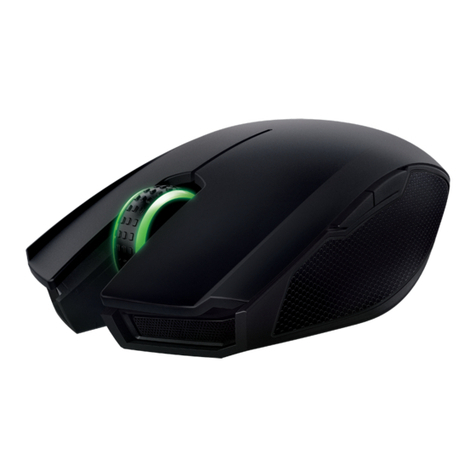
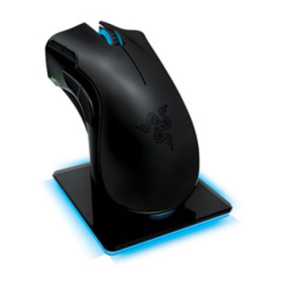
In order to achieve maximum safety while using your Razer Ouroboros, we suggest that you adopt the
following guidelines:
1. Avoid looking directly at the tracking beam of your mouse or pointing the beam in anyone else’s
eye. Note that the tracking beam is NOT visible to the naked human eye and is set on an Always-On
mode.
2. Should you have trouble operating the device properly and troubleshooting does not work, unplug
the device and contact the Razer hotline or go to www.razersupport.com for support. Do not
attempt to service or fix the device yourself at any time.
3. Do not take apart the device (doing so will void your warranty) and do not attempt to operate it
under abnormal current loads.
4. Keep the device away from liquid, humidity or moisture. Operate the device only within the specific
temperature range of 0°C (32°F) to 40°C (104°F). Should the temperature exceed this range,
unplug and switch off the device in order to let the temperature stabilize to an optimal level.
5. Using non-Razer approved batteries may harm the device and/or cause serious physical injury to
the user. Use only the official Razer batteries included with the device.
COMFORT
Research has shown that long periods of repetitive motion, improper positioning of your computer
peripherals, incorrect body position, and poor habits may be associated with physical discomfort
and injury to nerves, tendons, and muscles. Below are some guidelines to avoid injury and ensure
optimum comfort while using your Razer Ouroboros.
1. Position your keyboard and monitor directly in front of you with your mouse next to it. Place your
elbows next to your side, not too far away and your mouse within easy reach.
2. Adjust the height of your chair and table so that the keyboard and mouse are at or below elbow
height.
3. Keep your feet well supported, posture straight and your shoulders relaxed.
4. During gameplay, relax your wrist and keep it straight. If you do the same tasks with your hands
repeatedly, try not to bend, extend or twist your hands for long periods.
5. Do not rest your wrists on hard surfaces for long periods. Use a wrist rest to support your wrist
while gaming.
6. Customize the buttons on your mouse to suit your style of gaming in order to minimize repetitive
or awkward motions while gaming.
7. Make sure that your mouse fits comfortably in your hands.
8. Do not sit in the same position all day. Get up, step away from your desk and do exercises to stretch
your arms, shoulders, neck and legs.
9. If you should experience any physical discomfort while using your mouse, such as pain,
numbness, or tingling in your hands, wrists, elbows, shoulders, neck or back, please consult a
qualified medical doctor immediately.
MAINTENANCE AND USE
The Razer Ouroboros requires minimum maintenance to keep it in optimum condition. Once a month
we recommend you unplug the device from the USB port and clean it using a soft cloth or cotton swab
with a bit of warm water to prevent dirt buildup. Do not use soap or harsh cleaning agents.
BATTERY WARNING
The Razer Ouroboros contains a Ni-MH rechargeable battery. In general, the life expectancy of
such batteries is dependent upon usage. If you suspect that the Ni-Mh rechargeable battery
inside the Razer Ouroboros may be drained (has a low charge), try charging it. If the battery does
not recharge after several attempts, please dispose the battery immediately.
Caution: Risk of explosion and personal injury if batteries are replaced by incorrect type. Do not
open, mutilate, or expose to conducting materials (metal), moisture, liquid, fire, or heat. Doing
so may cause batteries to leak or explode, resulting in personal injury. Dispose of spent, leaking
or damaged batteries according to manufacturer instructions and local laws. Do not use or
charge batteries if leaking, discolored, or deformed. Do not mix battery types.
Do not leave rechargeable batteries discharged or unused for extended periods. Battery life
varies with usage. When replacing, remove all spent batteries, and do not mix old batteries with
new. When device is not in used for extended periods, remove batteries to avoid leakage and
store away from children in a cool, dry place at room temperature.
TAIWAN - Recycling
15 | For Gamers. by Gamers.™www.razerzone.com | 16