6
ConnectdevicestoyourTV
You have several options for connecting your TV to different devices. The method in which you connect will be based upon the type of
cables you have and the available outputs on your device.
Check the jacks for position and type before making any connections. Loose connections can result in image or color problems. Make
sure that all connections are tight and secure.
The TV may not be compatible with all external devices. To check compatibility, please refer to the user manual of external device.
Do not connect external equipment while TV's power cord is plugged in. It may cause electric shock.
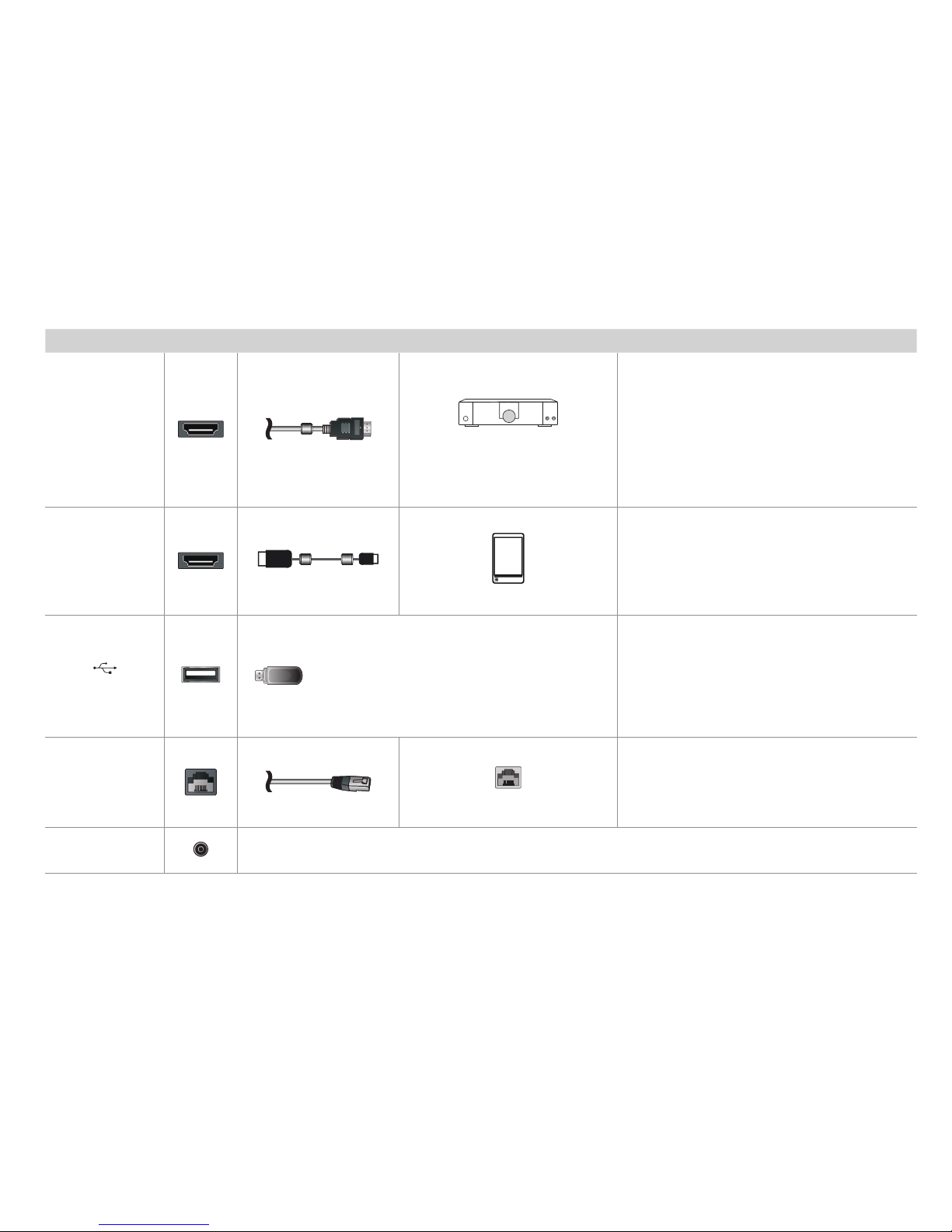
TV label Port Cable External Equipment Brief Description
ANT/CABLE
Antenna
VHF/UHF Antenna
ANT OUT
Connect an antenna,cable set-top box or satellite
receiver.
Using your remote, press the [INPUT] button and
select TV as the input source.
HDMI
DVD Player/Recorder
Set-top Box
Satellite Receiver
Satellite
antenna
cable
VCR
Video
Camera
This 4K TV has two different software versions of
HDMI ports to connect HDMI-enabled devices.
The two high-powered HDMI version 2.0(HDMI 3,
HDMI 4) inputs enable you to connect 4K Ultra-
HD external devices that require more bandwidth
to transmit to the TV screen. For example, if you
have an X-box or Blu-ray player that supports the
2.0 standard. The two HDMI version 1.4 inputs are
great for any of your external devices that support
a standard full high-denition resolution of 1080p.
Connect an HDMI cable (not provided) from an AV
device.
Using your remote, press the [INPUT] button and
select the corresponding HDMI input.
Recommend to use HDMI Cable with 2 cores as
shown in the gure.
RF Out