Renfert MT1 User manual

© Renfert GmbH TM 04/02
IndexIndex
Plaster Trimmer MT1
No.1800-0000
Areas of Caution
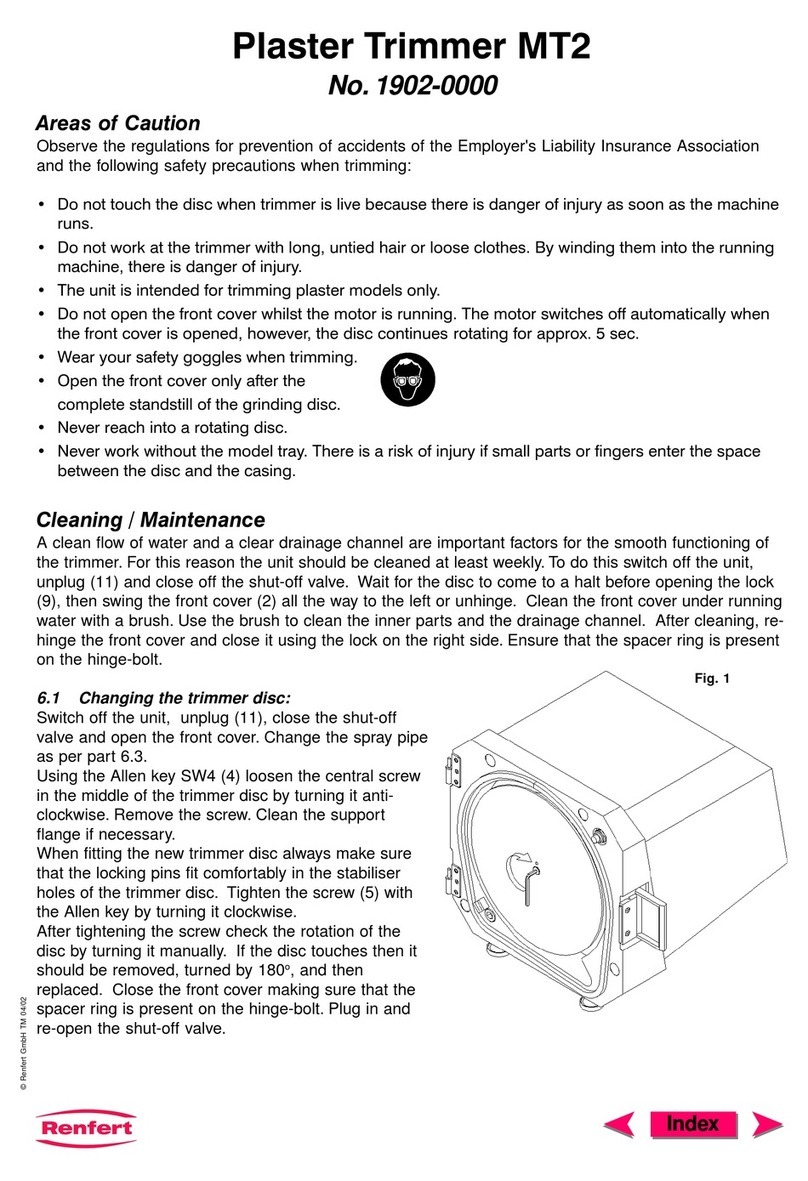
Observe the regulations for prevention of accidents of the Employer's Liability Insurance Association and
the following safety precautions when trimming:
• Do not touch the disc when trimmer is live because there is danger of injury as soon as the
machine runs.
• Do not work at the trimmer with long, untied hair or loose clothes. By winding them into the
running machine, there is danger of injury.
• The unit is intended for trimming plaster models only.
• Do not open the front cover whilst the motor is running. Although the motor switches off
automatically when the front cover is opened, the disc continues rotating.
• Wear your safety goggles when trimming.
• Open the front cover only after the complete standstill of the grinding disc.
• Never reach into a rotating disc.
• Never work without the model tray. There is a risk of injury if small parts or fingers enter the space
between the disc and the casing.
Cleaning / Maintenance
In order for the trimmer to function correctly, it is important that the water inlet and outlet hoses are kept
clean.Therefore, the trimmer should be cleaned at least once per week.When doing so, turn the mains
switch to 0, unplug the trimmer and turn off the water supply.Once the disc has come to a complete
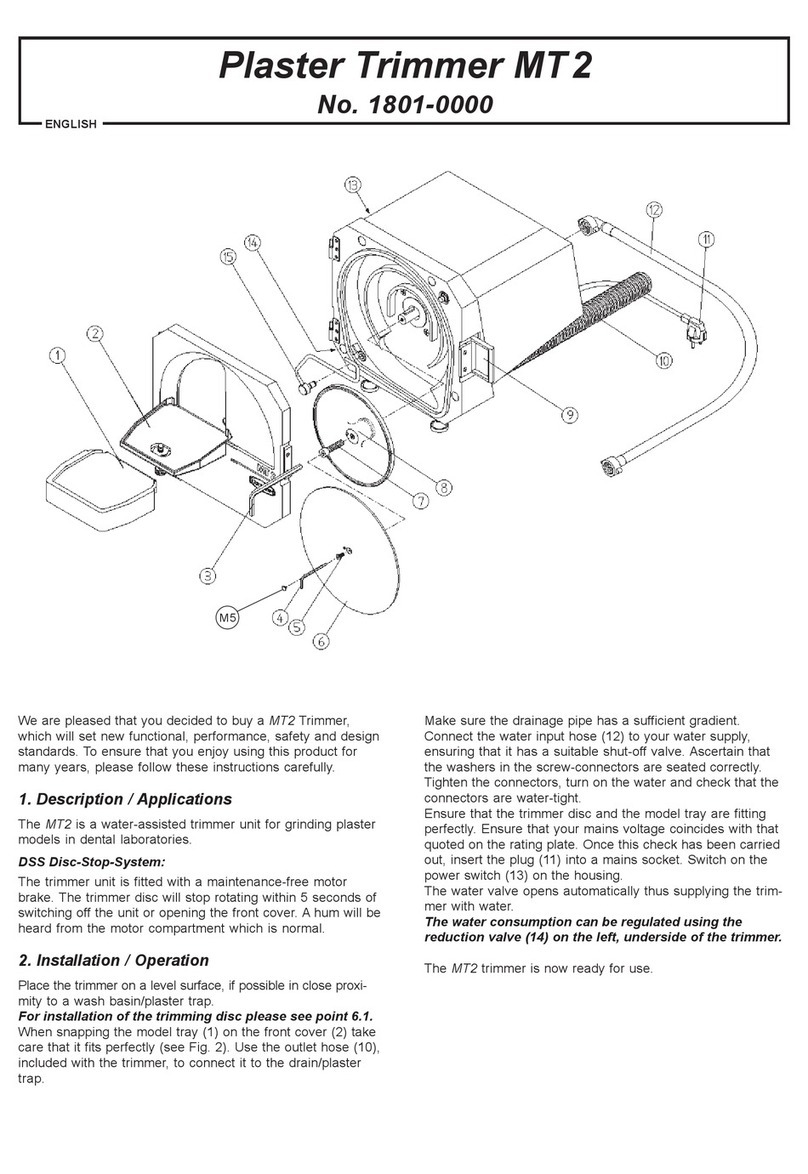
standstill, undo the red fasteners (5) on the right of the housing pressing them back gently, open the front
cover and lift it off its hinges.Brush the cover under running water, ensuring that the interior surfaces and
the water outlet are also cleaned. After cleaning, replace the cover on its hinges and fasten it on the right
hand side.
Replacing the disc:
Turn the mains switch to 0, unplug the trimmer and remove the front cover, as described in "Cleaning /
Maintenance".Ascertain that the motor has come to a complete standstill.Remove the cap (8) from the
left hand side of the housing, insert the rod (9) into this opening and lock the disc into position so that it
can no longer rotate.Insert the Allen key (10) into the screw in the centre of the disc and loosen it by
truning the key anticlockwise. Change the disc and, before finally tightening the central screw, manually
turn the loosely affixed disc once or twice on the joint. In this way the disc will find its optimum centre.
Now manually turn the screw with the key in a clockwise direction.
Remove the locking rod and reposition the cap over the opening. Replace the front cover on its hinges
and fasten it.Plug in the trimmer.

© Renfert GmbH TM 04/02
IndexIndex
r
r
Fig. 1
Fault Cause Remedy
The unit • The electricity supply is • Check the electricity
does not not properly connected. supply.
switch on. • The electrical safety • Check the safety device.
device is defect.
• The front lid is not • Close the front lid.
closed properly.
• The motor is overheated. • Let the motor cool down.
Switch on the power
switch again.
The disc • Not enough water • Open the water supply.
jams. pressure.
• The quantity of water • Increase the water
flowing to unit is in- supply to the trimmer.
correctly set.
• The water supply is not • Open the water supply.
fully opened.
• The spraypipe is blocked. • Clean / de-scale the pipe.
Water sprays • Too much water. • Reduce the water supply
out of the trim- to the trimmer.
mer opening. • The water drainage is • Check if the drainage
not functioning properly. pipe is attached properly
(gradient).
The disc is • Disc has been fixed • Hand-tighten the disc.
wobbling. too tightly.
• Disc is not lying flat • Refit the disc according
against the joint. to the instructions.
• Disc has not been tigh- • Hand-tighten the disc.
tened sufficiently.
No water. • Water supply is not • Check the water supply.
properly connected.
• Front lid is not closed • Close the front lid.
properly.
• Spraypipe is clogged. • Clean / de-scale the pipe.
Model tray • Model tray is not • Refit the model tray accor-
wobbles. mounted properly. ding to the instructions.
Troubleshooting
Guide
Replacing and cleaning the grinding platform:
The grinding platform is easily cleaned. It can be
removed from the front plate and be rinsed under
cold, running water.After snapping it back into
place, take care that it fits perfecly
(see diagram 1).
98º and 90º grinding platforms are available and
may be interchanged as needed. Both types of
grinding platform are supplied with the trimmer.To
ensure an easier montage of the tables cover them in advance with some silicon oil or detergent water on
flushing water.

© Renfert GmbH TM 04/02
IndexIndex
Technical Specifications
Tension: 230 V, 50 Hz
Power input: 3,7 A / 840 W
Water consumption: max. 7 litres per minute
Speed: 2,800 1/min.
Dimensions (WxHxD): 260 x 270 x 360 mm
Weight: 21.5 kg
Level of noise pressure according
to DIN 45635-01-KL3 measured when
machine was charged totally: Lp(A) = 74 dB(A) K = 4 dB
This manual suits for next models
1
Other Renfert Trimmer manuals