2 3
Frequency (FREQ) (DIP Switches 1 and 2):
Each channel of the Model T-400 detector has four (4) frequency selections that
allow altering the resonant frequency of the loop circuit. DIP switches 1 and 2
are used to select the frequency for a given channel. The values (1and 2) to the
left of the DIP switches are assigned to the switch when the switch is ON. If the
switch is OFF, the switch has a value of zero (0). By adding the switch ON and
OFF values, the two switches will combine for values from 0 to 3 that indicate
one of the four Frequency selections. The following table is a reference for the
switch settings and associated frequency selections.
NOTE: After changing any frequency switch setting(s), it is necessary to reset
the detector by momentarily changing one of the other switch positions.
Frequency Switch 2 Switch 1 Effective Value
HI * OFF * OFF * 0 + 0 = 0 *
MED HI ON OFF 1 + 0 = 1
MED LO OFF ON 0 + 2 = 2
LO ON ON 1 + 2 = 3
* Factory default setting.
Presence / Pulse Mode (PRES PULS) (DIP Switch 3):
DIP switch 3 controls the output mode of each channel.
PRESENCE (PRES): When the switch is in the ON position, Presence Mode
is selected. Presence Mode provides a Call hold time of at least four minutes
(regardless of vehicle size) and typically one to three hours for an automobile
or truck. This is the factory default setting and the most common setting.
PULSE (PULS): When the switch is in the OFF position, Pulse Mode is
selected. Pulse Mode will generate a single 125 millisecond pulse output for
each vehicle entering the loop detection zone. Any vehicle remaining in the
loop detection zone longer than two seconds will be tuned out providing full
sensitivity for the vacant portion of the loop detection zone. Full sensitivity
for the entire loop detection zone is recovered within one second following the
departure of any vehicle that has occupied the loop detection zone longer than
two seconds.
Sensitivity (SENSE LEVEL) (DIP Switches 4, 5, and 6):
There are seven (7) selectable sensitivity levels plus OFF for each channel. The
seven sensitivity levels and OFF setting are selected via DIP switches 4, 5, and
6 on each of the four front panel mounted six-position DIP switches. The
values (1, 2, and 4) to the left of the DIP switches are assigned to the switch
when the switch is ON. If the switch is OFF, the switch has a value of zero (0).
By adding the switch ON and OFF values, the three switches will combine for
values from 0 to 7 that indicate OFF or one of the seven Sensitivity Level
selections. The following table is a reference for the switch settings and
associated sensitivity selections.
NOTE: Changing the sensitivity level setting will RESET the detector channel.
Sense
Level -ΔL/L Switch 4 Switch 5 Switch 6 Effective
Value
0 (OFF) OFF OFF OFF OFF
0 + 0 + 0 = 0
1 0.64% ON OFF OFF 1 + 0 + 0 = 1
2 0.32% OFF ON OFF
0 + 2 + 0 = 2
3 0.16% ON ON OFF 1 + 2 + 0 = 3
4 0.08% OFF OFF ON 0 + 0 + 4 = 4
5 0.04% ON OFF ON
1 + 0 + 4 = 5
6 * 0.02% * OFF * ON * ON * 0 + 2 + 4 = 6 *
7 0.01% ON ON ON
1 + 2 + 4 = 7
* Factory default setting.
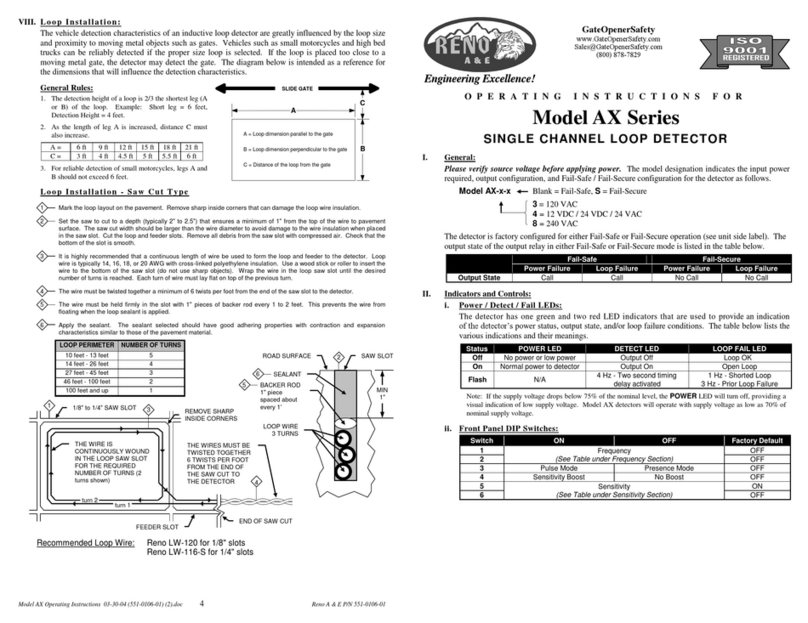
ii. Front Panel Mounted Pushbutton - Detector Reset:
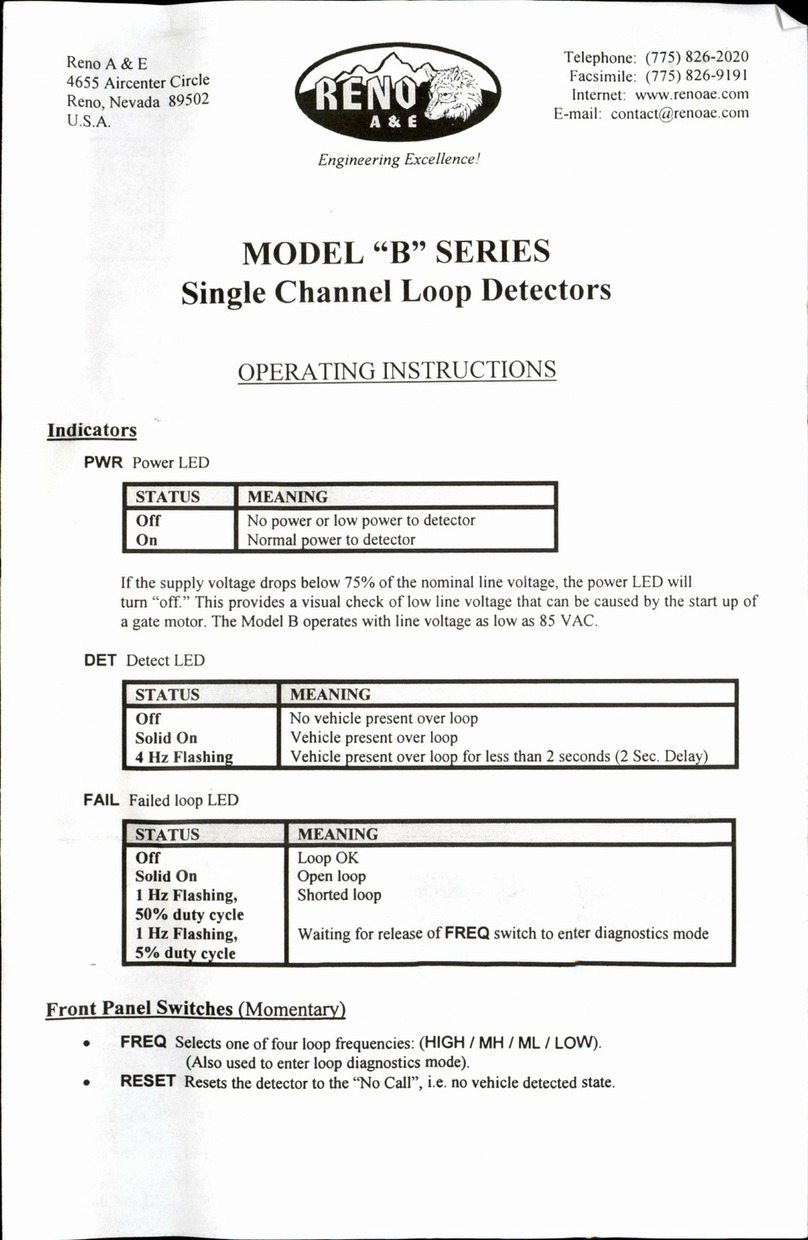
A front panel mounted pushbutton labeled RESET is used to reset the detector.
To reset the detector, press the pushbutton.
iii. Front Panel Mounted Pushbutton - Audible Detect Buzzer:
A front panel mounted pushbutton labeled BUZZER is used to enable an
audible detect signal that is emitted any time a given channel’s detection zone is
occupied. To activate this feature, press the pushbutton. Only one channel can
have this feature active at any given time. The first time the pushbutton is
pressed, a short (50 millisecond) audible signal confirms the activation of the
feature for Channel 1. The second time the pushbutton is pressed, two short (50
millisecond) audible signals confirm the activation of the feature for Channel 2.
The third time the pushbutton is pressed, three short (50 millisecond) audible
signals confirm the activation of the feature for Channel 3. The fourth time the
pushbutton is pressed, four short (50 millisecond) audible signals confirm the
activation of the feature for Channel 4. To deactivate this feature, press and
hold the pushbutton for one second. A long (250 millisecond) audible signal
confirms the deactivation of the feature. This feature will automatically turn off
15 minutes after activation.
NOTE: When operating in Pulse mode, the audible detect signal will cease if a
vehicle occupies the detection zone for more than two seconds.
III. Reset:
To reset the detector, press the pushbutton labeled RESET. Changing the position
of any of an individual channel’s front panel mounted programming DIP switches
(except the Frequency switches) resets the channel. The detector can also be reset
by the reapplication of power after a power loss.