HYBO - HYDRAULIC INTERFACE UNIT
EN1H-2615GE25 R1020 6
Programming for Technician
Access to programming menu. When digital display shows “OFF”, push
simultaneously “A” and “B” buttons. When display shows “P1” release
buttons. ”A and “B” buttons scroll main menu and increase or decrease value
in under menu. “ENTER” button goes into sub menu and save data itself.
(*) Anti-burns function intervenes when the sensor, positioned on hot sanitary
water delivery, feels a temperature superior to “set-point + P3 value”. In this
condition the modulating 2-way valve, positioned on heat exchanger primary,
is forced to complete closure and interrupts the erogation of thermal energy.
When temperature goes down to “set-point + P3 value”, the system automat-
ically starts normal production of sanitary hot water again.
(**) When warmed heat exchanger function is activated (P5 =0) the primary
circuit of the heat exchanger is constantly maintained in temperature (even
in absence of sanitary drawing) thanks to the passage of a small quantity of
hot water in primary circuit. This function can be activated when the unit is
away from distribution columns to reduce the DHW production delay time.
Deactivation of unit functions
During summer time, in order to deactivate heating function you have to set
the minimum temperature value on room thermostat or selecting “OFF”
mode, if present. Regarding sanitary function, excluding all takings is suffi-
cient and the module will automatically stop any energy inflow from central-
ized plant (if the warmed heat exchanger is deactivated). Besides, pressing
“ON/OFF” button on keypad is possible to deactivate hydraulic unit functions.
On display you find “OFF” and all functions are deactivated:both motorized
valves are on complete closing
Unit electrical disconnection
To disconnect the unit from electrical network follow these instructions:
1. Electrically disconnect ambient thermostat
2. Press “ON/OFF” button on keypad
3. Wait for about 30 sec. in order to give time to motorized valves to close.
4. Check that the motorized valves are in closed position by checking di-
rectional arrow position
5. Move the bi-polar switch on electrical box to OFF position
Control and regulations
DHW temperature
When the unit is activated and the display shows the temperature detected
by the probe, it is possible to adjust the set supply temperature of the hot
sanitary water. Use the buttons on the keypad:
Main menu Under menu Function
P1 X.X (sec) Where „X.X“ indicates time of sampling
temperature.
Regulation range 1.0 ³ 10.0 sec
(default 1.0 sec) for 24 plates heat exchanger
and 1.3 sec for 40 plates heat exchanger
P2 X (sec) Where „X“ indicates delay time ordered to
activation of sanitary hot water production by
flow meter signal (eco function)
Regulation range: 0 ³ 5 sec.
(default 0 sec)
P3 XX (°C) Where „XX“ indicates the Δtemperature to
be added to the setpoint to obtain the
maximum permitted temperature beyond
which the sanitary valve closes. Anti-burns
function*.
Regulation range 5 ³ 50°C
(default 5°C)
P4 XX (sec) Where „XX“ indicates delay time ordered to
anti burns function intervention.
Regulation range 0 30 sec
(default 0 sec)
P5 X Where „X“ is a Boolean variable that can be:
0 = warmed heat exchanger function acti-
vated **
1 = warmed heat exchanger function deacti-
vated
(default 1)
CAUTION
The anti-burns function helps to avoid supply of hot sanitary water
with dangerous temperatures. Installing devices for thermal safety for
sanitary uses to be placed below the unit is advised.
If the hot sanitary water temperature sensor is damaged or not
connected the display shows the allarm “ALt”. The modulating valve
of the plated exchanger primary circuit is forced to closing; the
flashing "AL t" is displayed. When the damage is restored the unit
start again with its normal functioning.
WARNING
Electrical power coming from ambient thermostat is NOT inter-
rupted by bi-polar switch. In order to complete disconnect the
hydraulic unit form electrical power interrupt ambient thermo-
stat power.
CAUTION
A disconnection from electric network made without operating as
described above does not grant the complete hydraulic isolation of
the module from the whole plant. As a consequence the module could
still take and regulate heat even though not requested.
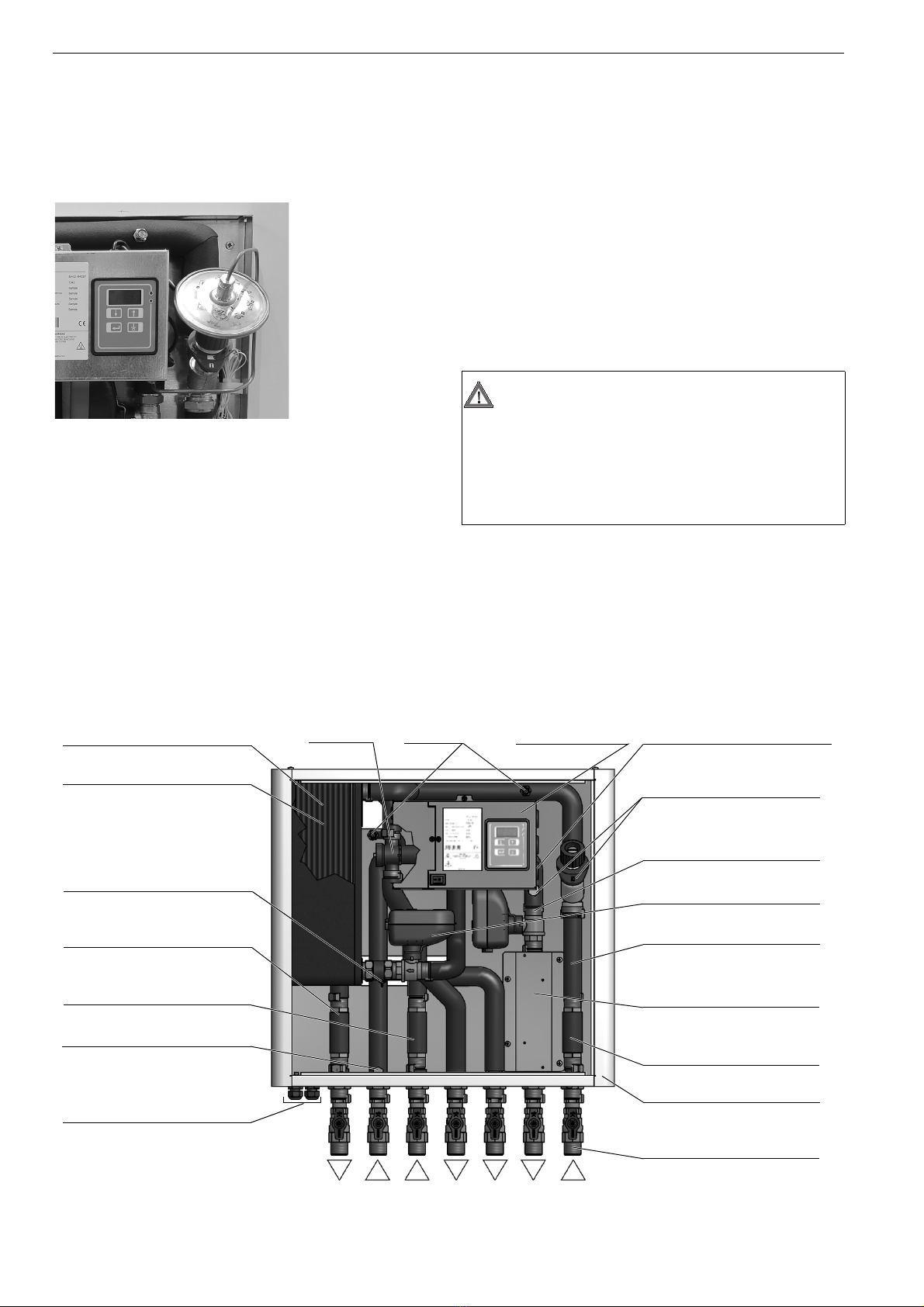
Press the “A” button to decrease the temperature
value. Press the “B” button to increase the temperature
value. The display will show a value ranging from 0 to
10. 0 corresponds to approximately 40°C, 10 corre-
sponds to approximately 60°C. Then, press “ENTER”
to accept the value.