RHOTHETA Installation and Configuration Manual RT-800
Page 4 of 32
Content
1Antenna Installation Considerations ............................................................................. 6
1.1 General Information ................................................................................................................................6
1.2 Installation Recommendation .................................................................................................................7
1.3 Line of Sight and Fresnel Zone ..............................................................................................................8
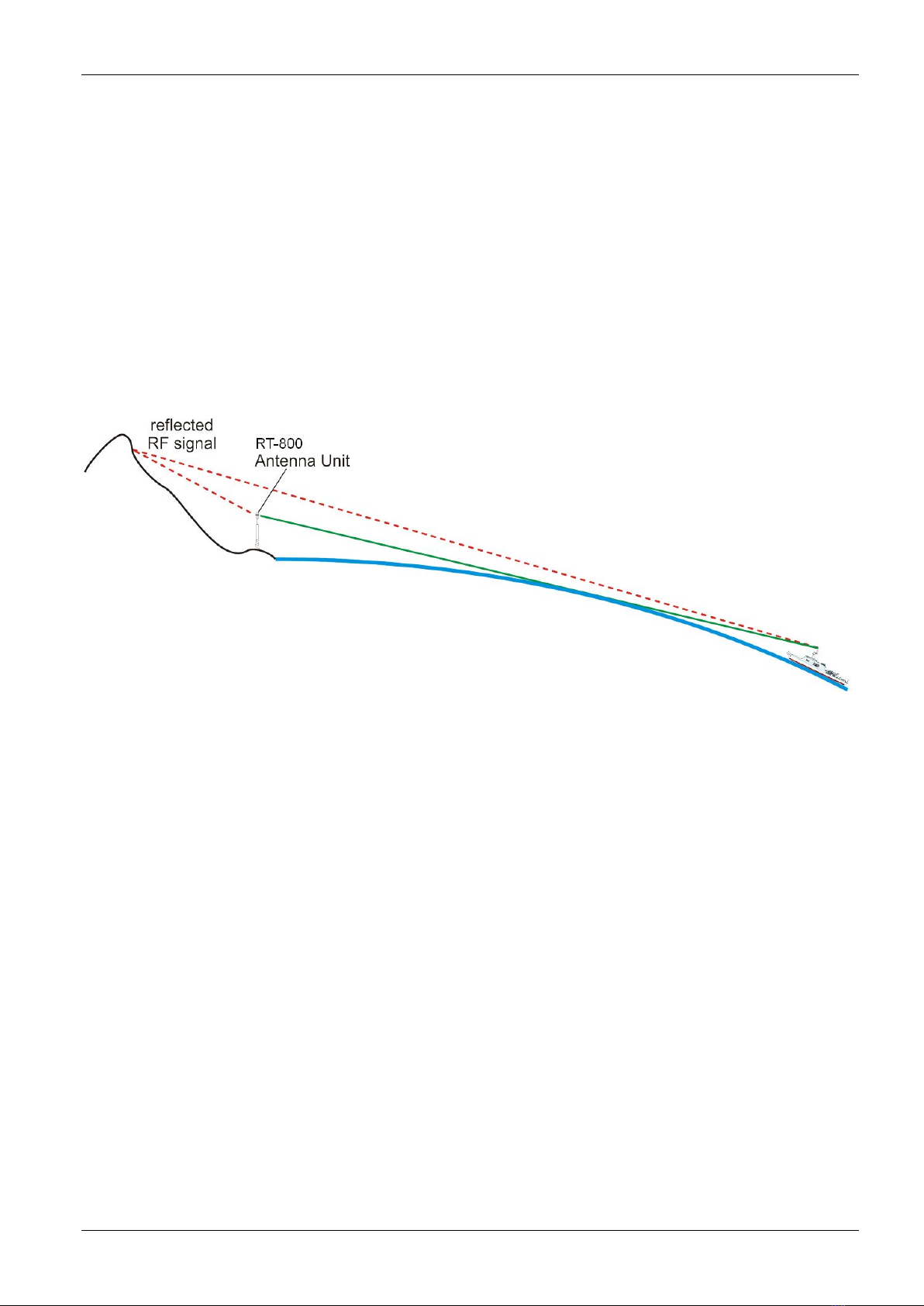
1.4 Reduced Bearing Accuracy Caused by Reflections...............................................................................9
1.5 Lightning Protection ..............................................................................................................................10
1.6 North Alignment ....................................................................................................................................11
1.7 Antenna Connection .............................................................................................................................11
2Interfaces........................................................................................................................ 12
2.1 Overview...............................................................................................................................................12
2.2 Device Ports .........................................................................................................................................13
2.2.1 Antenna Unit Port (Connecting Cable DCU AU).................................................................13
2.2.2 GPS / RS422 Port....................................................................................................................14
2.2.3 Fuse F3....................................................................................................................................14
2.3 Remote Control and IP-Audio Encoder Ports.......................................................................................15
2.4 Power Supply........................................................................................................................................16
2.5 Service & Maintenance Ports ...............................................................................................................17
2.5.1 Power Supply and Optional Connections ................................................................................17
2.5.2 NMEA Bus (RS 232) ................................................................................................................18
2.5.3 Test / Program .........................................................................................................................19
3Configuration ................................................................................................................. 20
3.1 Configuration Considerations of “Menu – Setup” .................................................................................20
3.1.1 Menu Interface .........................................................................................................................20
3.1.2 Menu System ...........................................................................................................................22
3.2 Configuration of Remote Control over IP .............................................................................................23
3.2.1 Introduction / Concept..............................................................................................................23
3.2.2 IP Network settings & Web Console connection to configure the device................................23
3.3 Configuration of Audio over IP (streaming into LAN) ...........................................................................26
3.3.1 Introduction / Concept..............................................................................................................26
3.3.2 IP Network settings & Web Console connection to configure the device................................26
3.4 Configuration of Audio Exstreamer (streaming from LAN) ...................................................................29
3.4.1 Configuration of Exstreamer at Remote Site ...........................................................................30
3.5 Example of complete Network Scenario...............................................................................................31
4Appendix ........................................................................................................................ 32
4.1 List of abbreviation................................................................................................................................32