Chapter 1 : Introducing the PANEL PC
5A1.0
Table of Contents
Notice ...............................................................................................2
Copyright.....................................................................................................................................................2
Registered Trademark................................................................................................................................2
The permissible level (Class A) of electromagnetic waves ........................................................................2
Caution........................................................................................................................................................3
Caution during installation .....................................................................................................................3
Caution during use.................................................................................................................................3
Table of Contents ..............................................................................5
Chapter 1 Introducing the PANEL PC............................................... 6
Product features..........................................................................................................................................6
Unpacking...................................................................................................................................................7
Optional devices..........................................................................................................................................7
Other peripherals ........................................................................................................................................8
Preparing you PANEL PC...........................................................................................................................9
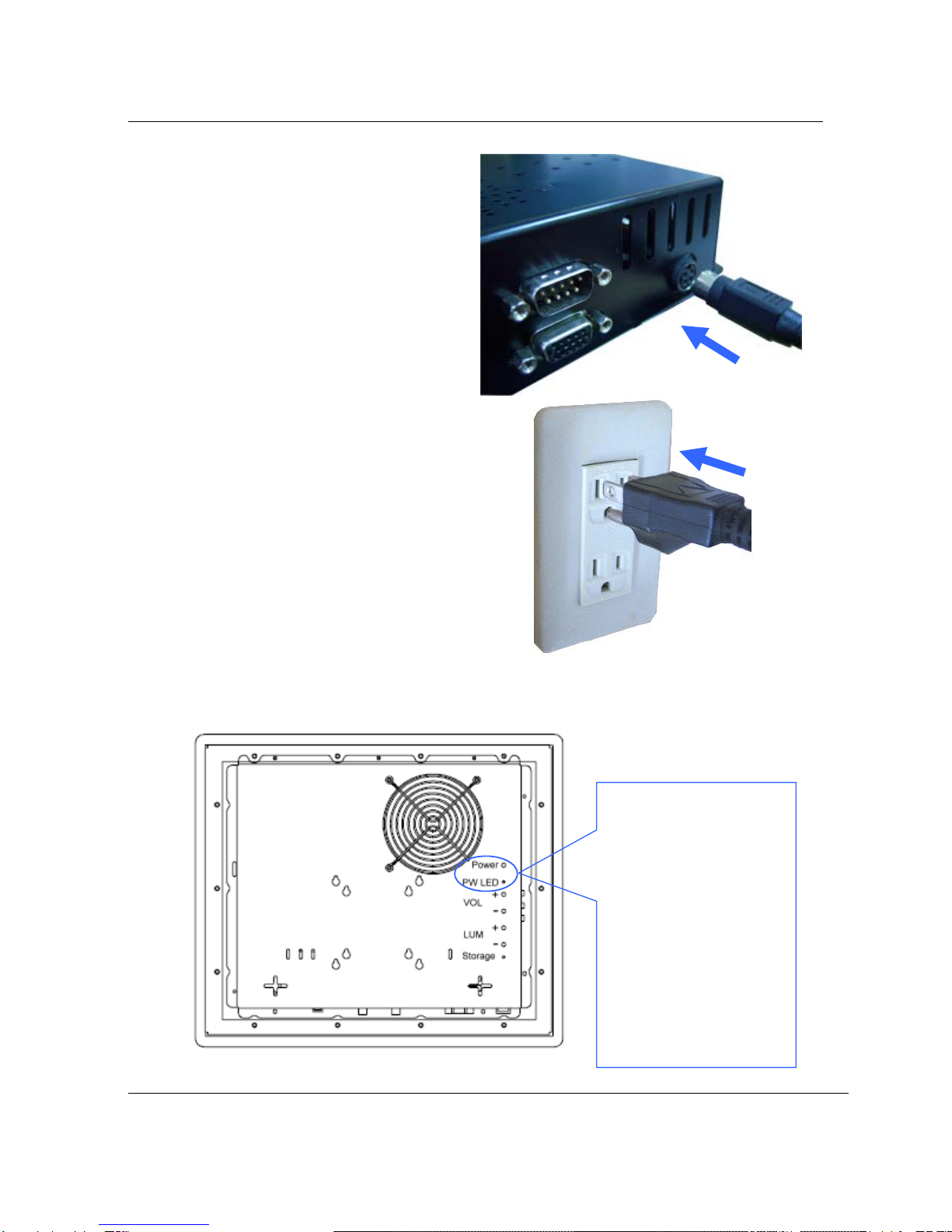
Connect the AC Power Adapter.............................................................................................................9
Turn ON the PANEL PC ......................................................................................................................10
Chapter 2. Knowing the Parts ........................................................... 11
Dimension.................................................................................................................................................11
Cut-Out Dimension ...................................................................................................................................12
Panel mount Kit Installation ......................................................................................................................13
Front and Rear sides : ..............................................................................................................................15
Right Sides :..............................................................................................................................................17
Left Sides :................................................................................................................................................18
Rear Sides : ..............................................................................................................................................19
Install TV cable step :................................................................................................................................20
Chapter 3. Starting the computer for the first time............................ 21
For Windows 7..........................................................................................................................................21
Step 0: Windows 7 and basic driver pre-setup .................................................................................21
Step 1: To set up the computer.........................................................................................................22
Step 2: The installation of drivers for other peripherals ....................................................................24
Step 3: The installation of software for other peripherals..................................................................24
Step 4: Completion of setup..............................................................................................................24
Chapter 4. System Upgrades ............................................................. 25
System upgrades......................................................................................................................................25
Hardware upgrades .............................................................................................................................25
Software upgrades...............................................................................................................................25
Chapter 5. Reinstalling the OS ......................................................... 26
How to reinstalling Windows 7..................................................................................................................26
Appendix 1. Troubleshooting ........................................................... 28
Appendix 2. Product specifications................................................... 31
Appendix 3. Product warranty .......................................................... 34
Appendix 4. Jumper Setting.............................................................. 36