manuals.online logo
Brands
  1. Home
  2. •
  3. Brands
  4. •
  5. Roland
  6. •
  7. Recording Equipment
  8. •
  9. Roland CY-18DR User manual

Roland CY-18DR User manual

Other Roland Recording Equipment manuals

Roland JV-1080 User manual

Roland

Roland JV-1080 User manual

Roland U-220 User manual

Roland

Roland U-220 User manual

Roland CSQ-600 User manual

Roland

Roland CSQ-600 User manual

Roland RE-3 User manual

Roland

Roland RE-3 User manual

Roland TR-08 User manual

Roland

Roland TR-08 User manual

Roland V-Drums TD-27 User manual

Roland

Roland V-Drums TD-27 User manual

Roland S-770 Operating and maintenance manual

Roland

Roland S-770 Operating and maintenance manual

Roland TR-909 User manual

Roland

Roland TR-909 User manual

Roland Aoutique TR-09 User manual

Roland

Roland Aoutique TR-09 User manual

Roland A-37 User manual

Roland

Roland A-37 User manual

Roland SD-35 User manual

Roland

Roland SD-35 User manual

Roland CN-20 User manual

Roland

Roland CN-20 User manual

Roland BR-600 User manual

Roland

Roland BR-600 User manual

Roland DSD-2 User manual

Roland

Roland DSD-2 User manual

Roland P-20HD User manual

Roland

Roland P-20HD User manual

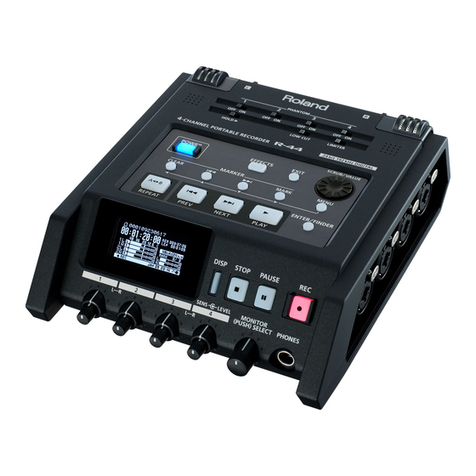
Roland Edirol R-44 User manual

Roland

Roland Edirol R-44 User manual

Roland SP-303 DR. Sample User manual

Roland

Roland SP-303 DR. Sample User manual

Roland CD-2 User manual

Roland

Roland CD-2 User manual

Roland SP-555 User manual

Roland

Roland SP-555 User manual

Roland RE-501 User manual

Roland

Roland RE-501 User manual

Roland Chorus echo RE-301 User manual

Roland

Roland Chorus echo RE-301 User manual

Roland INTEGRA-7 User manual

Roland

Roland INTEGRA-7 User manual

Roland SPD-SX PRO User manual

Roland

Roland SPD-SX PRO User manual

Roland RA-90 User manual

Roland

Roland RA-90 User manual

Popular Recording Equipment manuals by other brands

ThermoFisher Scientific Dionex DRS 600 Installation checklist

ThermoFisher Scientific

ThermoFisher Scientific Dionex DRS 600 Installation checklist

Shure ANIUSB-Matrix user guide

Shure

Shure ANIUSB-Matrix user guide

Nady Audio HE-1 user guide

Nady Audio

Nady Audio HE-1 user guide

AUDAC APM 01 User manual & installation guide

AUDAC

AUDAC APM 01 User manual & installation guide

Teac GF-350 owner's manual

Teac

Teac GF-350 owner's manual

Fractal Audio MFC-101 MARK III owner's manual

Fractal Audio

Fractal Audio MFC-101 MARK III owner's manual

bmcm USB-OI16 manual

bmcm

bmcm USB-OI16 manual

HHB BurnIT CDR-830 Service manual

HHB

HHB BurnIT CDR-830 Service manual

GE VersaMax IC200CPUE05 manual

GE

GE VersaMax IC200CPUE05 manual

IntesisBox MH-RC-MBS-1 user manual

IntesisBox

IntesisBox MH-RC-MBS-1 user manual

Attero Tech unD4l user manual

Attero Tech

Attero Tech unD4l user manual

Sennheiser UI 765 instruction manual

Sennheiser

Sennheiser UI 765 instruction manual

Sony RCD-W1 Operating Instructions  (primary... Service manual

Sony

Sony RCD-W1 Operating Instructions (primary... Service manual

8x8 Inc Valcom V-2001A manual

8x8 Inc

8x8 Inc Valcom V-2001A manual

Waves SUB Align user guide

Waves

Waves SUB Align user guide

Mitsubishi Electric MAC-334IF-E installation manual

Mitsubishi Electric

Mitsubishi Electric MAC-334IF-E installation manual

Robotics Technologies microBus-Cam II installation manual

Robotics Technologies

Robotics Technologies microBus-Cam II installation manual

Seca 460 quick start guide

Seca

Seca 460 quick start guide

manuals.online logo
manuals.online logoBrands
  • About & Mission
  • Contact us
  • Privacy Policy
  • Terms and Conditions

Copyright 2025 Manuals.Online. All Rights Reserved.

Before using this unit, carefully read “USING THE UNIT SAFELY” and “IMPORTANT
NOTES” (p. 4). After reading, keep the document(s) where it will be available for
immediate reference.
Copyright © 2016 ROLAND CORPORATION
Owner’s Manual
2
Making the Settings
Check the Included Items
After opening the package, check that all of the included items are
present. If anything is missing, contact your dealer.
CY-18DR
Wing nut
Felt washer
Stopper
Connection cable
Cable tie
Owner’s manual (this document)
CY-18DR Components
Bell
Bow
Edge
FUNC button (*1)
DIGITAL TRIGGER OUT connector
(*1) This button will be used in the event of a future upgrade.
* It is not normally used.
Mounting on the Stand
1. Use a commercially available drum key to tighten the
stopper bolt.
The stopper keeps the V-Cymbal from turning, preventing the
tangling of cables on the stand.
Stopper
Attach the stopper
so that the bolt is on
the right-hand side,
from the performer’s
perspective.
Bolt
Tighten the bolt
with a commercially
available drum key.
2. Attach the V-Cymbal, while positioning it so the Roland
logo is located on the side opposite the performer.
Wing nut
Felt washer
Position the Roland logo
on the opposite side of the
playing area
3. Tighten the included felt washer and the wing nut to
obtain the desired movement.
* Use the included felt washer and wing nut.
* Double sounding may occur if the wing nut is loose.
4. Insert the plug of the connection cable into the CY-18DR’s
DIGITAL TRIGGER OUT connector.
Connection cable
Protector
Use the protector to lock the
connection.
5. Secure the cables in place with the cable tie.
Leave some slack in the cables to ensure they are not pulled by the
movement of the V-Cymbal pads.
Be sure to make this
small plastic hook
visible from you.
Wind a cable tie around a cable.
Wind a cable tie around the pipe and
tighten it in order to not to slip.
Insert the small
plastic hook to a
hole to secure the
cable to the cymbal arm.
Secure the cable in place
with the cable tie
Leave some slack in the cable
* Take care to ensure that the cables do not touch the V-Cymbal
pads and/ or the stand. A cable touching a V-Cymbal pad or a
stand may cause double sounding or other incorrect operation.
3
Main Specications
Roland CY-18DR: V-Cymbal Digital Ride
Size 18 inches
Triggers 3 (Bow/Bell/Edge)
Connector DIGITAL TRIGGER OUT connector
(compatible with Roland drum sound module equipped with DIGITAL TRIGGER IN port)
Power Supply DIGITAL TRIGGER bus power (DC 5 V)
Current draw 90 mA
Dimensions 470 (W) x 470 (D) x 55 (H) mm
18-9/16 (W) x 18-9/16 (D) x 2-3/16 (H) inches
Weight 2.1 kg / 4 lbs 11 oz
Accessories Owner’s manual, Wing nut, Felt washer, Stopper, Connection cable, Cable tie
Options
(sold separately)
Cymbal mount (MDY series)
Cymbal parts set (CYM-10)
* This document explains the specications of the product at the time that the document was issued. For the latest information, refer to the Roland
website.
Connecting to the Drum Sound Module
Use a Roland drum sound module that supports digital
connections.
1. Insert the plug of the connection cable into the drum
sound module’s DIGITAL TRIGGER IN port.
2. On the drum sound module, make settings for using the
CY-18DR.
* For details, refer to the owner’s manual of your drum sound
module.
Recommended settings for the trigger parameters
The rst time you connect the CY-18DR to your drum sound
module, the recommended values are assigned to the trigger
parameters.

You may need to adjust the trigger parameters depending on how
you’ve mounted the CY-18DR and the location at which you’ve
installed it.
For details on editing refer to the owner’s manual of your drum
sound module.
Playing Method
The response to various playing methods depends on the drum
sound module.
For details, refer to the owner’s manual of your drum sound module.
NOTE
5Use only wooden or plastic sticks. Using a carbon or metal
stick may cause the sensor to malfunction.
5Use nylon brushes. Using metal brushes may cause the
sensor to malfunction, and may scratch the pad.
Playing method Explanation
Bow shot Nuance changes depending
on the strike location This is the most common playing
method, playing the middle area of the
cymbal. It corresponds to the sound
of the “head-side”of the connected
trigger input.
Edge shot
Edge sensor
This playing method involves striking
the edge with the shoulder of the stick.
When played as shown in the gure,
the rim sound of the connected input
is triggered.
Bell shot
This is the technique of striking the
bell.
Striking the bell area will produce the
rim sound of the connected trigger
input.
Strike using the shoulder of the stick.
Choke play
Edge sensor
Sensor
If you use your hand to choke (grasp)
the edge sensor after striking the
cymbal, the sound stops.
In addition, placing your hand on the
sensor will also stop the sound (mute).
If you strike the cymbal in a choked or
mute state, it rings a shorter time.
4
IMPORTANT NOTES
USING THE UNIT SAFELY
WARNING
Do not disassemble or modify by yourself
Do not carry out anything unless you
are instructed to do so in the owner’s
manual. Otherwise, you risk causing
malfunction.
Do not repair or replace parts by yourself
Refer all servicing to your retailer, the
nearest Roland Service Center, or an
authorized Roland distributor, as listed
on the “Information.”
Do not use or store in the following types of
locations
• Subject to temperature extremes
(e.g., direct sunlight in an enclosed
vehicle, near a heating duct, on top
of heat-generating equipment);
or are
• Damp (e.g., baths, washrooms, on
wet oors); or are
• Exposed to steam or smoke; or are
• Subject to salt exposure; or are
• Exposed to rain; or are
• Dusty or sandy; or are
• Subject to high levels of vibration and
shakiness; or are
• Placed in a poorly ventilated location.
WARNING
Use only the stand that is recommended
This unit should be used only with a
stand that is recommended by Roland.
Do not place in a location that is unstable
When using the unit with a stand
recommended by Roland, the stand
must be carefully placed so it is level
and sure to remain stable. If not using
a stand, you still need to make sure that any
location you choose for placing the unit
provides a level surface that will properly
support the unit, and keep it from wobbling.
Do not allow foreign objects or liquids to enter unit;
never place containers with liquid on unit
Do not place containers containing
liquid (e.g., ower vases) on this
product. Never allow foreign objects
(e.g., ammable objects, coins, wires)
or liquids (e.g., water or juice) to enter this
product. Doing so may cause short circuits,
faulty operation, or other malfunctions.
WARNING
Turn o the unit if an abnormality or malfunction
occurs
Immediately turn the unit o, and
request servicing by your retailer, the
nearest Roland Service Center, or an
authorized Roland distributor, as listed
on the “Information” when:
• If smoke or unusual odor occurs; or
• Objects have fallen into, or liquid has been
spilled onto the unit; or
• The unit has been exposed to rain (or
otherwise has become wet); or
• The unit does not appear to operate
normally or exhibits a marked change in
performance.
Be cautious to protect children from injury
Always make sure that an adult is
on hand to provide supervision and
guidance when using the unit in places
where children are present, or when a
child will be using the unit.
Do not drop or subject to strong impact
Otherwise, you risk causing damage or
malfunction.
CAUTION
Use only the specied stand(s)
This unit is designed to be used in
combination with specic stands
(Roland MDS series) manufactured
by Roland. If used in combination
with other stands, you risk sustaining
injuries as the result of this product dropping
down or toppling over due to a lack of stability.
Evaluate safety issues before using stands
Even if you observe the cautions given
in the owner’s manual, certain types
of handling may allow this product to
fall from the stand, or cause the stand
to overturn. Please be mindful of any
safety issues before using this product.
Route all power cords and cables in such a way as to
prevent them from getting entangled
Injury could result if someone were to
trip on a cable and cause the unit to
fall or topple.
Avoid climbing on top of the unit, or placing heavy
objects on it
Otherwise, you risk injury as the result
of the unit toppling over or dropping
down.
Disconnect all cords/cables before moving the unit
Damage or malfunction may result if
you fail to disconnect all cables before
moving the unit.
Keep small items out of the reach of children
To prevent accidental ingestion of the
parts listed below, always keep them
out of the reach of small children.
Removable Parts:
• Stopper
• Stopper bolt
• Wing nut
• Felt washer
Used for instructions intended to alert the
user to the risk of injury or material
damage should the unit be used
improperly.
* Material damage refers to damage or
other adverse effects caused with
respect to the home and all its
furnishings, as well to domestic animals
or pets.
Used for instructions intended to alert the
user to the risk of death or severe injury
should the unit be used improperly.
The symbol alerts the user to things that must be
carried out.The specific thing that must be done is
indicated by the design contained within the circle.In the
case of the symbol at left, it means that the power-cord
plug must be unplugged from the outlet.
The symbol alerts the user to important instructions or
warnings.The specific meaning of the symbol is
determined by the design contained within the triangle.In
the case of the symbol at left, it is used for general
cautions, warnings, or alerts to danger.
The symbol alerts the user to items that must never be
carried out (are forbidden).The specific thing that must
not be done is indicated by the design contained within
the circle. In the case of the symbol at left, it means that
the unit must never be disassembled.
About WARNING and CAUTION Notices About the Symbols
ALWAYS OBSERVE THE FOLLOWING
Placement
• This unit may interfere with radio and
television reception. Do not use this unit in
the vicinity of such receivers.

• When moved from one location to another
where the temperature and/or humidity is
very dierent, water droplets (condensation)
may form inside the unit. Damage or
malfunction may result if you attempt to use
the unit in this condition. Therefore, before
using the unit, you must allow it to stand for
several hours, until the condensation has
completely evaporated.
• Do not place containers or anything else
containing liquid on top of this unit. Also,
whenever any liquid has been spilled on the
surface of this unit, be sure to promptly wipe
it away using a soft, dry cloth.
Maintenance
• Never use benzine, thinners, alcohol or
solvents of any kind, to avoid the possibility
of discoloration and/or deformation.
Additional Precautions
• Use a reasonable amount of care when using
the unit’s buttons, sliders, or other controls;
and when using its jacks and connectors.

Rough handling can lead to malfunctions.

• When disconnecting all cables, grasp the
connector itself—never pull on the cable.
This way you will avoid causing shorts, or
damage to the cable’s internal elements.
• This instrument is designed to minimize
the extraneous sounds produced when it’s
played. However, since sound vibrations can
be transmitted through oors and walls to a
greater degree than expected, take care not
to allow these sounds to become a nuisance
others nearby.
• The rubber portion of the striking surface is
treated with a preservative to maintain its
performance. With the passage of time, this
preservative may appear on the surface as
a white stain, or reveal how the pads were
struck during product testing. This does not
aect the performance or functionality of
the product, and you may continue using it
with condence.
• Continuous playing may cause dis-coloration
of the pad, but this will not aect the pad’s
function.
Intellectual Property Right
• MMP (Moore Microprocessor Portfolio)
refers to a patent portfolio concerned with
microprocessor architecture, which was
developed by Technology Properties Limited
(TPL). Roland has licensed this technology
from the TPL Group.
• Roland and V-Drums are either registered
trademarks or trademarks of Roland
Corporation in the United States and/or
other countries.
• Company names and product names
appearing in this document are registered
trademarks or trademarks of their respective
owners.