Manual
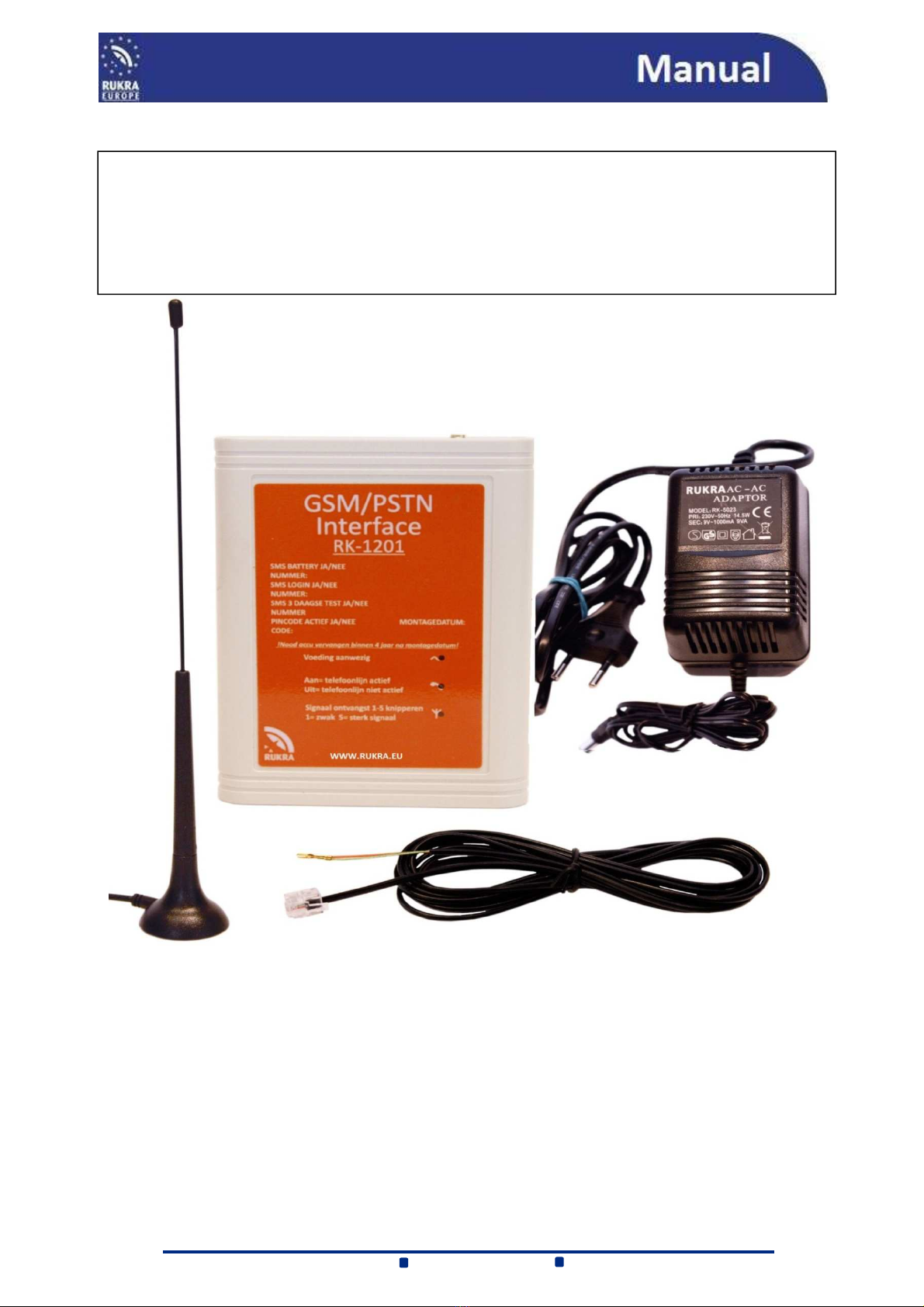
RUKRA GSM/PSTN Interface_ENG_V1
Article number: RK-1201
3
SIM CARD
The SIM card can be used in two ways: without a PIN-Code or PIN-Code
Without PIN-Code: 1- Install the sim card in a regular mobile phone
2- Go to the menu "Security Settings" and set the option "Request PIN" on "OFF"
With PIN-Code: 1- Install the sim card in a regular mobile phone
2- In the “Security settings” menu, change the PIN code to “1111”
3- When the SIM card is inserted in the RUKRA GSM/PSTN Interface, the code will be
changed to a random number, thus making it impossible to use the card in another mobile
phone unless it is unblocked by means of the PUK code
Insert the SIM card into the RUKRA GSM / PSTN interface (note the angled corner) and connect the power supply
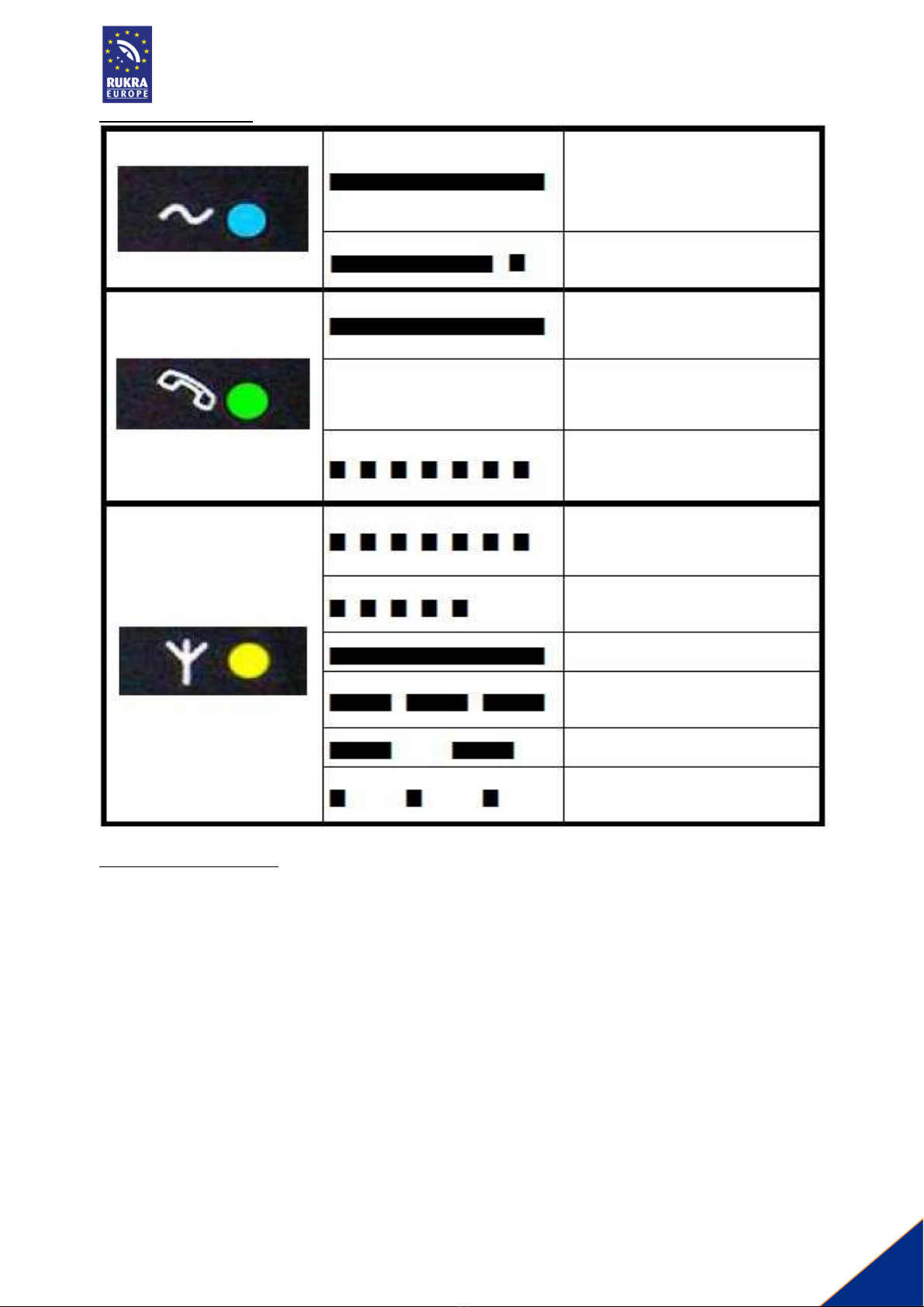
adapter and the battery backup power alternately and check the LEDs to go on both times The blue LED turns on
and the green and yellow LEDs will flash Wait an average of 60 seconds until the middle LED goes off and the lower
LED continues to flash 1 to 5 times, the RUKRA GSM / PSTN interface is ready for use now
PROGRAMMING
From the factory the RUKRA GSM / PSTN interface is set with standard settings which have normally not te be
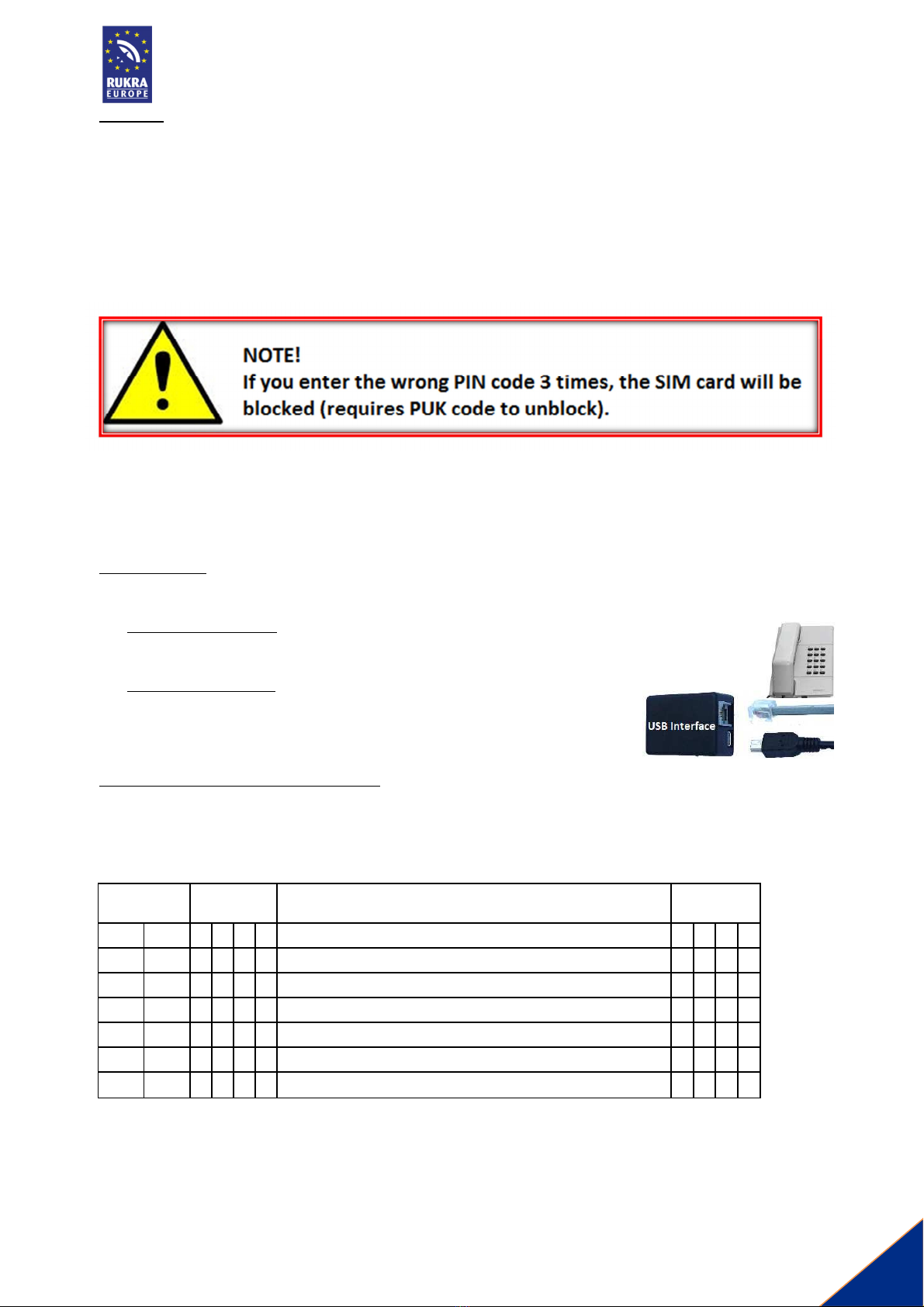
changed Programming can be connected with a normal PSTN phone or by the USB interface
With a PSTN telephone:
With an attached phone, you can change the parameters but you can not change phone numbers and
SMS settings Programming can be with or without the presence of a SIM card
With the USB interface:
SMS settings, phone numbers and all other parameters can be programmed with a
computer using the "GGSET" program and the USB Interface Programming can be
done with and without the presence of a SIM card
Programming procedure with a PSTN phone:
Connect a phone to the line out, lift the handset and enter: # 0000 (0000 = default password) as the password is
correct you will hear one after another short dial tones After entering a correct setting you will hear three tones
and then you dial hedge (#) and you hear a longer confirmation tone Wait until you hear at least 2 short dialtones
and then continue with programming
PARAMETER
VALUE DESCRIPTION FACTOR
SETTING
0 0 n
n
n
n
Password for programming 0
0
0
0
2 7 n
Ask for PIN, n =0 Ask PIN disabled / n =1 Ask PIN enabled 0
7 5 n
Roaming, 0 = Roaming OFF / 1 = Roaming ON 1
3 2 n
n
Waiting time after calling the numbers (2N setting n n = 1 0) 0
1
9 9
Reset to factorysettings