INTRODUCTION
The SRC1 Remote Control is designed for use with Russound controllers
and keypads in CAA66, CAM6.6, CAV6.6 and RNET® systems. It controls
up to six source components.
The SRC1 is a system remote only and does not support learning IR
codes. This manual provides a basic overview on how to operate the SRC1.
KEY FUNCTIONS
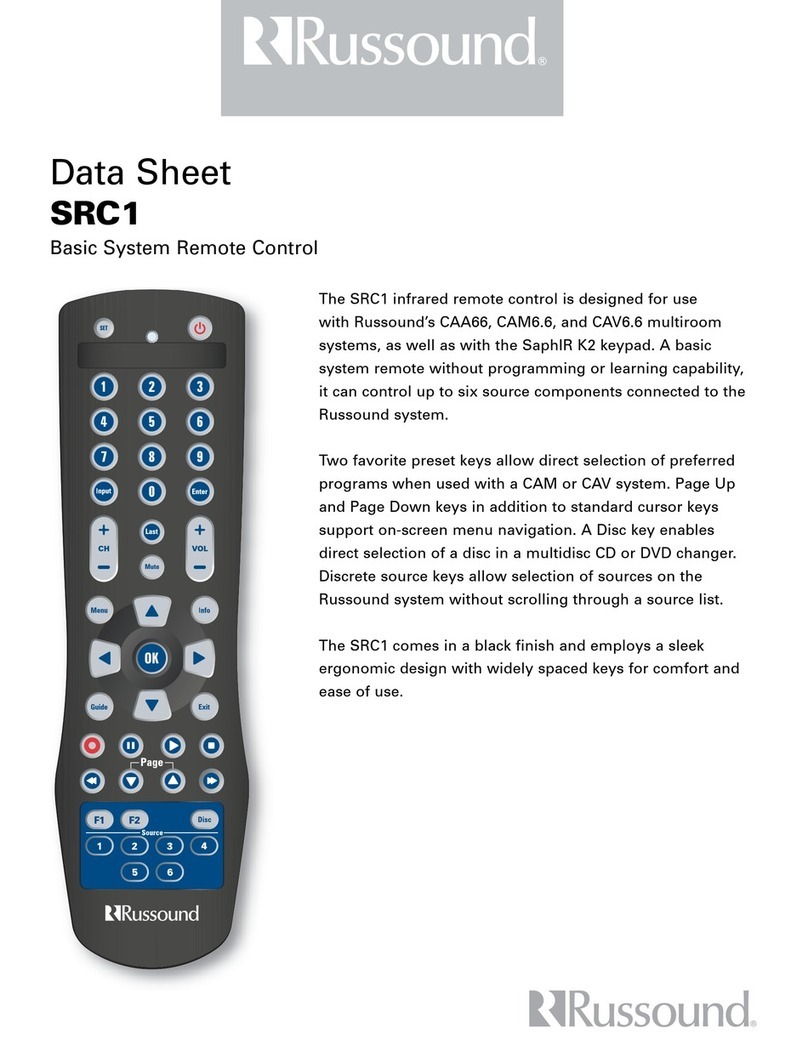
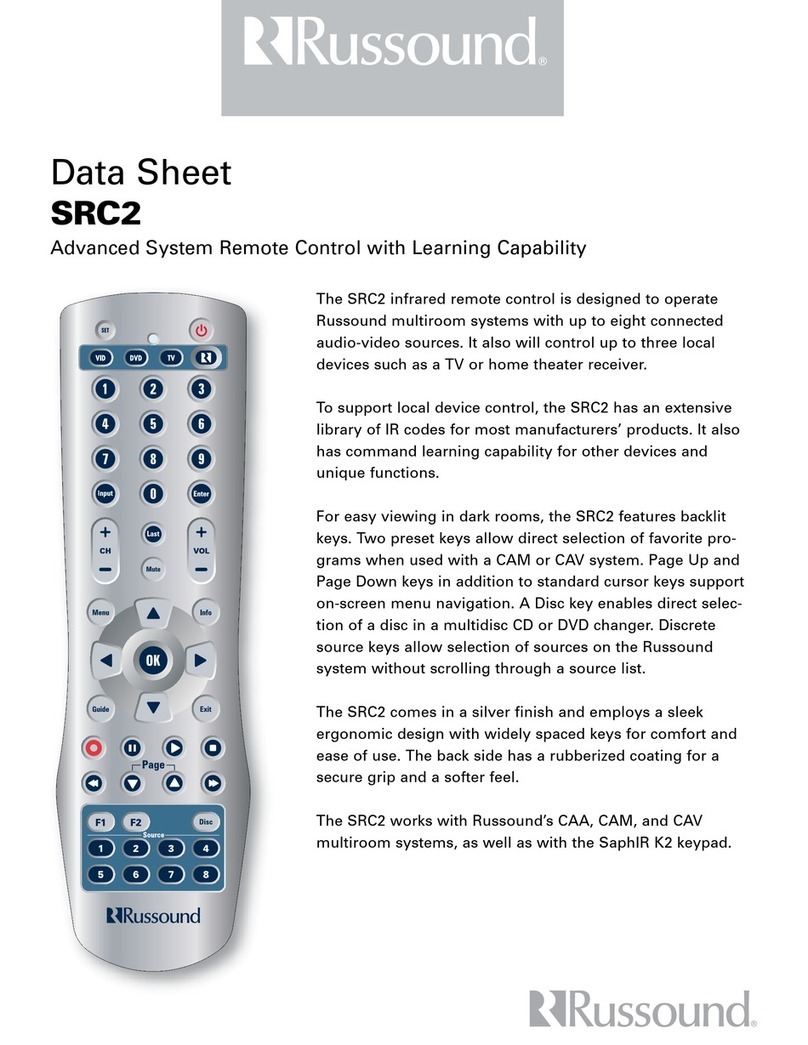
Use the following Key Charts to learn how the SRC1 functions.
The LED (red light) blinks to show that the remote control is work-
ing and is sending signals.
Press PWR once to turn on or off the zone.
Use the keypad (0 ~ 9) to directly select channels
(for example, 09 or 31).
Press MUTE once to turn sound off or on.
Press ENTER once after entering channel numbers on some TV
models.
Use VOL + (or VOL -) to raise (or lower) the sound volume.
Use CH + (or CH -) to select the next higher (or lower) channel.
Press LAST once to recall the last channel and to page back one
screen in the main menu.
Press INPUT once to switch the input of the chosen component.
Use GUIDE to display the program guide.
Use EXIT to exit out of the selected component’s menu or guide.
Use F1/F2 to select and save favorite presets.
Use the cursor keys to move the cursor in the program
guide and menu screens.
Press to choose the highlighted menu option. Performs“Enter”
function for devices.
Use DISC for direct disc selection.
Use INFO to display current channel and program information.
Press MENU to access the menu of your chosen component.
Use the transport keys to control your components.
Use Page Up/Down with cable or satellite boxes.
Use these keys to select specific sources.
INSTALLING BATTERIES
1. On the back of the SRC1, push the tab and lift off the battery cover.
2. Obtain two (2) fully-charged AA alkaline batteries. Match the + and –
marks on the batteries to the + and – marks in the battery case, then
insert the new batteries.
3. Press the battery cover back into place. The tab should click when the
cover is locked.
4. Test the unit by pressing PWR and any key. If the batteries are inserted
correctly,the LED will blink once.
TROUBLESHOOTING
PROBLEM: LED does not blink when you press a key.
SOLUTION: Replace the batteries with two (2) new AA alkaline batteries.
PROBLEM: LED blinks when you press a key, but home entertainment component does not
respond.
SOLUTION: Make sure the SRC1 is aimed at your controller system keypad and is not farther
than 15 feet away.
PROBLEM: Changing channels does not work properly.
SOLUTION: If original remote control required pressing ENTER to change channels, press ENTER
on the SRC1 after entering the channel number.
ADDITIONAL INFORMATION
The SRC1 does not have any user-serviceable parts.Opening the case, except for the battery cover,
may cause permanent damage to the SRC1.
Copyright ©2005 Russound, Inc.
Russound
5 Forbes Road
Newmarket NH 03857
603.659.5170
www.russound.com
28-1205 07/08/05
SRC1
BASIC SYSTEM
REMOTE CONTROL
USER GUIDE