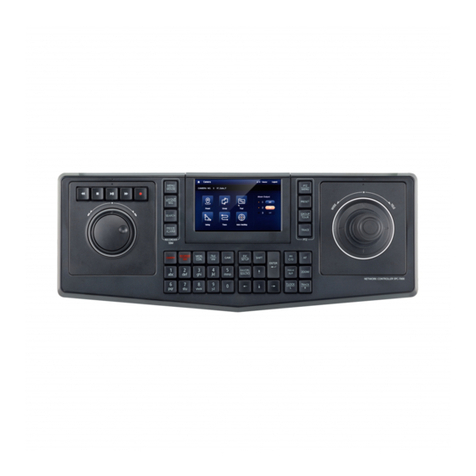
Control Description
the View button will navigate to the first view ID matching the number
entered.
Camera
Pressing the Camera button navigates to the next camera in the Tree
View. Pressing the Alt+Camera button navigates to the previous cam-
era in the Tree View. Entering a number on the keypad (0-9) and then
pressing the Camera button goes to the first camera ID matching the
number entered from the list under the server. If there are multiple
servers, navigation will be to the next item matching the entered cam-
era ID under the selected server node.
Preset
Entering a number on the keypad (0-9) and then pressing the Preset
button will send the camera to the entered preset. The keypad can
hold up to 4 numeric entries. Presets can have a range of 1-9999.
Time
LIVE VIEW: enter a time (hhmm) and press the key to initiate playback
from the entered time. The end time would be the current time or the
requested time + 24 hours, whichever is less.
PLAYBACK MODE (Playback, Multi Playback): enter a time (hhmm) and
it will seek to the time if the clip is already loaded or initiate a playback
request if new time.
THUMBNAIL SEARCH: Enter a time (hhmm) and it will select the thumb-
nail that the requested time falls within, or initial a new thumbnail
search if playback request is a new time.
Quick Review
Quick Review of the selected camera for 30 seconds. Entering a number
(0-9) or combination of numbers and then pressing the Quick Review
button will open the Quick Review window with the entered playback
time in minutes. For example, entering 2 will open Quick Review auto-
matically with 2 minutes of playback.
Buttons 0-9 Numeric 0-9
Tab
Navigate forward to next camera in the selected view.
Alt+Tab will navigate backward to the previous camera in the selected
view.
Alt
Used in combination with other keypad options to handle backward
navigation. See descriptions above.
If Alt+0 is pressed this will put the controller into mouse mode. Select-
ing Alt+0 again will put it back into joystick mode.
Mouse Mode
As described in the Alt entry of the table above, press Alt+0 to toggle mouse mode on and off
on the joystick.
9