Look for this icon. It means a video
assembly tip is available at:
www.sauder.com/services/tips
1
S
t
e
p
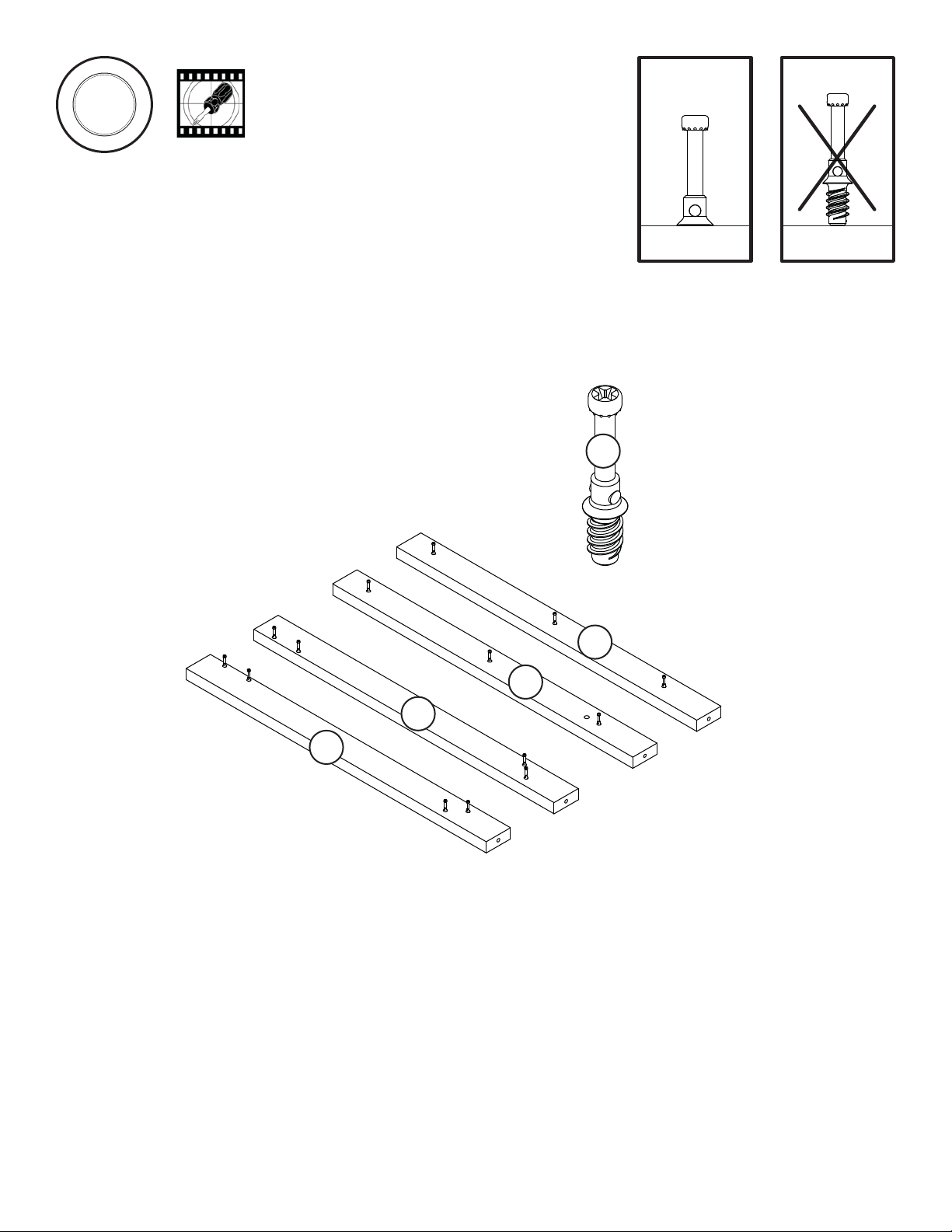
Assemble your unit on a carpeted floor or on the empty carton to avoid scratching your unit or the floor.
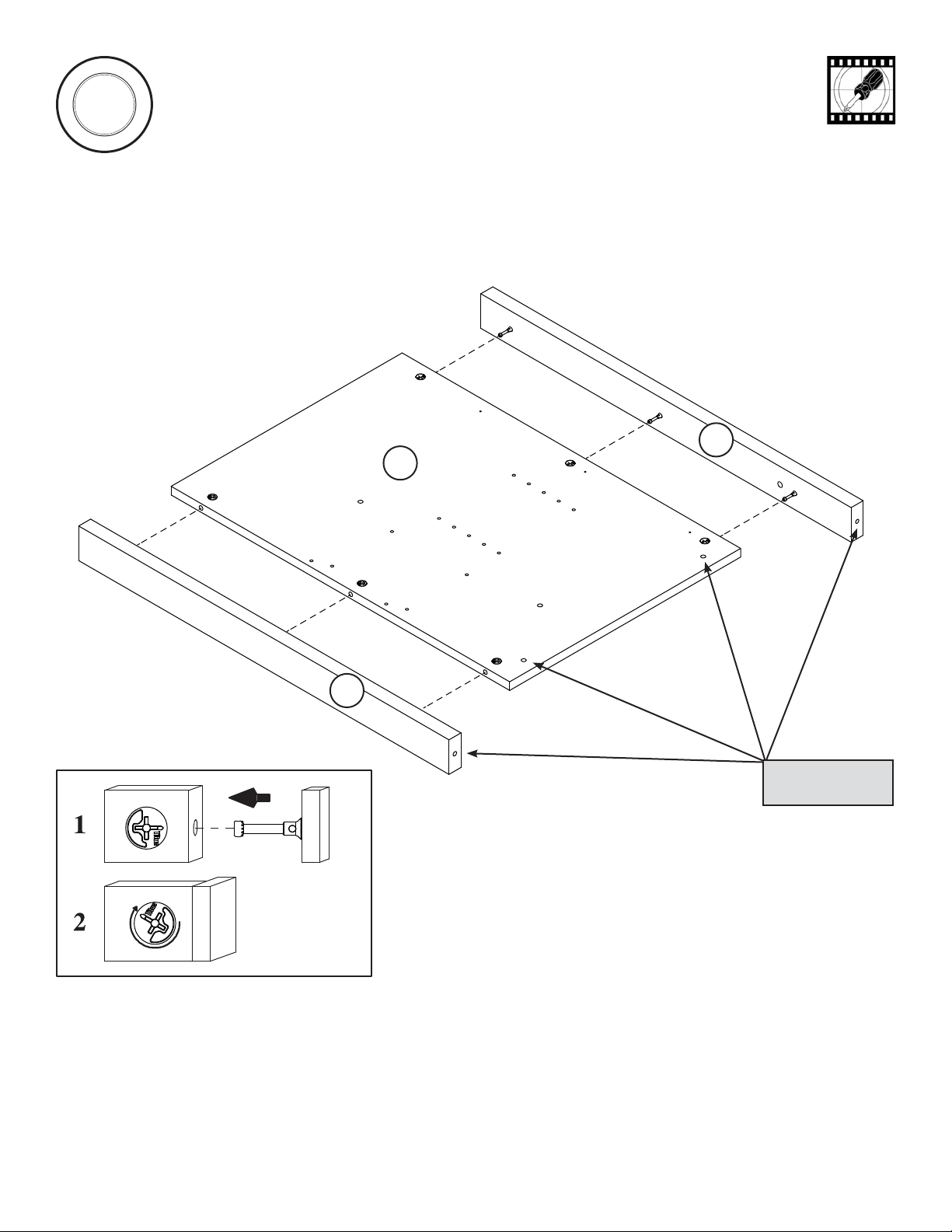
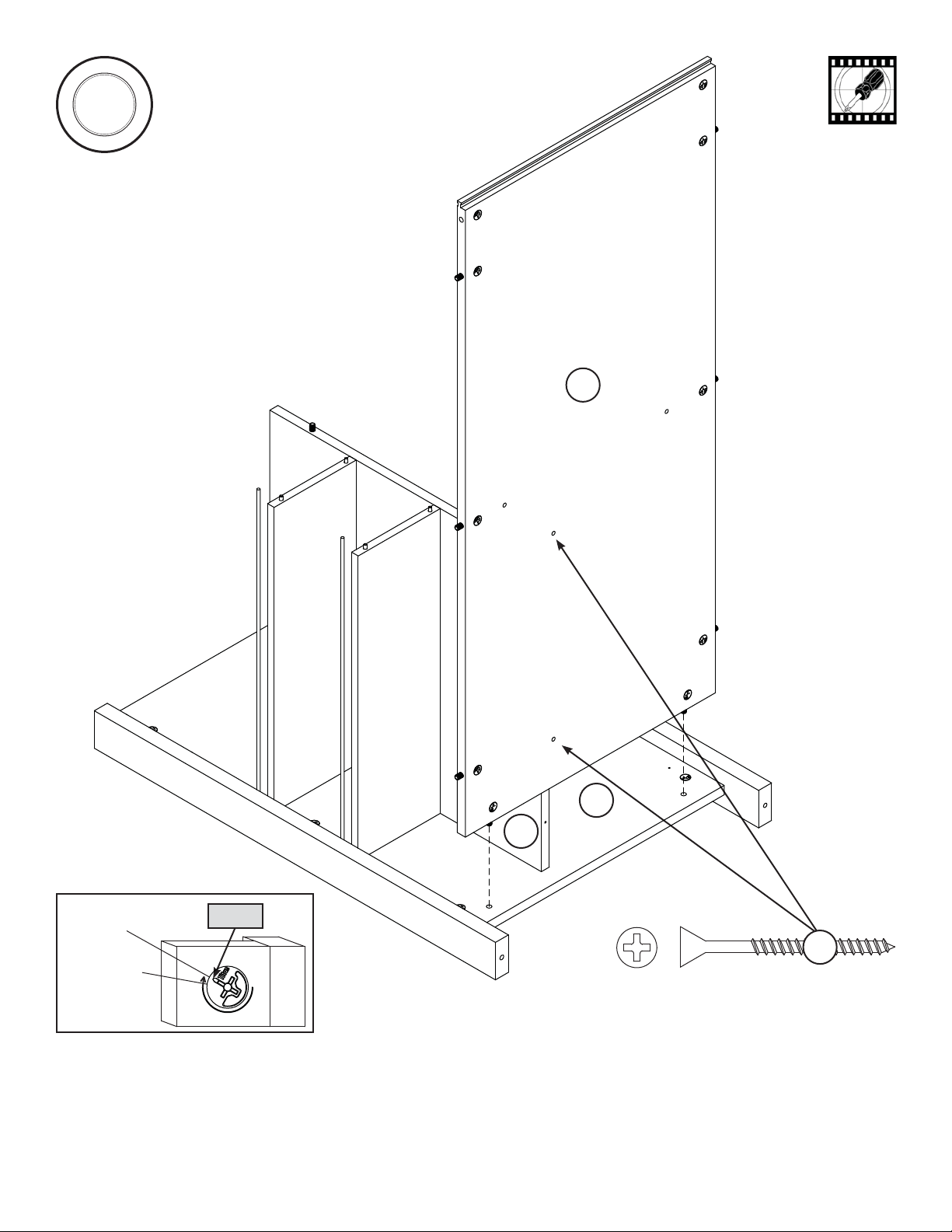
Push twenty-eight HIDDEN CAMS (1F) into the END (A), LOWER UPRIGHT (C), one of the DRAWER UPRIGHTS (E),
BOTTOM (H), SHELF BACK (L), and SHORT BOTTOM MOLDING (U). Then, insert the metal end of a CAM DOWEL (2F) into
each HIDDEN CAM except in the END (A), DRAWER UPRIGHT (E), SHORT BOTTOM MOLDING (U) and the two holes called
out in the BOTTOM (H).
Page 5
www.sauder.com/services414405
Do not tighten the HIDDEN CAMS in this step.
Do not insert
CAM DOWELS
into these holes.
Do not insert CAM
DOWELS into
these edges.
Arrow
(14 used)
(28 used)
Arrow
Arrow
Arrow
1F
1F
1F
1F
1F
1F
1F
2F
2F
2F
2F
Insert the metal end of the CAM
DOWEL into the HIDDEN CAM.
Arrow
Arrow
Arrow
Arrow
A
L
C
H
E
U