Page 5 of 7
2.5. Calibrate mode
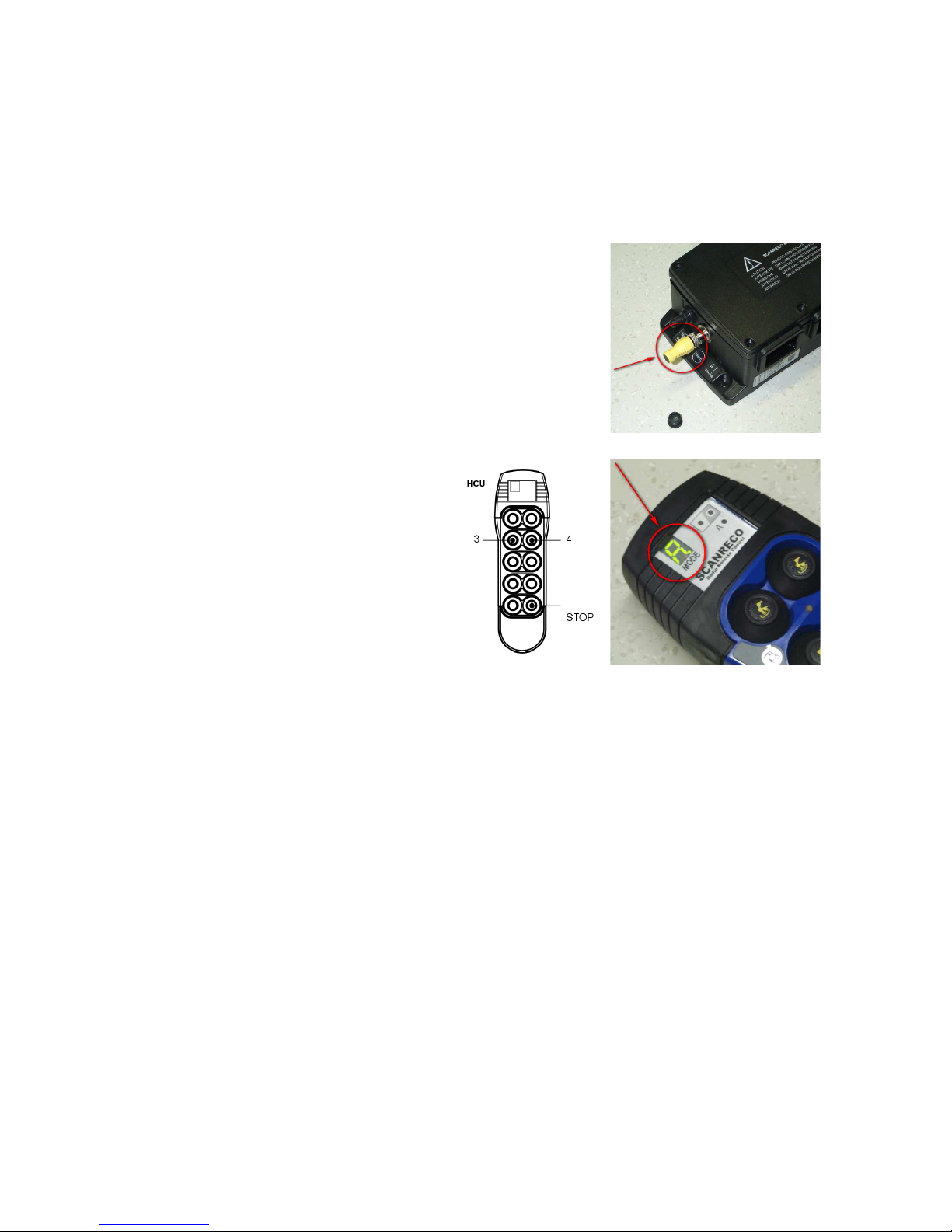
•Push button 9 is used to switch between the various calibration steps, a single press
will increase the calibration step by one
•Push button 10 (any step) will switch the transmitter completely off, this will also
store any parameters changed in the transmitter
Step 01 – setting of transmitter timeout
- “1” is displayed in the 7-segment
- Push buttons 1 sets timeout times to 2 minutes
- Push buttons 2 sets timeout times to 5 minutes
- Push buttons 3 sets timeout times to 10 minutes
- Push buttons 4 sets timeout times to (infinite)
Step 02 – setting of frequency locking
- Push button 1 edit the first digit of the two digit frequency number
- Use button 3 and 4 to brows to the right digit
- Push button 2 to start edit the second digit of the two digit frequency number
- Use button 3 and 4 to brows to the right digit
- Use button 2 to stor the selected frequency number (00 indicates no frequency lock,
for EU countries the selection must vary between 1 and 68)
Step 03 – setting of transmitter type
- “3” is displayed in the 7-segment
- Push button 1 – 8 represent transmitter type 1 – 8 (must be set to "1").
Step 4 – setting of A / B start speed crane drive 1
- Push buttons 1 and 2 are used to activate the crane motion on which to perform the
speed change
- Push buttons 3 and 4 are used as – and + to decrease or increase the start speed on the
selected direction
Step 5 – setting of A / B stop speed crane drive 1
- Push buttons 1 and 2 are used to activate the crane motion on which to perform the
speed change
- Push buttons 3 and 4 are used as – and + to decrease or increase the stop speed on the
selected direction
Step 6 – setting of A / B start speed crane drive 2
- Push buttons 1 and 2 are used to activate the crane motion on which to perform the
speed change
- Push buttons 3 and 4 are used as – and + to decrease or increase the start speed on the
selected direction
Step 7 – setting of A / B stop speed crane drive 2
- Push buttons 1 and 2 are used to activate the crane motion on which to perform the
speed change
- Push buttons 3 and 4 are used as – and + to decrease or increase the stop speed on the
selected direction