manuals.online logo
Brands
  1. Home
  2. •
  3. Brands
  4. •
  5. SCHNERZINGER
  6. •
  7. Music Equipment
  8. •
  9. SCHNERZINGER GRID PROTECTOR User manual

SCHNERZINGER GRID PROTECTOR User manual

Other SCHNERZINGER Music Equipment manuals

SCHNERZINGER ROOM GUARD User manual

SCHNERZINGER

SCHNERZINGER ROOM GUARD User manual

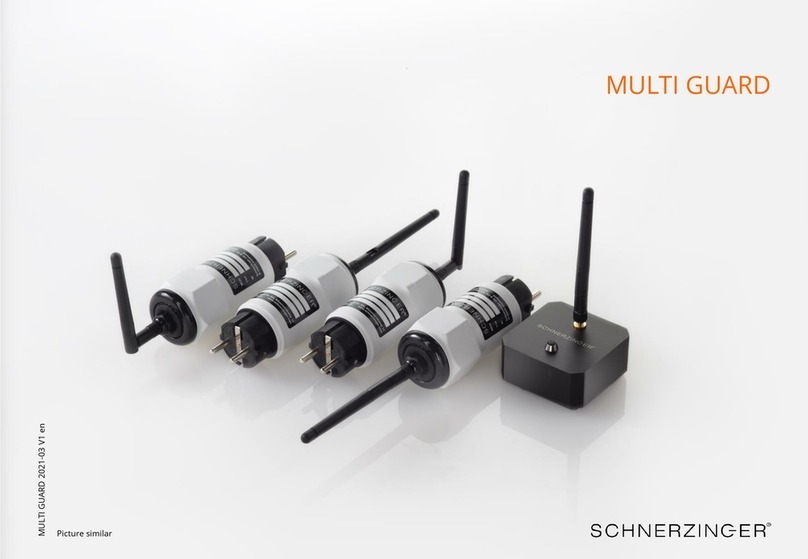
SCHNERZINGER MULTI GUARD User manual

SCHNERZINGER

SCHNERZINGER MULTI GUARD User manual

SCHNERZINGER GRID PROTECTOR User manual

SCHNERZINGER

SCHNERZINGER GRID PROTECTOR User manual

SCHNERZINGER GROUND PROTECTOR User manual

SCHNERZINGER

SCHNERZINGER GROUND PROTECTOR User manual

SCHNERZINGER SPEAKER AMP GUARD User manual

SCHNERZINGER

SCHNERZINGER SPEAKER AMP GUARD User manual

SCHNERZINGER GRID PROTECTOR User manual

SCHNERZINGER

SCHNERZINGER GRID PROTECTOR User manual

SCHNERZINGER MULTI GUARD User manual

SCHNERZINGER

SCHNERZINGER MULTI GUARD User manual

SCHNERZINGER GIGA GUARD User manual

SCHNERZINGER

SCHNERZINGER GIGA GUARD User manual

Popular Music Equipment manuals by other brands

Aguilar CHORUSAURUS user guide

Aguilar

Aguilar CHORUSAURUS user guide

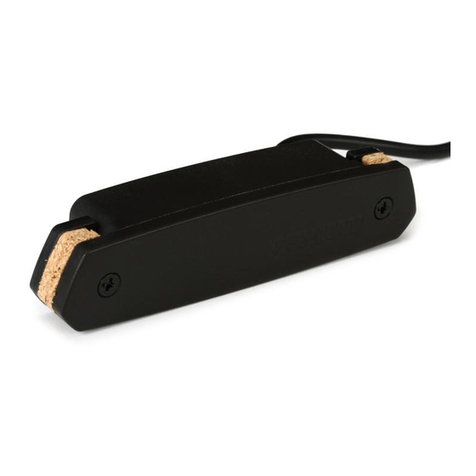
Fishman NEO-D user guide

Fishman

Fishman NEO-D user guide

HEXDEVICES Tama 12 user manual

HEXDEVICES

HEXDEVICES Tama 12 user manual

Mesa/Boogie Flux-drive owner's manual

Mesa/Boogie

Mesa/Boogie Flux-drive owner's manual

DOLFINOS The CARBON Edition user manual

DOLFINOS

DOLFINOS The CARBON Edition user manual

DAPAudio IPS-PT user guide

DAPAudio

DAPAudio IPS-PT user guide

Dynacord DPM 8016 owner's manual

Dynacord

Dynacord DPM 8016 owner's manual

Moen GEC8 Live owner's manual

Moen

Moen GEC8 Live owner's manual

Fender 1 brochure

Fender

Fender 1 brochure

Yamaha MLC-16 operating manual

Yamaha

Yamaha MLC-16 operating manual

Sonuscore TIME TEXTURES manual

Sonuscore

Sonuscore TIME TEXTURES manual

flight of harmony V'Amp user guide

flight of harmony

flight of harmony V'Amp user guide

NANO PERFORMANCE MIXER quick guide

NANO

NANO PERFORMANCE MIXER quick guide

BHI NEIM 1031 MKII user guide

BHI

BHI NEIM 1031 MKII user guide

Befaco KICKALL user manual

Befaco

Befaco KICKALL user manual

Paia 9720 Assembly and using manual

Paia

Paia 9720 Assembly and using manual

limex ALPIN MASTER 128 user manual

limex

limex ALPIN MASTER 128 user manual

nord Electro 3 user manual

nord

nord Electro 3 user manual

manuals.online logo
manuals.online logoBrands
  • About & Mission
  • Contact us
  • Privacy Policy
  • Terms and Conditions

Copyright 2025 Manuals.Online. All Rights Reserved.

GRID PROTECTOR
GRID 2022-02 V1 en
Picture similar
Package Contents
GRID PROTECTOR
12V Power Supply, cable length 1,5m
Antenna
1
Contents
PROTECTOR SYSTEM
GRID PROTECTOR
Setting up the GRID PROTECTOR
Lasting effect of the GRID PROTECTOR
Dear customer,
Thank you for your purchase of a SCHNERZINGER product.
Please take the time to precisely read the information in this guide. You
will find important instructions to use your product and hints for the
optimal integration into your HiFi system.
This guide facilitates your use of the product, promotes understanding
its functional characteristics and helps you to obtain the full efficiency
of the product.
We hope you enjoy your new SCHNERZINGER product.
Please clean the product with a non-scratching dry duster only. Avoid
using cleaning agents.
A potting compound in the devices protects the innovative GIGA
CANCELING technology with its particular electrical components
specially manufactured for SCHNERZINGER against direct access and
screening via X-ray or magnetic field applications. A slight rustling
caused by this potting compound is normal and does not result in any
functional impairment. There are no informed crystals in the devices.
In case of malfunctions contact your SCHNERZINGER dealer. Please do
not attempt to service the device yourself or to open it, in that case you
will lose your entitlement for our manufacturer warranty.
In the case of damages at the power plug or power cable please initiate
an exchange at SCHNERZINGER via your dealer.
Dimensions and weight (l x w x h in cm, weight in kg)
GRID PROTECTOR 16.3 x 16.3 x 7.7 (without antenna), 2.6
The antenna is 11 cm long.
PROTECTOR SYSTEM
The music reproduction quality of an audio system is highly affected by low and high frequency electrical interfering fields,
caused by Wi-Fi, cellular radio, power lines etc. With the PROTECTORS and their integrated trendsetting GIGA CANCELING
technology, SCHNERZINGER has developed a product category that actively eliminates the sonic effects of low and high
frequency interfering fields.
The PROTECTORS significantly enhance the transmission quality of audio systems. The sonic effects include an astonishingly
higher spatial depth and resolution as well as increased broad and fine dynamics in music reproduction.
Utilizing the operating principle and efficiency of the GIGA CANCELING technology, the SCHNERZINGER PROTECTORS represent
a unique solution in the market.
An important health aspect: protector technology does not increase radiation exposure within the room.
2
GRID PROTECTOR
The GIGA CANCELING technology of the GRID PROTECTOR penetrates and clears up the entire domestic power grid from
sound damaging interfering fields, caused by the electrical devices in the home (computer, refrigerator, cooktop, router, etc.).
Due to GIGA CANCELING technology the GRID PROTECTOR can do without problematic filters and passive components like
capacitors, which are responsible for loss of dynamics, resolution and naturalness; especially at high power requirements of
the power grid.
The operating principle and efficiency of the GRID PROTECTOR are unique; a single GRID PROTECTOR raises the potential of
the entire music system to a new level.
Setting up the GRID PROTECTOR
The GRID PROTECTOR automatically presets the GIGA CANCELING technology parameters bandwidth and clock rate. It additionally offers three power
levels and two functional circuits for individual fine adjustment of bandwidth and clock rate via toggle switches on the rear. This enables adaptation to
any interference spectrum and to individual listening preferences.
The change in bandwidth extends or decreases the detection range, changing the clock rate the processing speed. The rule is: the narrower the
bandwidth, the higher the efficiency - the smaller the detection range. The lower the clock rate, the higher the extinction rate - the less interference
frequencies are detected.
Changes need some time to take effect mostly. Therefore at each of the following steps you should wait for app. two minutes before judging.
Do not change the results as determined from the previous steps when you do the subsequent steps.
3
1. Step: Base setting (all switches to 0)
Usually the GRID PROTECTOR will be operated without the 12V
power supply. To maintain its performance, it should be connected
to the grid with the 12V power supply once a year for 15 minutes.
Connect antenna (upright position).
Set all three switches to base setting 0, the 12V power supply is not
connected.
In the base setting the LED is off.
2. Step: Power connection
Connect* the GRID PROTECTOR at the first slot of the HiFi system
power distributor.
If this is not feasible, select a socket of the same circuit.
* note the correct phase (marked with a silver dot) –measure the phase of your socket.
Setting up the GRID PROTECTOR
4
5. Step: Switch POWER (adjustment of the power level)
If the base setting (switch position 0) is not sufficient for the
present interference field spectrum, 2 additional power levels can
be activated. This requires the permanent connection of the 12V
power supply* to the grid. The 12 Volt power supply should be
connected to a power circuit separate from the HiFi system –ideally
even to a different power phase.
Do not change the optimal switch setting for BANDWIDTH and
CLOCKING determined in steps 3 and 4!
Plug in the 12V power supply and connect it to the grid as described
above.
Listening tests of the main power levels, starting with switch
position I (LED on), than switch position II (LED high), and finally
switch position 0 (without 12V power supply –LED off).
Retain the best setting.
* note the correct phase (marked with a silver dot) –measure the phase of your socket.
3. Step: Switch BANDWIDTH (fine tuning)
Starting from the base setting 0, the bandwidth will be slightly
increased with positions I and II.
If the bandwidth is to low, the best possible effect will not be
reached yet. If the bandwidth is to high, even a sound degradation
may occur.
Retain the best setting.
4. Step: Switch CLOCKING (fine tuning)
Starting from the base setting 0, the clock rate will be slightly
increased with positions I and II.
If the clock rate is to low, the best possible effect will not be reached
yet. If the clock rate is to high, even a sound degradation may occur.
Retain the best setting.

Lasting Effect of the GRID PROTECTOR
The GRID PROTECTOR constantly operates to clear up interfering fields effectively and comprehensively.
If after a while you once want to hear the performance of your system without your GRID PROTECTOR, the buffering effect
absolutely has to be considered.
If the GRID PROTECTOR is switched off for a short time only, it still takes effect because of the buffering of the power supply
unit.
Detach the power cable of the GRID PROTECTOR for the power grid. Also disconnect the 12V power supply (if connected)
from the power grid and the GRID PROTECTOR resp. Additionally remove the antenna, place the unit on the floor and set the
middle switch to position II. Keep these conditions for several hours, preferably overnight. This way you achieve that the GRID
PROTECTOR has no effect any more.
Upon recommissioning the interfering fields will be cleared again fast.
5
Contact
sales@schnerzinger.com
Phone +49 (231) 13 38 50 15
Imprint
Schnerzinger GmbH & Co. KG
Heinrich-Sträter-Str. 15 | 44229 Dortmund | Germany
Registry Court : Amtsgericht Dortmund | HRA 17290 | VAT ID: DE276913602
WEEE-Reg.-No. DE68142962
Managing Director: Sandra Austerschulte
Phone +49 (231) 13 38 50 15 | sales@schnerzinger.com