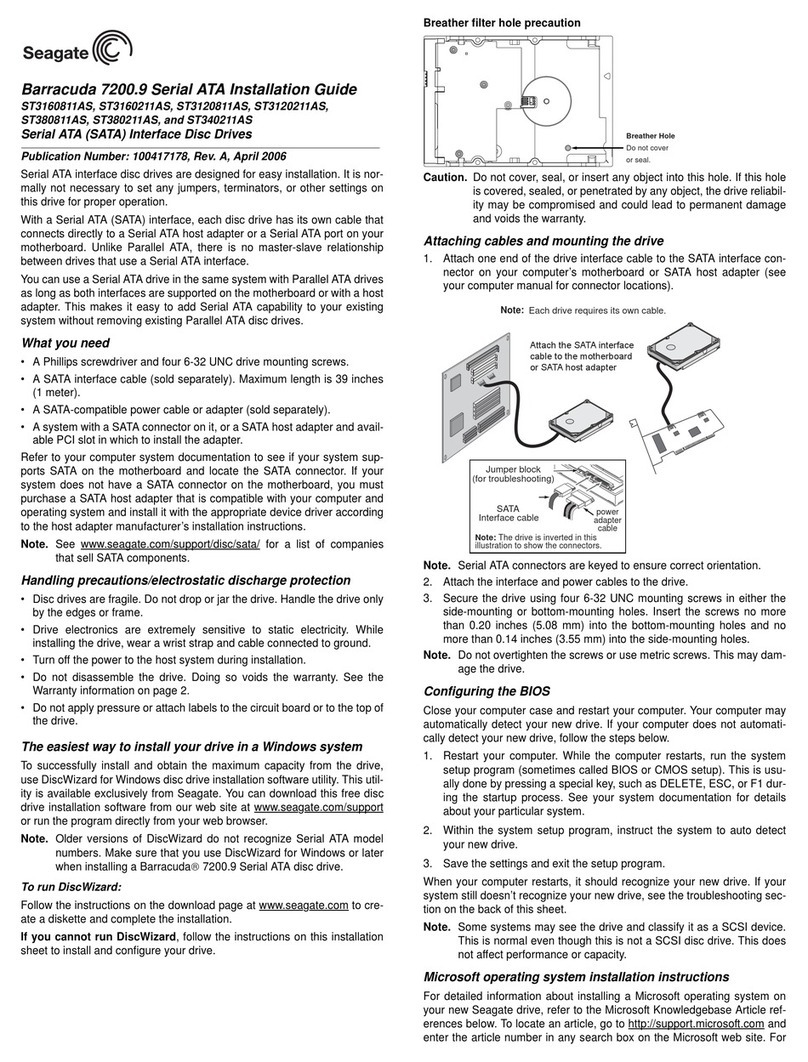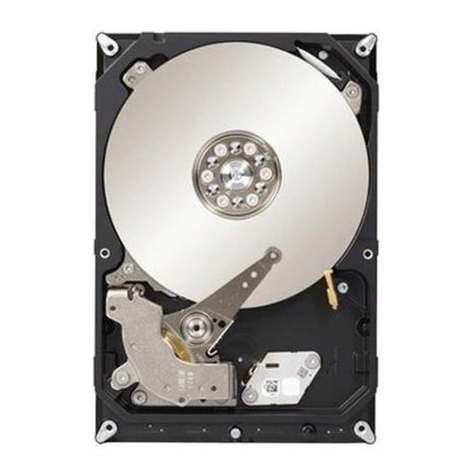
Cheetah 15K.4 SAS Installation Guide
ST3146854SS, ST373454SS and ST336754SS
Serial Attached SCSI (SAS) interface disc drives
Publication Number: 100350602, Rev. A, November 2004
Handling precautions/Electrostatic discharge protection
• Disc drives are fragile. Do not drop or jar the drive. Handle the drive only
by the edges or frame.
• Drive electronics are sensitive to static electricity. Keep the drive in its
antistatic container until you are ready to install it. Wear a wrist strap and
cable connected to ground. Discharge static from all items near or that
will contact the drive. Never use an ohmmeter on any circuit boards.
• Use caution when troubleshooting a unit that has voltages present.
• Do not disassemble the drive; doing so voids the warranty.
• Return the entire drive for depot service if any part is defective.
• Do not apply pressure or attach labels to the circuit board or to the top of
the drive.
Electromagnetic compliance
• See the Safety and Regulatory Agency Specifications page, part number
75789512, which was shipped with this installation guide.
Drive characteristics ST3146854SS ST373454SS ST336754SS
Formatted capacity 146 Gbytes 73.4 Gbytes 36.7 Gbytes
Total # of data blocks 286,749,488 143,374,744 71,687,372
(11177330h) (88BB998h) (445DCCCh)
Cylinders (user accessible) 50,864 50,864 50,864
Heads (user accessible) 8 4 2
Disc rotation +/– 5% 15k RPM 15k RPM 15k RPM
What you need
• Screwdriver and four 6-32 UNC screws.
• Host system with Serial Attached SCSI (SAS) host adapter or backplane
Installation instructions
1. Mount the drive in the host system carrier or tray
Most SAS host systems provide a way to insert the drive using a carrier or
tray, which allows the drive to be hot-plugged into the system.
Mount the drive to the carrier or tray provided by the host system using four
6-32 UNC screws. Do not over-tighten or force the screws. You can mount
the drive in any orientation.
Note. SAS drives are designed to be attached without I/O or power cables;
however, you may also connect the drive using high-quality cables
that have a maximum I/O cable length of 4 meters (13.1 feet).
2. Insert the drive
Slide the carrier or tray into the appropriate bay in your host system. This
connects the drive directly to your system’s SAS connector. The SAS con-
nector is normally located on a SAS backpanel.
Note. There are no jumpers or terminators on the drive. Power is supplied
through the SAS connector.
3. Format the drive
The drive has been low level formatted at the factory. You do not need to
perform another low level format on this drive unless you decide to perform
certain diagnostics through the host adapter. If you do decide to perform a
low level format, do not abort the format as this is likely to make the drive
inoperable. Low level formats can take up to 90 minutes for ST3146854SS
models, 60 minutes for ST373454SS models or 30 minutes for
ST336754SS models.
Protect against power failure or other power interruptions during the format.
Caution. Formatting a drive erases all user data. Be sure that you under-
stand this principle before formatting any hard disc drive. It is not
necessary to format a drive that previously has been used to
store data, unless your intention is to erase all user data.
Seagate®is not responsible for lost user data.
Operating systems
CheetahTM disc drives are designed to operate with a variety of operating
systems. Please refer to your system or SAS host adapter (controller) man-
ual for information about formatting and setting up the drive for use with
your particular operating system.
Hot plugging the drive
This drive features hot plugging capabilities which allows you to insert and
remove the drive without powering down the host system.
Drive startup options
The drive’s motor will start spinning the discs based on how the host system
is configured to control the spinup sequence of the drives. Most systems
that host only a couple of drives enable all of the drives to start up immedi-
ately when power is applied to the drives. Systems hosting larger numbers
of drives may be configured to start drives at various times to avoid over-
loading the capabilities of the host system’s power supply.
If you want to change the startup option for the drive, please refer to the
documentation provided with your SAS host adapter or host system.
Troubleshooting
•Drive does not spin up. Remove and then reinsert the drive into the
drive bay on the host-supplied carrier or tray. Make sure the drive makes
firm contact with the host’s SAS backpanel connector. Also, check the
drive startup options from your host adapter. See “Drive Startup Options”
above for the common startup options.
•Computer does not seem to recognize the drive. Verify that the drive
is enabled by the SAS host adapter setup utility.
Seagate support services
For online information about Seagate products, visit www.seagate.com or
e-mail your disc questions to DiscSupport@Seagate.com.
If you need help installing your drive, consult your dealer first. If you need
additional help, call a Seagate technical support specialist. Before calling,
note your system configuration and drive model number.
Africa +1-405-324-4714 Netherlands 00 800-47324283
Australia 1800-14-7201 New Zealand 0800-443988
Austria 0 800-20 12 90 Norway 00 800-47324283
Belgium 00 800-47324283 Poland 00 800-311 12 38
China* 800-810-9668 Spain 00 800-47324283
Denmark 00 800-47324283 Sweden 00 800-47324283
France 00 800-47324283 Switzerland 00 800-47324283
Germany 00 800-47324283 Singapore 800-1101-150
Hong Kong 800-90-0474 Taiwan* 00-800-0830-1730
Hong Kong† 001-800-0830-1730 Thailand 001-800-11-0032165
India 1-600-33-1104 Turkey 00 800-31 92 91 40
Indonesia 001-803-1-003-2165 United Kingdom 00 800-47324283
Ireland 00 800-47324283 USA/Canada/ 1-800 SEAGATE or
Italy 00 800-47324283 Latin America +1-405-324-4700
Japan 0034 800 400 554 Other European
Malaysia 1-800-80-2335 countries +1-405-324-4714
Middle East +1-405-324-4714
*Mandarin
†Cantonese
Warranty. Contact your place of purchase or our web site (www.seagate.com).
Return Merchandise Authorization (RMA). Before returning the drive, verify that it
is defective. Seagate Worldwide customer service centers are the only facilities autho-
rized to service Seagate drives. Contact nearest center for return procedures and trade
regulations.
Shipping the drive
Caution. Back up the data before shipping. Seagate assumes no responsibility for
data lost during shipping or service. Shipping drive in an unapproved container voids
the warranty. Pack the drive with original box and packing materials. Use no other
materials. This prevents electrical and physical damage in transit.
© 2004 Seagate Technology LLC. All rights reserved
Publication number: 100350602, Rev. A, November 2004, Printed in U.S.A.
Seagate and Seagate Technology are registered trademarks of Seagate Technology
LLC. Cheetah and the Wave logo are trademarks of Seagate Technology LLC. Other
product names are registered trademarks or trademarks of their owners. Seagate
reserves the right to change, without notice, product offerings or specifications.