Steam Iron
SSI 8440GR / SSI 8441VT
EN
EN-9
05/2019
2019
Note:
If you wish to use the spraying function for dry ironing it is necessary to fill the water tank.
To fill the water tank follow the instructions in chapter Steam ironing, point 1. Filling the
water tank.
AUTO SHUT-OFF FUNCTION
• If you do not move the iron for longer than 8 minutes in the vertical position or longer than 30 sec-
onds in the horizontal position, the iron will shut off automatically. A warning sound will be made
and indicator light A2 will start flashing. If you move the iron, the AUTO SHUT-OFF function will be
deactivated and the iron will be put back into operation. The indicator light A2 will be permanently
lit.
TIPS FOR QUALITY IRONING
• Do not fill the washing machine drum with too much laundry, otherwise it will be overly crumpled
up. You can also avoid overly crumpled laundry by setting a lower spin drying speed.
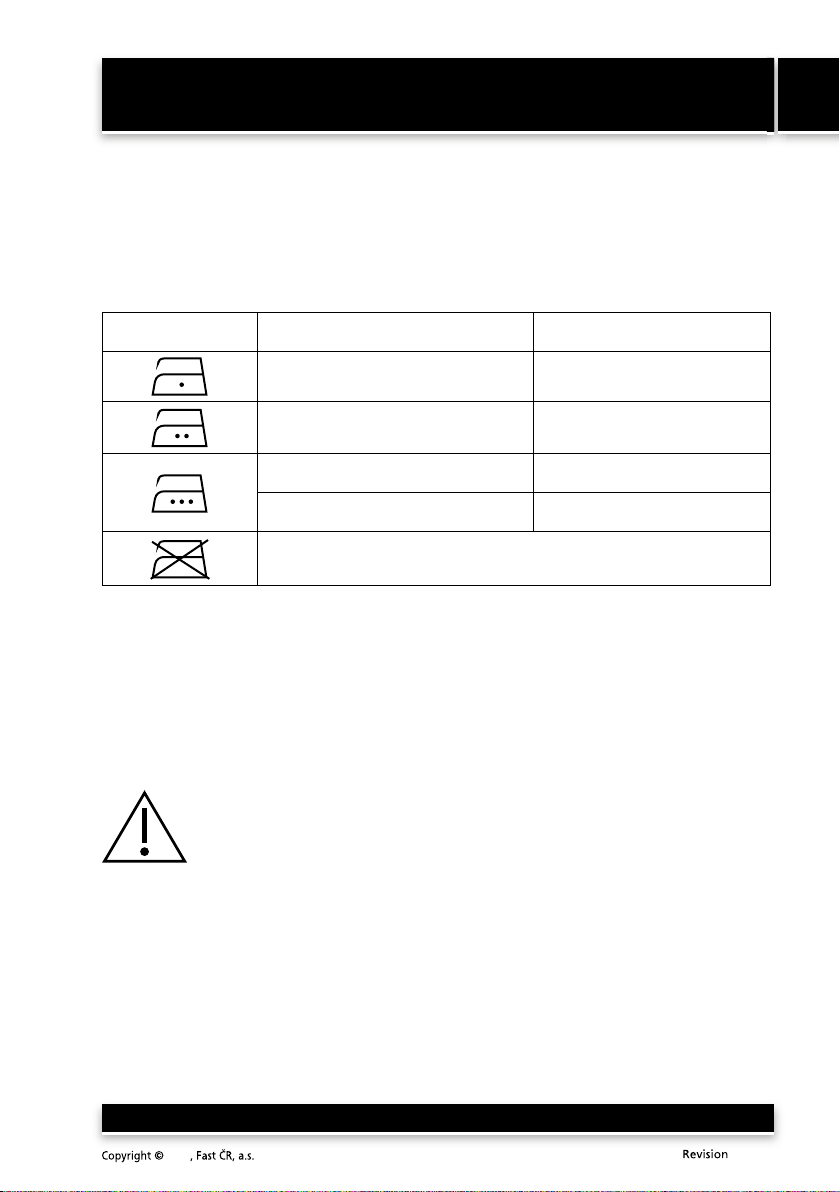
• If you are ironing fabrics from blended materials (e.g. 40 % wool and 60 % synthetic material), set
the temperature control dial according to the material which is ironed at a lower temperature.
• If you do not know the composition of the fabric, identify the suitable temperature control dial
setting by ironing a piece of the fabric from the underside. Start by setting the temperature control
dial at a low temperature and gradually increase it until the ideal temperatures is achieved.
• Never iron over places that have sweat marks or other stains. The high temperature fixes the stain
making it difficult to remove.
• To avoid silk, wool and synthetic fabrics from being shiny after ironing, iron them from the
underside.
• Some materials are easier to iron when they are lightly damp (e.g. silk).
• Dampen fine fabrics with the spray before ironing them or iron them under a lightly damp wiping
cloth.
MAINTENANCE AND CLEANING
Cleaning the exterior parts of the iron
• Before cleaning the iron, disconnect it from the power socket. Allow the ironing surface to cool
down and empty the water tank.
• Wipe the ironing surface and the housing of the iron with a lightly damp wiping cloth. Then wipe
all parts until dry.
• Do not use metal items or abrasive cleaning products for cleaning.
Removal of limescale deposits
• For the removal of limescale deposits from the steam chamber the iron is equipped with a Self-
Clean function. Use the Self-Clean function regularly at least once per month.
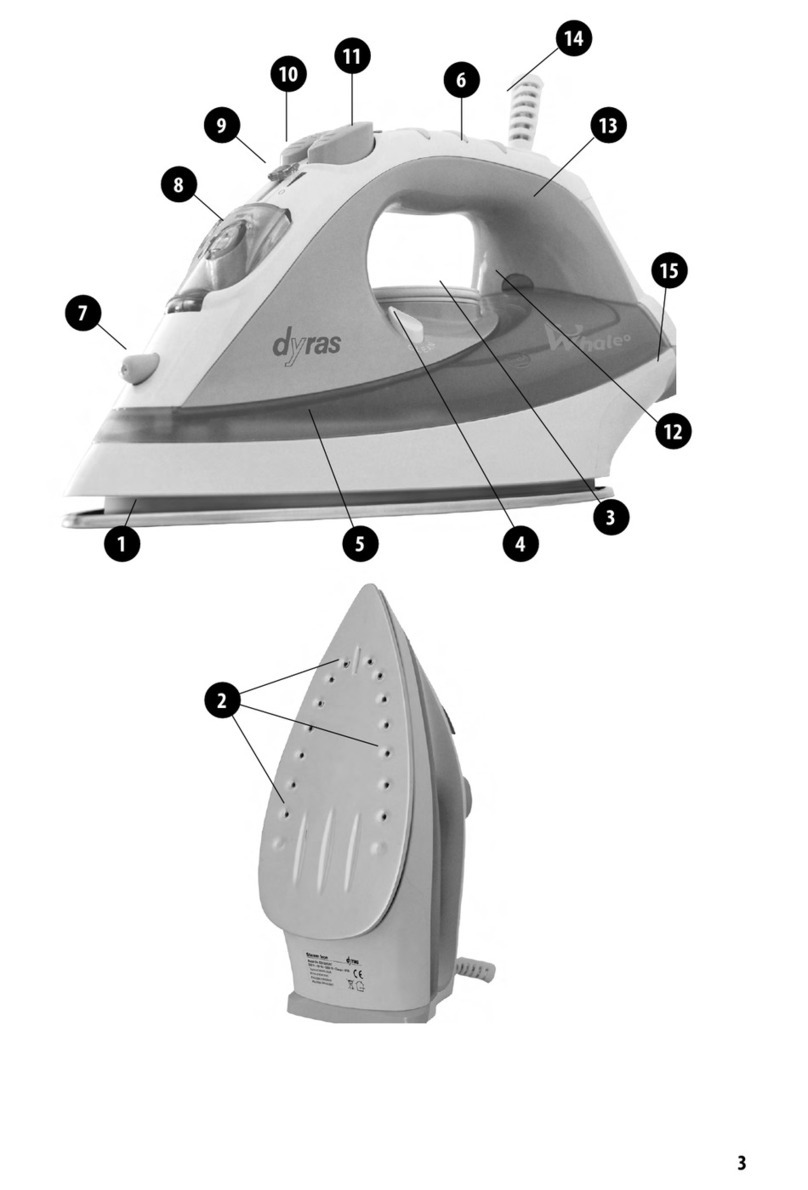
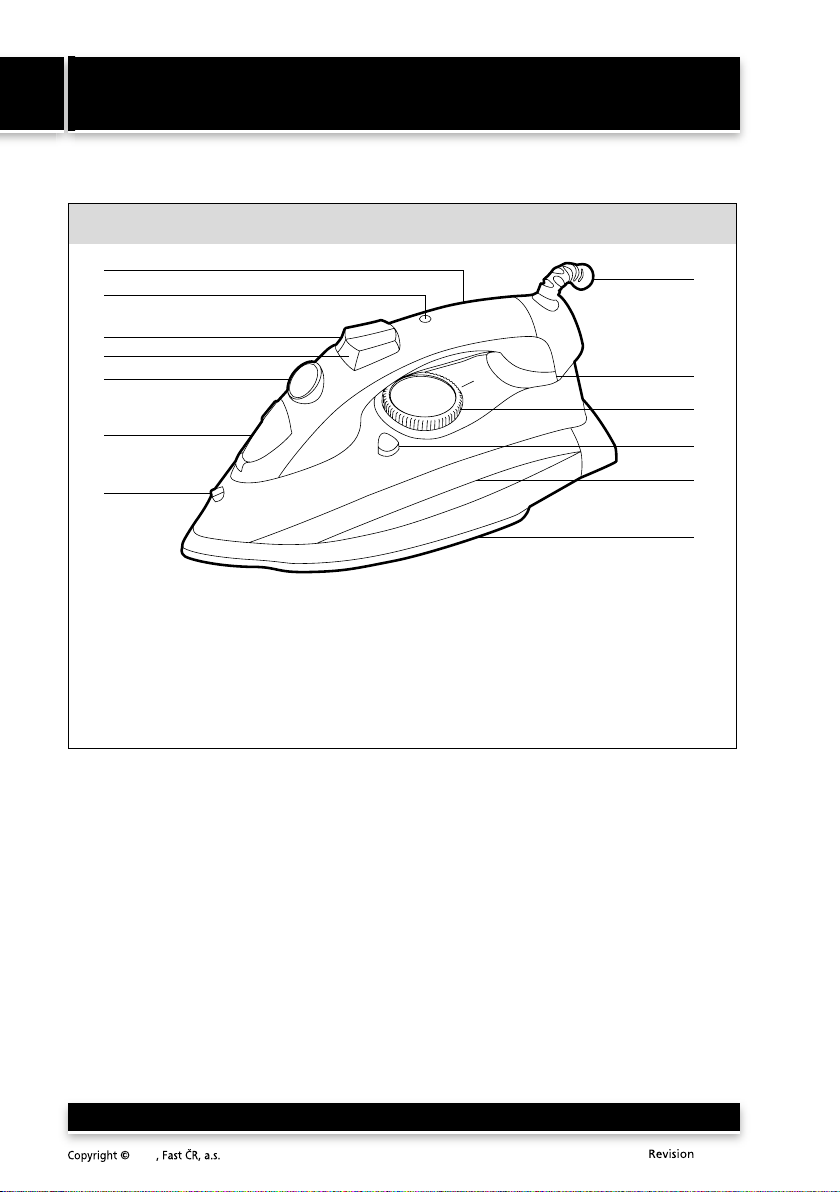
• Fill the tank with water up to the maximum water mark. Check that the output steam regulator
A5 is set to the minimum level. Connect the iron to a power socket. Set the temperature control
dial A10 to maximum and wait until indicator light A9 turns off. Disconnect the iron from the el.
power socket and hold it in a horizontal position above the sink. Press the Self-Clean button A11
and hold it down. Steam will start to be emitted from the ironing surface and water will drip out.
Slightly move the iron from side to side, until its contents are emptied completely. Together with
the dripping, limescale deposits will be removed from the steam chamber. Release the Self-Clean
button A11. Allow the iron to cool and then wipe dry the ironing surface dry using a clean cloth.