HD_QRG_APR13
Main Menu
Guide: Easy access to the on-screen programming guide.
FavouritesWishlist SearchGuide
SettingsPay Per ViewWatch TV
My Shaw Exo
Shaw Exo On Demand Help More Shaw
Main Menu
Grid
Poster Badges
New
Subscribed RentedNot Subscribed Wishlist About to Expire
Reminder Pay Per View Shaw Exo On Demand
Search: Easily look for a specific program by actor, title
or description.
FavouritesWishlist SearchGuide
SettingsPay Per ViewWatch TV
My Shaw Exo
Shaw Exo On Demand Help More Shaw
Main Menu
Grid
Poster Badges
New
Subscribed RentedNot Subscribed Wishlist About to Expire
Reminder Pay Per View Shaw Exo On Demand
Watch TV: Select this to view the channel you were last tuned to.
FavouritesWishlist SearchGuide
SettingsPay Per ViewWatch TV
My Shaw Exo
Shaw Exo On Demand Help More Shaw
Main Menu
Grid
Poster Badges
New
Subscribed RentedNot Subscribed Wishlist About to Expire
Reminder Pay Per View Shaw Exo On Demand
Shaw On Demand: Catch up on your programs or watch a flick.
FavouritesWishlist SearchGuide
SettingsPay Per ViewWatch TV
My Shaw Exo
Shaw Exo On Demand Help More Shaw
Main Menu
Grid
Poster Badges
New
Subscribed RentedNot Subscribed Wishlist About to Expire
Reminder Pay Per View Shaw Exo On Demand
Events: Enjoy instant access to all of our Pay Per View events.
FavouritesWishlist SearchGuide
SettingsPay Per ViewWatch TV
My Shaw Exo
Shaw Exo On Demand Help More Shaw
Main Menu
Grid
Poster Badges
New
Subscribed RentedNot Subscribed Wishlist About to Expire
Reminder Pay Per View Shaw Exo On Demand
Wishlist: Easily access your current Shaw On Demand Wishlist.
FavouritesWishlist SearchGuide
SettingsPay Per ViewWatch TV
My Shaw Exo
Shaw Exo On Demand Help More Shaw
Main Menu
Grid
Poster Badges
New
Subscribed RentedNot Subscribed Wishlist About to Expire
Reminder Pay Per View Shaw Exo On Demand
Help: The help feature will provide you with all of the solutions you’re
seeking including various “How-to” videos.
FavouritesWishlist SearchGuide
SettingsPay Per ViewWatch TV
My Shaw Exo
Shaw Exo On Demand Help More Shaw
Main Menu
Grid
Poster Badges
New
Subscribed RentedNot Subscribed Wishlist About to Expire
Reminder Pay Per View Shaw Exo On Demand
My Orders: Quick access to your recently ordered
Shaw On Demand content.
Main Menu
My Orders Add Services
Settings: View and customize your current settings or watch a variety
of “How-to” videos to get you started.
FavouritesWishlist SearchGuide
SettingsPay Per ViewWatch TV
My Shaw Exo
Shaw Exo On Demand Help More Shaw
Main Menu
Grid
Poster Badges
New
Subscribed RentedNot Subscribed Wishlist About to Expire
Reminder Pay Per View Shaw Exo On Demand
Favourites: Select this icon to create a new customized Favourites list. New
and previously created customized Favourites lists and eight pre-set lists
(HD, Kids, Movies, Sports, Reality, Drama, Comedy, News) are also located
on the same row.
FavouritesWishlist SearchGuide
SettingsPay Per ViewWatch TV
My Shaw Exo
Shaw Exo On Demand Help More Shaw
Main Menu
Grid
Poster Badges
New
Subscribed RentedNot Subscribed Wishlist About to Expire
Reminder Pay Per View Shaw Exo On Demand
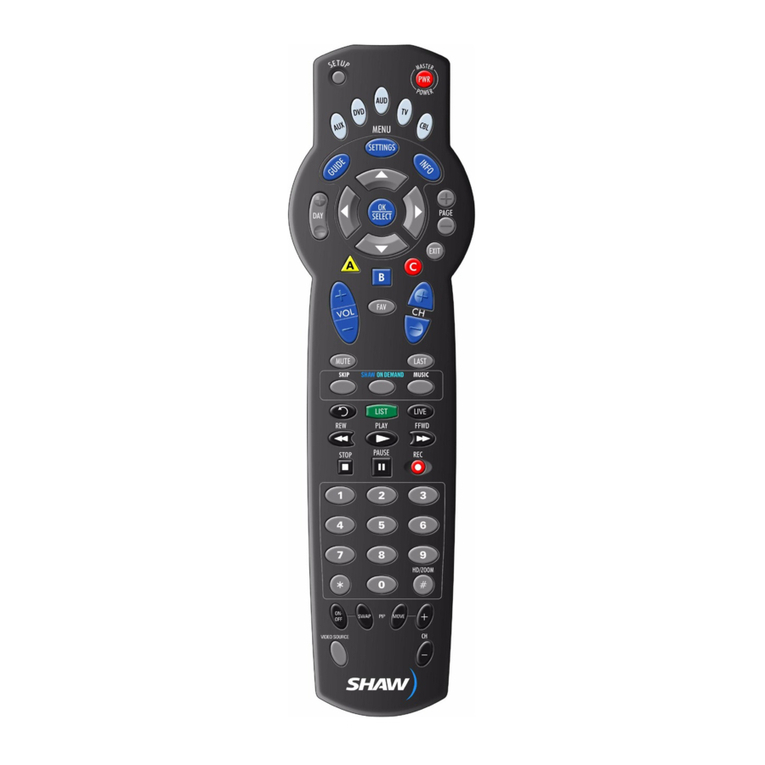
For easy access to all of your HD TV features, simply
press MENU on your remote, then select from the
options available, including Shaw On Demand,
Events, Favourites, Settings and more.You can even
order movies and TV content from Shaw On Demand
right from the Main Menu.
These icons will appear in the Main Menu. Highlight
and select an icon with your remote and you will
immediately access the area indicated.
Favourites
The Favourites feature on this guide goes way beyond your
favourite channels – it’s the content you want to watch now.
· Use pre-set themes like “Movies,” “HD,” “Sports” or create up
to five customized Favourites lists, including your favourite
show(s), genre, channel(s) or specific category
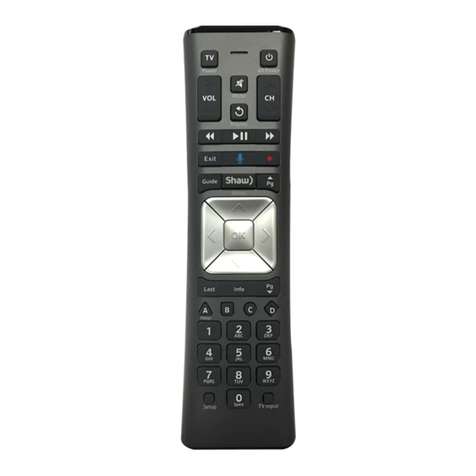
· Access Favourites by pressing the MENU button on your
Shaw Remote and then select from any of the pre-set or
customized Favourite icons displayed
· To create a new Favourites list or edit an existing list, press the
button to access the Quick Menu and select FAVOURITES
· You can also add a specific program or channel to your
Favourites list while in the guide by pressing the FAV button
Shaw On Demand
The ultimate viewing
experience.
· Access over 10,000
titles and 1,700 movies
in HD with Shaw On
Demand. Catch up on
your favourite primetime
shows for FREE, 24 hours
after they air
· To get started, press the ON DEMAND button on your
Shaw Remote
· With VOD Quick Launch, you can easily access Shaw On
Demand right from the guide on select channels. Simply arrow
LEFT to the
FavouritesWishlist SearchGuide
SettingsPay Per ViewWatch TV
My Shaw Exo
Shaw Exo On Demand Help More Shaw
Main Menu
Grid
Poster Badges
New
Subscribed RentedNot Subscribed Wishlist About to Expire
Reminder Pay Per View Shaw Exo On Demand
icon and instantly access on demand content
from that channel
Search
· Search for a specific program by actor, title or description
· From the Main Menu, select SEARCH
· Using the arrow buttons, highlight the letters on the key pad
and push OK to have them appear in the search field
· Press the RIGHT arrow to advance to the results column.
You can choose to view “TV Programs” or “On Demand” results
· Highlight the program you want to watch and press OK