manuals.online logo
Brands
  1. Home
  2. •
  3. Brands
  4. •
  5. Sony
  6. •
  7. Cassette Player
  8. •
  9. Sony TCM-8EV User manual

Sony TCM-8EV User manual

Other Sony Cassette Player manuals

Sony Walkman WM-PSY02 User manual

Sony

Sony Walkman WM-PSY02 User manual

Sony TC-FX211 User manual

Sony

Sony TC-FX211 User manual

Sony TC-WA7ESA - Dual Auto Reverse Cassette User manual

Sony

Sony TC-WA7ESA - Dual Auto Reverse Cassette User manual

Sony Walkman WM-FX267 User manual

Sony

Sony Walkman WM-FX267 User manual

Sony Walkman WM-FX193 User manual

Sony

Sony Walkman WM-FX193 User manual

Sony TC-KE240 User manual

Sony

Sony TC-KE240 User manual

Sony MEGA BASS CFD-540 User manual

Sony

Sony MEGA BASS CFD-540 User manual

Sony TCS TCS-30D User manual

Sony

Sony TCS TCS-30D User manual

Sony TC-150 User manual

Sony

Sony TC-150 User manual

Sony Walkman WM-EX651 User manual

Sony

Sony Walkman WM-EX651 User manual

Sony Walkman WM-EX194 User manual

Sony

Sony Walkman WM-EX194 User manual

Sony TC-WR590 - Dual Cassette Deck User manual

Sony

Sony TC-WR590 - Dual Cassette Deck User manual

Sony WM-FX57 User manual

Sony

Sony WM-FX57 User manual

Sony Walkman WM-EX2000 User manual

Sony

Sony Walkman WM-EX2000 User manual

Sony TCM-459V User manual

Sony

Sony TCM-459V User manual

Sony TC-WR445 User manual

Sony

Sony TC-WR445 User manual

Sony TC-K390 User manual

Sony

Sony TC-K390 User manual

Sony WALKMAN WM-FX123 User manual

Sony

Sony WALKMAN WM-FX123 User manual

Sony Walkman WM-FX277 User manual

Sony

Sony Walkman WM-FX277 User manual

Sony TC-R303 User manual

Sony

Sony TC-R303 User manual

Sony Walkman WM-FX488 User manual

Sony

Sony Walkman WM-FX488 User manual

Sony TC-PB10 User manual

Sony

Sony TC-PB10 User manual

Sony TC-WE425 - Dual Auto Reverse Cassette User manual

Sony

Sony TC-WE425 - Dual Auto Reverse Cassette User manual

Sony Sports Walkman WM-FS400 User manual

Sony

Sony Sports Walkman WM-FS400 User manual

Popular Cassette Player manuals by other brands

Ahuja CPA-360 Operation manual

Ahuja

Ahuja CPA-360 Operation manual

Philips AQ6485/14 Product information

Philips

Philips AQ6485/14 Product information

Nakamichi BX-300 Service manual

Nakamichi

Nakamichi BX-300 Service manual

Panasonic RQ-E25V operating instructions

Panasonic

Panasonic RQ-E25V operating instructions

Aiwa TP-VS535 operating instructions

Aiwa

Aiwa TP-VS535 operating instructions

Yamaha MT8X Operation manual

Yamaha

Yamaha MT8X Operation manual

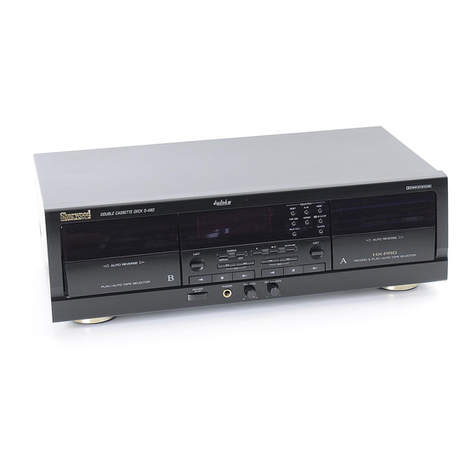
Sherwood Newcastle D-480 operating instructions

Sherwood

Sherwood Newcastle D-480 operating instructions

Manta MA408 user manual

Manta

Manta MA408 user manual

GPO W0162B user guide

GPO

GPO W0162B user guide

Marantz CP230 Service manual

Marantz

Marantz CP230 Service manual

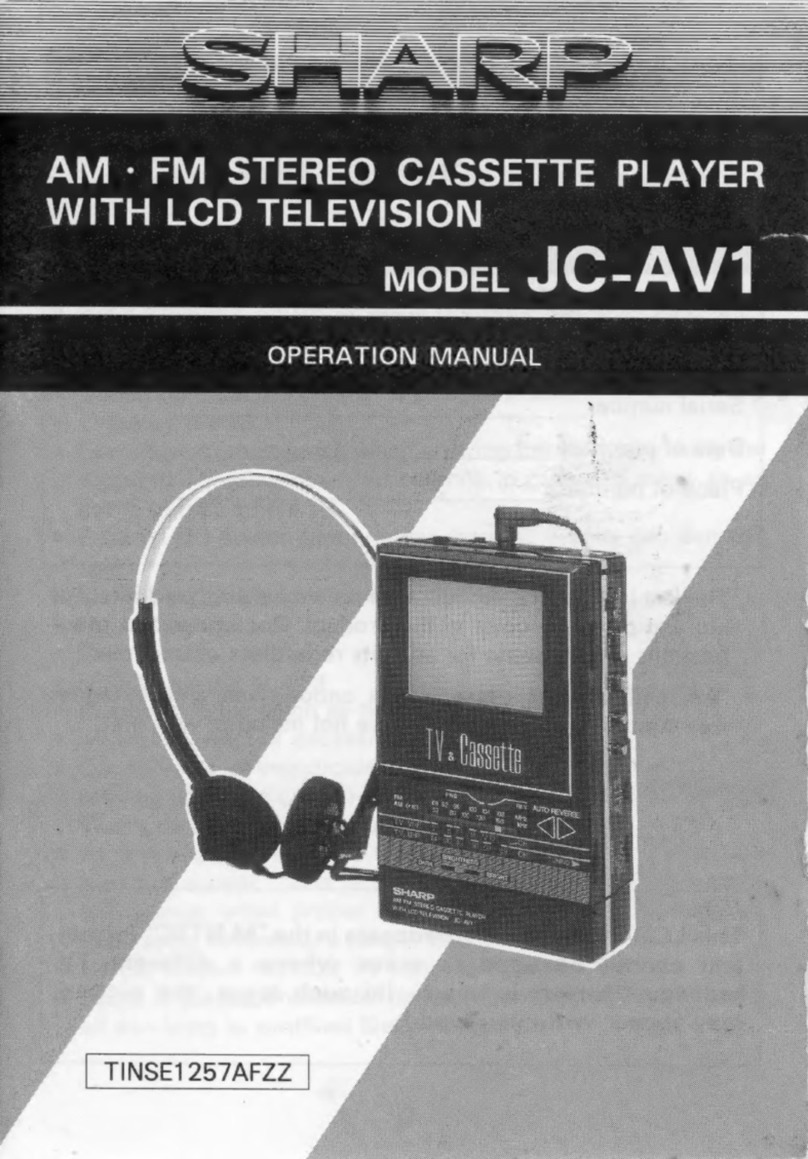
Sharp JC-AV1 Operation manual

Sharp

Sharp JC-AV1 Operation manual

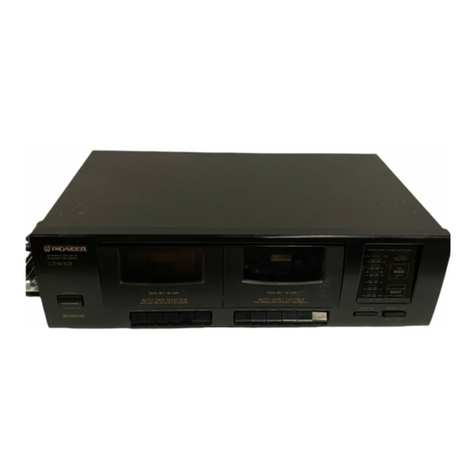
Pioneer CT-W103 Service manual

Pioneer

Pioneer CT-W103 Service manual

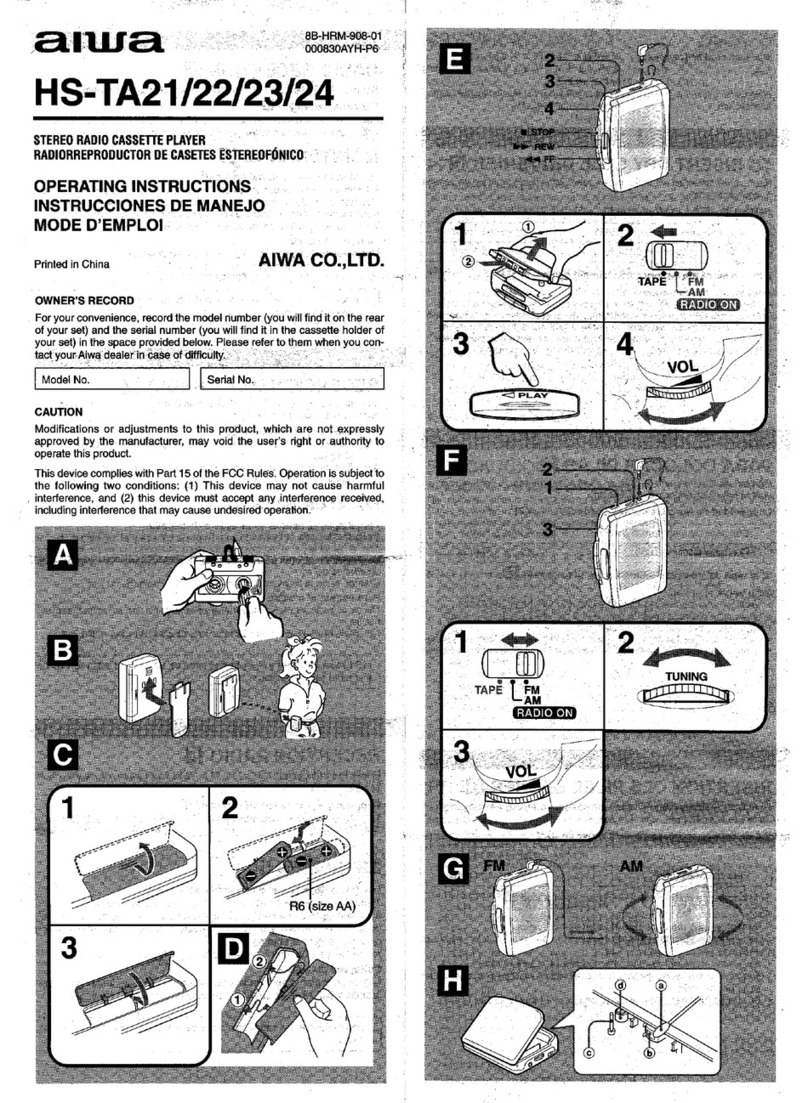
Aiwa HS-TA21 operating instructions

Aiwa

Aiwa HS-TA21 operating instructions

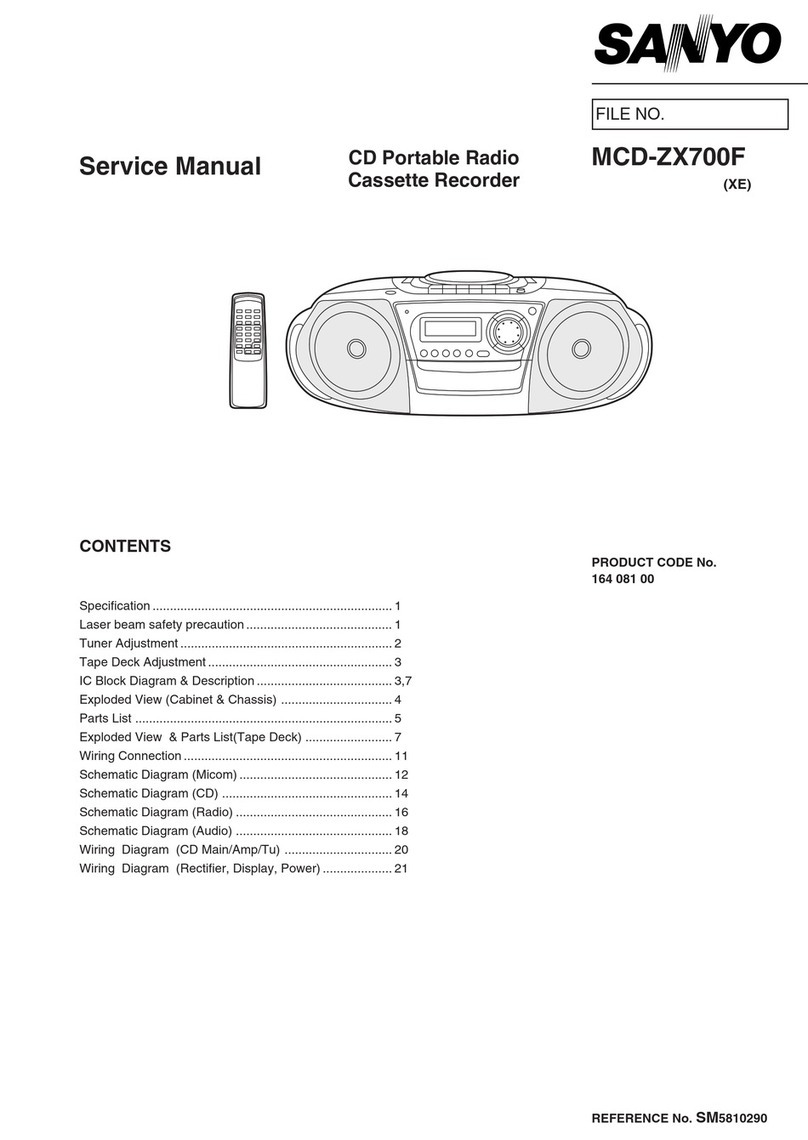
Sanyo MCD-ZX700F Service manual

Sanyo

Sanyo MCD-ZX700F Service manual

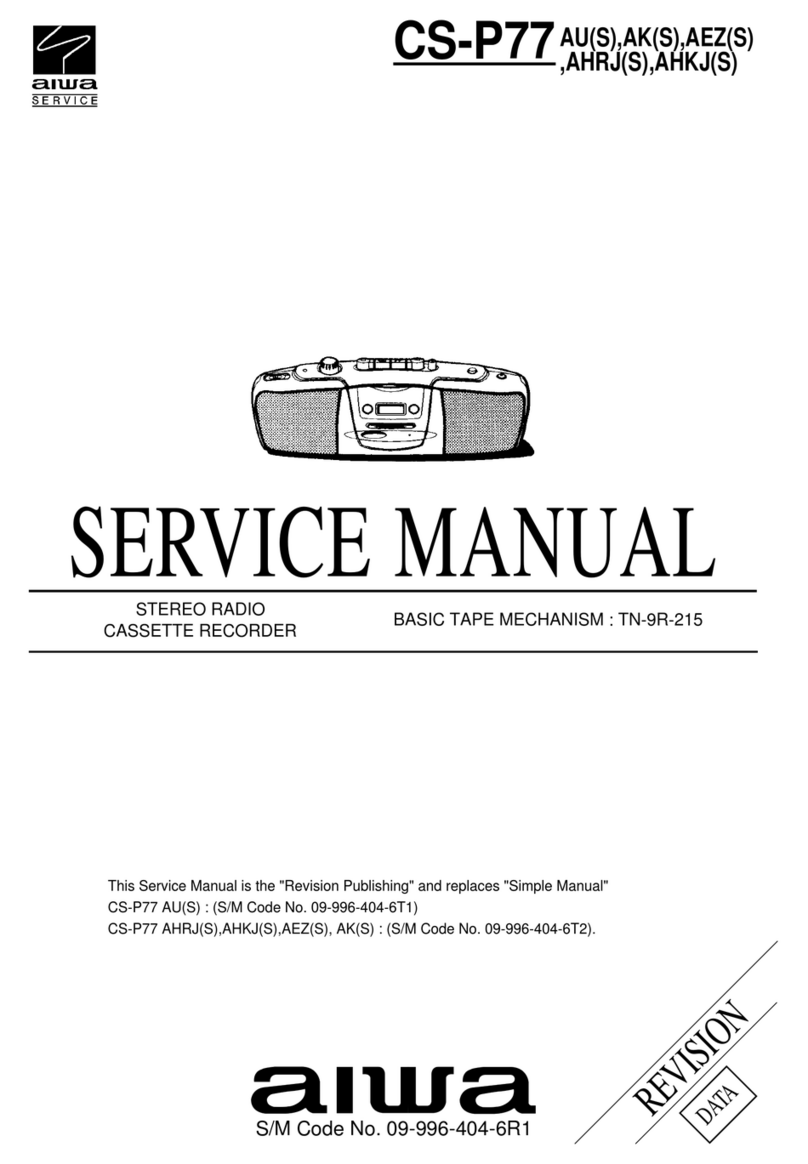
Aiwa CS-P77 Service manual

Aiwa

Aiwa CS-P77 Service manual

THOMSON RK101CD operating instructions

THOMSON

THOMSON RK101CD operating instructions

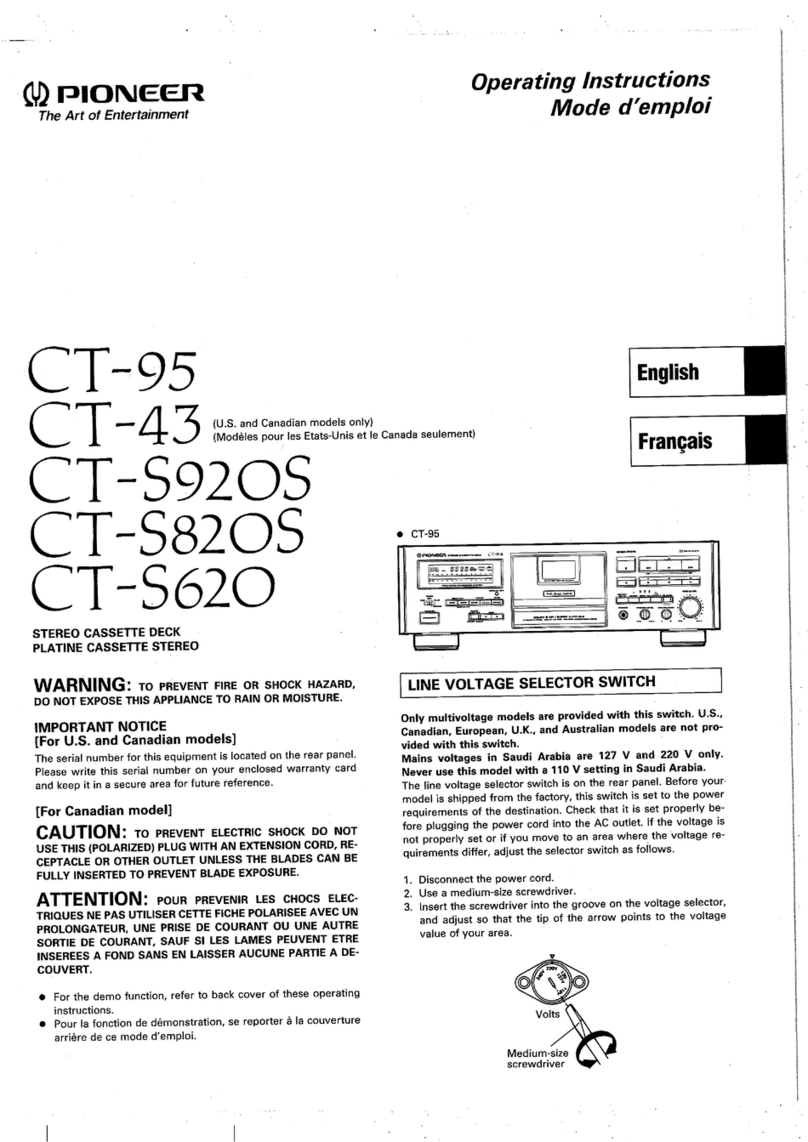
Pioneer CT-S920S operating instructions

Pioneer

Pioneer CT-S920S operating instructions

Pioneer KEH-P7035 Service manual

Pioneer

Pioneer KEH-P7035 Service manual

manuals.online logo
manuals.online logoBrands
  • About & Mission
  • Contact us
  • Privacy Policy
  • Terms and Conditions

Copyright 2025 Manuals.Online. All Rights Reserved.

www.SteamPoweredRadio.Com
INCLUDES SUPPLEMENT AT
END OF THIS SECTION
I
t
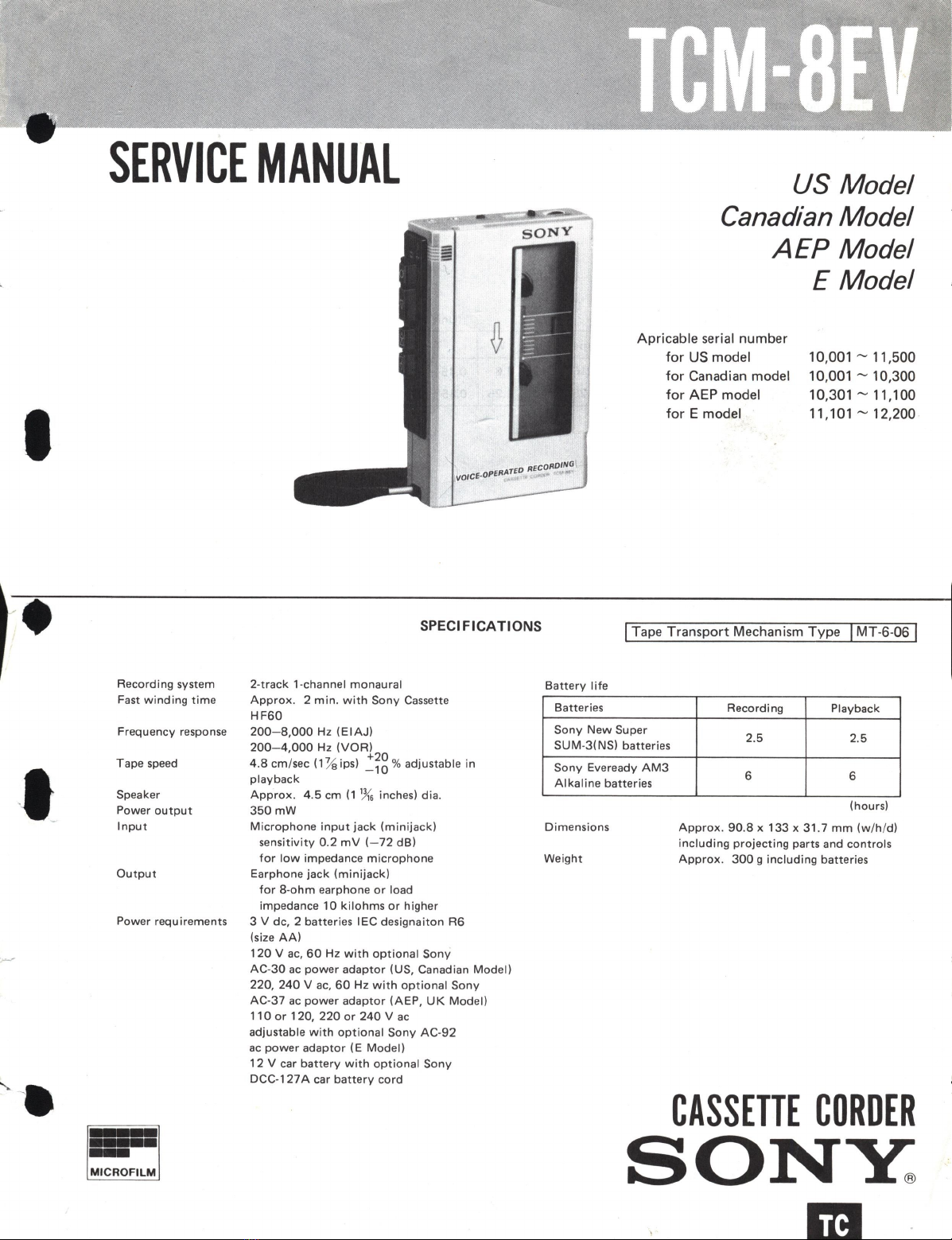
SERVICE
MANUAL
US
Model
Canadian Model
AEP
Model
E Model
Reco
rding
system
Fast
winding
time
Frequency response
Tape speed
Speaker
Power
output
Input
Output
Power
requirements
CORDING
vo1CE·OPERATED
RE
•
SPECIFICATIONS
2-
track
1-channel
monaural
Battery
life
Approx.
2
min.
with
Sony
Cassette Batteries
HF60
Apricable serial number
for
US
model
for
Canadian model
for
AEP model
for
E model
10,001
~
11,500
10,001
~
10,300
10,301
~
11,100
11,101
~
12,200
ITape Transport Mechanism Type !
MT-6-06 !
Recording
Playback
200-8,000
Hz
(EIAJ)
200-4,000
Hz
(VOR)
Sony
New
Super 2.5
2.5
4.8 cm/sec (1
½
ips)
~fg
%
adjustable
in
playback
Approx.
4.5
cm
(1
%
inches)
dia
.
350mW
SUM-3(NS)
batteries
Sony
Eveready
AM3
6 6
Alkaline
batteries
Microphone
input
jack
(minijack)
Dimensions
(hours)
Approx
.
90.8
x
133
x
31.7
mm
(w/h
/d)
including
projecting
parts and
controls
Approx.
300
g
including
batteries
sensitivity
0.2
mV
(-72
dB)
for
low
impedance
microphone
Weight
Earphone
jack
(minijack)
for
8-ohm
earphone
or
load
impedance
10
kilohms
or
higher
3 V de, 2 batteries
IEC
designaiton
R6
(size
AA)
120
V ac,
60
Hz
with
optional
Sony
AC-30
ac
power
adaptor
(US, Canadian
Model)
220,
240
V
ac,
60
Hz
with
optional
Sony
AC-37
ac
power
adaptor
(AEP,
UK
Model)
110
or
120,
220
or
240
V
ac
adjustable
with
optional
Sony
AC-92
ac
power
adaptor
(E
Model)
12
V car
batte
ry
with
optional
Sony
DCC-127A car
battery
cord
CASSETTE
CORDER
SONY:
m
www.SteamPoweredRadio.Com
TCM-SEV
Chip components
Chip components include resistors, capacitors, transistors,
diodes, coil and acijustable resistors.
In this section, the types
of
resistors, ceramic capacitors,
transistors and diodes which are used most frequently will
be described.
Dimension
of
transistors and capacitors
Identification
resistor layer side
(black
color}
Type
3216
2125
narrow
electrode
1~1.5
~
ceramic
base
side
(white
color}
Resistor
~2.9
L
w
3.2
1.6
2.0
1.
25
(Unit
:
mm)
T
0.45
~
0.6
0.
35
~
0.5
electrodes
Laminated Ceramic Capacitor
~2.9
't
A3
A5
Al
I
◄
1
►
I
►
I
1
I
◄
I
◄
2 3 1 2 3 1 2
Transistor
Diode
-2-
I
•
t
1
I
◄
3 1
www.SteamPoweredRadio.Com
I
•
I
•
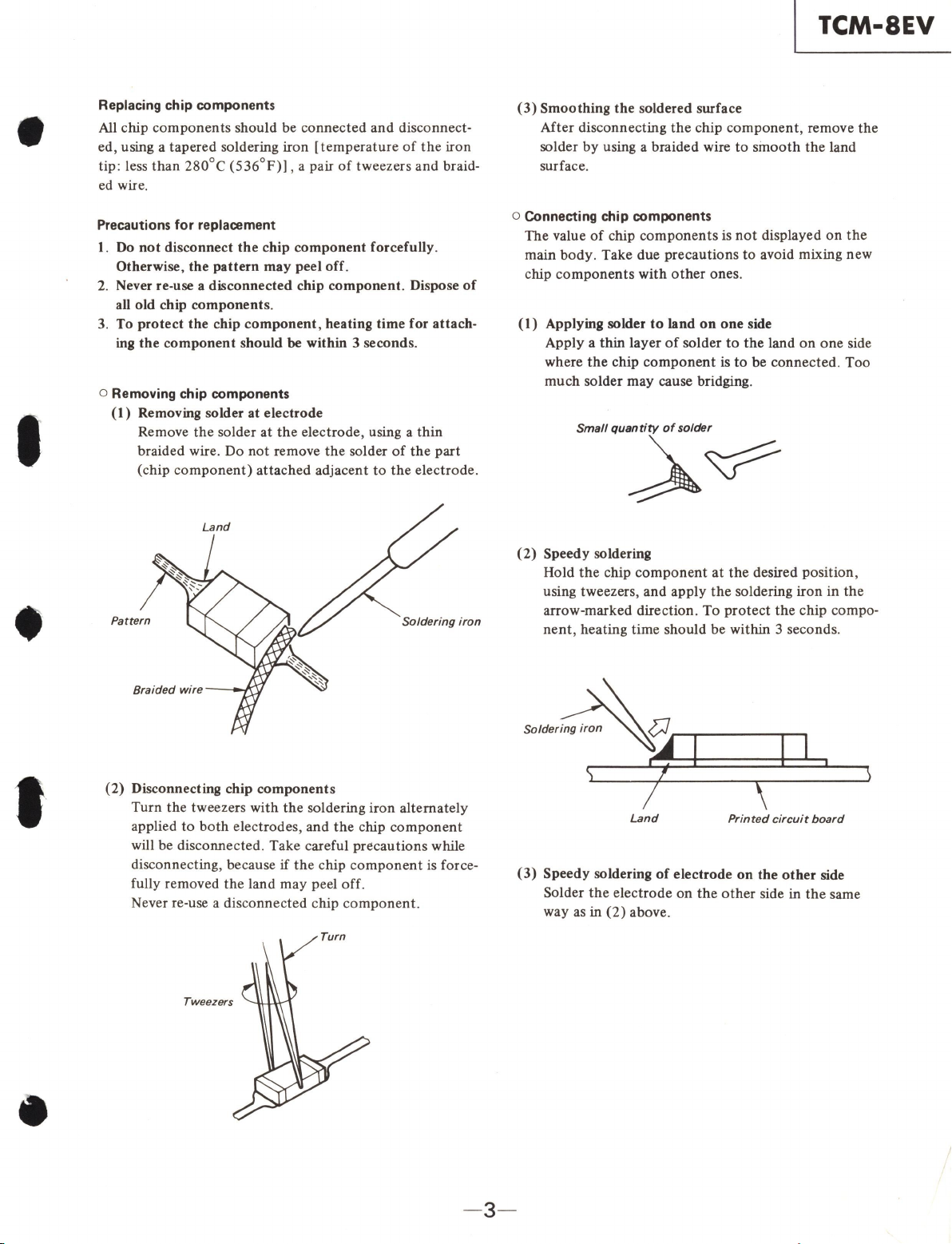
Replacing chip components
All
chip c
omponents
should be
connected
and disconnect-
ed, using a tapered soldering iron [
temperature
of
the
iron
tip: less
than
280
°C
(536
°
F)]
, a pair
of
tweezers and braid-
ed wire.
Precautions
for
replacement
I.
Do
not disconnect the chip component forcefully.
Otherwise, the pattern may peel off.
2.
Never re-use a disconnected chip component. Dispose
of
all old chip components.
3.
To
protect the chip component, heating time for attach-
ing
the component should be within 3 seconds.
o Removing chip components
(1)
Removing solder
at
electrode
Remove
the
solder
at
the
electrode, using a
thin
braided wire. Do
not
remove
the
solder
of
the
part
(chip
component)
attached
adjacent
to
the
electrode.
Pattern Soldering iron
(2)
Disconnecting chip components
Turn
the
tweezers with
the
soldering iron alternately
applied
to
both
electrodes, and
the
chip
component
will be disconnected. Take careful precautions while
disconnecting, because
if
the
chip
component
is force-
fully removed
the
land
may
peel
off
.
Never re-use a disc
onnected
chip c
omponent
.
TCM-SEV
(3)
Smoothing the soldered surface
After disconnecting
the
chip
component
, remove
the
solder
by
using a braided wire
to
sinooth
the
land
surface.
o Connecting chip components
The value
of
chip
components
is
not
displayed
on
the
main
body.
Take due precautions
to
avoid mixing new
chip
components
with
other
ones.
(1)
Applying solder
to
land
on
one side
Apply a
thin
layer
of
solder
to
the
land
on
one
side
where
the
chip
component
is
to
be connected. Too
much
solder may cause bridging.
(2)
Speedy soldering
Hold
the
chip
component
at
the
desired position,
using tweezers, and apply
the
soldering iron in
the
arrow-marked direction. To
protect
the
chip compo-
nent
, heating time should be within 3 seconds.
Land
Printed circuit
board
(3)
Speedy soldering
of
electrode on the other side
Solder
the
electrode on
the
other
side in
the
same
way as in
(2)
above.
- 3-

www.SteamPoweredRadio.Com
TCM-SEV
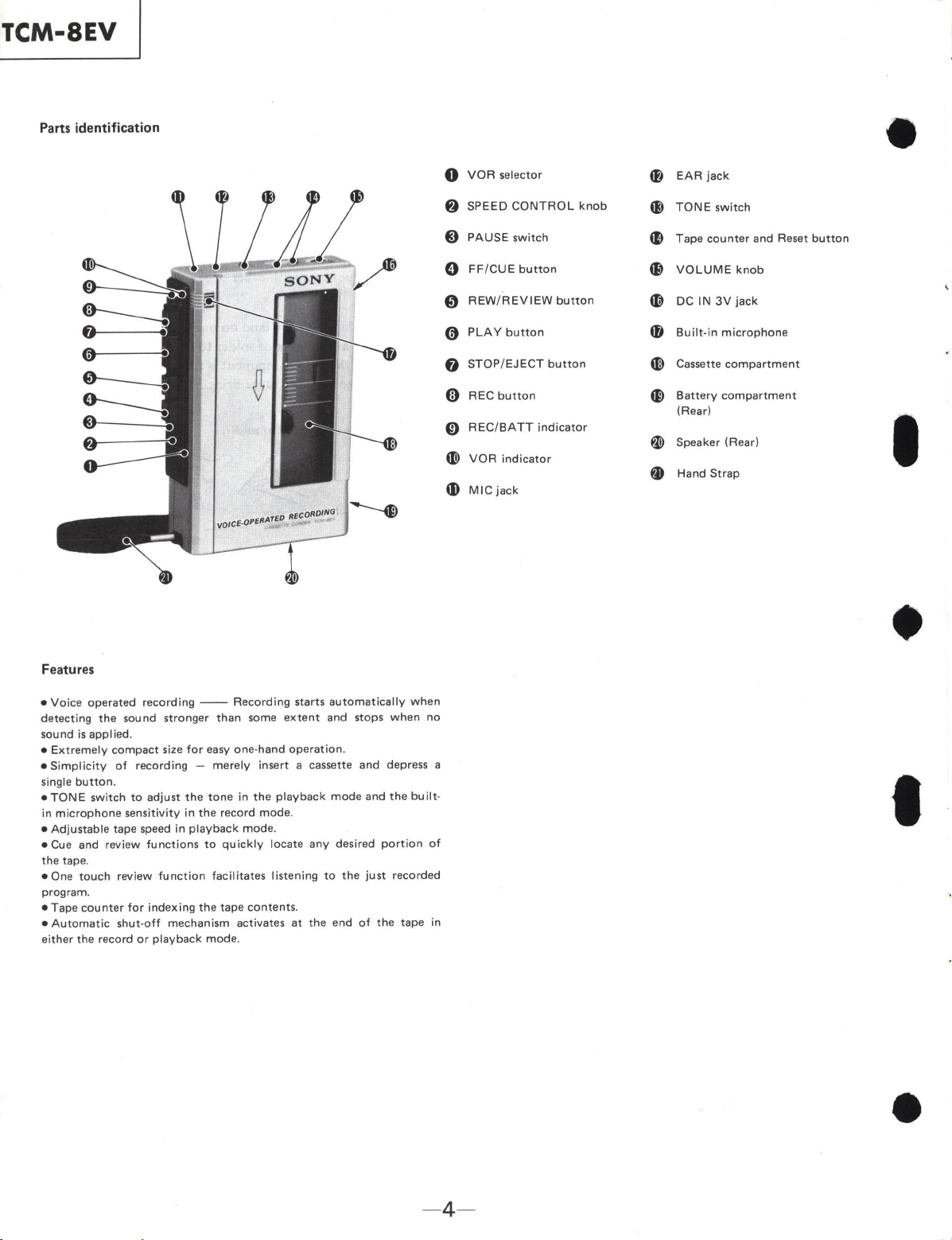
Parts identification
lL~
0
0
Features
•
Voice
operated
recording
--
Recording
starts
automatically
when
detecting
the
sound stronger
than
some
extent
and stops
when
no
sound
is
applied.
•
Extremely
compact
size
for
easy one-hand
operation.
•
Simplicity
of
recording -
merely
insert a cassette and depress a
single
button
.
•
TONE
switch
to
adjust
the
tone
in
the
playback
mode
and
the
built·
in
microphone
sensitivity
in
the
record
mode
.
•
Adjustable
tape speed
in
playback
mode
.
• Cue and review
functions
to
quickly
locate any desired
portion
of
the
tape.
• One
touch
review
function
facilitates
listening
to
the
just
recorded
program.
•
Tap
e
counter
for
indexing
the
tape contents.
•
Automatic
shut
-
off
mechani
sm
activates at
the
end
of
the
tape in
either
the record
or
playback
mod
e.
0
VOR
selector
f)
SPEED
CONTROL
knob
8
PAUSE
switch
0
FF/CUE
button
0
REW/
REVIEW
button
0
PLAY
button
0 STOP/
EJECT
button
0
REC
button
0
REC/BATT
indicator
CD)
VOR
indicator
a,
MIC
jack
- 4-
4&
EAR
jack
41}
TONE
switch
41)
Tape
counter
and Reset
button
49
VOLUME
knob
4D
DC
IN
3V
jack
CD
Bui
lt-in
microphone
~
Cassette
compartment
G>
Battery
compartment
(Rear)
I
w
Speaker (Rear)
~
Hand
Strap
•
t
www.SteamPoweredRadio.Com
I
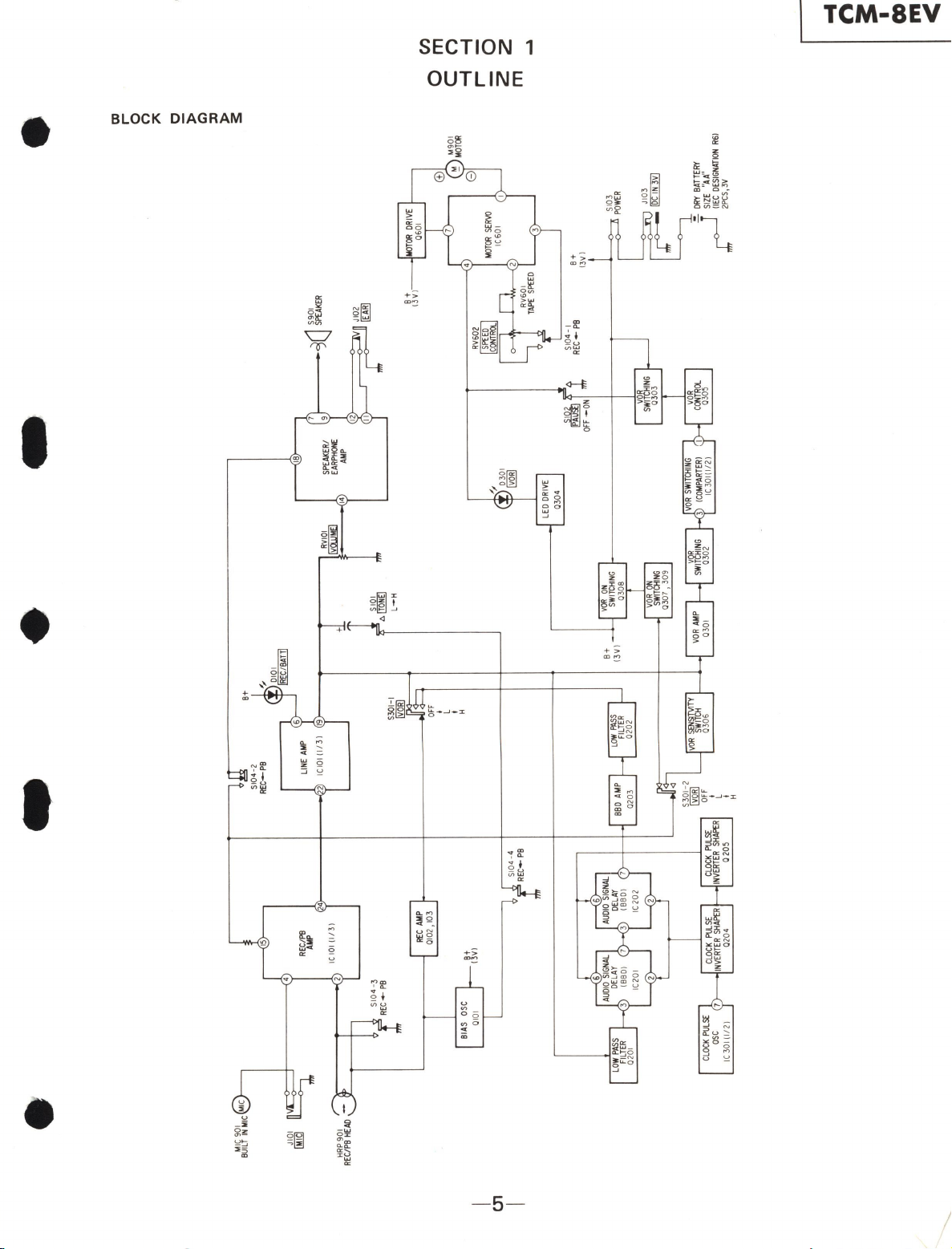
01
I
,...__
-
JIOI
~
[Mfg~
HRP
9
01
REC/PB
HEAD
51
0
4-3
REC-
PB
BIAS
OSC
0
10
1
LOW
PASS
FILTER
0201
CLOCK
PULSE
osc
IC3011
l/
21
Bt
13VI
REC
AMP
01
02
,
103
CLOCK
PULSE
INVERTER
SHAPER
02
04
-
510
4-4
REC-
PB
CLOCK
PULSE
INVERTER
SHAPER
0205
SI04
-2
REC-PB
B+
LINE
AMP
ICI
OI
(1/ 31
BBQ
AMP
02
03
5301-1
®ID
O
FF
I
LOW
f'IISS
FILTER
0202
L
I
H
VOR
SENgTvlTY
SWITCH
0306
,,,,
'
010I
•
!REC/BATT!
5101
o.[!Q@
L
-H
B+
-YVOR
ON
13
VI
SW
I
TCHING
030B
VOR
AMP
03
01
RVIOI
~
-
'3
d~
~Jl02
i='™
,,,,
0301
§ID
_l__,
LEO
DRIVE
0304
~,1
S10
4-
1
REC-
PB
OFF
-ON
VOR
SWITCHING
0303
VOR
SW
ITCHI
NG
qr!
VOR
3
ICOMPARTERI
CONTRCX.
IC30I(1/2)
0305
-
M9
01
MCT<Jl
=r
B+
1
3V
I
~
ORY
BATTERY
.r-1
SIZ
E
"AA"
IIEC
DESIGNIITION
RGI
2PCS,3V
a,
,...
0
C')
~
0
)>
C)
::c
)>
3:
0
(J)
m
C
("")
-I
-I
r
-0
z z
m
-II
....
n
3:
I
co
I'll
<
www.SteamPoweredRadio.Com
TCM-SEV
SECTION 2
CIRCUIT
DESCRIPTION
CIRCUIT DESCRIPTION
This set utilizes a
BBD
(Bucket
Brigade Device) IC
in
order
to
prevent
the
beginning
audio
from
being
recorded
brokenly
during
VOR
recording
, by delay-
ing
the
audio
signal.
Fig. 1
is
a block diagram
of
the
audio
signal delay.
The audio signal is
output
from IC101
pin@
,
passes
the
R201,
202
attenuator
and
Q201
low
pass
filter,
and
is
input
to
IC201
pin
G)
.
The
R201 ,
202
attenuator
attenuates
the
signal so
that
it does
not
go over IC201
maximum
input
level
of
about
-SdB.
LOW PASS
FILTER
0201
AUDIO
SIGNAL
DELAY
IC201
Q201
low
pass filter
operates
at
cut-off
frequency
of
4kHz
so
that
it does
not
go
over
the
clock pulse and
beat
which
operate
IC201 ,
202.
IC201 ,
202
form an
audio
signal delay 1024-stage
BBD
IC.
On
this set,
these
two
ICs delay
about
85msec
. The delayed
signal has
the
amount
attenuated
at
R201,
202
amplified
at
Q203, it passes
Q202
low
pass filter
and
is
input
to
Q
102
, 103 recording
amp
.
Q202
low pass
filter
is
to
cut
the
clock
pulse so
that
it
is
not
super-
imposed
on
the
signal
at
the
BBD IC.
AUDIO
SIGNAL
DELAY
AMPLIFIER
0203
LOW PASS
FILTER
0202
RECORD
AMPLIFIER
0102
. 103
IC202
Fig.
1.
Audio signal delay block diagram
--Pig.
2 shows
the
circuit
which
controls
on
and
off
of
the
motor
and bias oscillation during
VOR
record-
ing. The
audio
signal
output
from
ICl0l
pin @
is
amplified
at
Q301 . When
the
level
of
the
audio
signal
input
to
Q301 is large,
Q302
base
potential
drops
and
Q302
goes
on
. When this
happens,
IC301
pinG)
voltage goes higher
than
pin
Q)
and
pin
(D
goes high.
Then
Q305
,
303
turn
on
, and
supply
power
to
servo
IC
(IC601)
and bias oscillation
transistor
(Ql0l).
Q306
is
a
transistor
for switching
VOR
recording
sensitivity,
and
when
VOR
recording
sensitivity is
low
it
turns
on
and
attenuates
the
audio
signal
input
to
Q301.
Also,
when
there
is
no
audio
signal from
the
microphone,
and
the
motor
bias oscillation is
stopped
immediately,
the
last
audio
is
not
recorded
(the
audio
signal
is
delayed
about
85msec for
VOR
recording), and
further,
if
on
/
off
is
repeated
at
too
short
intervals,
the
playback
sound
will be hard
to
heas, so
C3
04
maintains
IC301
pin
G)
at
high for
about
2- 3 sec
onds
to
prevent
this.
B+ B+
c--
HEAD
AUDIO
SIGNAL
0303
TO
MOTOR
SERVO
0306
2SCl623
V0R
SENSITIVITY
SWITCH
0301
2SC623
V0R
AMP
005
0.
22
003
0.
01
R3
06
1k
O0
G
R305
0.
001
llk
R307
81
R
308
470,
0302
2SAll62
V0R
SW
I
TCHING
R310
I0k
R3
09
4
7k
+ C304
4.7
,
ov
IC3011l/2l
NJM2903M
V0R
S
WITCHING
IC
0
MFIIRTER
I
Fig.
2.
Motor,
Bias
oscillator control circuit
-6-
2SAll62
BIAS
OSCILLATOR
0303
V0R
SW
ITC
HIN
G
CIRCUIT
0305
2SCl623
V0
R
CO
NTR
OL
•
I
•
I
•
www.SteamPoweredRadio.Com
I
•
I
•
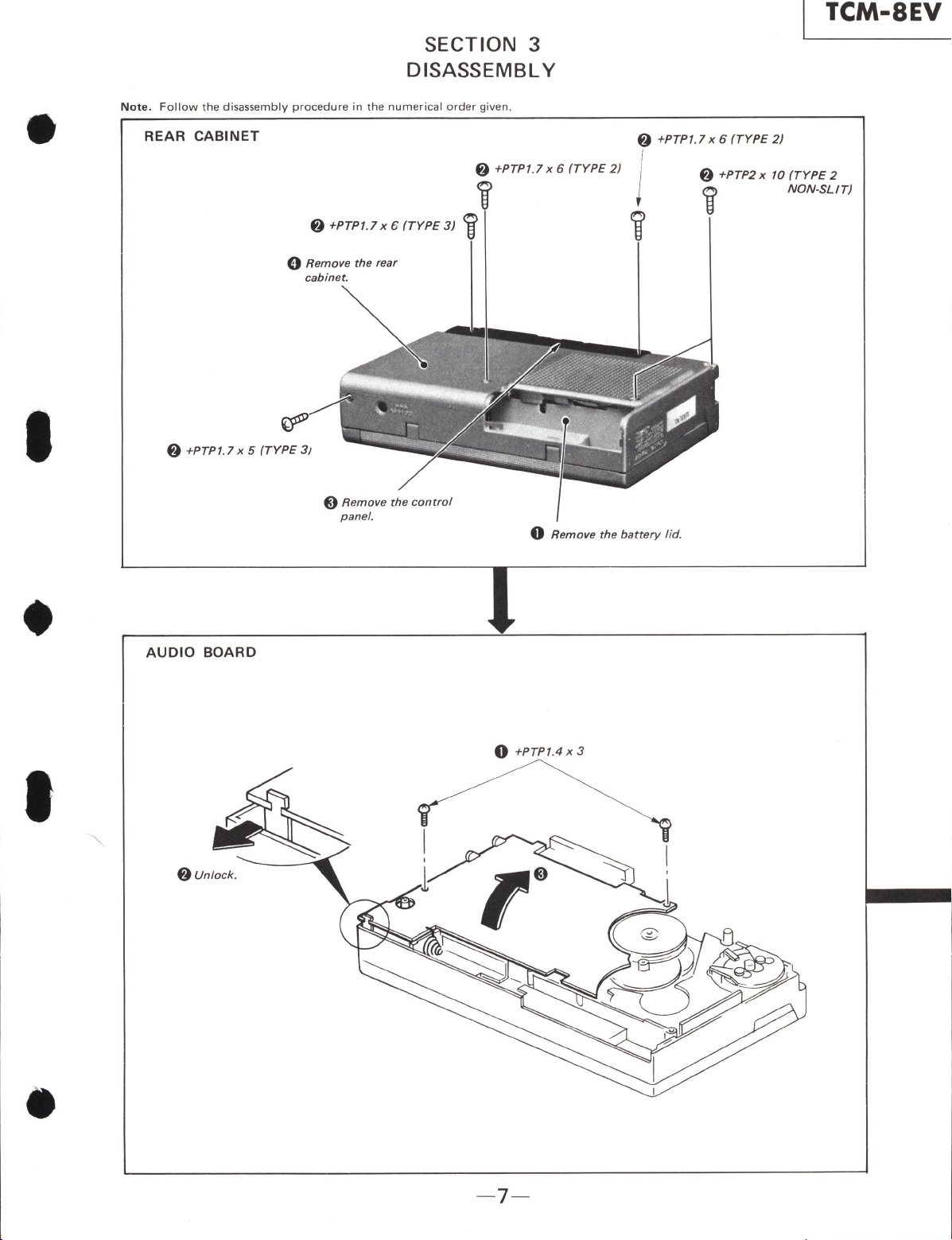
SECTION 3
DISASSEMBLY
Note
.
Follow
the
disassembly
procedure
in
the
numerical
order
given.
REAR
CABINET
f)
+PTP1.l x 6
(TYPE
2)
f)
+PTP1.l
x 6
(TYPE
3)
i
0
Remove
the
rear
cabinet.
f)
+PTP1.7 x 5
(TYPE
3J
@
Remove
the
control
panel.
TCM-SEV
f)
+PTP1.7 x 6
(TYPE
2)
j
i
f)
+PTP2
x
10
(TYPE
2
i
NON-SLIT)
0
Remove
the
battery
lid
.
AUDIO
BOARD
0
+PTP1.4
X
3
f)
Unlock.
-7-
www.SteamPoweredRadio.Com
TCM-SEV
CASSETTE
LID
f)
Pull
out
the cassette
shaft in the direction
shown
by
the arrow.
VOR
BOARD,
BBD
BOARD, SPEED
CONTROL
BOARD
VOR board
- 8-
0
Remove the cassette lid.
/
@
Remove the toggle arm from
the cassette lid.
+81.4
X
5
speed control board
I
•
t
•
www.SteamPoweredRadio.Com
u
1'
•
I
•
'
•
TCM-SEV
MECHANISM SECTION
+PTPT.7
x 6
(TYPE
3)
RECORD/PLAYBACK HEAD, PINCH LEVER presisi
on
screws
lug
washer
record
playback
I
head
v
~
pinch
lever
'
V
'--
head
spacer
- 9-
www.SteamPoweredRadio.Com
TCM-8EV
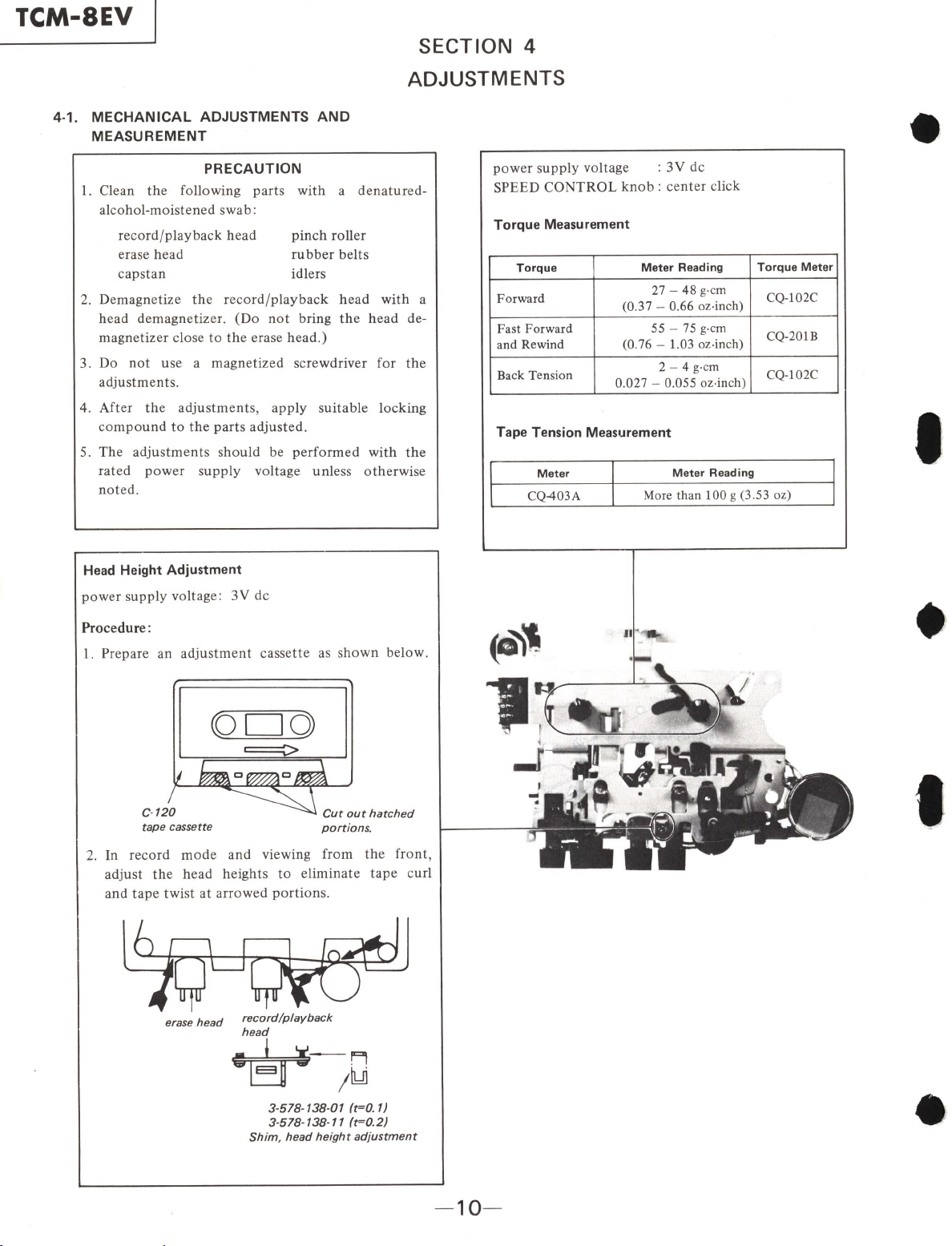
SECTION 4
ADJUSTMENTS
4-1.
MECHANICAL
ADJUSTMENTS AND
MEASUREMENT
PRECAUTION
I. Clean
th
e following
parts
with a de
natured-
alcohol-moistened swab:
rec
ord
/
playback
head
erase head
capstan
pinch
roller
rubber
belts
idlers
2. Demagnetize
the
record
/
playback
head
with
a
head
demagnetizer.
(Do
not
bring
the
head
de-
magnetizer
close
to
the
erase
head.)
3. Do
not
use a magnetized screwdriver for
the
adjustments
.
4.
After
the
adjustments,
apply
suitable Jocking
c
ompound
to
the
parts
adjusted.
power
s
upply
voltage : 3V de
SPEED
CONTROL
knob:
center
click
Torque Measurement
Torque
Meter
Reading
Forward 27 -
48
g-c
m
(0.37 - 0.66 oz-inch)
Fast
Forward
55 -
75
g
-cm
and Rewind (0.76 -1.03 oz
-in
ch)
Back Tension 2 - 4 g
-c
m
0.027 - 0.055 oz
-in
ch)
Tape
Tension Measurement
Meter
Meter Reading
Torque Meter
CQ-102C
CQ-201B
CQ-102C
5.
The
adjustments
should
be
performed
with
the
rated
power
supply
voltage
unle
ss
otherwise
noted.
CQ-403A More than 100 g (3.53 oz)
Head
Height Adjustment
power
supply
voltage:
3V
de
Procedure:
1.
Prepare an
adjustment
cassette as
shown
below.
tape cassette
Cut
out
hatched
portions.
2.
In
record
mode
and viewing from
the
front,
adjust
the
head heights
to
eliminate
tape
curl
and
tape
twist
at
arrowed
portions.
~
erase
head
record/playback
head
~-Fl
'"'Ejj -
/~
3-578-138-01 (t=0.1)
3-578-138-11 (t=0.2)
Shim,
head
height
adjustment
(-'1
..
~
11~
-10
-
I
•
t
•