Universal Series RDM Enabled DMX512 Decoder
D1 D1 D2 D2
DMX512 Decoder
GND
white
70060001
Function introduction
Important: Read All Instructions Prior to Installation
• DO NOT install with power applied to device.
• DO NOT expose the device to moisture.
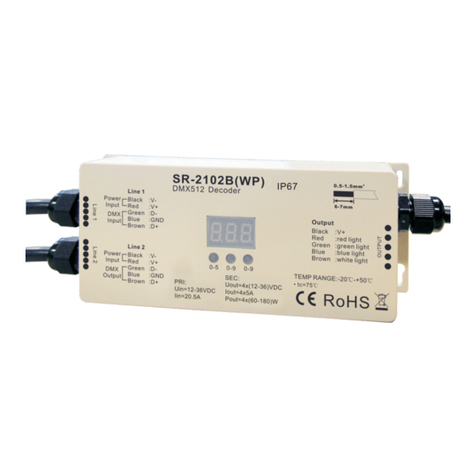
DC Power input
CH 1:R/WW output
CH 2:G/CW output
CH 3:B/WW output
CH4:W/CW output
Product Data
Safety & Warnings
Manual set button
Digital display
2 groups DMX512
signal input & output
• Standard DMX512 compliant control interface.
• Supports RDM function.
• 4 PWM output channels.
• DMX address manually settable.
• DMX channel quantity from 1CH~4CH settable.
• Output PWM frequency from 200HZ ~ 35K HZ settable.
• Output dimming curve gamma value from 0.1 ~ 9.9 settable.
• To work with power repeater to expand output power unlimitedly.
• Waterproof grade:IP20.
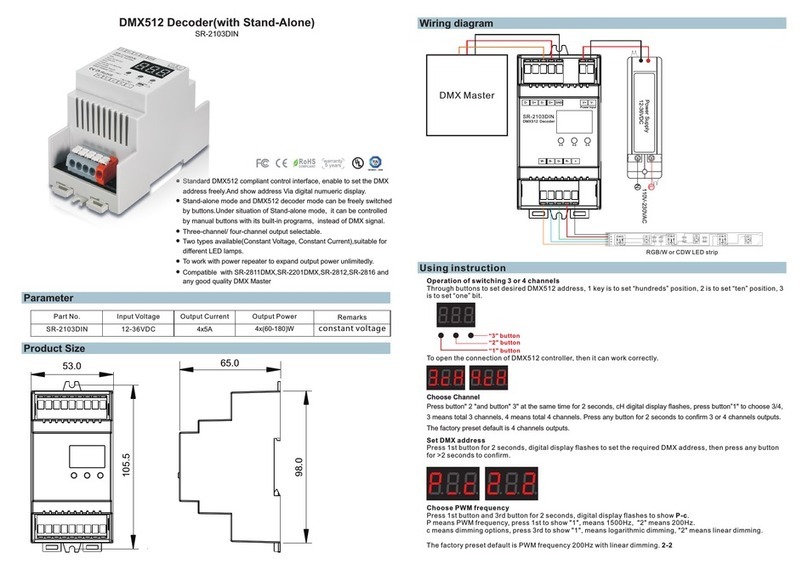
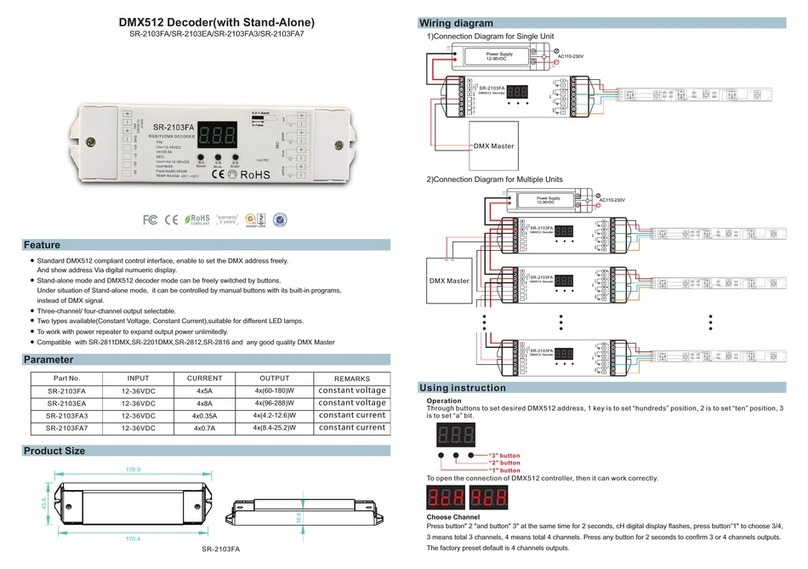
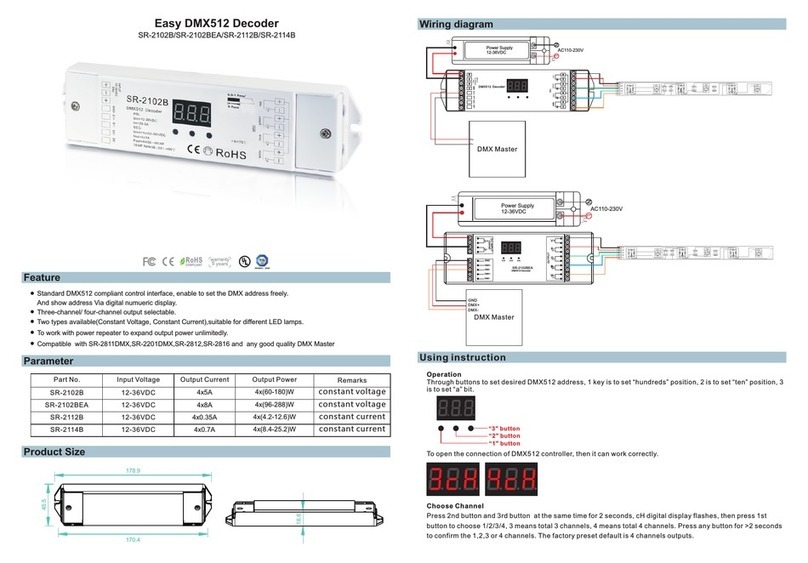
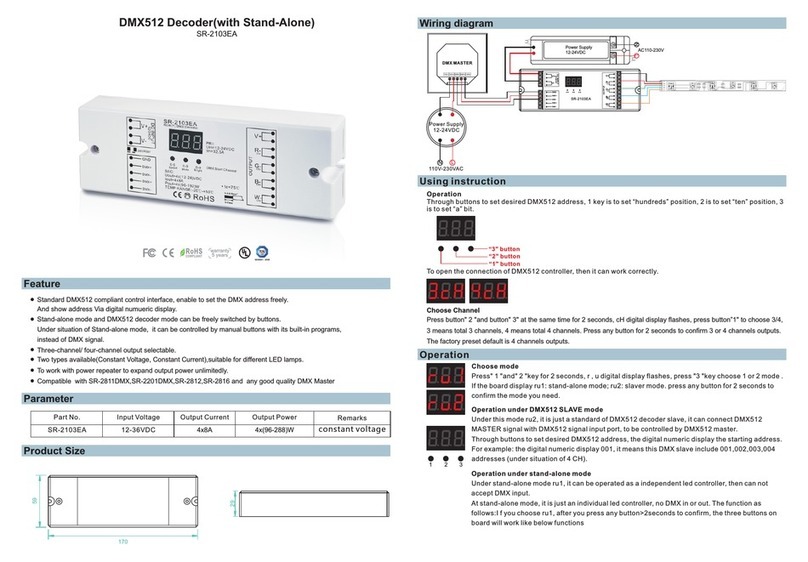
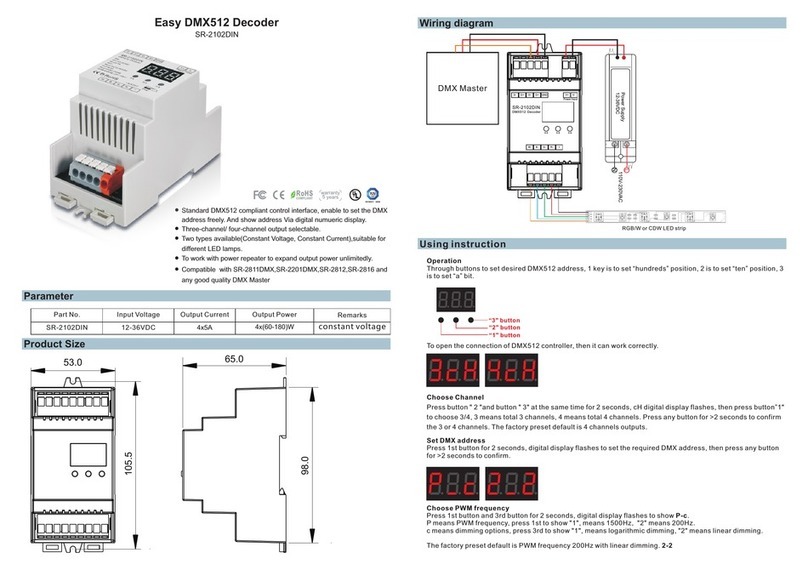
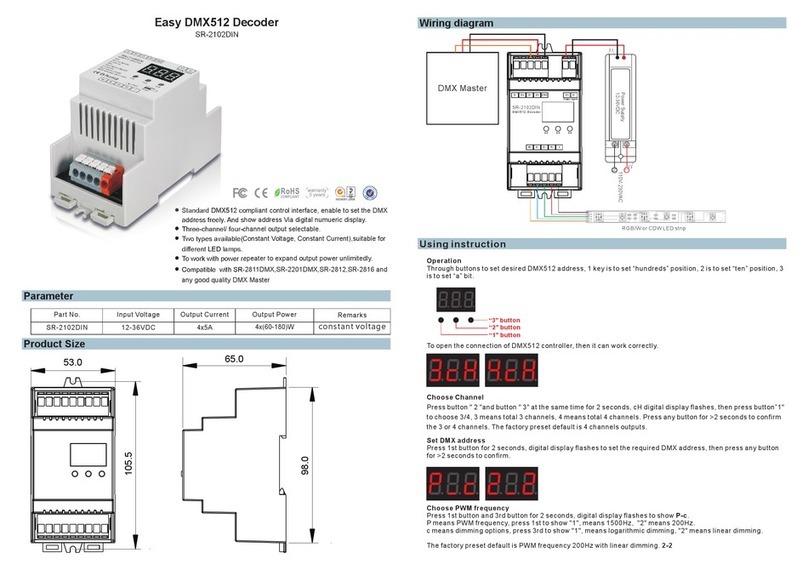
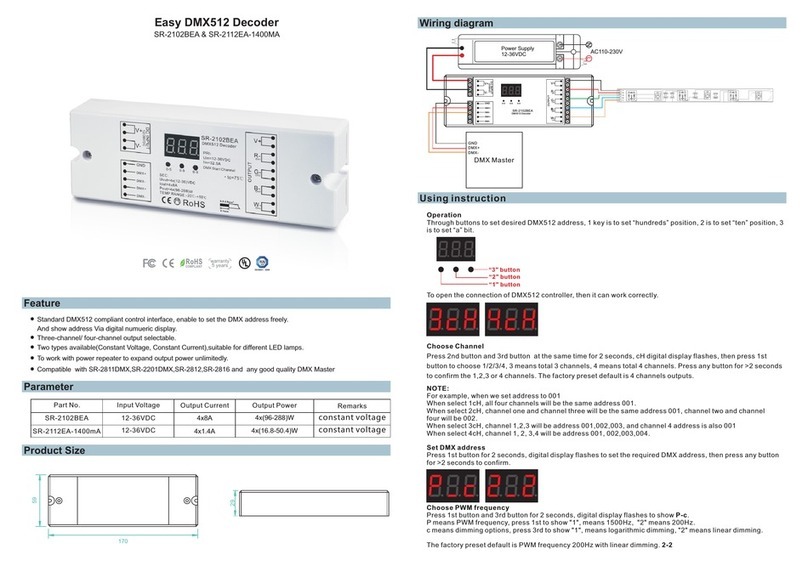
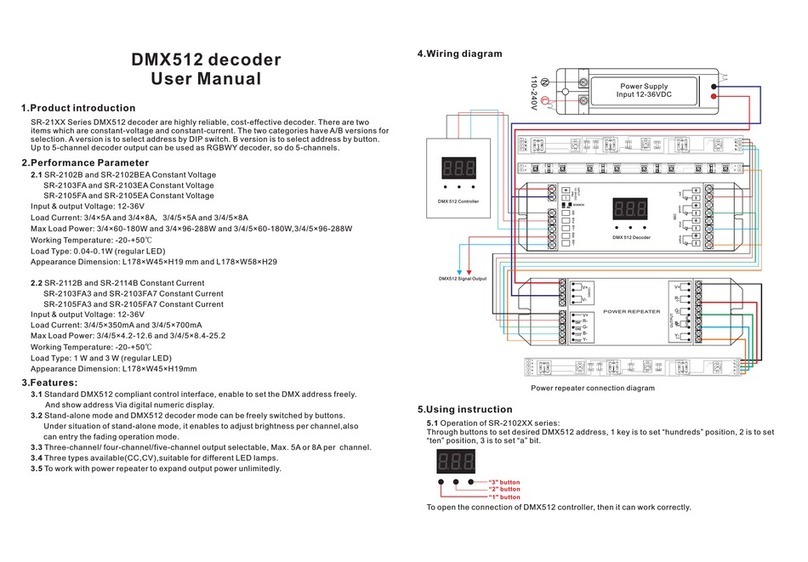
To set desired DMX512 address through buttons,
button A is to set “hundreds” position,
button B is to set “tens” position,
button C is to set “unit” position.
Operation
Set DMX address (Factory default DMX address is 001)
Press and hold down any of the 3 buttons for over 3 seconds, digital display flashes to enter into address
setting, then keep short pressing button A to set “hundreds” position, button B to set “tens” position, button C to
set “units” position, then press and hold down any button for >3 seconds to confirm the setting.
A B C
Choose DMX Channel (Factory default DMX channel is 4CH)
Press and hold down both buttons B+C simultaneously for over 3 seconds, CH digital display flashes, then
keep short pressing button A to choose 1/2/3/4, which means total 1/2/3/4 channels. Press and hold down
button A for >3 seconds to confirm the setting. Factory default is 4 DMX channels.
Choose PWM frequency (Factory default PWM frequency is PF1 1KHz)
Press and hold down both buttons A+B simultaneously for over 3 seconds, digital display will show PF1, PF
means output PWM frequency, the digit 1 will flash, which means frequency, then keep short pressing button C
to select a frequency from 0-9 and A-L, which stand for following frequencies:
0=500Hz, 1=1KHz, 2=2KHz, ..., 9=9KHz, A=10KHz, B=12KHz, C=14KHz, D=16KHz, E=18KHz, F=20KHz,
H=25KHz, J=35KHz, L=200Hz.
Then press and hold down button C for >3 seconds to confirm the setting.
Choose Dimming Curve Gamma Value (Factory default dimming curve value is g1.0)
Press and hold down all buttons A+B+C simultaneously for over 3 seconds, digital display flashes g1.0, 1.0
means the dimming curve gamma value, the value is selectable from 0.1-9.9, then keep short pressing button B
and button C to select corresponding digits, then press and hold down both buttons B+C for >3 seconds to
confirm the setting.
<1
1.0
1.5
2.5
3.5 6.5
0.90.9
0.8
gamma
value
output
brightness
level
>1
DMX value level
For example the DMX address is already set as 001.
1CH=1 DMX address for all the output channels, which all will be address 001.
2CH=2 DMX addresses , output 1&3 will be address 001, output 2&4 will be address 002
3CH=3 DMX addresses, output 1, 2 will be address 001, 002 respectively, output 3&4 will be address 003
4CH=4 DMX addresses, output 1, 2, 3, 4 will be address 001, 002, 003, 004 respectively
DMX signal indicator : When DMX signal input is detected, the indicator on the display following after the digit
of “hundreds” position of DMX address turns on red . If there is no signal input, the dot indicator will not
turn on, and the “hundreds” position of DMX address will flash.
Firmware OTA update
A B C
INPUT
12-48VDC
12-48VDC 4x5A@12-36VDC
4x2.5A@48VDC
4x(60-180)W@12-36VDC
4x120W@48VDC
Size(LxWxH)
178x46x22mm
Input
Voltage Remarks
Output
Current Output
Power
No.
2
3
1
178x46x22mm
178x46x22mm
Constant voltage
Constant current
Constant current
12-48VDC
12-48VDC
4x350mA
4x700mA
4x(4.2-16.8)W
4x(8.4-33.6)W