manuals.online logo
Brands
  1. Home
  2. •
  3. Brands
  4. •
  5. Sybility
  6. •
  7. Remote Control
  8. •
  9. Sybility Control USB Instruction manual

Sybility Control USB Instruction manual

This manual suits for next models

1

Other Sybility Remote Control manuals

Sybility PILOT X User manual

Sybility

Sybility PILOT X User manual

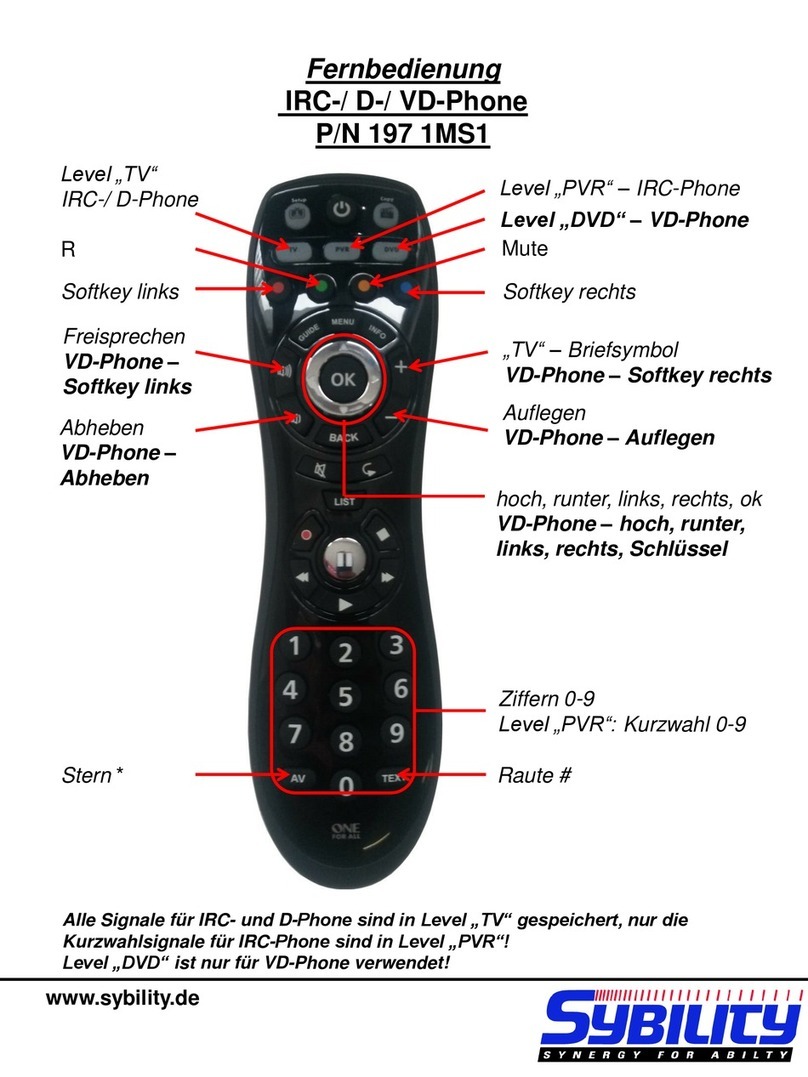
Sybility IRC-/D-/VD-Phone User manual

Sybility

Sybility IRC-/D-/VD-Phone User manual

Popular Remote Control manuals by other brands

Bircher Reglomat RC Duo 2 user guide

Bircher Reglomat

Bircher Reglomat RC Duo 2 user guide

Emerson RCBT100 owner's manual

Emerson

Emerson RCBT100 owner's manual

BILDA Element-6 user manual

BILDA

BILDA Element-6 user manual

Absima CR7P manual

Absima

Absima CR7P manual

Mitsubishi Electric PAR-32MAAG Instruction book

Mitsubishi Electric

Mitsubishi Electric PAR-32MAAG Instruction book

RCA RCRTBL08BE1 quick start guide

RCA

RCA RCRTBL08BE1 quick start guide

US Electronics NOVARI user guide

US Electronics

US Electronics NOVARI user guide

Panasonic EUR7622KB0 Operation guide

Panasonic

Panasonic EUR7622KB0 Operation guide

Bang & Olufsen Beo4 user manual

Bang & Olufsen

Bang & Olufsen Beo4 user manual

Marantz RC101 user guide

Marantz

Marantz RC101 user guide

FUTABA 9ZAP - PART2 manual

FUTABA

FUTABA 9ZAP - PART2 manual

HR Matic HR MULTI 3 quick start guide

HR Matic

HR Matic HR MULTI 3 quick start guide

Anritsu MP1777A Operation manual

Anritsu

Anritsu MP1777A Operation manual

Niles WVC100 Installation & operating guide

Niles

Niles WVC100 Installation & operating guide

Bang & Olufsen BEO6 Getting started

Bang & Olufsen

Bang & Olufsen BEO6 Getting started

GE 94901 instruction manual

GE

GE 94901 instruction manual

FUTABA R7108SB Full manual

FUTABA

FUTABA R7108SB Full manual

Invacare G91S user manual

Invacare

Invacare G91S user manual

manuals.online logo
manuals.online logoBrands
  • About & Mission
  • Contact us
  • Privacy Policy
  • Terms and Conditions

Copyright 2025 Manuals.Online. All Rights Reserved.

BJ-254
Control USB
Quick User Guide
www.bjliveat.com
Use Control USB to control any
electronic device and elements of
your environment (lights, blinds,
doors, ceiling hoist, TV, air
conditioning, etc.) from your
computer.
Control USB is comprised by the Control
USB device and BJ Control software:
Download BJ Control
software from:
http://www.bjliveat.com
Save the file in your computer and start
the installation process.
The Setup Wizard will guide you through
the installation process.
Plug the Control USB
device into the USB port
of your PC
Customize the remote
control interface and
functionality with BJ Control
software.
Check the user’s guide
within the Help menu to
learn everything about this
product.
•Keep the device dry. Moisture and
liquids may damage the parts or
electronic circuits of the device.
Water damage to your device may
void the warranty. Dust may cause
the device to malfunction.
•Do not drop the product or
subject it to impacts. It may be
damaged if dropped. Do not paint
your device or attach stickers to it.
•Do not store the device near
magnetic fields.
•Do not disassemble, modify or
repair the device. Any changes or
modifications made to your device
could void the warranty.
•When cleaning the device: Use a
towel or soft cloth to clean the
device and charger. Do not use
chemicals, detergents or solvents.

2. How to use
1. Equipment description
2
3. Proper care and use the device
1
4
USB cable
Infrared port
3
Do not use it for any purpose other
than that for which it was designed.
oUSB connection 2.0
oPower supply: 5V dc, 200mA
oSize: 50x25x13mm
oUSB cable: 1m
oRF working frequency: 433MHz
Waste electrical products should not be
disposed of with household waste!
Dispose of the waste product via a
collection point for electronic
scrap or via your specialist dealer.
Any unauthorized tampering with,
or modifications to the product
will annul this warranty.
Within the statutory warranty period we
undertake to rectify free of charge by repair
or replacement any product defects arising
from material or production faults.
Any unauthorized tampering with, or
modifications to the product will annul this
warranty.
This product complies with the essential
requirements of the Directive 2004/108/EC.
The Declaration of Conformity can be
downloaded from the product’s webpage at
www.bjliveat.com.
If, despite of correct handling, faults or
malfunctions occur or if the product was
damaged, please contact us at the address
below:
BJ Adaptaciones
C/ Mare de Déu del Coll, 70, Bajos
08023 Barcelona
España
Phone:+34 93 285 04 37
Fax: + 34 93 553 56 34
e-Mail: in[email protected]
www.bjliveat.com
Medical devices
Radio equipment can interfere with
the functioning of medical devices
that are not suitably protected. Consult a
physician or the manufacturer of the
medical device to determine whether it
is adequately shielded from external
radio frequency energy.
Implanted medical devices
Manufacturers of medical devices
recommend a minimum separation of
15.3 centimetres (6 inches) between a
wireless device and an implanted
medical device such as a pacemaker or
implanted cardioverter defibrillator, to
avoid potential interference with the
medical device.
Operating environment
•During infrared recording, make
sure that there is nothing nearby
generating an infrared signal.
Note that some types of fluorescent
lighting emit infrared signals.
•Other products that use the
same frequency band (433 MHz)
as this remote control can interfere
with the control of the receivers.
Make sure that neither the remote
nor the receivers are located near
these sources.
4. Technical features
5. General information
Disposal
Warranty
Conformity
Customer Service