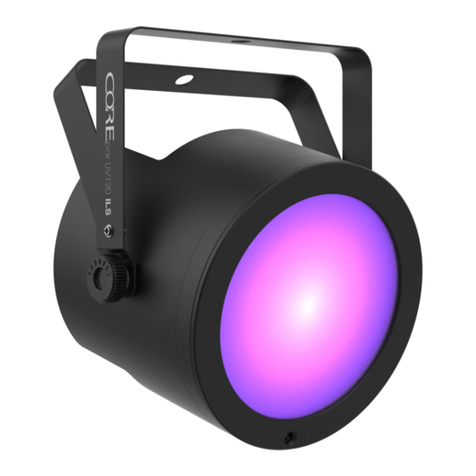
TECHTOP URANUS 18 WW 25 User manual

User manual
URANUS 18 WW 25
SAFETY INSTRUCTIONS
CAUTION!
Be careful with your operations. With a dangerous voltage you can suffer a dangerous
electric shock when touching the wires!
Keep this device away from rain and moisture!
Unplug mains lead before opening the housing!
For your own safety, please read this user manual carefully before you initial start-up.
Features:
URANUS 18 WW 25 is one of the classical LED fixtures designed and created uniquely,
really ideal for theaters, churches, TV studios, photography studios, fashion shows, stage
performances, musical shows,etc.
*Power in powerCON/blue, Power out powerCON/grey equipped;
*LED display;
*new PWM dimming electronical theory applied for reasonable fresh rates and real flicker
free;
*molded aluminium for excellent ventilation, no need of fans, no noise;
*driving IC and capacitors from USA and European unions equipped for steady constant
current outputs;
*intelligent temperature self controlling: self adjusting temperature to protect at the time of
max. temperature happening;
Installations:
Regardless the rigging point you choose for your fixture, always be sure to secure the fixture
with a safety rope which sold separately.
DMX-512 connection / connection between fixtures
Occupation of the XLR-connection:
If you are using controllers with this occupation, you can connect the DMX-output of the
controller directly with the DMX-input of the first fixture in the DMX-chain. If you wish to
connect DMX-controllers with other XLR-outputs, you need to use adapter-cables.
Building a serial DMX-chain:
Connect the DMX-output of the first fixture in the DMX-chain with the DMX-input of the next
fixture. Always connect one output with the input of the next fixture until all fixtures are
connected.
Caution: At the last fixture, the DMX-cable has to be terminated with a terminator. Solder a
120 resistor between Signal (–) and Signal (+) into a 3-pin XLR-plug and plug it in the
DMX-output of the last fixture.
Connection with the mains
Connect the device to the mains with the enclosed power supply cable.

1. DMX 512 protocol
Addressing
The LED DISPLAY on the rear side of the base allows you to assign the DMX fixture address,
which is defined as the first channel from which the item will respond to the controller. If you
set, for example, the address to channel 7, the item will use the channel 7 to 14 for control.
Please, be sure that you don’t have any overlapping channels in order to control each item
correctly and independently from any other fixture on the DMX data link. If two, three or more
items are addressed similarly, they will work similarly. At DMX mode you can choose the
address from 1 to 512.After you connect the item to the mains, the item starts running. When
the item finishes resetting, A-OO1 will flash in the led display and then set the desired DMX
address by pressing the UP or DOWN buttons.
DMX Controlling:
After having addressed all items, you may now start operating these via your lighting controller.
After switching on, the item will automatically detect whether DMX 512 data is received or not.
DMX FUNCTIONS
1-CHANNEL MODE
Channel 1 – white from darkness to full brightness
2.auto
Press the MODE button, the following functions can be achieved by the button ENTER:
SH01-03:: run the preset shows;
SP01-10: running the preset shows speed adjustments
3.sound active
Not occupied!
4. Synchronization & master /slave mode
Take one item and set the item at auto or sound active as above,then get other items and
press the button MODE, set at SLAVE, confirm by the button of ENTER, then connect the
items at SLAVE to the item at AUTO or sound active, disconnect the items from DMX
controller, the items will work simultaneously. The item at auto or sound active works as
master, others as slave.
LED DISPLAY CONTROL:
Main menu
Sub menu
1.A001
001-512(ADDRESS SETTING)
2.CH01
1CH(CHANNEL MODES)
3.SH01
ON/OFF(PRESET SHOWS)

4.SP
01-10(PRESET SHOWS RUNNING SPEED)
5.W255
000-255(DIMMER)
6.SLoF
ON/OFF(SLAVE)
7.rdoF
ON/OFF(DISPLAYING REVERSEDLY)
If the fine-wire fuse of the device fuses, only replace the fuse by a fuse of same type and
rating.
Before replacing the fuse, unplug mains lead.
Procedure:
Step 1: Open the fuse holder on the rear panel with a fitting screwdriver.
Step 2: Remove the old fuse from the fuse holder.
Step 3: Install the new fuse in the fuse holder.
Step 4: Replace the fuse holder in the housing.
TECHNICAL SPECIFICATIONS
One of the classical LED fixtures designed and created uniquely, really ideal for theaters,
churches, TV studios, photography studios, fashion shows, stage performances, musical
shows,etc.
*Power in powerCON/blue, Power out powerCON/grey equipped;
*LED display;
*new PWM dimming electronical theory applied for reasonable fresh rates and real flicker
free;
*molded aluminium for excellent ventilation, no need of fans, no noise;
*driving IC and capacitors from USA and European unions equipped for steady constant
current outputs;
*intelligent temperature self controlling: self adjusting temperature to protect at the time of
max. temperature happening;
*Equipped with 18*high MCD 5W WHITE LEDs, total 90W, 50,000 hours
AC 100-240V 50/60Hz
Power consumption: 90W
beam angle 25°
0-100% linear dimming, separate strobe
DMX 512 protocol, master/slave, auto, sound active with adjustable sound sensitivity
1 DMX channel modes
Running temperature self controlling
Displaying off 5 seconds automatically after finishing sets of the fixture
Environmental temperature: -20℃to 40℃
Hanging brackets included: floor stand
Net weight: 4.95kgs
Dimensions: 302*137*333mm(L*W*D)(hanging bracket placed vertically)

Please note: Every information is subject to change without prior notice.
Table of contents
Popular Lighting Equipment manuals by other brands






Qazqa
Qazqa Suplux SL 3 Black 103062 instruction manual

Commercial Electric
Commercial Electric 54568141 Use and care guide

CREE LIGHTING
CREE LIGHTING 304 Series installation instructions

Goobay
Goobay 49867 user manual

ECOMAN ITALIA
ECOMAN ITALIA LED T8 instruction manual

Alkalite
Alkalite Krypton KT-81 user manual