manuals.online logo
Brands
  1. Home
  2. •
  3. Brands
  4. •
  5. Toa
  6. •
  7. Intercom System
  8. •
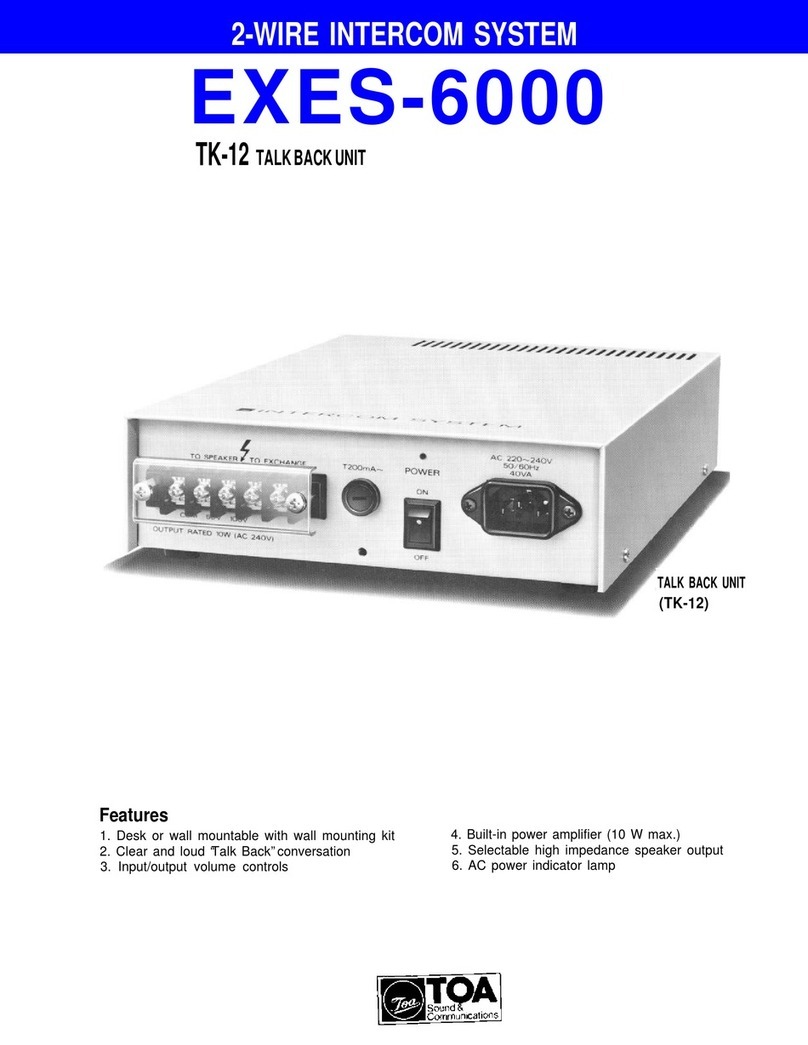
  9. Toa EXES 6000 CP-63 System manual

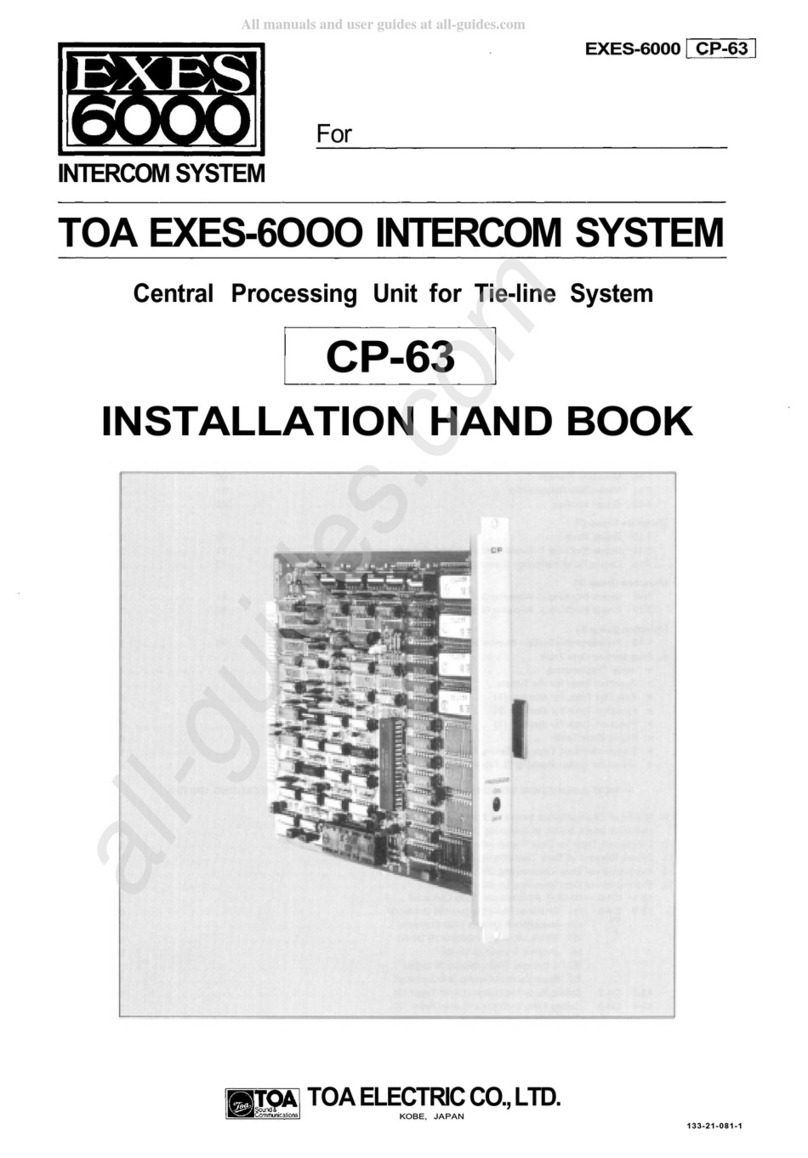
Toa EXES 6000 CP-63 System manual

Other manuals for EXES 6000 CP-63

1

This manual suits for next models

2

Other Toa Intercom System manuals

Toa N-8540DS User manual

Toa

Toa N-8540DS User manual

Toa EXES-1000 System manual

Toa

Toa EXES-1000 System manual

Toa N-8000 SERIES User manual

Toa

Toa N-8000 SERIES User manual

Toa AD-1210P User manual

Toa

Toa AD-1210P User manual

Toa EXES-5000 System manual

Toa

Toa EXES-5000 System manual

Toa CPU-52A Manual

Toa

Toa CPU-52A Manual

Toa HF-250M User manual

Toa

Toa HF-250M User manual

Toa N-SP80MS1 User manual

Toa

Toa N-SP80MS1 User manual

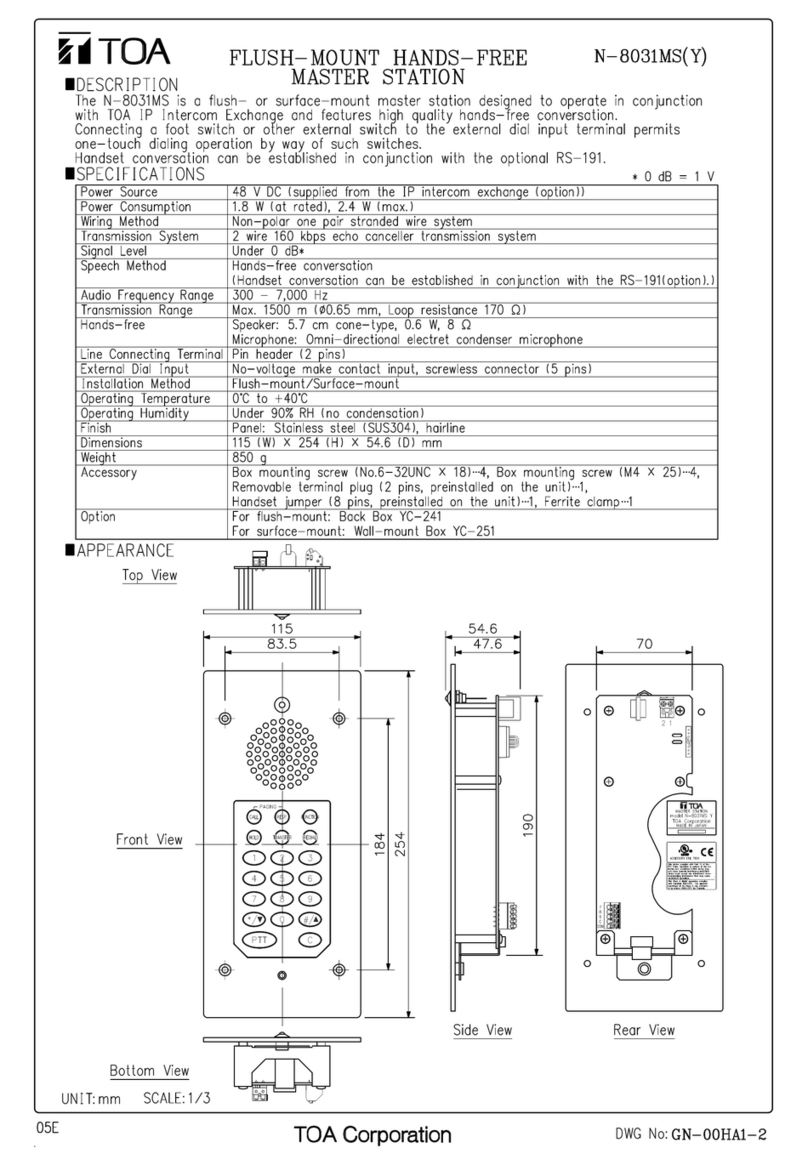
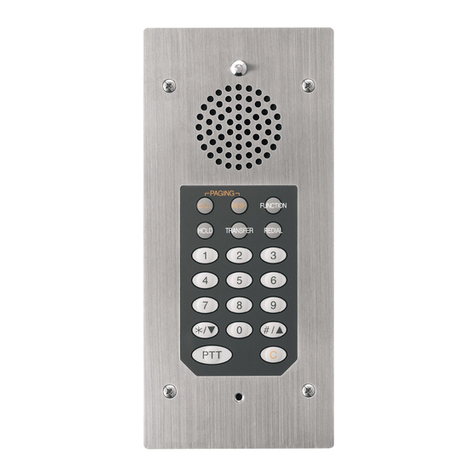
Toa N-8031MS User manual

Toa

Toa N-8031MS User manual

Toa CP-66 System manual

Toa

Toa CP-66 System manual

Toa EXES-6000 User manual

Toa

Toa EXES-6000 User manual

Toa CPU-52A User manual

Toa

Toa CPU-52A User manual

Toa IP-A1 Series User guide

Toa

Toa IP-A1 Series User guide

Toa N-8500MS User manual

Toa

Toa N-8500MS User manual

Toa MS-900 User manual

Toa

Toa MS-900 User manual

Toa VS-900 Manual

Toa

Toa VS-900 Manual

Toa VS-900DI User manual

Toa

Toa VS-900DI User manual

Toa EXES-6000 CP-66 User manual

Toa

Toa EXES-6000 CP-66 User manual

Toa CP-66 User manual

Toa

Toa CP-66 User manual

Toa N-8050SB User manual

Toa

Toa N-8050SB User manual

Toa RS-480VSET User manual

Toa

Toa RS-480VSET User manual

Toa N-SP80VS1 Installation guide

Toa

Toa N-SP80VS1 Installation guide

Toa RS-480VSET User manual

Toa

Toa RS-480VSET User manual

Toa VS-900TI User manual

Toa

Toa VS-900TI User manual

Popular Intercom System manuals by other brands

Bticino LINEA 3000 Installation

Bticino

Bticino LINEA 3000 Installation

MSI MSI-140 owner's manual

MSI

MSI MSI-140 owner's manual

golmar Stadio Plus instruction manual

golmar

golmar Stadio Plus instruction manual

CyberData 011211 series Installation quick reference

CyberData

CyberData 011211 series Installation quick reference

Vidos duo M1021 user manual

Vidos

Vidos duo M1021 user manual

Vimar ELVOX 7539/E Installation and operation manual

Vimar

Vimar ELVOX 7539/E Installation and operation manual

SSS Siedle BTSV 850-03 operating instructions

SSS Siedle

SSS Siedle BTSV 850-03 operating instructions

Dahua VTO Series quick start guide

Dahua

Dahua VTO Series quick start guide

Elvox 5651 Wiring instructions

Elvox

Elvox 5651 Wiring instructions

Videx VIDEOKIT Series owner's manual

Videx

Videx VIDEOKIT Series owner's manual

Safeguard Supply LRA-EX1000 user manual

Safeguard Supply

Safeguard Supply LRA-EX1000 user manual

SSS Siedle BFCV 850 Series operating instructions

SSS Siedle

SSS Siedle BFCV 850 Series operating instructions

GRD MAX V2 user manual

GRD

GRD MAX V2 user manual

Alecto ADI-250 user manual

Alecto

Alecto ADI-250 user manual

Aiphone IE-8MD Installation & operation manual

Aiphone

Aiphone IE-8MD Installation & operation manual

Perel EDB4 user manual

Perel

Perel EDB4 user manual

Bticino Classe 300 installation manual

Bticino

Bticino Classe 300 installation manual

LG L5142 Guide

LG

LG L5142 Guide

manuals.online logo
manuals.online logoBrands
  • About & Mission
  • Contact us
  • Privacy Policy
  • Terms and Conditions

Copyright 2025 Manuals.Online. All Rights Reserved.

Central Processing Unit for Tie-line System
EXES-6000
CP-63
For
INTERCOM S STEM
TOA EXES-6OOO INTERCOM S STEM
CP-63
INSTALLATION HAND BOOK
TOA ELECTRIC CO., LTD.
KOBE, JAPAN
133-21-081-1
CONTENTS
INTRODUCTION TO THE INSTALLATION MANUAL FOR EXES-6000
FUNCTIONS WHICH REQUIRE ADDITIONAL UNITS
TIE-LINE CONNECTION OF THE EXCHANGES
WIRING FOR TIE-LINE CONNECTION OF THE EXCHANGES
Page
2
3
5
8
PART 1. OPERATING OF CP UNIT AND NO. 200 PROGRAMMING
1. Precautions for Installation of CP-63
3. Trouble Shooting
4. CP-63 DIP Switches for Function Selection
5. Dip Switch Selection and Station No. 00 Programming for Each Function
6. Function Code Table for Station No. 00 Programming
7. Station No. 00 Programming for Each Function
11
1
13
16
17
18
1
[Function Group A]
7-1 Executive Priority (Highest Priority)
7- Continuous Calling Tone
7-3 Stations Allowed Access to All Call
7-4 Stations Allowed Access to Conference
7-5 Automatic Access to Paging
7-6 Stations Allowed Access to One-shot Make Output
7-7 Stations Allowed Access to Make/Break Output
7-8 Stations Allowed Access to 8 Selectable or Decimal Output
7-9 Stations Allowed Access to 4 Decimal Digits Output
[Function Group B]
7-10 Secretary Transfer
7-11 Master/Sub Relationship
7-1 Group Hunting
[Function Group C]
7-13 Paging Zone
7-14 Group Blocking 1: Establishment of each Group
7-15 Calling Party Indication (Lamp Type)
[Function Group D]
7-16 Group Blocking : Allowing Calls among Groups
7-17 Group Blocking 3: Allowing Group Access to Paging
FUNCTION CODE
50
51
5
53
54
56
57
58
59
60
61
6
70
71
7
81
8
1
3
4
5
7
8
9
30
31
3
33
34
35
36
37
38
[Function Group E]
7-18 Programmable Station Numbering
8. Programming Data Table
Initial Programming
Function Table for the System
Function Table for Stations (1)
Function Table for Stations ( )
Function Table for Stations (3)
Paging Zone Table
Station Numbers Table for Calling Party Indication (Lamp Type)
Tables for Group Blocking (3 Tables)
90
39
41
41
4
43
44
45
46
46
46
PART 2. FUNCTION SELECTION FOR DATA TRANSMITTING AND RECEIVING UNITS
9. Setting of Channel Select Switch of Transmitting Unit (DT-E11)
and Word Select Switch of Receiving Unit (DR-B61)
10. DIP Switch Table for Data Transmitting and Receiving Units
11. System Diagram of Data Transmitting and Receiving Units
1 . Explanation of Data Transmitting Unit Output Channels
13. Explanation of Data Receiving Unit Output Data
13-1 CH-0 IN-OUT Annunciation (500 Contacts)
13- CH-1 (1) One-Shot Make Output (50 Contacts)
( ) Make/Break Output (100 Contacts)
(3) 8-Selectable Make Output (9 Units)
(4) Decimal Output (9 Units)
(5) 4 Decimal Digits Output (9 Units)
(6) Pager Control Output (64 Contacts)
13-3 CH- Calling Party Indication (Lamp Type) (1)
13-4 CH-3 Calling Party Indication (Lamp Type) ( )
Appendix. Instructions for building the CP-63 in the EXES-5000
49
50
51
5
53
53
54
54
54
54
54
54
55
56
57
— 1 —
. Initial CP 63 set up

INTRODUCTION TO THE INSTALLATION MANUAL FOR EXES-6000
This manual forms part of the Installation Manual for TOA INTER-
COM SYSTEM EXES-6000.
You may add the CP-63 to your TOA INTERCOM SYSTEM EXES-
6000, according to your specific needs, to obtain various other
Provision of such additional function requires the following:
(1) Connection of the additional equipment, as required.
( ) Selection of functions which satisfy your needs and setting up

these functions in the respective equipment.
For (1) Connections of Equipment, etc., refer to " Installation
Handbook of Model EX-610/6 0 EXCHANGE" or Operation
Manual of Data Transmitting and Receiving Units", etc.
This "Installation Handbook of CP-63" deals principally with ( )
Selection of functions and setting up of respective equipment.

This Handbook also explains the connection method for the EXES-
6000 Tie-line System using the CP-63 and the TI-6 units.
There are certain minimum installation requirements to be met even
through you may not need many additional functions or additonal
tions or equipments, it is not necessary to read instructions on
unrequired functions. Make sure, however, that careful study of the
necessary parts of this booklet should be done before proceeding
further.
INSTALLATION HAND BOOK OF EXES-6000
EXES-6000
EX-610/6 0
INSTALLATION
HAND BOOK
OF EXCHANGE
133- 1-100-9
EXES-6000
CP-63
INSTALLATION
HAND BOOK
133- 1-081-1
(This Hand Book)
DATA TRANSMITTING AND RECEIVING UNIT
"DT-E11 OPERATION MANUAL" 133-05-094-1A
"DR-B61 OPERATION MANUAL" 133-05-095-0
EXES-6000
CP-63
INITIAL
CHECKING
SHEET FOR
THE SYSTEM
133- 1-085-5
Manuals Necessary for Installation of Exchange
SYSTEMS OF
EXES-6000
REQUIRED INSTALLATION HAND BOOK
EX-610/6 0
INSTALLATION
HAND BOOK
OF EXCHANGE
CP-6
INSTALLATION
HAND BOOK
CP-6
INITIAL
CHECKING
SHEET
CP-63
INSTALLATION
HAND BOOK
CP-63
INITIAL
CHECKING
SHEET
DATA TRANSMITTING
AND RECEIVING UNIT
OPERATION MANUAL
Normal Conversation
and Paging System
Normal Conversation
and Paging System
with Display and
Control Functions
Tie-line System with
Normal Conversation
and Paging Functions
Tie-line System with
Normal Conversation,
Paging, Display
and Control Functions
— —
functions. Correct operation of these additional functions is not
performed by simply connecting the additional equipments/devices.
equipment, it is still necessary to read " . Initial CP-63 Set Up

(Page
1 )".
When
you may use
only
some
of the
additional
func-
FUNCTIONS WHICH REQUIRE ADDITIONAL UNITS
Those functions of the CP-63 which require either the addition of specific units or processing in existing units are as mentioned
below. Before installation and adjustment of equipment, make sure to check your system.
(For
Data
Transmitting
and
Receiving
units,
refer
to
Part
.
"Function
Selection
for
Data
Transmitting
and
Receiving
units"
Page
49.)
Function
Talk- Back from
paging speaker
Conference
External PA Paging
Station Paging
Indication and
Control
Tie-line System
Additional Equipment
Required
Talk-Back Unit
Conference
Unit
Paging Interface Unit
Data Transmitting Unit
Data Receiving Unit
Tie-line Interface Unit
Unit Model
Number
TK-1
CL-6
PI -6
PI-6
DT-E11
DR-B61
TI-6
Remarks
Not yet available for sale.
Build this unit in all exchanges connected by tie-line. It
is not possible to originate a conference from a station
connected to the exchange without the CL unit but
possible to participate in the conference from that
station.
External PA Equipment is required.
1. Wiring of "Station Paging Assignment" located at
the back of the frame of the Exchange.
. Cutting of LM-6 jumper wire to split station paging
system.
The number that can be mounted on the cabinet-mount
type exchange is one (1). Use the connection cable
YR-806.
When more than pieces are mounted, we suggest you
use rack-mount type exchange. For connection between
the exchange and the DT-E11, use the YR-80 , and
the YR-803 for extension of the DT-E11 .
Such devices as indicator, control unit etc. can be
made by using this unit and 4V DC power supply.
Insert this unit into a slot intended for the PI unit No.
(Zone No. 8-15).
— 3 —
Example of Exchange Mounted on Intercom Cabinet Rack
(For Tie-line System Including All-Call Paging and 7 Individual Zone Paging unit and one Data Transmitting unit)
Exchange EX-6 0 (for 1 8 stations)
Exchange EX-610 (for 64 stations)
Central Processing Unit CP-63
Output Control Unit OC-6
Highway Control Unit HC-6
Signal Generating and Distributing Unit SG-6
Conference Link Unit CL-6 (In this location, DL-6 is also
mountable.)
Duplex Link Unit DL-6
Line Modem Unit LM-6
Paging
Interface
Unit
PI-6
(In
this
location,
LM-6
is
also
mountable.) (Zone 0-7 with All-Call Paging)
Tie-line Interface Unit TI-6
Perforated Panel PF-0 G *
Data Transmitting Unit DT-E11 (In the standard system,
Perforated Panel PF-01 G should come in this position.)*
Junction Cable YR-806 (Cable length: 1000mm) (YR-80 (Cable
length: 400mm) is not available.)
Note.*
The Exchange Cabinet Rack CR-610 or CR-6 0 includes
Perforated Panels PF-01 G and PF-0 G.
Power Supply Unit DS-6 0
Power Switch
AC Fuse
DC Fuse
Battery Fuse
Exchange Cabinet Rack CR-6 0
Exchange Frame FR-6 0
Power Supply Unit DS-610
Power Indication Lamp
Battery Power Indication Lamp
Buzzer Stop Switch
Exchange Cabinet Rack CR-610
Exchange Frame FR-610
— 4 —
TIE-LINE CONNECTION OF THE EXCHANGES
1. Function of the Central Processing Unit CP-63
To make communications between exchanges possible in the EXES-
6000 system, the CP-63 and the Tie-line Interface Unit TI-6 are
required in addition to the exchange EX-610 or the EX-6 0.
The TI-6 is the interface unit for transmitting and receiving audio
signals and dial data signals between the exchanges.
After receiving dial signals from the station, the CP-63 transmits the
dial data signals to the TI-6 and instructs it to make calls to the
other exchange. The CP-63 also receives the dial data signals from
the other exchange through the TI-6 and calls the station which is
instructed to call by the other exchange.
Overall functions of the system using the Tie-line function are
determined by programming made in the CP-63.
Exchange "A" Exchange "B"
Dial
data
Audio
Signal
Call
Station
Station
2. Number of stations, paging zones and links
Composition
of exchange (s)
Maximum
number
of links
within
own exchange
EX-610
EX-6 0
Maximum
number of links
between tielined
exchanges
Number
of
exchange
Maximum
number
of
paging
zones
Maximum number of stations
without
Paging
EX-610
EX-6 0
With Paging
(All call+7 zones)
EX-610
EX-6 0
Without tie-lines
Single
Exchange
exchanges
Exchange
"A"
Exchange
"B"
3 exchanges
Exchange
"A"
Exchange
"C"
Exchange
"B"
*1 The links within own exchange as well as the tie-line links are used in each
tie-line communication.
* All call paging is provided to all the paging zones of all the exchanges con-
nected by tie-line.
(EX-1)
8 links
(EX- A) (EX- B)
(EX-3A)
4 links
4 links
4 links
(EX-3C) (EX-3B)
1
1
1
3
All call
+7zones
All call
+7zones
All call
+14zones
All call
+7zones
All call
+ 1zones
56
56
11
56
168
1 0
1 0
40
1 0
360
48
48
96
48
144
11
11
4
11
336
1
1
*1
1
*1
16
16
*1
16
*1
8
4 between each
tielined link
— 5 —
3. Numbering schedule for stations and paging zones
A. With personal number (Standard)
B. Without personal number
Zone No. 16 through and No. 31 through 37 are employed for Paging
Numbering Schedule of 45 zones with 3 exchanges established in the system
using the exchanges EX-610 and/or EX-6 0 and EX-630 ( 56 stations) connected
by tie-line.
4. Reduction of the number of stations and paging zones
which results from the use of the Tie-line Interface Unit
TI-62.
1. Mounting one (1) piece of the TI-6 decreases the number of the
LM-6 (the 7th or the 15th LM-6 ) by one (1).
. Unless the PI-6 is used, the system can have up to 8 more sta-
tions by placing the LM-6 in the 8th or the 16th position.
<EX-610 >
<EX-6 0>
LM
1
3
4
5
6
7
8
Station No.
00- 07
08- 15
16- 3
4- 31
3 - 39
40- 47
48- 55
56- 63
LM
1
3
4
5
6
7
8
Station No.
00- 07
08- 15
16- 3
4- 31
3 - 39
40- 47
48- 55
56- 63
LM
9
10
11
1
13
14
15
16
Station No.
64- 71
7 - 79
80- 87
88- 95
96-303
304-311
31 -319
3 0-3 7
PI
Note.
LM: Line Modem Unit
PI : Paging Interface Unit
Tl : Tie-line Interface Unit
5. Block diagram for tielined exchanges.
<EX-610 Tie-line>
<EX-6 0 Tie-line>
Exchange "A"
(EX- A/3A)
Exchange "B"
(EX- B/3B)
Exchange "C"
(EX-3C)
Type of
exchange
Model
Single Exchange (EX-1)
Exchange "A" (EX- A/3A)
Exchange "B" (EX- B/3B)
Exchange "C" (EX-3C)
Numbering for stations
Without Paging
With
paging
7 zones
per
exchange
Numbering for paging zones
Paging zone per exchange
All call
Zone
EX-610
EX-6 0
EX-610
EX-6 0
EX-610
EX-6 0
Type of
exchange
Single Exchange (EX-1)
Exchange "A" (EX- A/3A)
Exchange "B" (EX- B/3B)
Exchange "C" (EX-3C)
Model
EX-610
EX-6 0
EX-610
EX-6 0
EX-610
EX-6 0
Numbering for stations
Without paging
With
paging
7 zones
per
exchange
Numbering for paging zones
Paging zone per exchange
All call Zone
—6—
PI
6. The relationship between the PI unit and the LM unit
<The case where the tie-line system consisting of or 3 exchanges
has an exchange without the PI unit>
The case where it is necessary to make the paging call from the
exchange without the PI unit to the other exchange (s).
Set "Paging" DIP switch (SW-B-4) to ON.
You may not substitute the LM unit (LM8 or LM16) for the PI
unit.
EX-610: Max. 48 stations, EX-6 0: Max. 11 stations
The case where the paging call is unnecessary from the exchange
without the PI unit to the other exchange (s).
Set "Paging" DIP switch (SW-B-4) to OFF.
You may substitute the LM unit (LM8 or LM16) for the PI unit.
EX-610: Max. 56 stations, EX-6 0: Max. 1 0 stations
Exchange "A"
Exchange "B"
paging call is possible
Exchange "A"
Exchange "B"
paging call is impossible
— 7 —
WIRING FOR TIE-LINE CONNECTION OF THE EXCHANGES
Each exchange can be connected by means of a cable with a diameter of 0.65mm ( 5.6 mils.) for a distance of up to
km (5600 ft).
Regarding the tieline links which are not used, turn off the DIP switch of each unused tieline link inside the Tie-line
Unit TI-6 .
Connect "T" line ( wires) of the 4 wires of each link to "R" line ( wires) of the other exchange.
The wires of the "
T
" line and "R" line have no polarity.
If the BX-610/6 0 is used, its terminals No. 1 and are for the "R" line and No. 3 and 4 are for the "
T
" line.
Exchange "A"
Exchange "B"
1. Wiring for tie-line connection of 2 exchanges
Exchange "A"
EX- A
Exchange "B"
EX- B
Note 1. Any combination of tie-line links between exchanges "A" and "B" is possible. But, in conside-
ration of possible increase in the number of exchanges to be connected from to 3 in the
future, we suggest you connect
6, 7) of exchange "B".
(link No. 4, 5,
(link No. 0, 1, , 3) of exchange "A" to
2. Wiring for tie-line connection of 3 exchanges
Exchange "A"
EX-3A
Exchange "C"
EX-3C
Exchange "B"
EX-3B
Connection of
to
or
to
will lead to failure of proper operation of the system.
3. DIP Switch selection
1. Switching arrangements of DIP switches
(E-1, E- , E-3) in the CP-63 make each
exchange to be of "EX-1" or "EX- A" or
"EX- B" or "EX-3A" or "EX-3B" or "EX-
3C" type.
. In the event of the tieline link not to be
used, turn off its corresponding DIP switch
on the TI-6 unit.
LINK No.
DIP Switch
TI-6 P.C.B.
— 8 —
Note . Be sure to connect (link No. 0, 1, ,3) to (link No. 4, 5, 6, 7) between the exchanges.
4. The Example of connection of EX-620 exchange
YR-801 must be connected to J15 for EX-6 0 exchange (for 1 8 stations), or to J7
for EX-610 exchange (for 64 station)
"Exchange A"
EX-6 0
Terminal board
BX-6 0
Terminal board
BX-6 0
"Exchange B"
EX-6 0
YR-810
for stations
YR-801
for Tie-line
YR-810
for stations
YR-801
for Tie-line
The cables between the exchanges
(4 wires x 8 links)
"Exchange A"
BX-6 0 T1
"Exchange B"
BX-6 0 T1
EX-6 0 BX-6 0
J15 T1
EX-610 BX-610
J7 T1
— 9 —