manuals.online logo
Brands
  1. Home
  2. •
  3. Brands
  4. •
  5. Toa
  6. •
  7. Intercom System
  8. •
  9. Toa CP-66 User manual

Toa CP-66 User manual

Other manuals for CP-66

3

This manual suits for next models

1

Other Toa Intercom System manuals

Toa EX-16 System manual

Toa

Toa EX-16 System manual

Toa N-8540DS User manual

Toa

Toa N-8540DS User manual

Toa MS-900 User manual

Toa

Toa MS-900 User manual

Toa N-8000MS User manual

Toa

Toa N-8000MS User manual

Toa N-XC65-W User manual

Toa

Toa N-XC65-W User manual

Toa XRS-101SS User manual

Toa

Toa XRS-101SS User manual

Toa RS-190 User manual

Toa

Toa RS-190 User manual

Toa MS-900 User manual

Toa

Toa MS-900 User manual

Toa IC-100 Series System manual

Toa

Toa IC-100 Series System manual

Toa N-8052DS User manual

Toa

Toa N-8052DS User manual

Toa HF-250M User manual

Toa

Toa HF-250M User manual

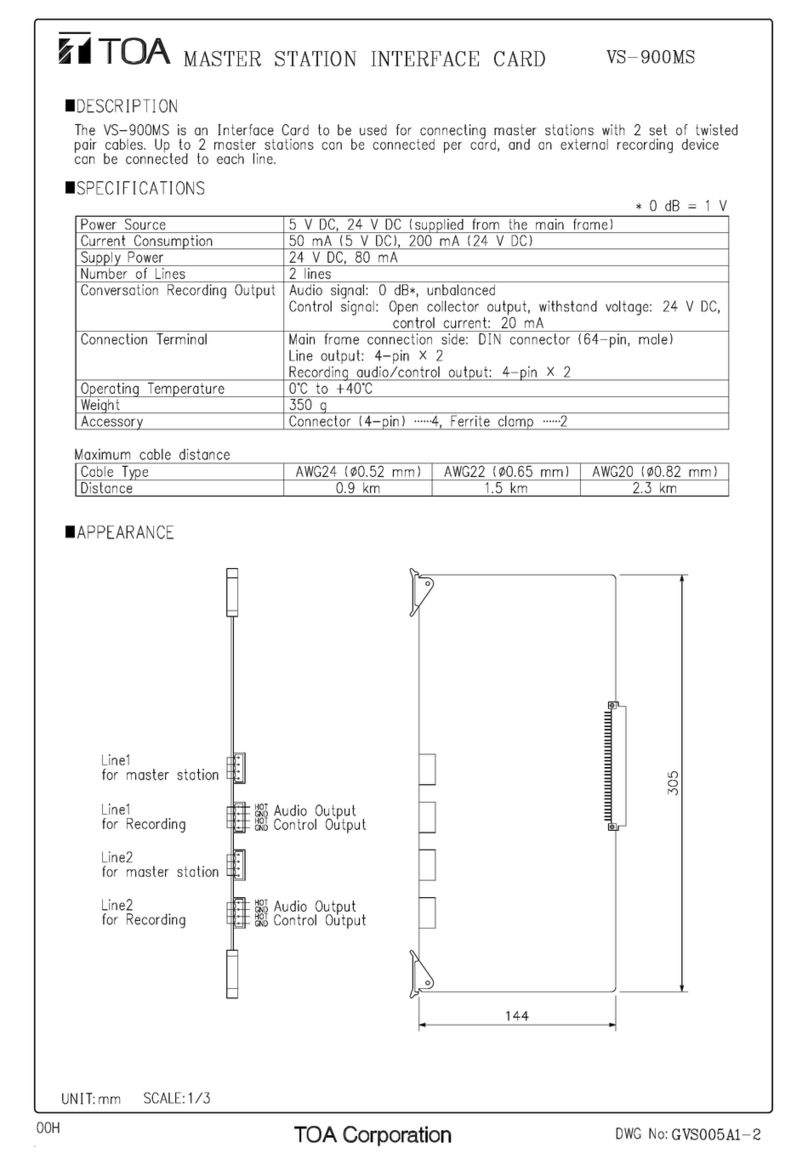
Toa VS-900MS User manual

Toa

Toa VS-900MS User manual

Toa VS-900DI User manual

Toa

Toa VS-900DI User manual

Toa EXES 6000 CP-66 System manual

Toa

Toa EXES 6000 CP-66 System manual

Toa CP-62 System manual

Toa

Toa CP-62 System manual

Toa N-8011MS User manual

Toa

Toa N-8011MS User manual

Toa RS-150 User manual

Toa

Toa RS-150 User manual

Toa HF-250M User manual

Toa

Toa HF-250M User manual

Toa VS-900MF User guide

Toa

Toa VS-900MF User guide

Toa CPU-52A System manual

Toa

Toa CPU-52A System manual

Toa VS-900TI User manual

Toa

Toa VS-900TI User manual

Toa N-8000 SERIES User manual

Toa

Toa N-8000 SERIES User manual

Toa EXES-6000 CP-64 System manual

Toa

Toa EXES-6000 CP-64 System manual

Toa N-SP80MS1 User manual

Toa

Toa N-SP80MS1 User manual

Popular Intercom System manuals by other brands

Bticino LINEA 3000 Installation

Bticino

Bticino LINEA 3000 Installation

MSI MSI-140 owner's manual

MSI

MSI MSI-140 owner's manual

golmar Stadio Plus instruction manual

golmar

golmar Stadio Plus instruction manual

CyberData 011211 series Installation quick reference

CyberData

CyberData 011211 series Installation quick reference

Vidos duo M1021 user manual

Vidos

Vidos duo M1021 user manual

Vimar ELVOX 7539/E Installation and operation manual

Vimar

Vimar ELVOX 7539/E Installation and operation manual

SSS Siedle BTSV 850-03 operating instructions

SSS Siedle

SSS Siedle BTSV 850-03 operating instructions

Dahua VTO Series quick start guide

Dahua

Dahua VTO Series quick start guide

Elvox 5651 Wiring instructions

Elvox

Elvox 5651 Wiring instructions

Videx VIDEOKIT Series owner's manual

Videx

Videx VIDEOKIT Series owner's manual

Safeguard Supply LRA-EX1000 user manual

Safeguard Supply

Safeguard Supply LRA-EX1000 user manual

SSS Siedle BFCV 850 Series operating instructions

SSS Siedle

SSS Siedle BFCV 850 Series operating instructions

GRD MAX V2 user manual

GRD

GRD MAX V2 user manual

Alecto ADI-250 user manual

Alecto

Alecto ADI-250 user manual

Aiphone IE-8MD Installation & operation manual

Aiphone

Aiphone IE-8MD Installation & operation manual

Perel EDB4 user manual

Perel

Perel EDB4 user manual

Bticino Classe 300 installation manual

Bticino

Bticino Classe 300 installation manual

LG L5142 Guide

LG

LG L5142 Guide

manuals.online logo
manuals.online logoBrands
  • About & Mission
  • Contact us
  • Privacy Policy
  • Terms and Conditions

Copyright 2025 Manuals.Online. All Rights Reserved.

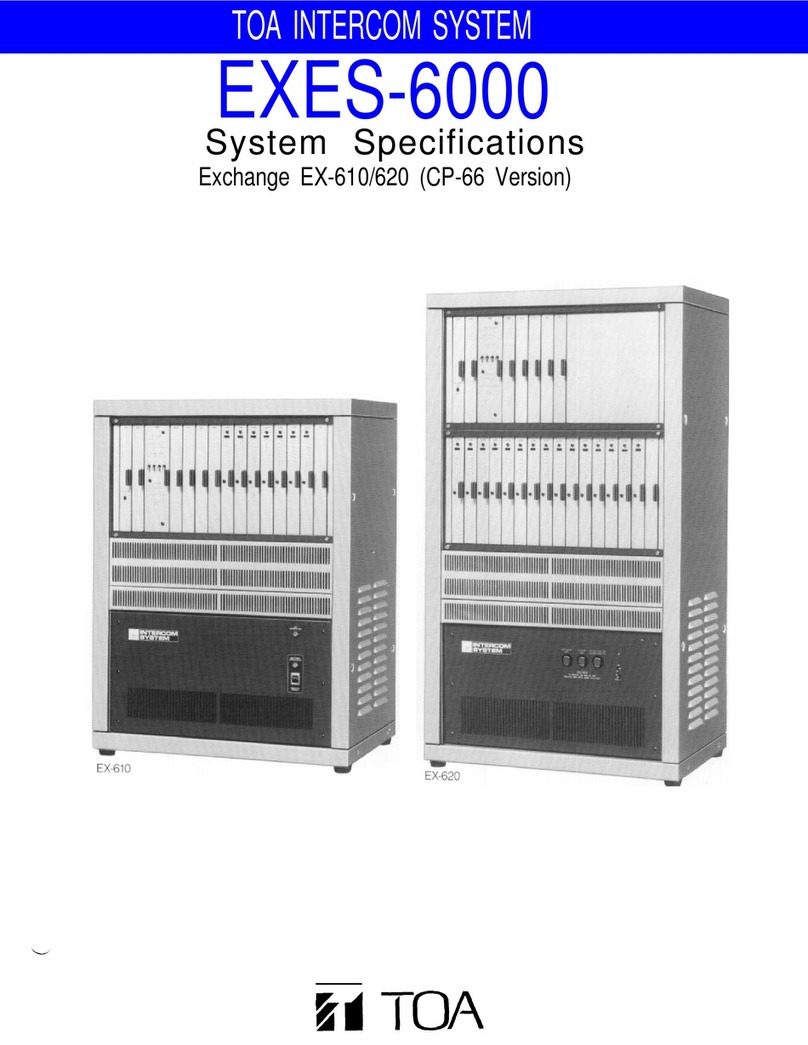
INTERCOM SYSTEM
CP-66
Functions and
Operating Instructions
TOA Corporation
EXES-6
OOO
CP-66
Contents
Introduction to the "Functions and Operating
Instructions"
for
stations
for
EXES-6000
............
Chapter 1. Basic Functions, Their Operatin Procedures and
All Functions
2
3
4
4
5
6
7
8
9
2
3
4
5
6
7
7
8
Chapter 2. Functions and Operatin Procedures of Sin le
Exchan e System
EXES-6000 CP-66 Summary of Dial Operations
(For
Single
Exchange)
......................
Description of Each Function
Camp-On-Busy
.........................
Busy
Call
Back
.........................
Privacy
(PV
Type)
......................
Camp-On-Privacy
(PV
Type)
................
Press-To-Talk
..........................
Mic Off (PV
Type/NP Type)
...............
Press-To-Talk
Control
....................
Single
Digit
Dialing
......................
Master Sub Relationship
...................
Automatic
Access
To
Paging
................
Personal
Number Call
....................
Continuous Calling Tone
..................
Remote
Response
.......................
Call
Transfer,
Paging
during Normal
Call
........
Group
Hunting
.........................
Secretary
Transfer
(PV
Type/NP Type)
........
Call
Forwarding
........................
Priority
...............................
Executive
Priority
.......................
Highest Executive Priority
.................
Conference
...........................
Paging
..............................
Other
Paging
Modes
.....................
44
45
46
48
49
50
5
5
52
53
54
54
54
54
55
56
57
58
59
60
6
62
62
Stations
................................
Speech
Functions
..........................
Station Operation (PV Type)
.
2.
3.
Handset Master Station (TL-600M/6 0M/620M) . . .
Handset Substation (TL-600S)
...............
Hands-free Master Station
(HF-2 0M/2 0MB/670M/HS-670)
..................
Hands-free Substation ........................
Hands-free/Handset Master Station
(HF-200M/200MB/250M)
.......................
Hands-free/Handset Substation
..................
Hands-free/Handset Master Station with Auto-dialer
(HF-250M)
..................................
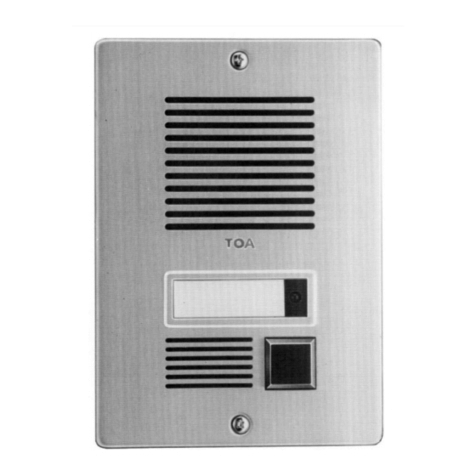
Door Station
(HF-640S)
.......................
Talk-back
unit
(TK-20)
........................
)
2)
3)
4)
5)
6)
7)
8)
9)
4. Station Operation (NP Type)
Handset Master Station (TL-600M/6 0M/660M) . . .
Handset
Substation (TL-600S)
..............
Hands-free Master Station
(HF2 0M/2 0MB/670M/HS-670)
...............
Hands-free Substation .......................
Hands-free/Handset Master Station
(HF-200M/200MB/250M) .....................
Hands-free/Handset Substation ...............
Hands-free/Handset Master Station with Auto-dialer
(HF-250M) .................................
Door Station
(HF-640S)
......................
Talk-back
unit
(TK-20)
.......................
)
2)
3)
4)
5)
6)
7)
8)
9)
5.
Functions: EXES-6000 CP-66
....................
20
24
24
25
26
26
27
27
28
29
29
30
3
32
33
34
35
38
39
39
40
4
42
43
24)
25)
26)
27)
28)
29)
30)
3 )
32)
33)
34)
35)
36)
37)
38)
39)
40)
4 )
42)
43)
44)
45)
46)
)
2)
3)
4)
5)
6)
7)
8)
9)
0)
)
2)
3)
4)
5)
6)
7)
8)
9)
20)
2 )
22)
23)
.
2.
How to Select the Paging Area and Make the
Paging
Call
...........................
All-Call
Paging
and
Individual Zone
Paging
......
Combination
Paging
.....................
Emergency All-Call
Paging
.................
Priority Station
Paging
....................
Personal
Number
Paging
...................
Selectable
First Station Number
.............
Programmable
Station Numbering
............
Group Blocking
........................
Programmable Restricted Access for Stations ....
Selectable
Calling
Tone
...................
Selectable Paging Pre-paging Tone
Duration
.............................
Time-Out
of
Conversation
.................
Time-Out
of
Paging
Call
...................
In/Out
Annunciation
.....................
Destination Annunciation Indication
..........
Calling Party Indication [Lamp Type]
.........
Calling Party Indication [Numerical Type]
......
Conversation Partner Indication
[Lamp Type]
....
Pocket
Pager
..........................
General
Purpose
Control
..................
Simplified
Paging
.......................
Clear
Entry
and
Conversation
Over
...........
Chapter 3. Functions and Operatin Procedures of Tie-Line
System
63
65
66
68
68
69
70
70
7
72
72
73
74
75
76
77
78
8
82
7)
8)
9)
20)
2 )
22)
23)
24)
25)
26)
27)
28)
29)
30)
3 )
32)
33)
34)
Chapter 4. Functions and Operatin Procedures of
External Interface System
. Description of Each Function
5)
6)
7)
8)
9)
0)
Tie-Line
Connections
of
Exchanges
...........
Restrictions Resulting from Tie-Line Connection . .
EXES-6000 CP-66 Summary of Dial Operations
(For
Tie-Line
System)
....................
Description of Each Function
.
2.
3.
4.
Camp-On-Busy
.......................
Busy Call Back
.......................
Privacy
(PV
Type)
....................
Camp-On-Privacy
(PV
Type)
.............
Press-To-Talk
........................
Single
Digit
Dialing
....................
Master Sub Relationship
................
Automatic
Access
To
Paging
..............
Personal Number Call
..................
Continuous
Calling
Tone
.................
Remote Response
.....................
Call Transfer, Paging during Normal Calls ......
Group
Hunting
.......................
Secretary Transfer
(PV
Type/NP
Type)
......
Highest Executive Priority
...............
Conference
.........................
)
2)
3)
4)
5)
6)
7)
8)
9)
0)
)
2)
3)
4)
5)
6)
Paging
............................
How to Select the Paging Area and Make the
Paging Call
.........................
All-Call Paging and Individual Zone Paging ....
Selectable First Station Number of Each
Exchange
..........................
Programmable
Station
Numbering
..........
Group
Blocking
......................
Programmable Restricted Access for Stations . . .
Selectable Calling
Tone
.................
Selectable Paging Pre-paging Tone
Duration
............................
Time-Out
of
Conversation
................
Time-Out
of
Paging Call
.................
In/Out
Annunciation
...................
Calling Party
Indication
[Lamp
Type]
.......
Conversation Partner Indication [Lamp Type] . .
Pocket
Pager
........................
General Purpose
Control
................
Simplified
Paging
.....................
Clear Entry
and
Conversation
Over
.........
83
84
85
86
87
88
90
9
9
9
9
92
93
94
95
96
98
98
)
2)
3)
4)
External
Interface
.....................
OD
Interface
........................
LD
Interface
........................
CB
Interface
........................
99
00
00
0
Tie-Line
Interface
.....................
Selectable Paging
.....................
Speech
Message
......................
Background music (BGM)
...............
Alarm
.............................
Time
signal
.........................
03
06
3
4
4
Introduction to the "Functions and Operatin Instructions" for stations for EXES-6000
This handbook explains the functions and operating
procedures of stations for TOA's EXES-6000 Intercom
System.
"PV" Type and "NP" Type
Please note that performances of some functions are
restricted in the tie-line system.
You need not read all the instructions given in this hand-
book but it is necessary to read the instructions on those
functions employed in your system. The following guide-
lines will help you select the pages that you should read.
Selectin different functions made available by placin the
Privacy Switch in the "ON" position
The EXES-6000 System is designed to allow either "PV"
type operation (the system having Privacy function) or
"NP" type (without Privacy function) to be selected by
turning on or off a switch inside the exchange. It is impos-
isble to make one station the "NP" type and another the
"PV" type in the same system.
This handbook is comprised of the followin 4 chapters:
Chapter 1. Basic functions, their operatin procedures
and all functions.
Chapter 2. Functions and operatin procedures of sin le
exchan e system.
Chapter 3. Functions and operatin procedures of tie-
line system.
Chapter 4. Functions and Operatin procedures of
External Interface system.
Refer to Chapters 1, 2 and 4 for sin le exchan e system
and to Chapters 1, 3 and 4 for tie-line system.
The function provided when the Privacy switch is in the ON
position is different between the "PV" and the "NP" type.
Therefore, read the page marked
if your system
is of the "PV" type and the Page
if it is of the
"NP" type.
Note.
* . Before you use a PV-type handset station, it is necessary
that you first register that station by station No.200
programming.
*2. By programming, the continuous calling tone function
may be made available to specific stations with the
Privacy switch in the OFF position.
other than the key stops the calling tone
and permits conversation.
This feature may be employed in the industrial type of
station (Model HF 670M) or in the "PV" type system
that needs to be continuously called.
— 1 —
Type
PV Type
NP Type
Definition
System having
Privacy function
System having
no Privacy func-
tion
Description
. Privacy tone
With the Privacy switch in
the ON position, a brief
Privacy tone sounds and *
. Continuous calling tone
A station with the Privacy
switch may be called by the
continuous calling tone
when its Privacy switch is
placed in the ON position.
One touch dialing any key
through
key or picking up the
handset stops the calling
tone and the stations is
made ready to initiate the
response to the call. *2
2. The Handset Master
station without Privacy
switch may be called by
the continuous calling
tone. Picking up the hand-
set stops the calling tone
and allows the conversation.
other than the
any incoming call is refused.
In this event, touch dialing any key ( through

Chapter
Basic functions, their operating procedures and all functions
1. Stations
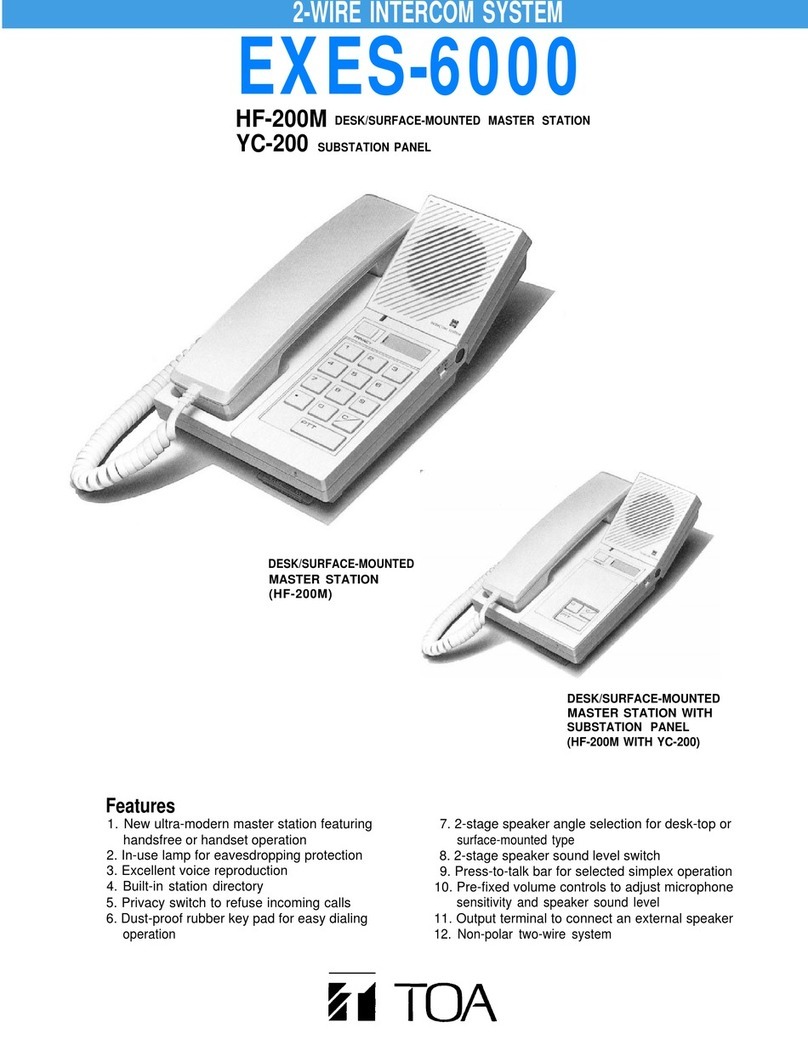
(1) HF-200M/HF-200MB
Desk/surface-mounted handsfree/handset master station
(7) HF-640S
Door station
(2) HF-210M/HF-210MB
Desk/surface-mounted handsfree master station
(8) HF-670M/HS-670
HF-670M
Industrial-use handsfree
master station
(3) TL-600M
Desk/surface-mounted handset operated master station
HS-670
Handset unit for HF-670M
(9) HF-250M
Desk/surface-mounted handsfree/handset master station
(4) TL-600S
Desk/surface-mounted handset operated substation
(10)TK-20
Talk-back unit
(5)TL-610M
Desk-top type handset operated master station
(6) TL-620M
Surface-mounted handset operated master station
- 2 -
2. Speech functions
Either "PV" Type (the system with Privacy function) or "NP" Type (without Privacy function) mode should be selected for
the whole intercom system.
When Privacy Switch (SW) of station is turned ON, privacy tone is available in "PV"Type system, while continuous calling
tone is available in "NP" Type system.
Callin
Voice
Receiv-
in
Speech
Methods
Functions
Dialing
One-Touch Dialing
Dialing after picking up
handset and comfirming
dial tone
Calling by picking up
handset
Voice Calling
Hands-free calling and
conversation
Continuous calling tone
response by one-touch
dialing
(No. 200 programming)
*
Privacy
Continuous calling tone
picking up response (in
Privacy mode)
Continuous calling tone
one-touch response (in
Privacy mode)
Voice switch
conversation
Simplex conversation by
press-to-talk key
Fully duplex
conversation
* This function may be employed for the industrial type of station (Model HF-670M) or in the "PV" system that needs to be continuously called.
*2 Before you use a PV-type handset station, it is necessary that you first register that station by station No. 200 programing.
Descriptions
Calls are made by touching dial key.
Even when the Privacy SW is on, calling is possible.
Substations can make a call to designated master stations by
one-touch dialing. Calling is possible even when the Privacy
SW is on.
Calls can be made by touching dial key after picking up
handset, and confirming dial tone is heard.
Substations can make a call to designated master stations by
simply picking up the handset.
When called by continuous calling tone or privacy tone, voice
can be sent by pressing bar.
By one-touch dialing keys, after a brief calling tone hands-free
conversation can get started.
One-touch dialing keys transmits a continuous calling tone.
Hands-free Conversation can get started when called party
depresses, the key.
When calls are unwanted, turn ON Privacy SW. Then a brief
privacy tone sounds when called. By turning off Privacy SW or
touching any key or by picking up a
handset, conversation becomes possible.
When called by continuous calling tone, conversation is
possible by picking up handset.
Calls can be answered by dialing the. key
without picking up handset when called by continuous calling
tone.
Two-way conversation is achieved automatically when two
parties speak in hands-free mode.
One-way conversation is made by a party who presses
Releasing the bar will reverse the one-way conversation
flow.
Fully duplex conversation is made when at least either party
uses a handset.
Stations *2
Without
Privacy SW
HF-670M
HF-640S
TL-6 0M
TL-620M
TL-600M
TL-600S
With
Privacy SW
HF-250M
HF-200M,
200MB
HF-2 0M,
2 0MB
—
HF-250M
HF-200M,
200MB
—
All stations except
HF-640S
HF-640S
HF-670M
HF-640S
HF-670M
—
TL-6 0M
TL-620M
TL-600M/S
—
HF-640S
HF-670M
HF-640S
HF-670M
TL-6 0M
TL-620M
TL-600M/S
HF-640S
HF-670M
HF-250M
HF-200M,
200MB
HF-2 0M,
2 0MB
HF-250M
HF-200M,
200MB
HF-2 0M,
2 0MB
HF-250M
HF-200M,
200MB
HF-2 0M,
2 0MB
HF-250M
HF-200M,
200MB
HF-250M
HF-200M,
200MB
HF-2 0M
2 0MB
HF-250M
HF-200M,
200MB
HF-2 0M,
2 0MB
HF-250M
HF-200M,
200MB
HF-2 0M,
2 0MB
HF-250M
HF-200M,
200MB
HF-2 0M,
2 0MB
Privacy
SW
ON/OFF
ON/OFF
ON
ON
ON/OFF
OFF
OFF
ON
ON
—
ON/OFF
ON/OFF
ON/OFF
— 3 —
3. Station Operation (PV Type)
1) Handset Master Station
Model TL-600M/610M/620M
Handset
In-use lamp
Speaker volume switch
Dial keys
TL-600M
Handset
Cord
Loudspeaker
In-use lamp
Keyboard
TL-620M
TL-6 0M
PV Type
< Makin a call >
. Pick up the handset and dial the desired station
number after hearing a dial tone.
2. Start conversation after the calling tone stops.
3. When you hear a busy tone that indicates the party
you call is on another line, you can camp on the line
by simply waiting without hanging up the handset.
As soon as the line becomes free, your call is auto-
matically connected.
4. While the continuous calling tone is sent, you can
break in on the calling tone by continuously depress-
ing the key to make a voice call through the
station speaker of the called party.
5. Hang up the handset or depress the key to termi-
nate the conversation.
< Respondin to a call >
6. When you are called by the continuous calling tone or
paged through your station speaker, respond to the
call by picking up the handset.
Note.
. The sound volume of the calling tone may be ad-
justed by means of a 2-stage volume selector. (SP.
VOL) switch.
2. When using this function in the PV type system
having the Privacy function, No. 200 programming is
required.
PV Type
2) Handset Substation
Model TL-600S
Handset
In-use lamp
Speaker volume switch
< Makin a call >
. Picking up the handset makes a call to the designated
station.
2. Start conversation after the calling tone stops.
3. When you hear a busy tone that indicates the party
you call is on another line, you can camp on the line
by simply waiting without hanging up the handset.
As soon as the line becomes free, your call is auto-
matically connected.
4. While the continuous calling tone is sent, you can
break in on the calling tone by continuously depress-
ing the key to make a voice call through the
station speaker of the called party.
5. Hang up the handset to terminate the conversation.
<Respondin to a call>
6. When you are called by the continuous calling tone or
paged through your station speaker, respond to the
call by picking up the handset.
Note.
. The sound volume of the calling tone may be ad-
justed by means of a 2-stage volume selector. (SP.
VOL) switch.
2. When using this function in the PV type system
having the Privacy function, No. 200 programming is
required.
— 4 —
3) Hands-free Master Station
Model HF-210M/210MB/670M/HS-670
PV Type
HS-670
HF-670M
Speaker
In-use lamp
Speaker volume
switch
Privacy switch
Dial keys
Microphone
HF-2 0M
< Makin a call >
. Dial the desired station number regardless of whether
the Privacy switch of your station is in the ON posi-
tion or OFF position.
2. Start conversation after the calling tone stops.
3. When the line is busy, a busy tone is heard and you
can camp on the line by simply waiting. As soon as
the line becomes free, your call is automatically
connected.
4. While a continuous calling tone or Privacy tone is
being sounded, you can make a voice call by continu-
ously depressing the key.
5. When the party you call is in a high noise level area,

your continuously depressing the key allows
one-way conversation to that party. As long as you
depress the key, your voice has dominance
and releasing the key will reverse the one-way
conversation from that party to you.
6. To terminate the conversation, depress the key.
< Respondin to a call >
[Privacy switch is OFF.]

7. Respond to the call after the calling tone stops.
[Privacy switch is ON.]
8. A brief Privacy tone sounds from your station each
time there is an incoming call and all incoming calls
are refused.
To respond touch dial any key
other than the key while the line is connected
between you and the calling party.
Note.
. The sound volume of the speaker may be adjusted by
means of the 2-stage volume selector (VOL) switch.
2. With no speaker built inside, the HF-670M needs to
be connected to an external speaker. Also, the
HF-650M is fitted with no Privacy switch.
3. When the HF-670M is connected to the handset unit
HS-670, lifting up the handset responds to call.
— 5 —
4) Hands-free Substation
Speaker
In-use lamp
Speaker volume
switch
Privacy switch
Dial keys
Microphone
HF-2 0M+YC-200
HF-2 0M+YC-240S
PV Type
< Makin a call >
. Touching the key makes a call to the designated
station regardless of whether the Privacy switch on
the calling station is in the ON position or OFF posi-
tion.
2. Start conversation after the calling tone stops.
3. When the line is busy, a busy tone is heard and you
can camp on the line by simply waiting. As soon as
the line becomes free, your call is automatically
connected.
4. While a continuous calling tone or Privacy tone is
being sounded, you can make a voice call by continu-
ously depressing the key.
5. When the party you call is in a high noise level area,
your continuously depressing the key allows
one-way conversation to that party. As long as you
depress the key, your voice has dominance
and releasing the key will reverse the one-way
conversation from that party to you.
6. To terminate the conversation, depress the key.
< Respondin to a call >
[Privacy switch is in the OFF.]
7. Respond to the call after the calling tone stops.
[Privacy switch is in the ON.]
8. A brief Privacy tone sounds from your station each
time there is an incoming call, and all incoming calls
are refused.
To respond, touch dial the or key while the
line is connected between you and the calling party.
Note.
. The sound volume of the speaker may be adjusted by
means of the 2-stage volume selector (VOL) switch.
2. The No.200 programming (Master/Sub relationship)
must be performed in the exchange to call a specified
master station.
— 6 —