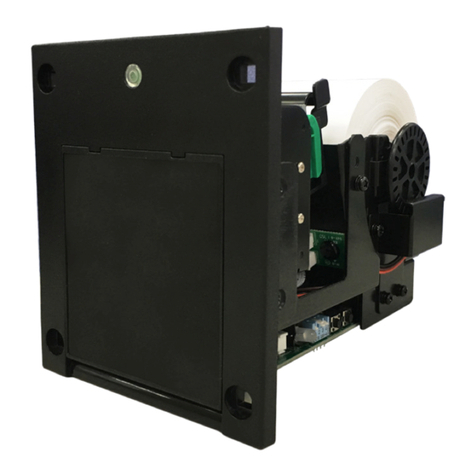
Top FP58 User manual

Thank you for choosing TOP VME .
FP58
Printer
Installation Guide


Contents
1. Introduction..................................................................................................1
1-1. Overview ...............................................................................................1
1-2. Features .................................................................................................1
2. Specification.................................................................................................2
2-1. General...................................................................................................2
2-2. Cutter .....................................................................................................2
2-3. Thermal Print Head ...........................................................................2
3. Dimension.....................................................................................................3
4. The Hardware Setup..................................................................................4
4-1. Connection Setting ...........................................................................4
4-2. LED and DIP Switch Setting............................................................7
4-3. Setting Step..........................................................................................8
5. Battery setup................................................................................................8
6. RS232 ..............................................................................................................9
6-1.Transmission Specification..............................................................9
6-2. Reading Date and Time...................................................................9
6-3. Setting the Date and Time Command.......................................9
6-4. Upload Trademark Graphic Formats ..........................................10
6-5. Typeset Print Function .....................................................................10
6-6. NO / NC choose .................................................................................11
6-7. Upload Text ..........................................................................................11
6-8. Clear Diary............................................................................................11

6-9. Paper Cutting.......................................................................................11
6-10. Direct Print Format - Graphics....................................................12
6-11. Direct Printing Format - Text.......................................................12
6-12. Print Score Reports.........................................................................12
6-13. Print Diary ..........................................................................................12
6-14. Retrieve Software Version...........................................................13
6-15. Read Machine Status .....................................................................13
7.Printer Introduction....................................................................................14
7-1. Roll Installation ..................................................................................14
7-2. Assemble and Disassemble of the Printer................................16
7-3. Printer Installation .............................................................................17
8.Troubleshooting...........................................................................................18
8-1. Paper Jamming ...................................................................................18
8-2. No paper out .......................................................................................18


FP58
1
1. Introduction
1-1. Overview
FP58 equipped with built-in clock, local time can be set before
shipment and the local time can be printed on the printed document.
FP58 provide users with deletable daily and summery report, it also
provide typesetting function, user can easily download or design
document formats, trademarks … etc. and can be stored inside FP58
for future use.
1-2. Features
• Easy grasp data
• Recode data quickly and securely
• Query and print easily

2
Printer
2
2. Specification
2-1. General
Power Source 12V DC (10.8~13.2V DC)
Input/Output level HI : 12V LO : 0V DC
Roll Width 56 ± 0.5 mm
Installation Indoor
Power Consumption
Standby:0.18A / 2.16W
Operation:2.1A / 25.2W
Maximum:2.5A / 30W
Weight Approx. 503g (without roll)
Temperature Range
Operation Temperature :
0° C~60° C
Storage Temperature :
-10° C~80° C
Humidity :
20%~70%RH (no condensation)
2-2. Cutter
Thickness Max. 0.12mm
Life Up to 500,000 times
Time Fastest 1 time / sec
2-3. Thermal Print Head
Life 30 km
Resolution 8 Ponints / mm
Speed 40 mm / sec

FP58
3
3. Dimension
Unit : mm [ inch ]
9.08 0.357 77.92 3.068
84.10 3.311 6.65 0.262
82.00 3.228
95.00 3.740
118.95 4.683
12.12 0.477
65.67 2.585
98.95 3.896
108.99 4.291
10.56 0.416
168.64 6.639
123.48 4.861

4
Printer
4
4. The Hardware Setup
4-1. Connection Setting
Please refer to the diagram below for the PIN information :
CN1 Serial Interface
PIN 1- GND PIN 5- RESET
PIN 2- X PIN 6- VCC (+5V DC)
PIN 3- PGD PIN 7- RX
PIN 4- PGC PIN 8- TX
1 2 3 4 5 6 7
CN7
CN1
2 4 6 8
1 3 5 7

FP58
5
WEL-RU082-K
1
7
PIN
PLUSE MODE
COLOR FEATURES
1Red +12VC
2Black GND
3Brown Coin
SIGNAL
PULSE
I/O
I
4Orange Note PULSE I
5Yellow Payout PULSE I
6Green NC
7Blue Error Low active O
PIN
HOPPER MODE
COLOR FEATURES
1Red +12VC
2Black GND
3Brown Coin
SIGNAL
PULSE
I/O
I
4Orange Note PULSE
PULSE
I
5Yellow HOPPER SSR Low active I
6Green HOPPER SW
7Blue Error Low active O
O
Table of contents
Other Top Printer manuals