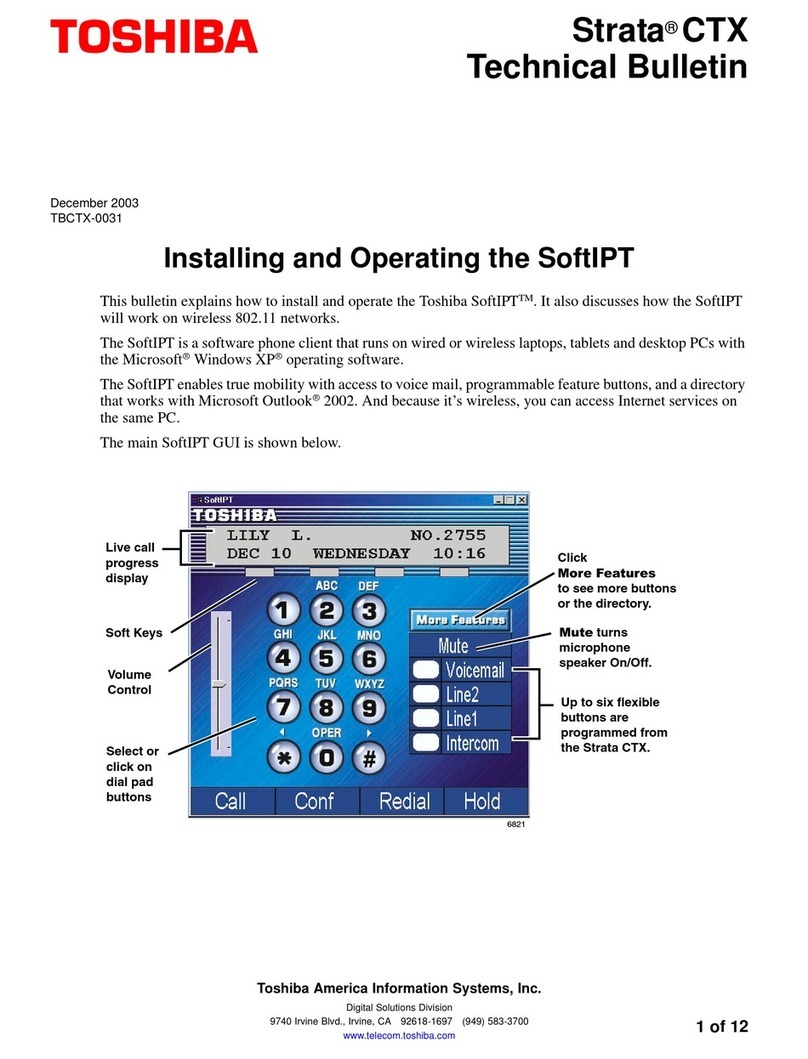
Application Users Tab
Net Server Administrator 7 of 14
When New, Copy, or Edit are used, a new dialog box appears defining that user.
Field Definitions
Application This is the name of the Application for which the User is defined.
User or Group
This is the client name of the user (see Clients). However by setting this to
<Default> (or leaving it blank) you will define the settings for the Default
User. This is very useful because you can set the behavior for all typical
users by creating a Default User, and then you only need to add any
additional clients that need settings other than those of the Default User.
Each user can be assigned to a group by setting this number (application
may use this to standardize settings/features for each group).
Read Level This defines the access privileges for being able to read information about
the application. The settings are Denied, Self, Group, or World.
Modify Level This defines the access privileges for being able to modify the information
about the application. The settings are Denied, Self, Group, or World.
Setting #1 Reserved for future use.
Setting #2 Reserved for future use.
Class of Service:
Manual/Automatic
These options are used to control the user access privileges.
Note Each application may (or may not) use these settings so you must
refer to the individual client applications for information on if and
how they use these settings.
Server Admin
Privilege Enables the user to do administration of server configuration files.
UseServer-Based
Configurations When enabled this user will get his/her program configuration settings from
the server in this application's folder (see below). If this is disabled, the user
will get configuration settings from his/her local PC.
Group Admin
Privileges #1/#2 Determines if this user can perform functions for the group (unique to each
application).
Other App
Privileges #1/#2 Determines if this user can perform other functions (unique to each
application)
COS Define a COS number
Files The server keeps each application's configuration files in a separate folder
on the server. The folder is named the same as the application (i.e.
NetPhone).