manuals.online logo
Brands
  1. Home
  2. •
  3. Brands
  4. •
  5. Traxxas
  6. •
  7. Motorized Toy Car
  8. •
  9. Traxxas HOSS 4x4 VXL User manual

Traxxas HOSS 4x4 VXL User manual

Other Traxxas Motorized Toy Car manuals

Traxxas BRONCO RANGER XLT TRX4 Scale and Trail... User manual

Traxxas

Traxxas BRONCO RANGER XLT TRX4 Scale and Trail... User manual

Traxxas UNLIMITED DESERT RACER 85086-4 User manual

Traxxas

Traxxas UNLIMITED DESERT RACER 85086-4 User manual

Traxxas E-Maxx 3903 User manual

Traxxas

Traxxas E-Maxx 3903 User manual

Traxxas 1/16 SLASH 4x4 User manual

Traxxas

Traxxas 1/16 SLASH 4x4 User manual

Traxxas E REVO VXL User manual

Traxxas

Traxxas E REVO VXL User manual

Traxxas 83056-4 User manual

Traxxas

Traxxas 83056-4 User manual

Traxxas E Revo VXL Brushless 7107 User manual

Traxxas

Traxxas E Revo VXL Brushless 7107 User manual

Traxxas SLASH VXL 58076-21 User manual

Traxxas

Traxxas SLASH VXL 58076-21 User manual

Traxxas SLASH VXL 58076-4 User manual

Traxxas

Traxxas SLASH VXL 58076-4 User manual

Traxxas Slash Mike Jenkins Edition Manual

Traxxas

Traxxas Slash Mike Jenkins Edition Manual

Traxxas 38104-1 User manual

Traxxas

Traxxas 38104-1 User manual

Traxxas TRX4 82076-4 User manual

Traxxas

Traxxas TRX4 82076-4 User manual

Traxxas 67014-4 User manual

Traxxas

Traxxas 67014-4 User manual

Traxxas 4810 User manual

Traxxas

Traxxas 4810 User manual

Traxxas E-Maxx 3908L User manual

Traxxas

Traxxas E-Maxx 3908L User manual

Traxxas 93054-4 User manual

Traxxas

Traxxas 93054-4 User manual

Traxxas Revo 3.3 5309 User manual

Traxxas

Traxxas Revo 3.3 5309 User manual

Traxxas X-MAXX 77086 User manual

Traxxas

Traxxas X-MAXX 77086 User manual

Traxxas BANDIT User manual

Traxxas

Traxxas BANDIT User manual

Traxxas Rustler 3705 User manual

Traxxas

Traxxas Rustler 3705 User manual

Traxxas T-Maxx 3.3 User manual

Traxxas

Traxxas T-Maxx 3.3 User manual

Traxxas 88096-4 User manual

Traxxas

Traxxas 88096-4 User manual

Traxxas Slash 4x4 Ultimate 6807 User manual

Traxxas

Traxxas Slash 4x4 Ultimate 6807 User manual

Traxxas Slash 5804 User manual

Traxxas

Traxxas Slash 5804 User manual

Popular Motorized Toy Car manuals by other brands

Reely Dune Fighter 3S operating instructions

Reely

Reely Dune Fighter 3S operating instructions

REVELL 1970 Chevelle SS 454 manual

REVELL

REVELL 1970 Chevelle SS 454 manual

Team Losi Micro Rally Car Operation guide

Team Losi

Team Losi Micro Rally Car Operation guide

Jamara Mercedes-AMG GLE 63 Instruction

Jamara

Jamara Mercedes-AMG GLE 63 Instruction

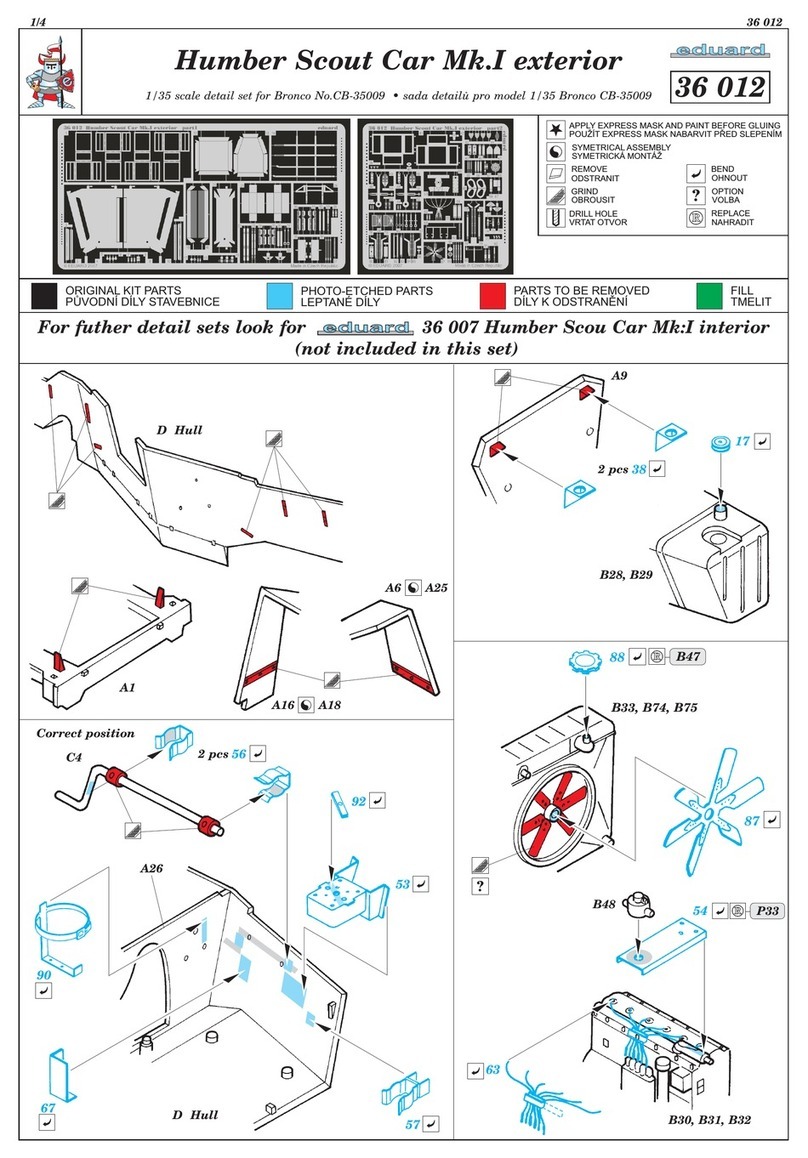
Eduard Humber Scout Car Mk.I exterior quick start guide

Eduard

Eduard Humber Scout Car Mk.I exterior quick start guide

Jamara VW T1 Bus Instruction

Jamara

Jamara VW T1 Bus Instruction

REVELL 68 CHEVY CHEVELLE SS 396 manual

REVELL

REVELL 68 CHEVY CHEVELLE SS 396 manual

Schumacher Pro Cat instruction manual

Schumacher

Schumacher Pro Cat instruction manual

Tamiya TT-01 TYPE E instruction manual

Tamiya

Tamiya TT-01 TYPE E instruction manual

Eduard Krupp Protze 6x4 1/48 quick start guide

Eduard

Eduard Krupp Protze 6x4 1/48 quick start guide

New Bright 61072UEP quick start guide

New Bright

New Bright 61072UEP quick start guide

Team Durango DEX410v5 manual

Team Durango

Team Durango DEX410v5 manual

Jamara Mercedes Actros Muldenkipper 2,4 GHz Instruction

Jamara

Jamara Mercedes Actros Muldenkipper 2,4 GHz Instruction

PLAYMOBIL 9536 manual

PLAYMOBIL

PLAYMOBIL 9536 manual

Atomic BZ3 instruction manual

Atomic

Atomic BZ3 instruction manual

Jamara McLaren Senna 2,4GHz instructions

Jamara

Jamara McLaren Senna 2,4GHz instructions

Aiyaplay 370-290V00 user manual

Aiyaplay

Aiyaplay 370-290V00 user manual

ZEROTRIBE Zetricks ZT1144 instruction manual

ZEROTRIBE

ZEROTRIBE Zetricks ZT1144 instruction manual

manuals.online logo
manuals.online logoBrands
  • About & Mission
  • Contact us
  • Privacy Policy
  • Terms and Conditions

Copyright 2025 Manuals.Online. All Rights Reserved.

Covers Part #9095
LED Light Kit Installation Instructions
Kit contents:
• 3-volt accessory power supply
• Electronic speed control (ESC) power tap
• Front bumper with LED light bar
• Rear bumper with LED light bar
• 3x8mm button-head cap screws (2)
• 2.6x8mm button-head cap screws (2)
• Zip ties (3)
TRAXXAS.com
Traxxas, 6250 Traxxas Way, McKinney, TX 75070,
Phone: 972-549-3000, Fax: 972-549-3011, e-mail: [email protected]
HKC20071-R00 Rev 201023
Tools needed:
• 2.0mm hex wrench
• 2.5 mm hex wrench
Visitez Traxxas.com/manuals pour télécharger
les instructions dans votre langue.
Visite la página Traxxas.com/manuals para
descargar el instrucciones en su idioma.
Auf Traxxas.com/manuals, können Sie
anleitung in Ihrer Sprache downloaden.
A
4x18mm BCS
3x15mm BCS
B
1
4x14mm BCS
Remove the existing front and rear bumpers (A, B).
Retain and reuse all screws.
4
2.6x8mm BCS
(self-tapping)
Install the cover on the power tap.
ESC Power
Tap Cover
ESC Wiring
3x8mm BCS
C
DE
2
4x18mm BCS
3x15mm BCS
4x14mm BCS
E
Install the new front and rear bumpers (C, D) using the screws
removed in step 1; then, install the accessory power supply (E)
with the included 3x8mm BCS (2).
CAUTION: RISK OF DAMAGE TO
BATTERIES!
Do not attach the power tap to the battery
connector. Attach to the electronic speed control (ESC) connector only.
Always disconnect the battery from the ESC when not in use to prevent
the possiblity of over-discharge.
CAUTION: RISK
OF DAMAGE TO
ACCESSORIES!
Note the polarity and wire color on
the pre-installed wires on the power
tap. Ensure the polarity is correct
during installation on the High-
Current Connector: red (+) (positive),
black (-) (negative).
Important Note! Use the included power tap as the direct battery source for the accessory power supply.
Do not connect to the accessory BEC power output on the ESC (if equipped). Connecting high-load
accessories to the power supply while it is plugged directly into the ESC could overload the speed
control’s BEC circuit. This may cause the speed control to go into thermal protection mode or could cause
damage to the speed control.
3
High-Current
Connector
Attach the power tap to the High-Current Connector of the electronic speed control (ESC).
ESC
Power Tap
ESC Wiring
During installation, be sure that
the terminals of the High-Current
Connector and the power tap
make full contact.

ESC Wiring
Power Tap
Wire colors
mismatched
TRAXXAS.com
Traxxas, 6250 Traxxas Way, McKinney, TX 75070,
Phone: 972-549-3000, Fax: 972-549-3011, e-mail: [email protected]
Warranty Information
Traxxas electronic components are warranted to be free from
defects in materials and workmanship for a period of 30 days from
the date of purchase.
Limitations: Any and all warranty coverage does not cover
replacement of parts and components damaged by abuse, neglect,
improper or unreasonable use, crash damage, water or excessive
moisture, chemical damage, improper or infrequent maintenance,
accident, unauthorized alteration or modification or items that are
considered consumable. Traxxas will not pay for the cost of shipping
or transportation of a defective component to us.
Traxxas Lifetime Electronics Warranty
After the expiration date of the warranty period, Traxxas will repair
electronic components for a flat rate. Please visit Traxxas.com/
support for a current schedule of warranty costs and fees. The
covered repairs are limited to non-mechanical components that
have NOT been subjected to abuse, misuse, or neglect. Products
damaged by intentional abuse, misuse, or neglect may be subject
to additional charges. Traxxas liability, in no case, shall be greater
than the actual purchase price of this product. For replacement,
product must be returned in brand new condition, with packaging
and itemized sales receipt.
If you have questions or need technical assistance, call Traxxas at
1-888-TRAXXAS
(1-888-872-9927) (U.S. residents only)
This device complies with FCC Part 15 & IC RSS-210
rules subject to the following conditions:1) This
device may not cause harmful interference, and 2) This
device must accept all interference received, including
interference that may cause undesired operation.
Wiring Diagram
5
Route the wire harnesses from the front and rear bumpers to the
accessory power supply. Use the included zip ties (3) to secure
the harnesses. Note: Ensure the wire harness is kept away from
any moving parts and heated surfaces. Plug the black male
connectors from the accessory power supply into the black female
connectors from the front and rear bumper wire harnesses. Plug
the red power tap male connector into the red female connector
from the accessory power supply. The accessory power supply
and LED lights will turn on when a battery is connected.
Always disconnect the battery when not in use.
Rear Bumper with LED Lights
Front Bumper with LED Light Bar
Rear Bumper
High-Current Connector
with installed Power Tap
Accessory Power
Supply
Front Bumper
Do not use for
this accessory
Electronic Speed
Control