EnglishDeutsch
 logo
Brands
  1. Home
  2. •
  3. Brands
  4. •
  5. TRENDnet
  6. •
  7. Adapter
  8. •
  9. TRENDnet TU2-DVIV User manual

TRENDnet TU2-DVIV User manual

Other manuals for TU2-DVIV

2

Other TRENDnet Adapter manuals

TRENDnet TEW-224UB User manual

TRENDnet

TRENDnet TEW-224UB User manual

TRENDnet TEW-441PC - 108Mbps Wireless PC Card... User manual

TRENDnet

TRENDnet TEW-441PC - 108Mbps Wireless PC Card... User manual

TRENDnet TUC-HDMI2 User manual

TRENDnet

TRENDnet TUC-HDMI2 User manual

TRENDnet TU-ET100C - User manual

TRENDnet

TRENDnet TU-ET100C - User manual

TRENDnet HotFlash TEW-429UF Instruction Manual

TRENDnet

TRENDnet HotFlash TEW-429UF Instruction Manual

TRENDnet TEW-644UB User manual

TRENDnet

TRENDnet TEW-644UB User manual

TRENDnet TU2-HDMI User manual

TRENDnet

TRENDnet TU2-HDMI User manual

TRENDnet TE-210CT User manual

TRENDnet

TRENDnet TE-210CT User manual

TRENDnet TEW-624UB User manual

TRENDnet

TRENDnet TEW-624UB User manual

TRENDnet TEW-805UB User manual

TRENDnet

TRENDnet TEW-805UB User manual
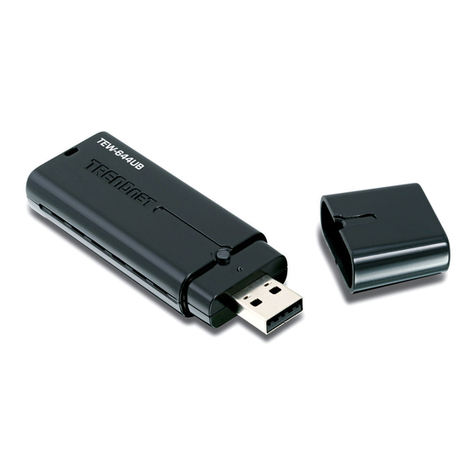
TRENDnet TBW-107UB User manual

TRENDnet

TRENDnet TBW-107UB User manual

TRENDnet TUC-VGA2 User manual

TRENDnet

TRENDnet TUC-VGA2 User manual

TRENDnet TBW 106 User manual

TRENDnet

TRENDnet TBW 106 User manual

TRENDnet TBW-107UB User manual

TRENDnet

TRENDnet TBW-107UB User manual

TRENDnet N600 User manual

TRENDnet

TRENDnet N600 User manual

TRENDnet TEW-649UB User manual

TRENDnet

TRENDnet TEW-649UB User manual

TRENDnet TPL-310AP User manual

TRENDnet

TRENDnet TPL-310AP User manual

TRENDnet TU3-HDMI User manual

TRENDnet

TRENDnet TU3-HDMI User manual

TRENDnet TPL-308E User manual

TRENDnet

TRENDnet TPL-308E User manual

TRENDnet TPL-303E2K User manual

TRENDnet

TRENDnet TPL-303E2K User manual

TRENDnet TPL-331EP2K User manual

TRENDnet

TRENDnet TPL-331EP2K User manual

TRENDnet TEW-424UB User manual

TRENDnet

TRENDnet TEW-424UB User manual

TRENDnet TPL-402E User manual

TRENDnet

TRENDnet TPL-402E User manual

TRENDnet TE100-PCBUSR - DATA SHEETS User manual

TRENDnet

TRENDnet TE100-PCBUSR - DATA SHEETS User manual

Popular Adapter manuals by other brands

NETGEAR XAV1301v1/XAVB1301v1 null

NETGEAR

NETGEAR XAV1301v1/XAVB1301v1 null

PCB Piezotronics 090B274 Installation and operating manual

PCB Piezotronics

PCB Piezotronics 090B274 Installation and operating manual

Gossen MetraWatt AT3-III E operating instructions

Gossen MetraWatt

Gossen MetraWatt AT3-III E operating instructions

Akribis ITF-21-BISS-MIT user manual

Akribis

Akribis ITF-21-BISS-MIT user manual

Auvidea J20 Technical reference manual

Auvidea

Auvidea J20 Technical reference manual

Tenda W54U user guide

Tenda

Tenda W54U user guide

ROHO AGILITY Operation manual

ROHO

ROHO AGILITY Operation manual

PROLiNK WN2001 Quick installation guide

PROLiNK

PROLiNK WN2001 Quick installation guide

Hawking HUF2 Specifications

Hawking

Hawking HUF2 Specifications

Airlink101 AWLC4030 user manual

Airlink101

Airlink101 AWLC4030 user manual

NETGEAR XAV101v1 - Powerline AV Ethernet Adapter user manual

NETGEAR

NETGEAR XAV101v1 - Powerline AV Ethernet Adapter user manual

Philips SWA4554S/10 user manual

Philips

Philips SWA4554S/10 user manual

JVC TS-C9D2B Assembly and installation instructions

JVC

JVC TS-C9D2B Assembly and installation instructions

NETGEAR A6100 quick start

NETGEAR

NETGEAR A6100 quick start

D-Link DWA-121 Quick install guide

D-Link

D-Link DWA-121 Quick install guide

Philips SWA2037 Specifications

Philips

Philips SWA2037 Specifications

Basalte 0610-20 installation manual

Basalte

Basalte 0610-20 installation manual

Yealink EHS40 user guide

Yealink

Yealink EHS40 user guide

https://manuals.online logo
https://manuals.online logoBrands
  • About & Mission
  • Contact us
  • Privacy Policy
  • Terms and Conditions

Copyright 2026 Manuals.Online. All Rights Reserved.

The USB to DVI / VGA Adapter uses a USB port on your computer to
connect to a high definition DVI or VGA monitor. Connect your desktop or
laptop to a DVI monitor and experience the visual impact of 32-bit True
Color Depth technology and a sparkling 1600 x 1200 high definition image.
Install the driver and plug the USB 2.0 cable into your Microsoft Windows
desktop or laptop computer. The adapter can plug into a LCD or CRT
monitor that has a free VGA or DVI port. Standard or wide screen viewing
modes are supported. Clone your monitor image onto 7 monitors or
display a single viewing field over multiple screens.
TU2-DVIV (A1.0R)
USB to DVI/VGA Adapter
TU2-DVIV
rev:10.02.2008
• Compliant with CRT and Flat Panel (LCD) monitors
• High definition of up to UXGA 1600 x 1200 resolution for standard or wide screen ratios
• Use up to 7 monitors to clone or divide a single viewing screen
• 32-bit True Color Depth technology
• Auto display identification using VESA compliant protocols
• Installs as a Virtual Graphics Card (VGC) and fully USB 2.0 Bus-Powered
• Supports up to 6 monitors simultaneously with static, interactive and video content
• Supports Windows 2000/XP/Vista (include Vista Aero mode) operating systems
• 2 year limited warranty
FEATURES
medianet
Interface
Dimension
Power mode
Expansions
Supported OS
Resolution
Weight
Temperature
Certifications
Humidity
• USB 2.0 ; DVI-I
• 1.2Ghz or higher processor clock speed
• DVI-I; VGA (DVI to D-Sub15 VGA adapter)
• 48 x 77 x 22mm (1.8 x 3 x 0.9 in)
• 55g (1.8oz)
• Operation: 10% to 90% (Non-Condensing)
• Bus-power
• Up to 6 adapters (7 monitors)
• Windows 2000(SP4) /XP(SP4) /Vista
• Operating: 0° C ~ 40° C (32° F ~ 104° F)
• Up to 1600 x 1200 UXGA (recommended)
• Up to 2048 x 1056 QXGA
• Intel Core 2 Duo or equivalent power CPU
• Storage: 10° C ~ 70° C (14° F~ 158° F)
• FCC, CE
System Requirements
Standard
Hardware
TRENDnet is a registered trademark. Other Brands and product names are trademarks of their respective holders. Information provided in this document pertain to TRENDnet
products and is subject to change at any time, without notice. For the most recent product information please visit
http://www.trendnet.com.
©
Copyright TRENDnet. All Rights Reserved.
RELATED PRODUCTS
PACKAGE CONTENTS
TU2-700
TU2-400E 4-Port Compact USB Hub
• CD-ROM (Utility & Drivers)
• 1 x VGA to DVI convertor
7-Port Hi-Speed USB 2.0 Hub
• TU2-DVIV
• Multi-Language Quick Installation Guide
ORDERING INFORMATION
To Order Please Call:
1-888-326-6061
NETWORKING SOLUTIONS
SPECIFICATIONS
20675 Manhattan Place,Torrance, CA 90501 USA
Tel: 1-310-961-5500
Fax: 1-310-961-5511
Web:
Email: [email protected]
www.trendnet.com
TU2-DVIV (A1.0R)
USB to DVI/VGA Adapter
• 1 x USB cable (45cm / 18in)
USB to DVI/VGA Adapter
(TU2-DVIV)
USB to DVI/VGA Adapter
(TU2-DVIV)
C
Extended View (Image divided over multiple monitors)
Mirror View (Image repeated over multiple monitors)
Rotate 90° left Rotate 90° right
A
Rotate 180°
AA
A
AA
A
A
B
Supported viewing angles
• 512MB RAM for single monitor 1GB RAM or more for multiple monitors
• 1 x USB 2.0 port and 30MB free disk space