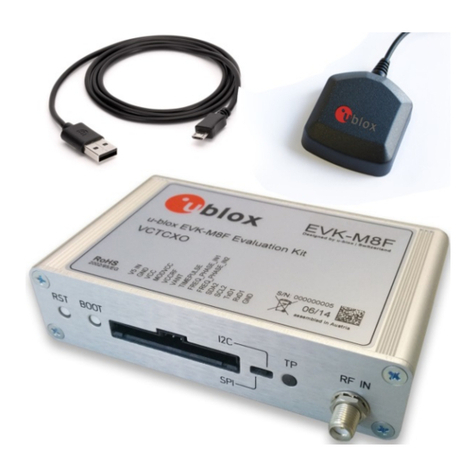
EVK-F9P-01 - User guide
UBX-22038408 - R03 Contents Page 3 of 28
C1- Public
Contents
Document information................................................................................................................................2
Contents ..........................................................................................................................................................3
1Product description ..............................................................................................................................5
1.1 Overview........................................................................................................................................................ 5
1.2 Kit contents.................................................................................................................................................. 5
1.3 Software and documentation................................................................................................................... 5
1.4 System requirements ................................................................................................................................ 5
2Specifications .........................................................................................................................................6
2.1 Safety precautions ..................................................................................................................................... 6
2.1.1 Certifications ....................................................................................................................................... 6
3Getting started.......................................................................................................................................7
3.1 Installing u-center software...................................................................................................................... 7
3.2 Installing hardware ..................................................................................................................................... 7
3.3 Default interface settings .........................................................................................................................8
4Device description.................................................................................................................................9
4.1 Interface connection and measurement................................................................................................9
4.2 Active antenna............................................................................................................................................. 9
4.3 Evaluation unit............................................................................................................................................. 9
4.3.1 Antenna connector (RF IN) ............................................................................................................... 9
4.3.2 USB connector..................................................................................................................................... 9
4.3.3 DB9 connector (RS232)...................................................................................................................10
4.3.4 RST button.........................................................................................................................................10
4.3.5 Safe boot button...............................................................................................................................10
4.3.6 Slide switch ........................................................................................................................................10
4.3.7 Pin header...........................................................................................................................................11
4.3.8 LED.......................................................................................................................................................12
5Measuring current.............................................................................................................................. 13
6RTK setup.............................................................................................................................................. 14
6.1 Setting up NTRIP client in u-center.......................................................................................................14
6.2 Setting up MQTT client in u-center.......................................................................................................15
6.3 Monitoring RTK status ............................................................................................................................16
7Block diagram ...................................................................................................................................... 18
8Board layout.......................................................................................................................................... 19
9Component list .................................................................................................................................... 20
10 Schematic ............................................................................................................................................. 22
11 Troubleshooting.................................................................................................................................. 24
12 Common evaluation pitfalls ............................................................................................................ 26
Appendix ....................................................................................................................................................... 27
AGlossary ................................................................................................................................................. 27