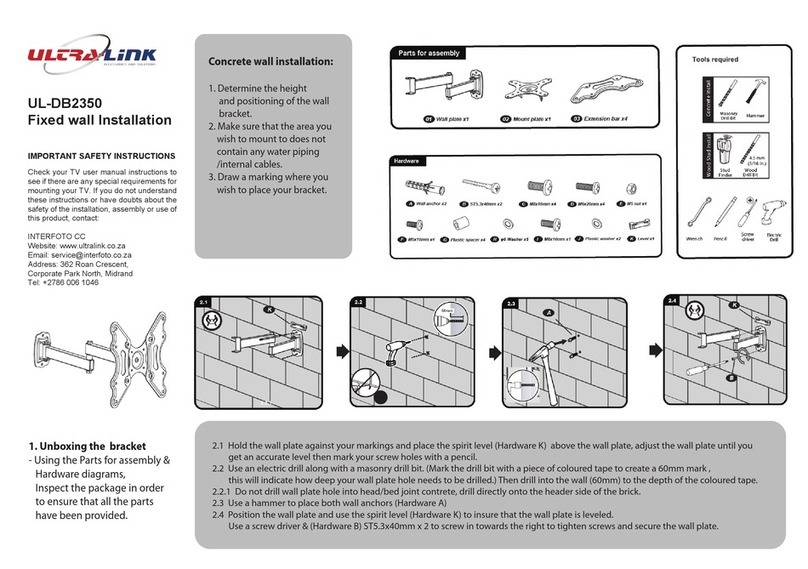
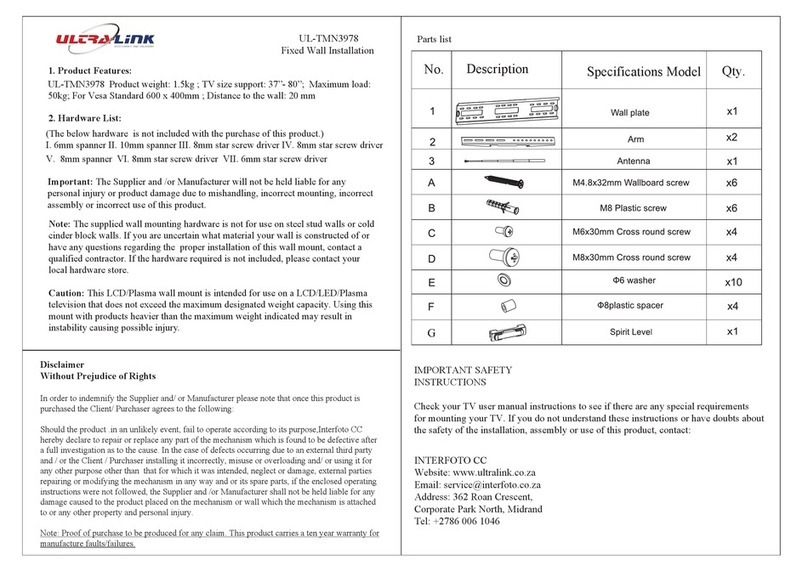
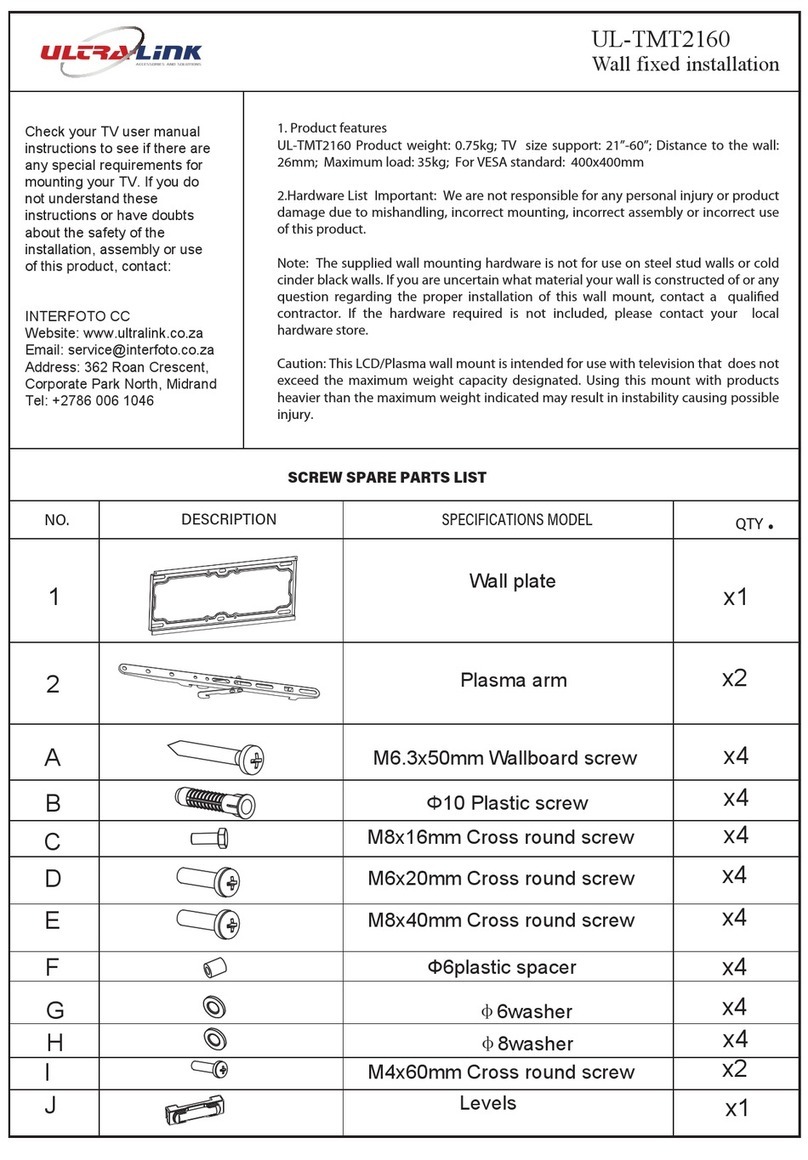
Parts list
1.Product Features
UL-TMN1450 Product weight: 0.6kg; TV size support: 14" -50"; Distance to the wall:
25mm; Maximum load: 30kg; For VESA standard: 200x200mm
2.Hardware List
Important: The Supplier and / or Manufacturer
will not be held liable for any personal
injury or product damage due to mishandling, incorrect mounting, incorrect assembly
or incorrect use of this product.
Note: The supplied wall mounting hardware is not for use on steel stud walls or
cold cinder block walls. If you are uncertain what material your wall is constructed
of or have any questions regarding
the
proper
installation
of
this
wall
mount, contact
a
qualified contractor. If the hardware required is not included, please contact your
local hardware store.
Caution: This wall mount is intended for use on a LCD / LED / Plasma television that
does not exceed the maximum designated weight capacity. Using this mount with
products heavier than the maximum weight indicated may result in instability causing
possible injury or damage.
Without Prejudice
of Rights
In order to indemnifythe Supplierand / or Manufacturer please note that once this product is
purchased the Client/ Purchaser agrees to the following:
Shouldthe product, in an unlikely event, fail to operate according to its purpose, Interfoto CC
hereby declare to repair or replace any part of the mechanism which is found to be defective after
fullinvestigation as to the cause. In the case of defects occurringdue to an external third party and /
or the Client/ Purchaser installingit incorrectly, misuse or overloading and / or using it for any other
purpose other than that for which it was intended, neglect or damage, external parties repairing or
modifyingthe mechanism in any way and or its spare parts, if the enclosed operating instructions
were not followed, the Supplierand / or Manufacturer shall not be held liable for any damage
caused to the product placed on the mechanism or wall which the mechanism is attached to or any
other property, and personal injury.
Note: Proof of Purchase to be produced for any claim.This product carries ten years warranty for
Manufacture faults / failures.
Disclaimer
I. 6mm spanner II. 10mm spanner III. 8mm star screw driver
IV. 8mm star screw driver V. 8mm spanner
VI. 8mm star screw driver VII. 6mm star screw driver
(the below hardware are not included in the product)
UL-TMN1450
Fixed Wall Installation
No.Description Qty
.
Specifications Model
x2
A
B
C
1
2
Wall plate
Plasma arm
D
E
M6x30mm Cross round screw x4
Ф6plastic spacer
x2
M5x30mm Cross round screw
x1
x4
x4
x4
x8
Ф6washer
F
M4.8x32 Wallboard screw
Φ8 Plastic screw
Spirit Level x1
G
Check your TV user manual instructions to see if there are any special
requirements for mounting your TV. If you do not understand these
instructions or have doubts about the safety of the installation, assembly
or use of this product, contact:
INTERFOTO CC
Website: www.ultralink.co.za
Address: 362 Roan Crescent,
Corporate Park North, Midrand
Tel: +2786 006 1046