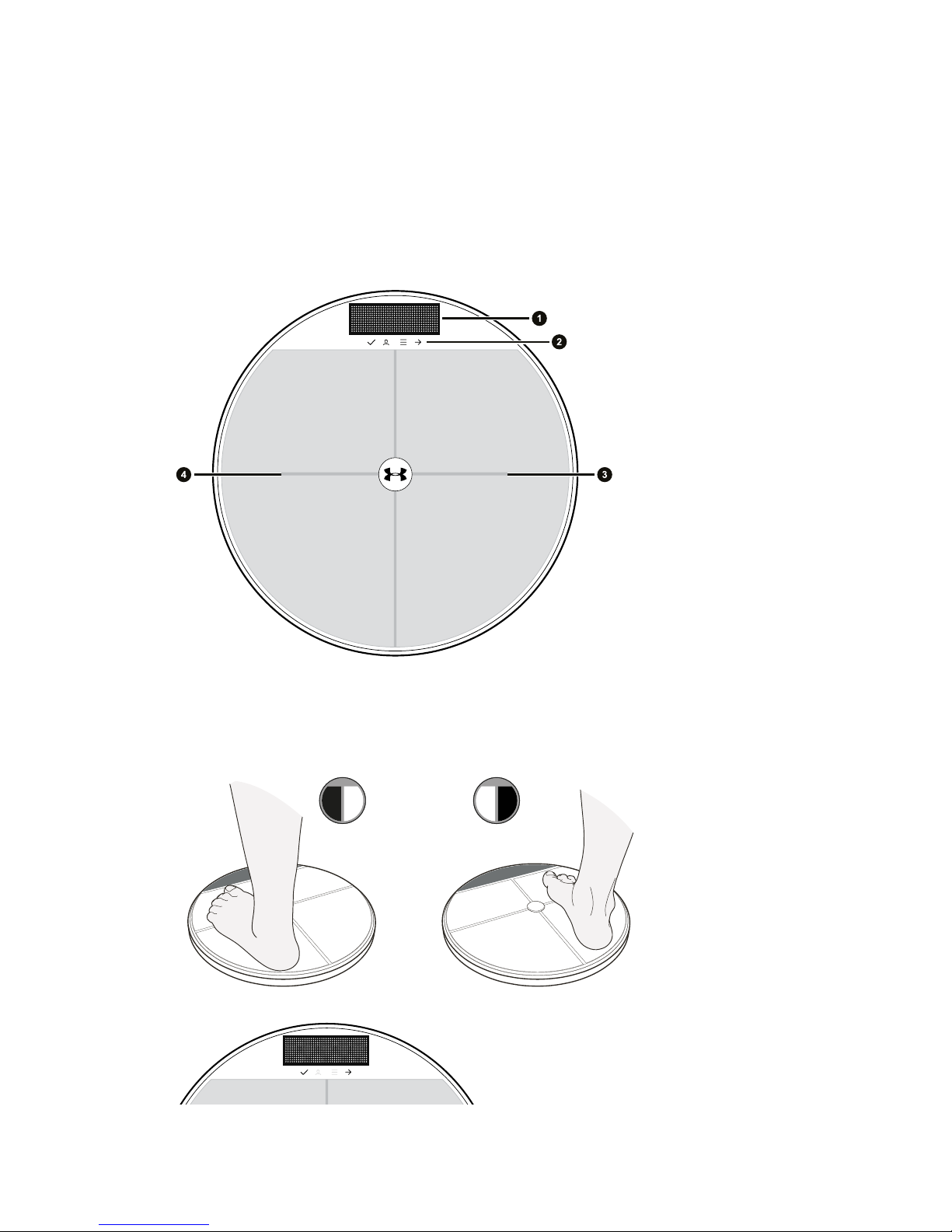
Using your UA Scale
Measuring your weight
Your UA Scale measures your weight and automatically keeps track of it in UA Record. You
can also measure your body fat percentage.
If you are pregnant or have medical devices such as a pacemaker installed, turn off the
body fat sensors. See Turning off the body fat sensors on page 11.
§Make sure your UA Scale is in range of your Wi-Fi router.
§For the most accurate measurements, use your UA Scale with bare feet.
1. Step onto your UA Scale to turn it on and immediately start measuring your weight.
When stepping onto your UA Scale, position your feet closer to the center to help prevent
tipping your UA Scale.
2. After you see your weight, wait for your UA Scale to identify you. If your UA Scale
doesn't correctly identify you, see Choosing a profile if you are not recognized on page
11 or Selecting a profile before measuring on page 12.
3. Keep standing on your UA Scale to measure your body fat percentage.
4. If you have a weight goal set in UA Record, you'll see how close to your goal you're
getting, or if you achieved it.
5. When your UA Scale shows Done, you can step off.
After weighing in, your results will be uploaded to and recorded in UA Record.
10 Using your UA Scale