Operating 4
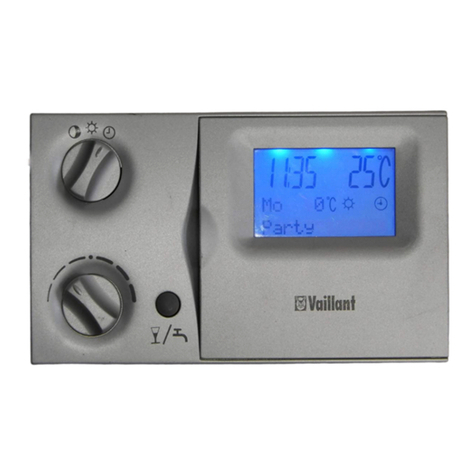
0020135485_01 VRT 350 Operating instructions 9
Vaillant diagnosis software and the Vaillant Internet commu-
nication system for remote diagnosis and remote settings.
3.4.2 Hot water generation
You can use the controller to set the temperature and time
for the hot water generation. The heater heats the water in
the domestic hot water cylinder until it reaches the set tem-
perature. You can set a time period during which hot water
should be available in the domestic hot water cylinder.
3.4.3 VR 66 Control Centre
If a VR 66 Control Centre is connected, you can control two
independent heating circuits with just one VRT 350 control-
ler; e.g. one heating circuit is in the single-occupancy house
and the second heating circuit is in a guest apartment in
this building. In this case, one controller is always the main
controller (Zone 1) and the other controller is the auxiliary
controller (Zone 2). For Zone 1, which is controlled via the
main controller, all of the functions are available to you. For
Zone 2, you can use the auxiliary controller to set the desired
temperature for different times of the day and different days
of the week.
3.5 Frost protection function
The frost protection function protects the heating system and
apartment from frost damage.
The frost protection function monitors the room temperature.
If the room temperature
–falls below 5 °C, the controller switches the heater on and
controls the system to a target room temperature of 5 °C.
–exceeds 5 °C, the heater is switched off but the room
temperature monitoring remains active.
4 Operating
4.1 Operating structure
4.1.1 Access level for the operator
Through the access level for the operator, you access import-
ant information and set-up options which do not require any
special prior knowledge. Via a menu structure, you can ac-
cess configurable or read-only values.
4.1.2 Access level for the skilled tradesman
The skilled tradesman will set further values for the heating
installation via the access level for the skilled tradesman.
The settings may only be made by someone with specialist
knowledge; this level is therefore code-protected.
4.1.3 Menu structure design
The menu structure of the controller is split into three levels.
There are two selection levels and one setting level. From
the basic display, you can access selection level 1 and, from
there, you can access the menu structure for one level up or
down. The setting level is accessed from the lowest selection
level.