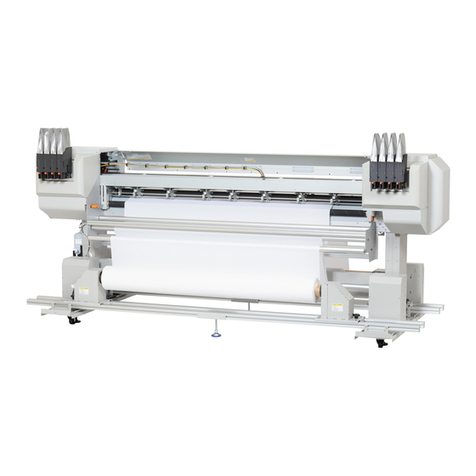
ValueJet VJ-628 Troubleshooting guide

VJ-628
Read this guide before using the printer
Quick Start-up Guide

Contents
2
UNPACKING . . . . . . . . . . . . . . . . . . . . . . . . . . . . . . . . . . . . . . . . . . . . . . . . . . . . . . . . 3
ASSEMBLY. . . . . . . . . . . . . . . . . . . . . . . . . . . . . . . . . . . . . . . . . . . . . . . . . . . . . . . . . . 7
CONNECTING THE CABLES . . . . . . . . . . . . . . . . . . . . . . . . . . . . . . . . . . . . . . . . . . 10
SETTING UP THE PRINTER. . . . . . . . . . . . . . . . . . . . . . . . . . . . . . . . . . . . . . . . . . . 12
SAFETY INSTRUCTIONS. . . . . . . . . . . . . . . . . . . . . . . . . . . . . . . . . . . . . . . . . . . . . 14
Thank you for purchasing this MUTOH product.
Please inquire at your local MUTOH dealer if you encounter any technical difficulty with this product.
• Read this Guide before unpacking and installing this product.
• Unauthorized copying or duplication of the whole or part of the contents of this Guide is prohibited.
• The product specifications and the contents of this Guide are subject to change without notice.
• Every care has been taken in writing the contents of this Guide, but please contact MUTOH or the dealer
you purchased the product from if you find any unclear, erroneous or otherwise unsatisfactory content in
the Guide.
• Please be aware that MUTOH will not be liable in any way for failures or accidents that result from handling
or operating the printer according to any procedures other than those set forth in this Guide.
• Company names and product names that appear in this Guide are registered trademarks of the respective
companies.

3
2 Unpacking
Install this product in a place that:
•islevel
• has no vibration
• has low humidity and little dust
• has no direct sunlight or strong lighting shining on it
• has small variation in temperature and humidity
• has no drafts (including those from heating or air conditioning equipment) blowing onto it
• has low levels of electromagnetic radiation and noise
Install the product in an environment that satisfies the conditions in the table below.
Ensuring a suitable place for installation
The place should be well ventilated when you do the installation work. If it is a poorly
ventilated place, install a ventilating device.
Otherwise, the odors from the inks could impact your health.
Required installation space
Installation environment conditions
Power supply
specifications
Voltage AC 90V to 132 V or 180V to 264 V
Frequency 50/60Hz ±1Hz
Capacity No less than 10A
Environmenta
l conditions
Operating
environment
Temperature 20 to 32°C, humidity 40 to 60%,
no condensation.
Ranges to ensure
printing precision
Temperature 22 to 30°C, humidity 40 to 60%,
no condensation.
Environment for
storage
• If not charged with ink when stored: up to 6 months
Temperature -20 to +60°C, humidity 20 to 80%.
• If charged with ink when stored: up to 1 week*
Temperature -10 to +40°C, humidity 20 to 80%.
*Up to 4 days if the ambient temperature is 32°C or higher.
Unpacking
CAUTION
Width x depth:1188mm x 423mm
Height (with cover open):
Without stand: 573mm
Mounted on stand: 1373mm
1388mm
1323mm
Size of printer body
Rear
Front
150mm
450mm
450mm
Size of printer body

Unpacking VJ-628 Quick Start-up Guide
4
Unpacking
• The operations of unpacking and moving this product must be carried out by four or
more persons working together.
• Keep this product level when moving it.
• Be sure to remove the plastic wrapping from the product before taking it out of the
packing box. If you leave the plastic wrapping on, your hands could slip on it and the
product could fall and be damaged.
1. Unpacking the printer
[1] Carry the product in its packing box to the place where you are going to unpack it.
[2] Remove the tying bands.
[3] Take out the various items from the box.
2. Unpacking the stand
[1] Carry the product in its packing box to the place where you are going to unpack it.
[2] Take out the various items from the box.
Note
• The stand is an optional extra.
CAUTION
Operation manual
Accessory box
VJ-628 Quick Start-up Guide Unpacking
5
The following items should be included in the product packing box. Check that they are all present.
Contents of printer packing box
Contents of accessory box
Contents of stand (option) packing box
Checking the packaged items
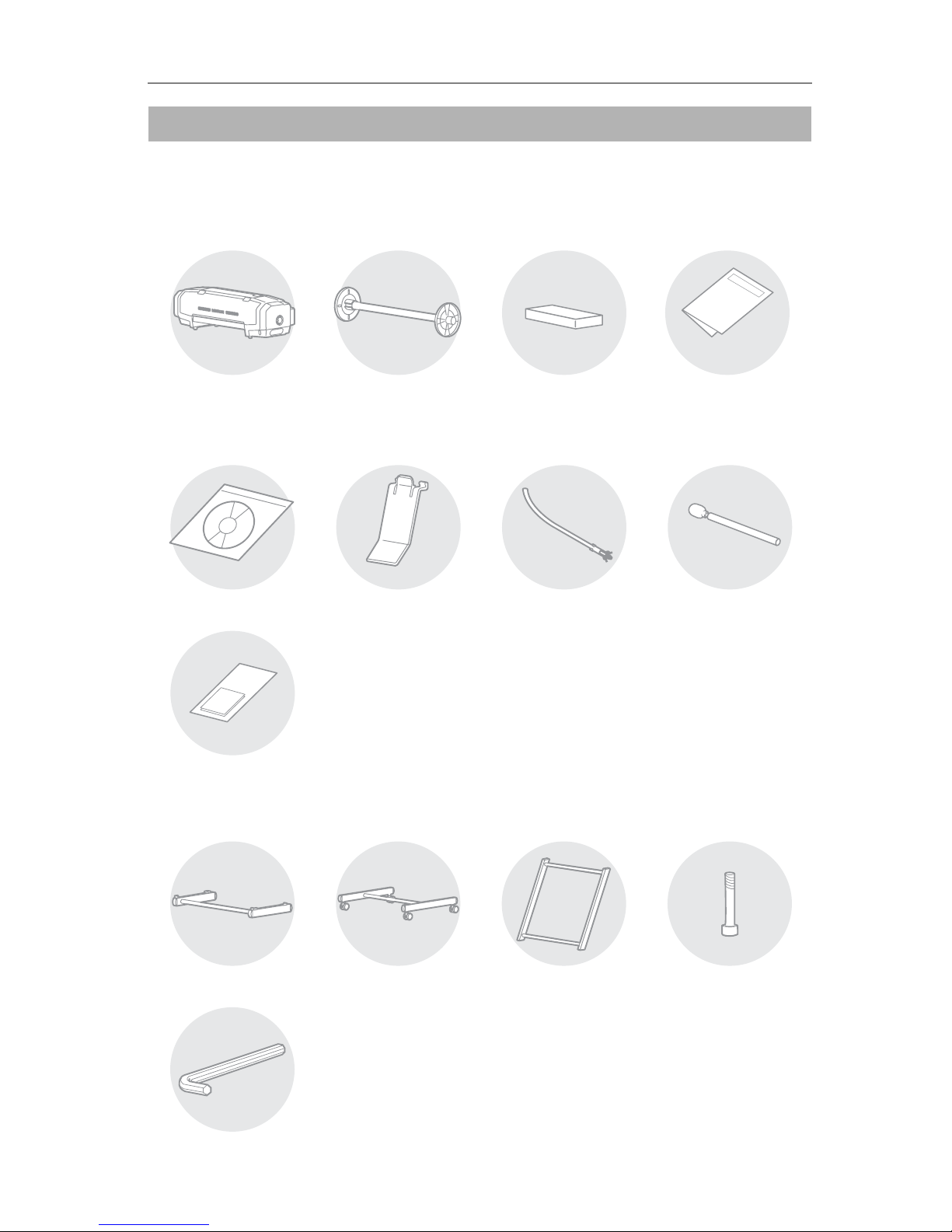
Printer: 1 A1 Scroller, 3-inch : 1 Accessory box: 1
Operation Manual: 1
Quick Start-up Guide
(this document)
Cleaning stick: 10
Media guide: 2
Paper towel: 5
Tying bands: 2
Software CD: 1
Stand top piece: 1 Stand bottom piece: 1 Stand middle piece: 1
Hexagon wrench: 1
Hexagon socket head
screws: 4

Unpacking VJ-628 Quick Start-up Guide
6
In order to install the product and make the initial settings, you will need the following things in addition to the
packaged items.
Things to prepare in order to install and use the printer
Note
• Use a computer that runs one of the following operating systems:
Windows 8, Windows 7, Windows Vista, Windows XP
• Be sure to use a power cable of the specified type. Using any other power cable could
result in electric shock or fire.
• Do not use a damaged power cable. It could cause electric shock or fire.
Computer: 1
Power cable: 1
Ethernet cable: 1
Cleaning cartridges: 8Media: 1 Ink cartridges: 8
WARNING
7
3Assembly
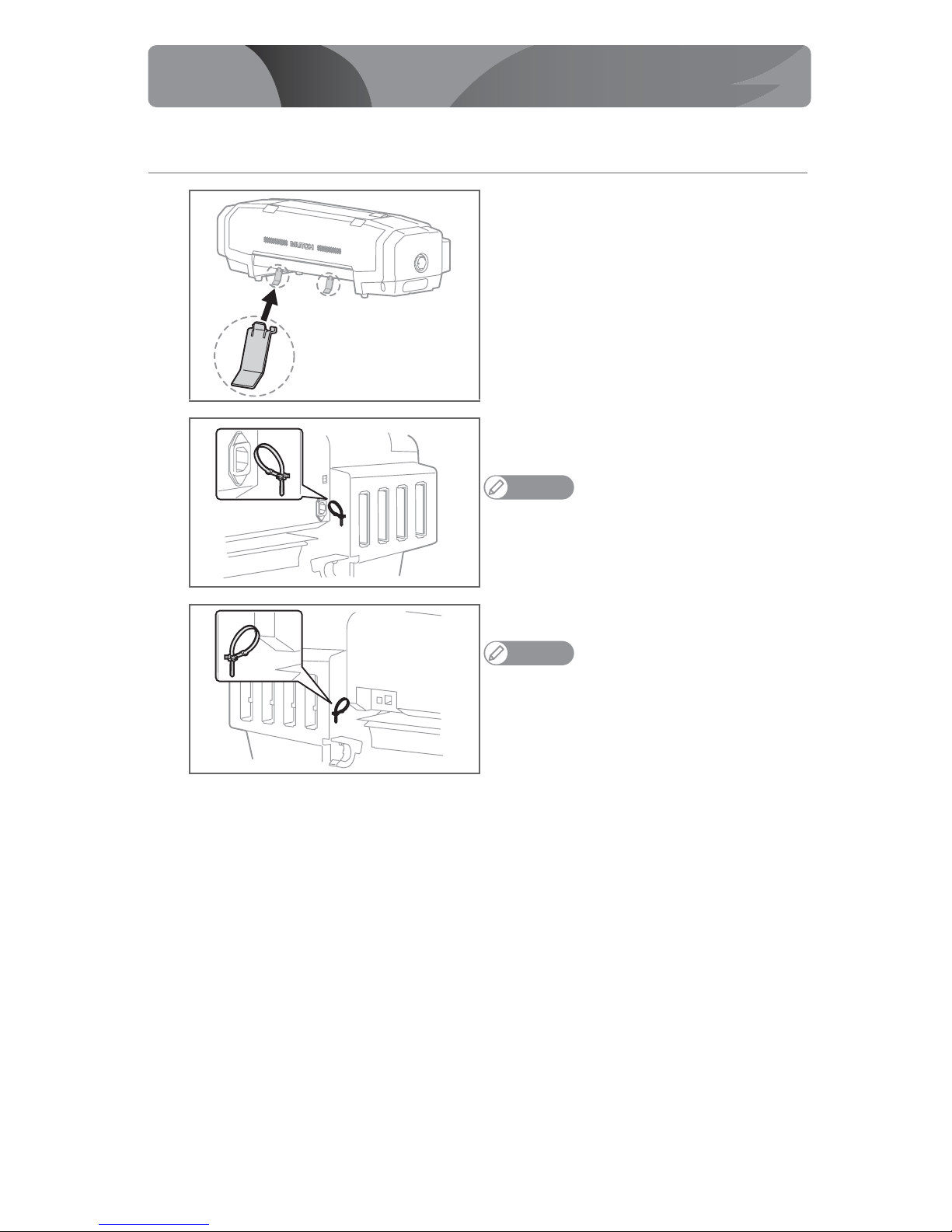
1. Installing the media guides and tying bands
[1] Install the two media guides in the positions shown in
the figure.
[2] Install one of the accessory tying bands to the position
shown in the figure.
Note
• To release the tying band, simply press its lever.。
• This tying band is for fastening the power cable so that it will not
interfere with roll media.
[3] Install the other tying band on the opposite side.
Note
• This tying band is for fastening the Ethernet cable so that it will
not interfere with roll media.
Assembly
× 2

Assembly VJ-628 Quick Start-up Guide
8
2. Assembling the stand (option)
The operation of mounting the printer onto the stand must be carried out by two or
more persons working together.
[1] Assemble the stand.
[2] Lock the casters.
[3] Align the printer’s rubber feet with the stand’s
protrusions, and mount the printer on the stand.
CAUTION
× 4
VJ-628 Quick Start-up Guide Assembly
9
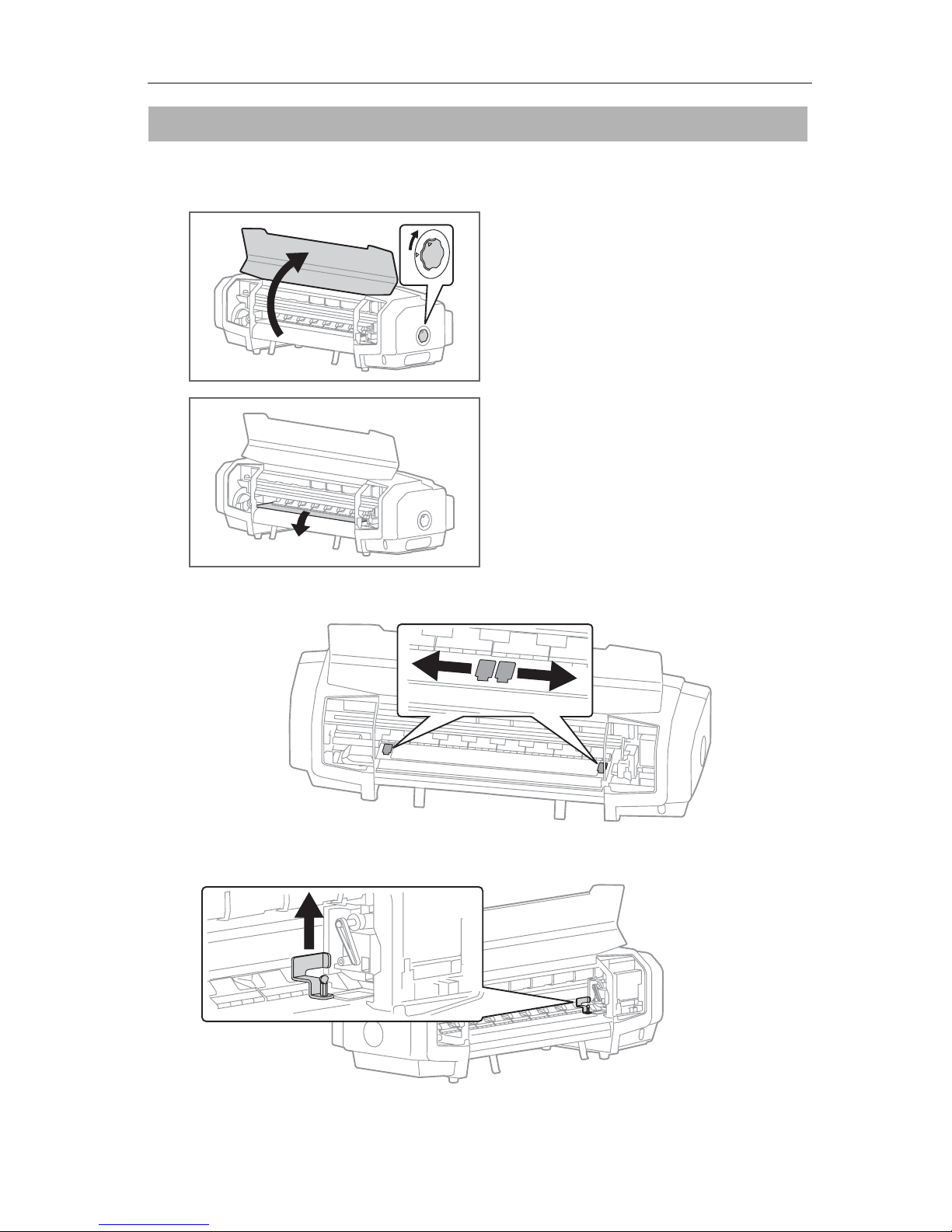
Removing the protective materials
[1] Remove all the protective materials and tapes that are stuck onto the outside of the product.
[2] • Open the front cover.
• Turn the media fixing knob, to release the fixing
mechanism.
[3] Remove the roller protective sheet.
[4] Peel away the tape, and move the left and right paper guides to their outer end positions.
[5] Remove the screws, and remove the head fixing plate.

10
2 Connecting the Cables
• Be sure to use a power cable of the specified type. Using any other power cable could
result in electric shock or fire.
• Do not use a damaged power cable. It could cause electric shock or fire.
1. Before connecting the cables
• Close the front cover.
• Turn the media fixing knob to set the fixing
mechanism.
• Make sure that the waste fluid tube clamp is
fastened.
2. Connecting the power cable
[1] Make sure that the power switch is turned off.
Note
• If the power switch is in a pressed-inward state, it is turned on
and you must press it again to turn it off.
[2] Set the voltage selector switch to the voltage of the
region where you are using the product.
• For AC 100V to 120V, set the voltage selector switch
to 115V.
• For AC 200V to 240V, set the voltage selector switch
to 230V.
Important!
• The voltage selector switch is set to 230V as a factory setting.
• If the voltage selector switch is not set to match the regional voltage, errors will occur.
[3] Connect the power cable to the product.
Connecting the Cables
WARNING
Check!
100-120V
200-240V
Table of contents
Other ValueJet Printer manuals