manuals.online logo
Brands
  1. Home
  2. •
  3. Brands
  4. •
  5. Van Walt
  6. •
  7. Measuring Instrument
  8. •
  9. Van Walt YSI Pro ODO User manual

Van Walt YSI Pro ODO User manual

Other Van Walt Measuring Instrument manuals

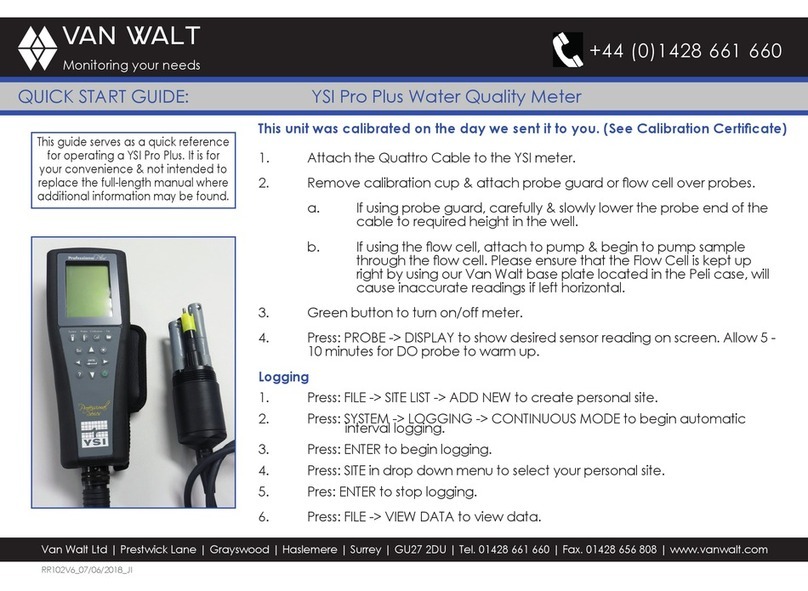
Van Walt YSI Pro Plus User manual

Van Walt

Van Walt YSI Pro Plus User manual

Van Walt CT12 User manual

Van Walt

Van Walt CT12 User manual

Van Walt HD2 User manual

Van Walt

Van Walt HD2 User manual

Van Walt Aquaread User manual

Van Walt

Van Walt Aquaread User manual

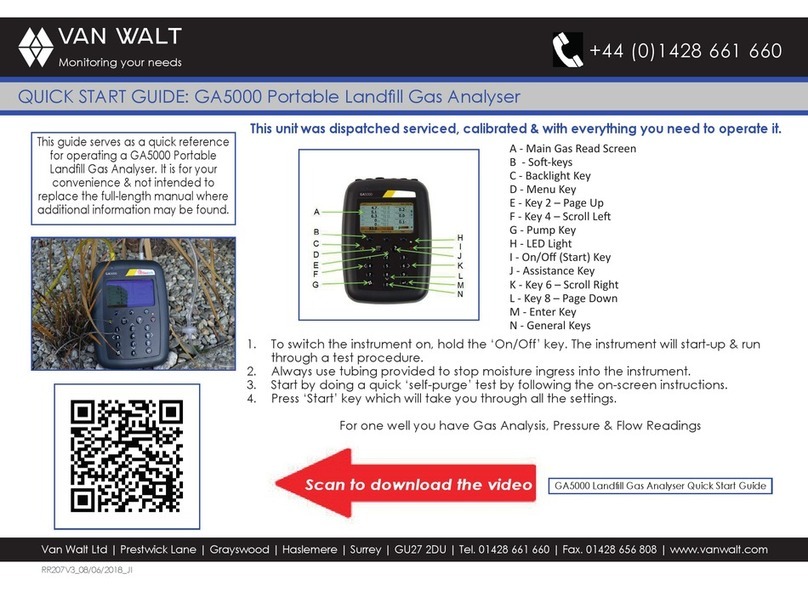
Van Walt GA5000 User manual

Van Walt

Van Walt GA5000 User manual

Van Walt Aquaread User manual

Van Walt

Van Walt Aquaread User manual

Van Walt KISS User manual

Van Walt

Van Walt KISS User manual

Popular Measuring Instrument manuals by other brands

Powerfix Profi 278296 Operation and safety notes

Powerfix Profi

Powerfix Profi 278296 Operation and safety notes

Test Equipment Depot GVT-427B user manual

Test Equipment Depot

Test Equipment Depot GVT-427B user manual

Fieldpiece ACH Operator's manual

Fieldpiece

Fieldpiece ACH Operator's manual

FLYSURFER VIRON3 user manual

FLYSURFER

FLYSURFER VIRON3 user manual

GMW TG uni 1 operating manual

GMW

GMW TG uni 1 operating manual

Downeaster Wind & Weather Medallion Series instruction manual

Downeaster

Downeaster Wind & Weather Medallion Series instruction manual

Hanna Instruments HI96725C instruction manual

Hanna Instruments

Hanna Instruments HI96725C instruction manual

Nokeval KMR260 quick guide

Nokeval

Nokeval KMR260 quick guide

HOKUYO AUTOMATIC UBG-05LN instruction manual

HOKUYO AUTOMATIC

HOKUYO AUTOMATIC UBG-05LN instruction manual

Fluke 96000 Series Operator's manual

Fluke

Fluke 96000 Series Operator's manual

Test Products International SP565 user manual

Test Products International

Test Products International SP565 user manual

General Sleep Zmachine Insight+ DT-200 Service manual

General Sleep

General Sleep Zmachine Insight+ DT-200 Service manual

Sensa Core Lacto Spark user manual

Sensa Core

Sensa Core Lacto Spark user manual

VOLTCRAFT UTS-1980 operating instructions

VOLTCRAFT

VOLTCRAFT UTS-1980 operating instructions

EBCHQ 94915 Operation manual

EBCHQ

EBCHQ 94915 Operation manual

Balluff BIP LD2-T017-01-EP-S4 Series user guide

Balluff

Balluff BIP LD2-T017-01-EP-S4 Series user guide

Pulsar IMP Lite Series instruction manual

Pulsar

Pulsar IMP Lite Series instruction manual

ETCR 6800 user manual

ETCR

ETCR 6800 user manual

manuals.online logo
manuals.online logoBrands
  • About & Mission
  • Contact us
  • Privacy Policy
  • Terms and Conditions

Copyright 2025 Manuals.Online. All Rights Reserved.

Van Walt Ltd | Prestwick Lane | Grayswood | Haslemere | Surrey | GU27 2DU | Tel. 01428 661 660 | Fax. 01428 656 808 | www.vanwalt.com
QUICK START GUIDE: YSI Pro ODO
+44 (0)1428 661 660
VAN WALT
Monitoring your needs
This guide serves as a quick reference
for operating a YSI Pro ODO. It is for
your convenience & not intended to
replace the full-length manual where
additional information may be found.
RR172V2_07/06/2019_MS-N
Important:
• Sensor caps must never run dry. Please always store the sensor in the grey storage
sleeve when not in use, after dampening the sponge in the storage sleeve.
• Please treat the optical lens with great care - do not touch without wearing
surgical gloves, clean only with lens cleaning cloth.
Setting-up your ODO
1. Attach the cable to the YSI meter.
2. Remove storage sleeve from sensor.
3. Ensure sensor guard is connected correctly and gently lower the sensor end of
the cable to required height in the well.
4. Hold green button for 3 seconds to turn On/Off meter.
5. PROBE -> DISPLAY to show desired sensor readings on screen.
Logging
1. FILE -> SITE LIST -> ADD NEW to create personal site.
2. SYSTEM -> LOGGING -> CONTINUOUS MODE to begin automatic interval logging.
3. ENTER to begin logging (from normal run screen).
4. SITE in drop down menu to select your personal site.
5. ENTER to stop logging.
6. FILE -> VIEW DATA to view data.
Figure 1: Clockwise from bottom left
- Grey transport sleeve, silver sensor
guard, sensor, ODO handset

Van Walt Ltd | Prestwick Lane | Grayswood | Haslemere | Surrey | GU27 2DU | Tel. 01428 661 660 | Fax. 01428 656 808 | www.vanwalt.com
QUICK START GUIDE: YSI Pro ODO
+44 (0)1428 661 660
VAN WALT
Monitoring your needs
1. Spot checking your ODO
2. Dampen the sponge in the grey transport sleeve.
3. Sensor cap & thermistor should be clean and free of water droplets.
4. Place sensor inside transport sleeve & allow 5 minutes for the atmosphere to
become completely saturated.
5. Local DO should show 100%. NB – it is unusual for the machines to return perfect
reading. If the ODO reads outside your acceptable limits, please contact Van
Walt.
Calibrating your YSI PRO ODO
Please contact Van Walt if you wish to calibrate your PRO ODO.
Problems
Please contact Van Walt if you have any problems.
When not in use
1. Please store your YSI in a warm dry place. Please do not keep the YSI in its peli-
case if inside of peli-case is wet.
2. When you are nished with the unit, immediately dampen the sponge in the grey
storage cup and put sensor in the storage cup. It is essential that the black sensor
cap does not dry out.
Figure 2: Thermistor & sensor cap
This guide serves as a quick reference
for operating a YSI Pro ODO. It is for
your convenience & not intended to
replace the full-length manual where
additional information may be found.