manuals.online logo
Brands
  1. Home
  2. •
  3. Brands
  4. •
  5. VIETA PRO
  6. •
  7. Headphones
  8. •
  9. VIETA PRO It Plus VHP-TW28 User manual

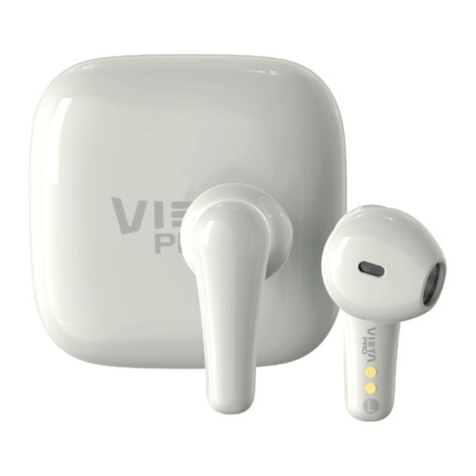
VIETA PRO It Plus VHP-TW28 User manual

Other VIETA PRO Headphones manuals

VIETA PRO SILENCE VHP-NC399 User manual

VIETA PRO

VIETA PRO SILENCE VHP-NC399 User manual

VIETA PRO VHP-TW24 User manual

VIETA PRO

VIETA PRO VHP-TW24 User manual

Popular Headphones manuals by other brands

Bose SoundSport owner's guide

Bose

Bose SoundSport owner's guide

Renkforce RF-WH-150 operating instructions

Renkforce

Renkforce RF-WH-150 operating instructions

Blu ARIA POD+ quick guide

Blu

Blu ARIA POD+ quick guide

Jabra Elite Active 45e Get started

Jabra

Jabra Elite Active 45e Get started

Denver TWE-36MK2 user manual

Denver

Denver TWE-36MK2 user manual

Grandstream Networks GUV3060 quick start guide

Grandstream Networks

Grandstream Networks GUV3060 quick start guide

iMoshion TWS In-Ear Headset user manual

iMoshion

iMoshion TWS In-Ear Headset user manual

Sven AP-B250MV user manual

Sven

Sven AP-B250MV user manual

BUXTON BTW 3800 user manual

BUXTON

BUXTON BTW 3800 user manual

HiFuture Voyager user manual

HiFuture

HiFuture Voyager user manual

Philips UpBeat SHB2505 user manual

Philips

Philips UpBeat SHB2505 user manual

Denon AH-C260 owner's manual

Denon

Denon AH-C260 owner's manual

WATSON KH2130B instruction manual

WATSON

WATSON KH2130B instruction manual

Pure Acoustics Golf TWS20 user manual

Pure Acoustics

Pure Acoustics Golf TWS20 user manual

Srhythm Soulmate Series user manual

Srhythm

Srhythm Soulmate Series user manual

Motorola Talkabout MHP71 user manual

Motorola

Motorola Talkabout MHP71 user manual

Sony MDR-NC8 Specifications

Sony

Sony MDR-NC8 Specifications

AUSounds AU-Stream quick start guide

AUSounds

AUSounds AU-Stream quick start guide

manuals.online logo
manuals.online logoBrands
  • About & Mission
  • Contact us
  • Privacy Policy
  • Terms and Conditions

Copyright 2025 Manuals.Online. All Rights Reserved.

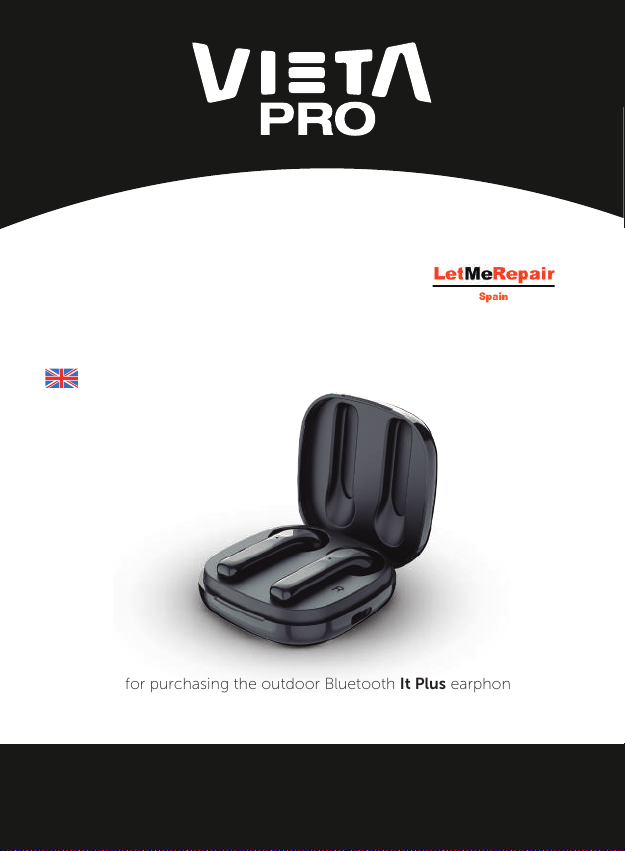
Thank you for purchasing the outdoor Bluetooth It Plus earphones VHP-TW28.
To ensure correct operation, please read this user manual carefully
before operation.
It Plus earphones
USER MANUAL
English
Problems with your product?
Contact us at:
Email: [email protected]
Phone: 952 179 479
Ref. VHP-TW28
This product has been designed and developed under the
professional standards of VIETA PRO, which was founded
by the Brothers in 1954. Since then, Vieta has accumulated
more than 60 years of history under the motto "The avoca-
tion and Respect for Art of Music", which has motivated all
his projects, thus achieving a privileged place in the elec-
tronics market based on constant eort and generous
doses of passion.
The VIETA PRO models are based on the benefits of
professional sound, where the standards of quality, durabi-
lity, and sound are above the commercial products of con-
sumer electronics. Developed by the prestigious engineer
"Jordi Hernández", with more than 40 years of experience
in the sector and who has been designated as "expert
hearing of vieta" since 2002. Models that have been built
with the most precise components for the purpose to be
able to oer and develop the purity and uniqueness that
characterizes the VIETA PRO sound.
www.vietapro.com

Important Safety Instructions
www.vietapro.com

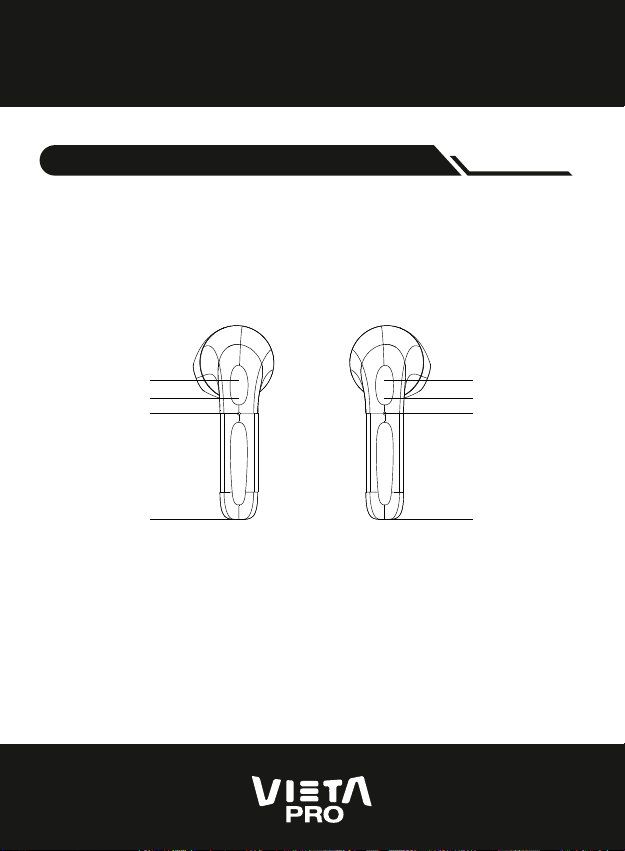
Left
earphone
Touch control key
Right
earphone
Indicator light
Microphone
Microphone
Touch control key
Indicator light
Microphone
Microphone
Parameter
www.vietapro.com

Model: Vieta Pro It Plus
Bluetooth version: Realtek V5.0
Bluetooth distance: 10M
Charging case battery: 400mAh
Earphone battery: 40mAh
Playback time: 4-5h
Standby time: more than 200h
Charging time: 1-2h
Charging box voltage: DC 5V
Supported cell phone systems: IOS , Android
Key Definition
www.vietapro.com

Power on
When the earphones are removed from the
case and they will automatically turn on and
sync to each other
Power o
The earphones will power o directly when
you put them back into the charging case
Answer call
One time touch L side or R side
End call / Refuse the incoming calls
Long Touch 2seg on L side or R side
"Interrupt dialout calls"
One time touch L side or R side
Play/Pause
One time touch L side or R side
Increase Volume
Long touch R side while playting music
Decrease Volume
Long touch L side while playting music
Next Song
Double Touch R side
Previous Song
Double touch L side
Wake Up Voice Assistant
One time touch L side
www.vietapro.com

www.vietapro.com

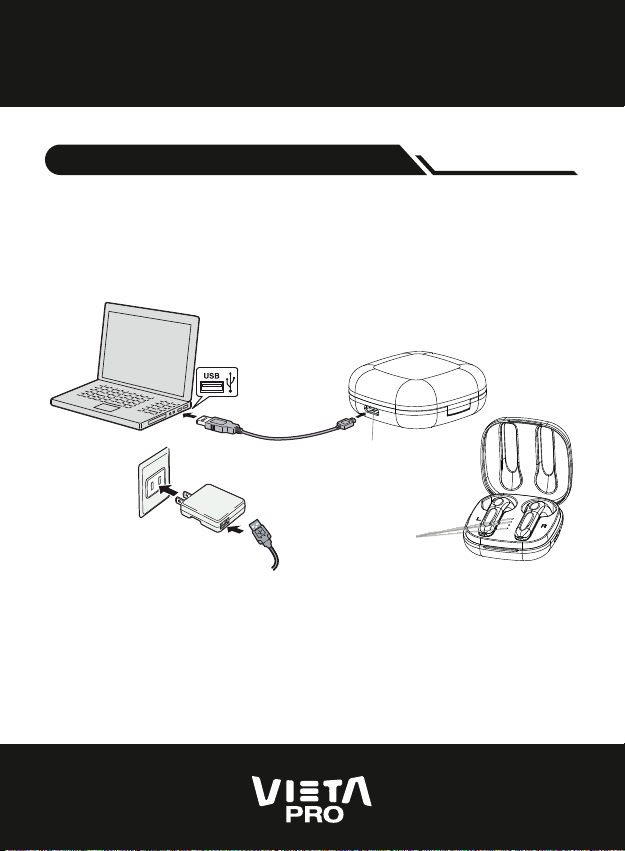
Charging Mode
Putting the earphone in and out of the battery compart-
ment
When the earphone is placed into the charging case, it will
turn o automatically and start charging. The red indicator
will be on and turned o after charging is finished.
Use the USB cable to connect with computer
Type-C Charging port
Use the USB cable to connect
with mobile phone charger LED Indicator
www.vietapro.com

The LEDs of the case will turn on successively (white light).
The four white lights are on after being fully charged; when
the charging case is disconnected, the power indicator
light will go out after
Charging chase
When the battery voltage is lower than 3.3V, there will be a
prompt
tone of “battery low,please charge"", and the red light will
flash for 20s
once. When the battery voltage is lower than 3.0V, it will be
shut down
Low battery
www.vietapro.com

After connecting the ios device, you can see the Bluetooth
power display on the ios device
Battery display
Single Earphone
Pairing mode
The earbuds can turn on automaticly to enter the
single ear mode if you just take one earbuds out
from charging case.
The blue/red light keep flashing.
Emparejamiento de los auriculares y conexión Bluetooth
www.vietapro.com

When the earphones are removed from the case
and they will automatically turn on and sync to
each other
Mobile Phone Bluetooth Connection
Open your bluetooth device and search the
name : Vieta Pro It Plus and connected
Reconnect to Bluetooth
The left and right ears will automatically reconnect after
turning on, and the main ear will also reconnect to the
phone;
After disconnecting the earbuds from the mobile phone,
you can reconnect the earbuds from the mobile phone;
after the Bluetooth is out of the working range, it will auto-
matically reconnect if back to the working area within 5
minutes
TWS pairing mode