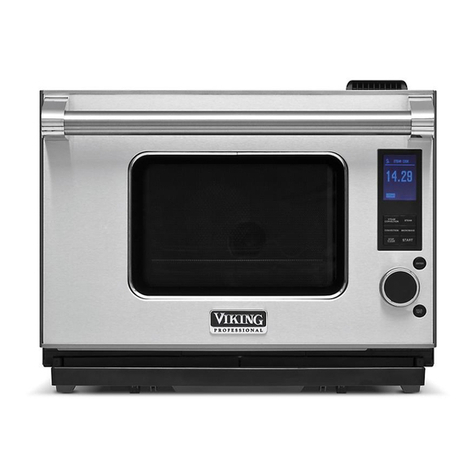
Viking DCSO User manual

Viking Use & Care ManuaJ
[
Built-In Electric
Combi Steam!Convection Oven

Congratulations Warnings
Congratulations ana welcome _o _ne elite world of Viking
ownership, We hope you will enjoy and appreciate the care
and attention we nave out into every detail of your new.
s_ate-of-the-art s_eam over
Your Viking oven is aeslgned to offer ) ears of reliable ser_ ice.
This Use aqd Care Guide wi provide you with me informatio-
you neea to become farr Jar with your steam oven's care ano
operation.
Your corn3 ete satisfaction is our ultimate goal. 'f you nave
any questions or comments about this Droduct. please
contac_ _ne dealer from wnom you purchased it. or cDr [act
our Consumer Su 3oor_ Center at 1-888-VIKING1.
Ne appreciate your choice of a Viking steam oven ano ncoe
tna_ _ou will again select our 3roducts for _our otner ma 3r
oven neeos.
For more information about the com,alete ano growing
selection of Viking orouucts, contact your dealer or visit us
online at vikinjrange.com.
[_ lug into a grounded 3-Drong OUTlet. _a
2-Prong wa ecedTacle is encountered conTacT a
d Jalified electrician. Do nOTremove ground prong.
Unit must be 9rounded aT all times. Do nOTuse an
adapter Do not use an extension cord. Failure to follow these
instructions can "esulT ;_ deaTn fire, or electrica snocl<
Do nOTuse oven cleaner or oven iner protective coatino
sucn as aluminum foil/ a or around an_ [)art of _ne oven
mDroDer oven hers ma, "esult in a risk of electric shock or
fire. /eeD )ven free from grease builduo.
.Children :limbing TO eacn Tems :OU,d De serious y injured.

Warnings Table of Contents
To avoid sickness and food waste wher using automatic time
baking:
-Do not use foods that will spoil while waiting for cooking TOSTarT,
sucn as dishes with mill< or eggs cream SOUdS,custards, fisi"
Don< OOUlTrV,or foods with stuffing.
-Any foocl that nas to wait for cooking to STarTsnoutd De ve ,cord
)r frozen before it is olaced in the oven
-Do not use foods containing baking oowder or veast. Thev \4
not rise properly,
-Do not allow food tc rematn in Tne )ven for more than Two nours
after the encl of the cooking cy :re.
Accessories sucn as acl<s an(:] travs, eTC. get nOT ;-
The oven :aviT Always wear protective gloves or
use ]ry DOT nolders.
Steam and water droolers may escaoe Nnen Tne over door is
open. Keep face and Hands away from oven cavity if there
is steam in it!
While ;_ ProBal<e cooking aTthe start of the heating onase
;team _]av escape from the _eam venT
Getting Started
mDortant Safety nstructions 2
Before Using Oven 4
Product Controls
Features 5
Standard/Ootiona _Accessories &
Electronic Display/Featu res
Control Panel Settings
Clocks a qd Timers
Automatic Cool( Time
DisDlay Mode
Operation
Cookinc Functions
Steaming
Reheat Plus TM
DroBake Cooking
TruConvec TM Cooking
SteamHeat TM Cooking
TruSteam TM Cooking
Using Ove-
Saving Energ_
Rack LeVelS
Fiing Water Tank
Cool<in 9 Functions
Oven Temoerature
Meat Probe
8
10
14
18
19
20
20
22
23
24
25
26
27
27
27
28
28
29
29
Canning 32
Deh} drating 32
Emptyinc Water Tank 33
Defrostin 9 33
Product Care
Cleaning ana Maintenance 34
Water Filter 36
Descaling 37
Troubleshooting 39
Service Inforrr atior 41
Warranty 42

Important Safety Instructions Important Safety Instructions
Read all instructions before using the steam oven.
use this oven on') indoors a -d for its intended use as
(described in this manual. Never use your oven for warming
or heating the room. This is base(] on safety considerations.
Your unit snoul(a De installed by a a Jalified technic;an. The
oven mus_ be insta te(a an(a etectrica y grpun(ae(a according
lEOidea co(des.
The o en snout(a or.; be instatted and operated in a roorr
Nith a temperature petween 41 °F :5°C an(] 95°F (35cC). In
tne event of frost, there is a (]anger ma_ rest(auat water left
in the pumps can freeze, causing (damage.
Before using tne newt_ qstalled over. fo tow me sqceosmat
snoul(a De taken before operating the oven for me z:"st time.
Do no_ aEempt to repair or replace any part of this over
Jr ess soecifically recommenae(a ;- this manual. All se "vicing
snoul(a pe referred to a (aJalified technician. Warranty service
must De oerformed by an authorized aerv,ce agency.
o Children shc JiO not be left alone in the kitchen while the
over. is in Jse.
o Do not _se the oven if it is visibly (aamage(a an(a/or _nere ts
risible smoke corr;_g from the oven. Keen odor nosed an(a
---ediate, disconnect from e ectrical supply.
Always sosition oven racks n desired Iccation whi e oven is
cool. If rack must pe move(] while oven is not. (no - _ te_ so_
no (aer contact not heating element in oven.
o use care wnen o(aenmg and touching oven (moor. Le_ hot air
or stearr escaoe before removing or replacing food. Do not
toucn glass window On (moor. Hot air or stearr can cause
ourns to nan(as, face. an(a/or eyes. Do not sit or res_ on _ne
oven (moor.
o Keeo oven ven_s c qops_ructed. The oven ven_ is Iocate(a at
the front of the over` and vents ir[o me room. In ProBake
cooldng steam may escape from tne s_eam ven_.
Do not ctean (door g asKet, t is essential for a good tight
seal. Care shoL _ De !:aKen not ]:o rUb, (damage, or move tne
gasket.
Allow sufficient time for the c yen to cool before cleaning.
us_ a Clcll]-iu soTt cIo[n [o remove al]_ residJal water in _n_
poEom of the oven cavity. Do not use steam c eaners or
spray [ne inside or outside of the oven with water.
4o commercial oven cteaner or ove niner srotective coating
sucn as alumirdm foil snoul(a De use(a _ or aroun(a any dart
of the oven. Improper oven liners may result in a risk of
e ectric shock or fire. Keep oven free from grease buildup.
Packaginc materiaJ can De (dangerous. Danger of suffocatio!!
Dispose of packaging --ateria according to ocat rec Jlations.
use on y ary dot holders. Moist or damo ootnotaers on not
surfaces may result in purns from steam. Do not et oomotaer
toucn sg #ace areas. Do no_ use towel or OUIK) CIOqCn.
Keep area ctean and free from combustible materials,
gasoline, and other flammable lie Jids. Never use your oven
as a s_orage soace. Combustible items (paper, slastic, etc.)
may _gnite an(a metallic iterT s may become no_ an(a cause
burns. Do not sour spirits over k ot foods. Do no_ leave over
Jnsu(aervised when drying herps, prea(as musnrooms e_c: fire
nazar(a.
• DO NOT TOUCH HEATING ELEMENTS OR INTERIOR
S_RFACES OF THE OVEN. Heating elements may pe no_
even _nougn _ne) are dark in color, nteriorsurfaces of an
oven oecome no_ enougn _o cause burns. Durir g an(] after
_se, (no no_ _oucn or let clothing or o_her flammab e
materials contact heating etemen_s or interior surfaces of
oven until they nave na(a sufficient time to cool. Other
surfaces of the oven may Decome no_ enougn _o cause
ourns, sucn as _ne oven ven_ opening _ne surface near the
ven_ opening aria _ne oven aoor _vinaow
• Keeo this use ann care manua for future -eference. If you
set _ne oven or oass it on 1:oa third sar_y, make sure _ne use
an(a care manuat accompany _ne installation ins_ruc_ ons.
, Do ro_ nea_ unopened food containers: buildup of pressure SAVE THESE INSTRUCTIONS!
may cause the container to exDto(ae an(a resuE - qjury.
2 3

Before Using Oven Features
The fol owing steps MUST oe _aKen before any function can
De used. When your oven is first connectea to tne oower in
_ournome, the time display wi show<'2:30>. Before you
use tne oven:
1. Turn <nOD IO set desired time.
The disD ay stops fashing after s 3proximately 1B seconas
and the time is se_.
2. Clean tne oven ana tne accessories. If neeaed, adjust tne
Jser settin9s to _ne wa_er naruness (see page 11).
3. Fill the Nater _aql< UP _o _ne "MAX" line with cool. fresh
drinkinc water and slide into 3osit on
4. Press the "Function" DuEon three times.
o <ProBake> and <Over [emoerature> appear in the text
disDla}.
" P-o Bake indicator gnts uo.
• Oven Terns indicator flashes.
o The ]:emoerature disolay flashes 410°F (210 °C._
S. Adj Jst !:ne oven temperature !:o 360°F (180°C) By turning ///_////IIHIIIIII\I\\\\\\_,,/I/_,_
13 _/_ l//_.\j_'---- 15
1. Electronic dis9 a}
2. Oven ve-t
3. Lig q_
4. Convection far
.5, Door sea
6. Oven aoor
7, Temperature sensor
8. Steam inlet
<nob. Press the (nod IO confirm.
6. After 30 minutes Dress _ne "Off" gu_on.
The oven turns off.
7. Remove any water on me ooEom of the oven witl* a soft.
ary ClOWn.
11
9. Socket for meat Probe
10, Rack Positions
11. Water tank
12. Meat ,)roDe
13, Ove _ racks (two incluaea
14, Muir -DUrDOSe cooking _ray
15. Steamer tray
16. Water filter (three includeo
4 5

Standard/Optional Accessories Standard/Optional Accessories
Nhen cooldng ana baking foods _naKe sure to place the food or
me proper accessory. Eacn oven is eaUlDDed with _wo wire racks
one s_eamer tray, ana one mt ItJ-DurDose COOK:-g tray
o Tl_e stainless stee ano
oDtiona porcelain multi-
DUrDose COOKin9 _rays serve
as bakin 9 t'ays for breaos.
biscuits, etc. ano as drip
_ra) s for use with the wire
rack or steamer ira)
/
The wire rack snoula 3e
Jsed for cake and baking
oans. as Well as meat
frozen DIZZa etc
Standard
VSSR
1 3/4 quart (1.7 liter) VCSSM
3 1/2 quart (3.3 liter) VCST
16.9 fluid ounces VCSDC
(500 ml)
The stainless stee s_eamer
tray s useo for steaming
fresh or frozen foous. Optional
o The stainless steel multi-purpose tray with oouring slot is used
Nner Dourin 9 extracteo juices and dripping s from fruits and
berries.
*NOTE: Using metal knives or curnng wheels on tne multi-ouroose
cooking rra} or steamer [ra. will damage the surface.
67

Electronic Display/Features Electronic Display/Features
Meat Probe im
Automatica ,turns oven of' wner
trle interne iel_- 9eraib "e of the
rNeat Deln _ COOKeC S reacnea,
Oven Temp
Clashes when oven Iemoerature
needs to be set, GIo/ 5 wrlen aeslrea
oven te Derature nan DeeR seI.
Temperature display
Displays curremstdeslreo temperature,
Oven Function Indicators
31owsto indicate whic function is
being useo.
I
Cook and Time display
Displays COOKt_merana CLOCK. Timer indicator
Glows when the t qer nas been set.
Cook Time indicator
Glows when the cook timer nas been set.
Stop Time indicator
GLOWS wnen ine SIOD tlr_]e haS been set.
Clock indicator
JIOWS wnen ire CLOCK has been set
[
Temp button
The oven tel_]Derature ca[] De set or
:nanged any time during operauon
Controls the qterlor IlgnI
Function button --
Push to Start/Enter Knob
Press tile knob IO acIIvaT9 IRe Iext
display. Turn Ine Knob Io scrol
mrougn the menu, Press the Knob
_gain to conTirm IRe menu selection
Turn the Knob unti <.bacK> IS
olsplayeo aria oress ; e KnOD IO
re-curn to me previous _lenl eve
Various cookino functions can be chaser Dy
Dressing [ne button once or more,
See aescrlDtlOflS.
Timer button
--met ca[] De useG any tlrQe
naeDerlaent OT a otrler
functions.
Text display
Displays menu ana se_ungs con_rouea
D_ the "Push tc Start/Enter knob,
Setting button -- Off button
Selects Cook Tit e ana Turnsoven off.
5too Time. Wher oressea
_,[h the Timer button the
CLOCK CSn De seI.
Changing User Settings Using Buttons
You car cnange me oven settings to suit your own The functions, oven _en-oerature, meax Drone temoerature,
oreferences. The 9rocedure is the same for all user settings, cooking time. ana various omer functions can De se ectea Dy
Dressing the aDDrooriate button once or more.
1. Press the (nod Io activate the text dis9la}
2. Turn me Knob until <User Settings> is displayea.
3. Press the <nod Io confirm.
4. Turn me Knob _o display options.
5. Press the knob to select aesired user settings.
6. Press the "Off" button to exit.
- The indicator for the functior selec_ea lights c O or flasnes.
The display flashes with a -ecommenaea value.
Turn tne Knob _o cnange me recc'nmenaea _alue.
Press Ine I(ROD IO siarlc Ine over immediate y.
° If the knob is no_ aressea, me aven will start automatically
approximately 15 seconds after the seeings were las_ cnangeo.
° Additiona settinc, s or cnanges can 3e mane a_ any time.
8 9

Control Panel
Setting Language
Settings
1. Press _qa turn <nod unti <User Settings> appears in the
text disptay. Press knoD to confirm.
2. Turn knob until <Language> a3Dears ntne text disD ay.
Press knob to confirm.
3. Turn Knob until desired anguage is disDlayed. Choose
;-ore the following languages.
o English (usa1 * Nederlands
• Es_aflol mex _ taiano
Franqais (can) • Portugu&s
3eutscb
Control Panel Settings
Child Safety Lock
The child safety OCK Drevents chilaren from accidenta W
turning tne oven on. If the "Temo" button. "Function" DuEon
or knob is Dressed when the child safer} OCK is activated, tne
oven _ ill beeD twice and <LOCKed > will aDDear q tne text
display.
Setting Lock
Press and wrn Knoc unti <User settings> appears in the
text display. Press knoD to confirm.
2 --_rn KnOD unti <LOCi<> agDea's in the text displa_ Press
<nOD to confirr_
4. 3ress knob to confirm
5. Press "Off" to exit.
Changing Unit of Temperature
The temDerature can be disDlayed in aegrees Fahrenheit or
aegrees Celsius.
1. Press anu :urn <noD unti <User settings> aDDears in tne
text display. Press Knob to confirm
2. Turn knob unti <Unit of temoerature> aDDears in the text
disDtay.
3. Press Knob to confirm
4. Turn Krob until <)F> or <°C> is disolayed. Press knob to
confirm desired unit of temoerature.
5. Press "Off" to exit.
3. Turn knob until <on_ or <off> is dis9layec_. Press knob to
confir- desired setting.
4. Press "Off" to exit.
Deactivating Lock
To deactivate the lOCK. Dress ana nolo the "Off bUtton ano
oress tne "TemD' or "Function" buttons simultaneously. The
ock is automatically reactivated 10 minutes after the oven nas
Deen turned off. The "Light," "Time_" and "Setting' buttons
:an De usea ;- both the active and inactive modes. To turf
acK off Dermanentty, repeat SIeDS 1 throug- 3. Select <off>.
Press "Off" to exit.
10 11

Control Panel Settings Control Panel Settings
Settin 9 Alarm Volume
The alarm can De se_ to ow or Hgh VOlume.
1. Press and _urn <nOD until <User Settings> appears in _ne
tex_ display. Press knob to cc qfirm.
Water Hardness
The oven features a system that automatically indicates wnen it
is dme to aescale. The system can De optimized for housenolas
Nitb very soft water and very nard wa_er, Dy changing tne user
settings to _ne relevant range of water naraness. There are
_rree settings for water hardness. The factory setting is set _or
nara Nater tvoes.
2. Turn knob until <Alarm> appears in the text disDla} Press
<nOD Io confirm.
3. Turn knob unti <High volume> or <LOW VOlUte> is
disolayed. Press knob to cc _firm clesirec settin 9.
4. _ress "Off" to exit.
12- 25
Interior Oven Light To selec_ water narc _ess:
1 Press ana turn Knob until <User Settings> appears in tne
Press tne "Ligqt" buttor _o turn the interi 9r light on or off at text disD ay. Press knob to confirm.
any time. If the interior light is not turnea off by Dressing [ne
<Light> button, it wi automatically turn off 30 minutes after
use. You can also selec_ between Automatic Nith door" or
<Man Jal with key> (press "Ligl _t"_. With the automatic
setting, the interior light automatica y comes on wqen [ne
ove _ door isc9eneaanc turns off againwnen tisclosea. 2 Turn <nOD Jntil <Water Haraness> appears in _ne _ext
disD ay. Press KnOD Io con ;:_-
3. Turn <nob unti <Soft>, <Middle>. cr <Hard> is disDayee
Press Knob Io confirm the desired setting.
4. Press Off" to exit.
Setting Interior Oven Light
1. Pressana_urnl<nOD unti <User Settings>apDearsin_ne
text display. Press knob to confirm.
2. Turn knob until <Light> aDDears in the text display. Press
<nOD Io confirm.
3. Turn I<noD until <Automatic witP aoor> or <Manua with
Key> is displayed. Press Knob Io confirm the desired
setting.
4. Press "Off" to exit.
12 13

Clocks and Timers Clocks and Timers
Clock
The following time features are usea _o program ana contro
a uming functions.
Thedigita CLOCKmay be se_ or cnangec by using either the
text disolay or a combination of buttons. The clock can not De
cnangea if the Delayea Start feature qas been activateo.
<Swl_cn off Dela} ed Start> will aooear in the text. Between
_ne nours of 10:00 P.m. and 6:00 a.m the displayea CLOCKW1
reauce in brightness.
Setting the Clock [Using Text Display)
1. Press ano turn <nob until <Set clock> aoDears in the text.
Dress knob to confirm
2. The time appears in tne :loci< dis31ay. Turn Knob Jndl tb_
correct time-of-day is disolayed. Press knob to confirm.
3. Press "Off" to exit.
Setting the Clock (Using Buttons)
1. Press the "Timer" and 'Setting" buttons simu taneous 1.
2. Tu'n Knoo unt the correct time-of-day is displayed. Press
(nod Io confirm.
Setting Clock Display
The CLOCK can "emain constantly on or only be on wnen oven
s _ use. To set the cloc( display:
1 Press and turn knob until <User Settings> appears in tne
text display. Press knob to confirm.
2. Turn knob unti <Clock Display> appears in the tex_
displab Press knob to confirm.
3. Turn <nob until <on> or <off> is dis31ayed. Press knob _o
conf _- desired setting.
4 Dress "Off" to exit.
Clock Format
The ClOCk format can be set to either 12-hour (a.m./o.m.) ol
24-hour (European/time formats.
1 Press ana _urn KnOb unti <User Settings> aDbears in me
text disolay. Press knob to confirm.
2. TErn Knob until <Clock Forma_> appears in the text
display. Press knob to confirm.
3. Turn Knob unti <12_> or <24h> is displayed. Press Knob
Io confirm aesired setting.
4 Pr ,_r_,, .
.ess _)TT to ex t.
14 15

Clocks and Timers Clocks and Timers
Timer
The timer can be usea at any time and inaebenaent of al
other functions. It can be used for tim ng uo to 9 hours 59
minutes.
Cooking Time
1. Press "Timer." The timer indicator will flash as <Timer>
appears in the text display. <0 '00> aDoears in tne Clock
_isDlay,
2. Turn knob unti _ne desired duration time is disolayed. The
time wi ncrease - 10 second ncrements until 9 minutes
50 seconds (9 '.50) is react ed. Then at "0 minutes (Oh10),
the time will increase in 1 minute ncrements unti 9 hours
and 59 minutes (9h59) s reacnea. Press knob to confirr'¢
des red time. The timer indicator flashes and the remaining
time is c solayed.
The program can De canceuea or cnanged at any time b_
pressing "Timer," and turning I<nDD Io 0 '00 or until the
desired duration time is disbla_ec Press knob to confirm.
Timer Alarm
Any cooking function can De timed to turn off automatica y
Nhen the desired cooking time is comdlete. Select me
function and desired temperature, f the desired cooking time
is set for 1 hour and 1,5 -;_utes at 9:00 a.m.. the oven wi
a Jtomatically turn off at 10:1.5 a.m
1. Place the food on a rack or tra_ inside me oven,
2. Press the "Function" button until desired functibn is
se ecteo.
3. Turn <nod to set the desired te-_oerature.
' < " . >"
4. Press the "Settirg button. Cool<-g t me appears n the
text dis slay while the cool< time indicatc" and tne
recorr mended cooking time for the selected function
flashes in the time display
5. Turn Knob to set tne Desired cooking time.
6. Press KnOD to confirrr.
7. The cool< time s now set.
The drog'am can 3e cnangea Dy Dressing "Setting" and
turning Knob to tne desired time. Press KnOD to confirm. Press
"Off" to tu --tne program off before it is comoleteu
At tne end of the timer program, the alarm wi consist of five
snort DeeDs reoeateu for 1 minute. The timer indicato - flashes T_e selected functior will automatically turn off when the
and <Timer complete> appears in the display. Press <nOD to
cancel tne alarm. sdecified cooking ti me is corr Dlete. The alarm 3eeos
-sermittently for 1 m nute or until knob is Dressed. The cook
time indicator f asnes wnile <Cooking time complete>
aDDears in the text dis slay and tne oven _emdetature aDDears
in the temperature display.
16 17

Clocks and Timers Clocks and Timers
Automatic Cook Time
The cool( time ana stop time functions can De used to
automaticauy turn me oven on ana off at selected times. The
auto matic cool< and aelayea s_ar_ cool< times are idea for
foods with qo aanger of spoilage during the time the oven s
eft off. Select the function and desired _emDeramre. For
exam3Je, :_the desirea cooking time is set for 1hour and 15
minutes at 8:00 a.rY ana me S_ODtime is set for 11:30 a.m..
me oven wi aJtomatica ly turr on at 10:15 a.m. and turn off
at 11:30 a.m.
To avoid sickness and food waste wher using automatic time
baking:
-Do not use foods that will spoil while waiting for cooking To sTaFf,
SUChas dishes with mill< or eggs cream souos, custards, risk
Don< oouiTrv, or foods with stuffing.
-Any foocl that nas to wait for cooking [o sTaFfsnould De ve ,cold
_r frozen before it i_ olaced in the oven
-Do not use foods containing baking oowaer or .east wnen
automatic time bal<ing. The\ will not rise uror_eny.
-Do not allow food tc remain in me _ven for more than two nour_
after the encl of the cooking cy :le.
Setting Automatic Cook Time
6. Press "Setting" again. <Switch-off Delayed Start> appears
n me text displa} while the stop time indicator and me
clock flash.
7 Turn <nod to set desired stop time. The delayed s_ar_ cool<
time can De set up to 11 hours 59 minutes. Press knob to
confirm. The cool< time and S_OD time indicators will light
uo and <Delayed Start> appears in the text display.
8. The automatic cool< time is now set.
The s_oo time can be cnangeu by Dressing "Setting" twice
ana IL'_;_g tne I<roD 1:o ]:ne cesired time. _ress ]:ne <nod ]:o
confirm. Pre_s "Off" to turn me program off before it is
:omDleteo.
The selected function will automatica y turn off when me
soecified cooking _l'ne is corr alete. ]-he alarm 3eeos for one
minute qtermittenuy or until the <nod is Dressed. The COOK
time indicator flashes while <Cooking time comole_e>
appears in me tex_ disDla} aria me oven ]:emDerature appears
in the right displa)
NOTE: When using the meat probe, me cooking time wit
neea ro be estimated. The cyen wla turn or ar me desired
start time and off when the programmed rues [ probe
temperature nas been reached.
Display Mode
1. Place the fooa or a rack or _ray inside the oven. Only the clod< temperature ana _ext display can De snowr
2. Press _he "Function" button until desired functior is Nne_ Display Mode" is activatea.
selectea.
3. Turn (nOD ]:o set desired temoeramre. To activate:
,•H<
4. Press the Sett n9 button. Cooking time> appears ir me 1_Press sirY ultaneously, Light - Enter - Off for 10 seconds.
text display while the coo( time indicator ana me ........ <nod _o set <Demo-Moaus - On>.
"ecommended cooking time for the selected function 3'. Press knob to confirm.
flashes in the time disb a}.
5. Turn knob to set the desired cookir g time ..... b deactivate:
"_ Press simultaneously, Light - Enter - Off for 10 seconds.
2_Turn <nod _o se_ <Demo-Modus - Off>.
3'. Press knob to confirm.
18 19

Cooking Functions Cooking Functions
-ne c berating functions available are described below. The "ecommenaeo
9ald-g and roasting temperatures g ven _ older recloe bOOKS are likely to
9e too hiDn and me recommenaea rack Positions in the cooldng space
qotideal. Note matmetemDeraturesanatimesg en qthefollowin 9
taoles are based on typica memoas of preparing food, ana snoula or ly
9e urea as a g Jide.
Steaming
This function uses steam
Jvn ch flows from the bc er
RIO me over -eating aria
steaming the food. Use this
setting for foods that reauire
gentle cooking sJcn as
vegetables, rice. seafood
and yogur_s.
Recomrr ended cooking
temderature: 210°F (100°C)
corresdonding to maximum
_oiling terr 3erature)
Range: 90°F (30°C) - 210°F
100°C
1. P ace food in the unheated oven.
2. Press the "Function 'button once.
•<Steaming> ana <Oven Terr 3erature> appear in the text display.
Steaming Tips
Because of variations in food densit Z set(ace texture and consistency,
some foods m _y De oreDarea _nore successfully using steam.
Whet using me steamer tray, placing the multi-DurDese cooldng tra_
unaemeam red Jces condensation and avoids sDilIs on me DOEOm of
me oven.
• use steamer tray to steam veDetables. Add salt and seasoning to
_egetaDles after cooldng.
When steamind meat or risk. Jse me steamer tray, lightly coated with
putter or non stick sora_
• When extracting juice from fruit or berries, place me mu ti-DurDose
COOKing tra] under me steamer tra).
J Place custards creme desserts, or yogJrt in a dish and oRate on me
steamer tra_.
Place rice. oasta, or dried legumes with .rater in a glass or Dorcelair
dish and a ace on wire racK.
_ice or oas_as can De COoKea along wim vegetaDles with similar cooldng
t rues to save energy.
f the door is ooened while steam -g cooldng wi StOD. To resume
cooking close me door anc Dressme KnOb.
Food Temp °F (°C) Time (rains.) Cooking utensil
Fish file_
Rice w/water
Pasta w/wa_er
umes w/waTel
210 (100
210 (100
60-90
60-90
30-45
10-25
20 - 40
45 - 60
20 - 60
Steamer tra. _/
Glass alsn on racK
Fruit (cherries grapes;
Berries
Creme cararne
Custards
YogurT
210 (100
195 (90
105 (40
90 max.
25 - 30
20- 30
5 - o hours
Steamer _ra. w/rlqUl[i-
DUFDOSe Trav w/oourlng sio]
Illlilllllii
Steamer tra. w/racK
20 21

Cooking Functions
ReHeat PJusTM
This functior heats the air
nside the oen using
steam and fan-forcea air.
This allows food to be
"eneateo auickly and
evenly without drying it
out. Use this setting to
eheat dishes, eftovers.
_na frozen meals.
Recomrr ended :ool<ing
temoerature: 250°F ]20°C
Range: 210°F (100°C}-
300°F (150°C)
Presstne Functon b_Eontwce
<ReHeat Plus> and <Oven Temoerature> aDDears in the text
disD ay.
Reheating Tips
• It s recommenDeD to
reneat dishes or
leftovers at 230°P 6--
(110°C)to 265°F 5--
(130 C). Put the desirec 3-_
amount of uncovered 2/"//
food in a dish (not 1_
Plastic) and Place on L_
U
[ne wire rack at leve 1,
o _for two Dortion__ at
levels 1 and 5.
2[-
A maximum of four olates can be reheated at the same time. Use
3ositions 1. 3.5. and 6.
Cooking Functions
ProBake Cooking
This function uses steam ana
neat to COOl<food that is Dlaced
a co el, unneateci oven. The
food is steamed -ohase 1 and
tnen automatica _ heated in
ohase 2. The engm of time
oe_enas on tne ouantity of food
being neatea. Use this setting for
oal<ing oreaas anc pastries.
Recomme qaea temperature:
410°F (210°C)
Ranoe: 210°F (100°C)- 440°F (230°C1
Press the "Function" button three times.
<ProBaKe> and <Oven Temperature> appears in the text display.
ProBake Cooking Tips
When baking loaves of bread, Duns. or layer cakes Place tne aouc
on the multi-DurDose cooking tray. Allow the dough to proof briefly,
aDoroximate /10 minutes before =ool<ing
* When baking puff pastry (witk or without a _:":-g/fresh or deed
frozen olace me DUff pastry on the multi-DurDose cooldng tray. It is
not necessary to Drusn tne tco of the DUff oastry. Set the terr oerature
sligntly ower for yeast dougn.
o The oven oDor snoula not De ooened durirg the steaming onase.
Cold air will extend the steaming Dhase and bread wi De
oversteameo and flat.
The ootimum baking temDerature for buns ana rolls is generally
higner than a sing e loaf of bread. For large oreaas reauce tne
temoerature ut 50 C: to 60°R
To achieve Pest result- _ [ne oven must COOl between two ProBake
cooking sessions until <Residua Heat> no Ionger aDDears in the text
display.
37B 190/ 1
22
Porcelain multi-purpose cooldng tray sola seoerately
23

Cooking Functions
TruConvec TM Cooking
_uring TruConvec TM _.
cooking [ne rear element
qeats the air _sidethe
oven. A motorized fan
circulates tne air in tne
oven cavity for eve
qeating. The food is
warmea even b on all sides
*naking it oossible to bake
on one or two evels
simultaneously. The
cooking time can be
"eaucea s ignuy lD)
qcreaslng the cooldng temoerature, use this setting for baking m ]ffins
yeast oreaas, auickbreaas ana cakes. This seeing is a so recommenaea
wnen lDaldng large quantities of baked gooas at one time.
'18 °Recommenaea temoerature: 360°F , 0 C)
Range: 90°F (30°C] - 440°F [230°C)
, Press tne Function" button four times.
• <TruConvec> and <Oven Temoerature> _olDears in tne text disolay.
TruConvec TM Cooking Tips
o When baking cakes orDiscuits, outthemixtJreoraougn qthebaking
form and lDlase on tne mwti-lDurbose cooking tra_ to lDaKe.
® Du";_g TruConvec TM cooking, if the terr 3erature is alDove 210°F
(100°O and the door is ooened, cooking will stoP. To resume cooking.
ClOSe tne aoor.
° Deh}arate: If the oven te-oerature is be Dw 210°F (100°Ck it is
lDossible to ooerate TruConvec TM cooking wit - :ne aoor olden to Cl_
foods sc ch as fruits and vegetableS.
, When cooking witV convection, reduce me temperature by 25°F (10°C).
Some recipes may require adjustment ana testing when converting
from conventiona to convection cool<ing. ComDare temlDeratures in
[ne cnart to recilDes. If you susoect tne temlDerature is too higV select
a lower terr 3erature.
_the food s nice ana Drown on me outside but sti raw in the middle,
[ne oven temlDerature is too higV. Slignuy reauce tne temperature ana
lengtnen tne cooking t me.
Even 3rowning s achieved at ower temDeratures.
Cooking Functions
TruConvec TM Cooking Tips (cont.)
Short - crust
oastrv w/fruil
Pizza
350 f175
375 1190
90)
1
Porcelain multi-ouroose cooking tray sold selDerately.
SteamHeat TM Cooking
This function uses tne rear
element to heat the air
_side the oven. A motorizeo
fan circulates the air in tne
oven cavity for even heatir g.
The food retairs moisture
fro _ tne steam 3roaucea
during baking, maldng it
Possible tc bake on one or
two levels simultaneousl_
use [nis setting to oaKe
oastries and souffl6s.
Recommended cooking slDace temperature: 360°F (180°C '
Range: 90°F (30°C) to 440_F (230°C)
,, Press the "Fun :tion" button five times.
<SteamHeat> and <Oven TemlDerature> aolDears in :ne text display.
SteamHeat TM Cooking Tips
• When baking souffles and yeast rising pastry, put mixture or doug _ _
the baldng form and 9lace on multi-ouroose cooking tray.
Pastrv 350 175
24 25

Cooking Functions
TruSteam TM Cooking
This function uses mois_
ana ary reat to cool< food.
The rear elerr en_ nea_s me
air ins ae _ne oven. A
motorized fan circulates
tne air IF [ne oven cav[y
for even heating. Steam
can De forced into _ne oven
by pressing me Knob ana
turned off by Dressing the
(nOD a secona time. Use
this setting for preparing
and cooking meats and
making 3otatoes.
Recommenaea temoerature: 360°F [180°O
Range: 90°F (30°C) - 440°F (230°0
- Press the "Function" buEor six times.
- <TruS_eam> and <Oven Temoera_ure> appears in the _ext disDla)
TruStearn TM Cooking Tips
• When cooking meat. aaa steam during the first third of the
cooking time•
When cookin 9 foods that SDlaEer. sucn as mea_ or DOUlIry,
me _emoerature snoula De reaucea to Dreven_ s31attering o-
me over Nails. This wi cause carl< marKs tnat canno_ De
removea.
To achieve me Des_ results, only use levels 1 or 1 and 5.
For reheating three dishes use levels 1 3 and 5.
Beef Filet
Pork Filet
3 - & Ibs. 350/175
- 6 IBs 37S (I 90)
3 - & Ibs. 350 1175
25 - 30
25 - 30
Using Oven
Saving Energy
- Avoid oDening the oven door freouently. This can engtner
the cooking time significanuy, esDecia _ wnen s_earr nc
Only turn the lignt on wne- neeaeo.
To save energ, wner baking for onger cooking times. [urn
me oven off aDDroximatel} 10 to 15 minutes before me
cooking time is comDletea ano use tne nea: that is retaineo
me oven _o finish cooking the foods. Do not use this
memoo wnen COOKinO SOuffl6s sponge cakes, or DUff
oas_ries.
Rack Levels
Each over s eauiDDed with two wire racks one steamer ira,,
and one mu ti-DurDose cooking _ray. The oven nas six racK
evels with evel 6 being the farthest from the oven DOIIOm ana
eve 1 the ClOSeS_to the bottom. The racks ana trays can De
easi y removea ana arrangeo at various levels. For DesI resulIS
ano ootimum circulation _ith TruConvec TM, SteamHeat TM.
TruSteam TM ana ProBake cookinc o ace a suitable bakinc disk
on the wire rack and oush the rack to the back of the oven.
Arrange the wire oven racKs at me
desired levels before heating me
Dven. If cooking on _wo racKs, it is 5_
recommenoeo _o use levels 1 aria
5 or 3 and 5. Place the multi- 1--
ourDose cooking tray at level 1
ana tne wire racks at level 3 ana
5. Seect _ne desired function.
Cookirg star_s immediately ancl
stcos wner "Off" s Dressed. Set S-
ine 3ven io oesired _emDera_ure.
Place the food in ire oven. 3--
26 27

Using Oven
Preheating
Do not ureheat me oven unless recommended in the rec De or
me cooking tin charts. Only preheat using the TruConvec TM
cookino function.
Filling Water Tank
All functions, with the exceotion of TruConvec TM. reouire me
_anl< _o be filled [o me 2.5 Dt (1.25L) ma'l< with fresh, cool
drinking waten A fu _an(wi norma _ ast for one cooking
session. If there is a need _o refill the tank while coedng only
fill me wa_er uo to the 1 pt. (0.5 L) *narK to ensure me wa_er
does not overflow when it s ourr9ea PacK.
use onlv fresh drinking water to fill the water tank DO NOT use
Selecting the Cooking Function
". Press me "Function" DuEon to select me desired cooking
Zunction For examole: ProBake Cooking:
• Pro Dake indicator lights UP.
o Oven _emD indicator flashes.
• <ProBa<e> and <OvenTerroeramre> appear qthetext
dis 9lay.
• The cooldng temoerature flashes in me temDeramre
oisbla}.
NOTE: The recommended temoerature corresaonds to that
reached during the heating phase. The temoerature aur n9
me steaming pnase is pre-programmed.
2. Turn me I<noo _o se_ me desired tem3erature. If the oven
_emo indicator and temoerature disD ay are sti flashino, the
temoeramre can De cnanged. Press "Temu" to cnange me
temoeramre if the disDlay is not flashing. The oven w
automatica ly start if the terr Deramre is not changed within
15 seconds.
Using Oven
3. Press knob to start me ove _ immediately.
<ProBake> and <Steaming> aDDear in the text disDlay.
® As ong as me oven _errDerature is under 90°F (30°C
<---°> aDDears in the temDera_ure disDlay.
NOTE: The temoerature display can de usea to observe me
rise in me oven [err oerature. A single alarm will sound wnen
me desired oven tem oerature setting is reached only in
TruConvec TM SteamHeat TM. and TruSteam TM cooking {unctions.
Changing Cooking Function
rlOl steam or air mav escape wlqelq _lqe oven door IS ooened
The cooldng function canno_ De cnanged during operation.
1. Press "Off" to end me current cooking function.
2. Press the "Function" butter to selec_ a new coc dng function.
Changing Oven Temperature
Tke oven _err oeramre can be viewed and/or cnangeu any
t me during operation.
1. Press the "Temo" button.
Oven _emo indicator flashes for approximate y 15
seconds.
• <ProBake> and <Ove _ -emDeramre> aDDear in me _ext
disDlay.
• The se_ terr Derature flashes in the terr oerature display
2. To cnange me temperature, turf "nOD
Meat Probe
The mea_ DroDe takes me g dessworK
nut of roasting by cooking foods to
the idea interna _emoerature. The
erode _emDerature setting is used to
automatically turn me oven off wnen
me roasted mea_s aesirea interna
terroeramre s reached. Use O-
Drones diner than me one provided
Nith this oroauct may result in
damage _o me prone and oven. use
:ne nanclles of the Drone ana 3lug Pluc
Nhen insertinc ana removing mem
from me meat and OLlIleI.
28 29

Using Oven Using Oven
4. Set the orooe temoerature to me aesired interna
Meat Probe (cont.)
o To avoia aaraglng your oroDe, ao not use tongs to DL. temperature. We recommend setting tne temoerature
on tne cadre wnen removing ana ao not ;lean in the about 10°F (4°0 ower than desired interna temoerature.
The meat will continue to cool< wnen removeG from tne
dishwasher. .... oven and will reach the desired aloneness while standing.
Tc avoid 3readng the DroDe. "haKe sure TOOCIIScomotete b'
defrosted before inserting
To Drevent DOSSiDle Durns. CIO not unplug tne probe frorr
tne outlet unti :ne oven nas COOlea.
Do not store the 3robe in the oven.
Setting Meat Probe Temperature
The meat oroDe must De plugged into the outlet in order to
Positioning the Meat Probe set tne meat oroDe temperature.
After preparing tne meat ane placing on tne rack or cooking
tray, follow these steps for orober probe olacement. 1. Press the "Temo" button twice. The meat orobe indicator
. Lay the orooe on tne outside of the meat, along tne too
or side and marl< with your finger wnere tne eage of the
meat comes to on me probe. The oc qt should rest in the
center of the thickest
meatiest _ortion of Lid Outlet
tne meat. o
2. qseR: the oroDe
comDtete y into the
meat. t snoulcl not
T_OUCR_ne Done, fat, o-
9ristle. For roasts with
no Done. insert the
probe into the meatiest
oar 3f the roast
3. Flio uo the lid of the Probe
outlet, ocatea on tne upper nght side of the oven cavit)
qsen: tne orobe into the OUtlet and ClOSe [he oven aoor.
The brooe temperature wi display
<___o> _ the text window ana tne meat orobe indicator
wi flash.
flashes.
• <Probe Temperature> aooears in the text disD'ay.
2. Turn knob to set the desired meat oroDe temoerature. The
meat oroDe ier¢ oerature aeoenas on wnat you are
cooking ana now _ven-cooKea you Nant it. To change tne
temperature. Dress "Terr 9" twice. The r_ _at oroDe
inccatorwi flash for 15 seconds. Tur n <noD to cnange
the terr oerature.
3. Select the cooking function ana set desired temperature.
4. Press (nOD to start COOKing. The meat probe temoerature
is shown during cool<ing. When me meat orooe
temperature is below 90°P (30cC]. <-- _o> aDoears in the
temperature disDiay.
The oven turns off automatica y wner [ne meat 9roDe
[err oerature nas oeen reacned. The alarm will beeo in "
minute increments for 1 minute or unti <nOD S,Dressed. The
meat Probe indicator flaskes ana tne current meat Probe
[err oerature _ 3Dears in the tern oerature disDtay.
o <Probe Te- oerature> and <comDiete> appear in the
text disotay ......
3O 31

Using Oven
Canning
Cannino involves Dreser\ ing food in glass jars. The
recommended cooldna function for cannin 9 is Steam.
Use only tne 9est quality, ride Droauce ride with qo
"oEen or aamagea sPOtS. Avoid Doauce which has Deep
heavily fertilizea
Boil syruo before use ana allOW to COOl.
o Place a maximum of six glass jars in tne steamer tray.
_eave sgace between tne ars.
After the bottlinD orocess is complete, remove the jars
carefully out of the oven and RUt _nem in a or,. area wnere
IRe can COOl....
Sea the ;ars once thev have cooled.
3O
Dehydrating
The recommenaeo cooking function for denydrating s
T_JCoRvecTM cooldng.
Use only ride. nealtny fruit, fresn must rooms, ana qerDs.
o _lacethe washea ana ChORDed frJit musnrooms, or nerds
on baking Darcnment on the wire rack ana place it at
des Pea eve ;- tne oven
o Allows the maxim Jm use of two wire racks simuEaneousJy,
o Turn the food at reoular interva s to ne o it any even
<eeD aoor open approximately 1" (2,5 cm)
Using Oven
Turning Unit Off
1 Press the "Off' buEon to caqce the cooking function. Steam is
graaual b released from tne oven in approximate } " minute.
<Residual neat> _gDears ir tne text display while the fan continues
[O COOl IRe OVeR
2. Afterme cooking process has finished,allOW Ine oven Io COOl. open
me aoor anc use a softcloth to w De UD an_ water insidethe over
The water in the tank rna De nOT.
L
Emptying Water Tank
When the oven sturnedoff the remaining water is DumDed into the
waier IBm<.
<Hot water> and <DumDed out> aRRears in the text display.
1 When finishea remove ana empty tne water tan <. For safet}
reasons, tre remaining water is only purr 3ed into the Jvater tank
wnen tne water temperature is below 176°F (80°C).
2. Dr) tne water tanl< and slide into oosition. To allow the oven cavity
[o coo eave ire aoor open.
Defrosting
T"e recommenaea cooking function for defrosting is the Steam or
ReHeat Plus TM function
1. Prepare food as recommenaea.
2. Arrange on any of the accessories orovided.
3. Set the appropriate low temoerature ana Dress function to steam or
reneat.
I Tou mus_ carefu check the food during tne aenvara_lor orocess tcensure _na_ It aoes no_ ca_cn fire
NOTE: The more food to be defrosted, the lower me temperature will
neea _o De.
32 33

Cleaning and Maintenance
Cleaning Exterior
• Avoic cleaning the surface of me oven Mth abrasive or
caustic cleaning agents such as scourng pads. wire woo
etc., which can aamaae me surface.
• Remove dirt or excess c eaning solution as o Jicl<ly as
oossible. Using a ClOm aamoenea with wa_er, clean me
surface (for meta ic sJrfaces rub in the direction of the
or ginal polish linest ana polish with a soft clotl _
Cleaning Interior
Avoid using abrasive cleaners sucn as scouring paas. steel
woo. etc. as mey can Damage me surface.
o WiDe me oven nterior clean while still warm, using a ClOm
on y aampened with water. Polish witl _ a soft cloth.
® To remove dried fooc_ or dirt. turn the oven or for
approximatel; 30 minutes, setting it to a cooldng function
and a temperature of 175°F (80°C).This should soften the
food
Over time the cooldng space will turn a golaeq color. This
discoloration is a norma DroDer_y of stainless stee and affects
none of the cooking or baking functions or operation of the
oveR.
Blue tarnish spots and ime scale stains can De removed using
a =austic cleaning agent or lemon jJice,
Replacing Light Bulb
Cleaning and Maintenance
Removing Shelf Guides
1. Unscrew me
nuts :_ ]:me c
front of the Shelf
shelf guides
n a COLq_er
Clockwise
directign.
2. Pu the shelf
guides to me
side of the
nuts and remove from the front.
3. To replace, insert the shelf guides into the holes in me
Pack wa of me oven and oosition on screw. Screw the
nuts in a Clockwise direction unt] tignt.
Removing Oven Door
1 Open me oven aoor as far as
it wi go.
2. Fola me clarr os on me aool
_inges fon_va rc
3. Close the oven aoorjust
enough so that it can be
lifted out.
4, To replace, push the hinges /"
into the holes from the front, l(:/_',_t._
5. Open the oven door as far as __
it will go and fold back the ___ _<_
clamps on the door I_:_ges
Shelf
uide
For safety reasons, in _ne case of a defective lign_ bulb, olease
.:on_ac_ a oualified technician or eiecmclan.
34 35
This manual suits for next models
3
Table of contents
Other Viking Convection Oven manuals

Viking
Viking F20303 Instruction and safety manual

Viking
Viking Professional VHSO205 User manual

Viking
Viking F1321D User manual

Viking
Viking Built-In Convection Microwave Hood User manual

Viking
Viking TINSEB364MRR0 Instructions for use

Viking
Viking VCSO210SS User manual

Viking
Viking DrawerMicro VMODC5240SS User manual

Viking
Viking Professional VGSO100 User manual

Viking
Viking Professional VHSO205 User manual

Viking
Viking DCSO244 Series User manual