SC-300 manual 7 Version 3.0a
Instrument Operation:
1. Disconnect any electrodes. Turn on the instrument by pressing the POWER button briefly (Note:
depressing the POWER button longer than two seconds at start-up will cause the instrument to
enter Test Mode; see Appendix A). The instrument will go through a power-up sequence. After
a few seconds the instrument will start in whatever mode was last selected. The mode is
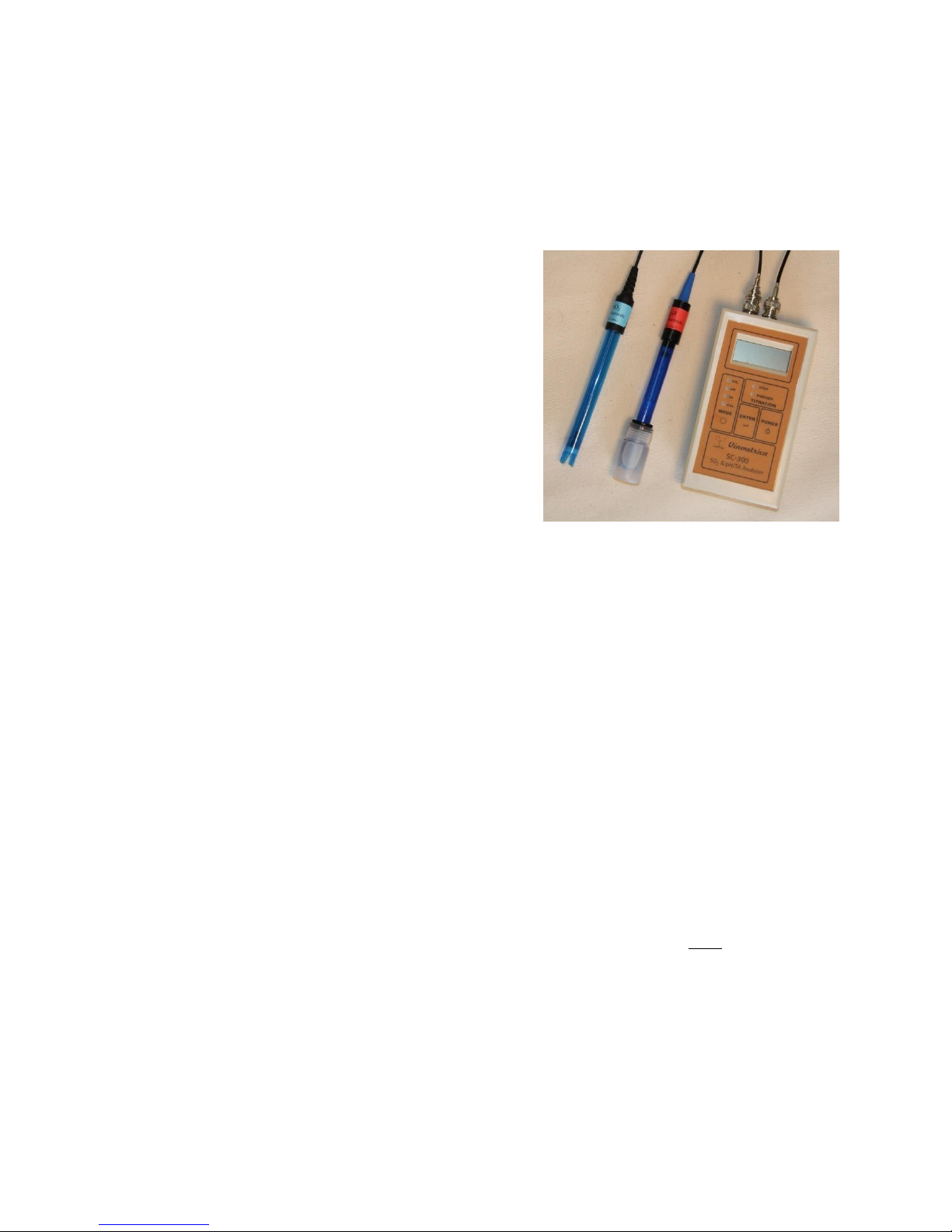
indicated by the yellow LED panel on the left. Select the desired mode by pressing the MODE
button.
2. SO2mode: This is for titration in determining ppm of SO2 (see below under ‘Procedures’)
where the SO2 electrode must be used. [Warning: On older style, single connector units (pre-
2014), the pH electrode can be damaged by connecting it to the instrument in SO2 mode. As a
safety precaution, on these older units after selecting SO2 mode you must press the ENTER
button after selecting SO2 mode to confirm that the SO2 electrode is attached before the mode
will be enabled. However, scrolling through the MODE selections (such that you pass by the
SO2 selection) with a pH electrode attached is safe, as long as you do not press ENTER to
confirm the SO2 mode.] You should see the display show a value less than 50 (usually 0.0) and
the green "PROCEED" LED should be on.
3. pH mode: In this mode, the meter measures the pH. The pH electrode must be attached. If the
instrument has not yet been calibrated, the message “do Cal” scrolls across the screen, and you
will need to do a calibration (see “Calibration of pH”below). We recommend re-calibrating the
instrument for pH once each day of use, or whenever the Reference solutions do not give the
expected pH in pH mode. Warning: Be careful on earlier (pre-2014/single connector) versions
not to press ENTER when the pH electrode is attached while the instrument is in SO2mode, as
this can potentially damage the pH electrode. If this does happen, and the pH electrode does not
respond correctly, place it into the pH 4 Reference solution for an hour and it should return to
normal function. With recent versions there are two separate connectors; the pH electrode
should be attached to the silver BNC connector.
4. Potential mode (Firmware version 3.1.1 and higher) (pH LED flashing): In this mode the
instrument displays the potential (in volts, version 3.1.1, or millivolts, v 3.1.2) coming from an
electrode attached to the pH connector. This can be used with certain electrodes, for example,
the Vinmetrica Dissolved Oxygen probe, ORP, potassium, or sodium electrodes, or to view the
raw voltage reading of a pH electrode. In this mode, when the red STOP LED is illuminated,
the values on the screen are negative; otherwise the values are positive.
5. TA mode: This is for titration in determining titratable acidity (TA). As in the pH mode, the pH
is displayed and the pH electrode must be attached. The green (“PROCEED”) LED is lit if the
pH is below the TA endpoint (normally 8.2, but can be set to 7.0, see Appendix A, Test Mode,