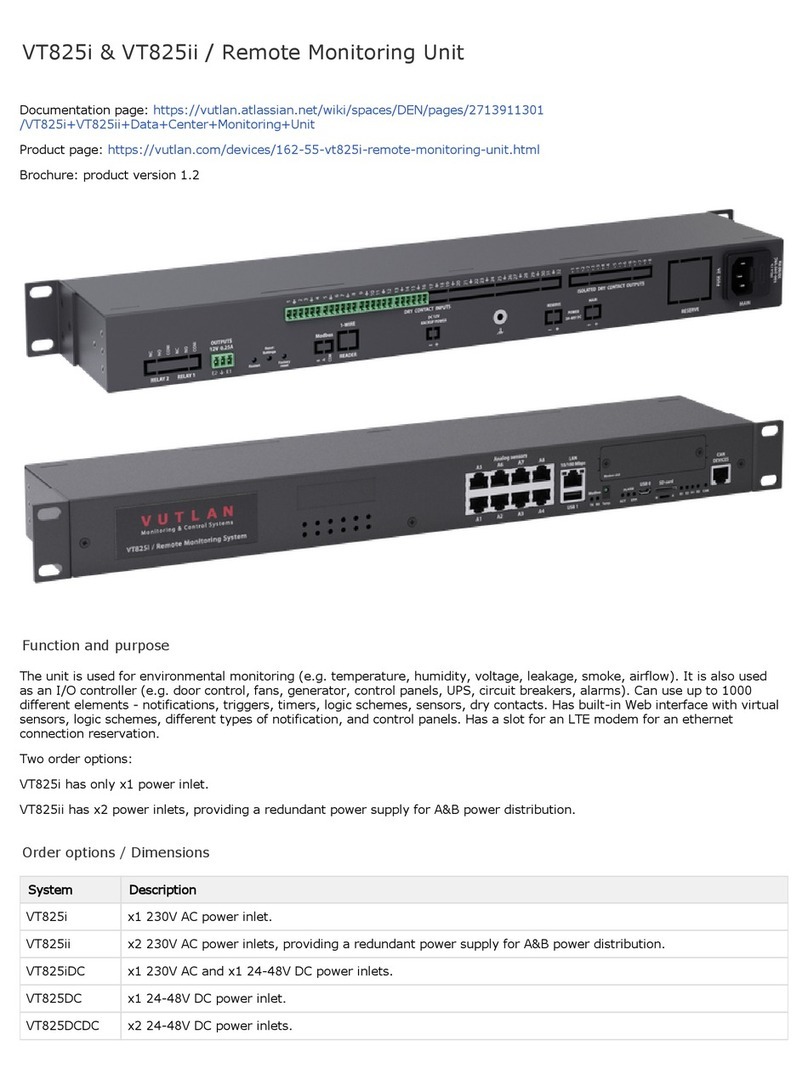
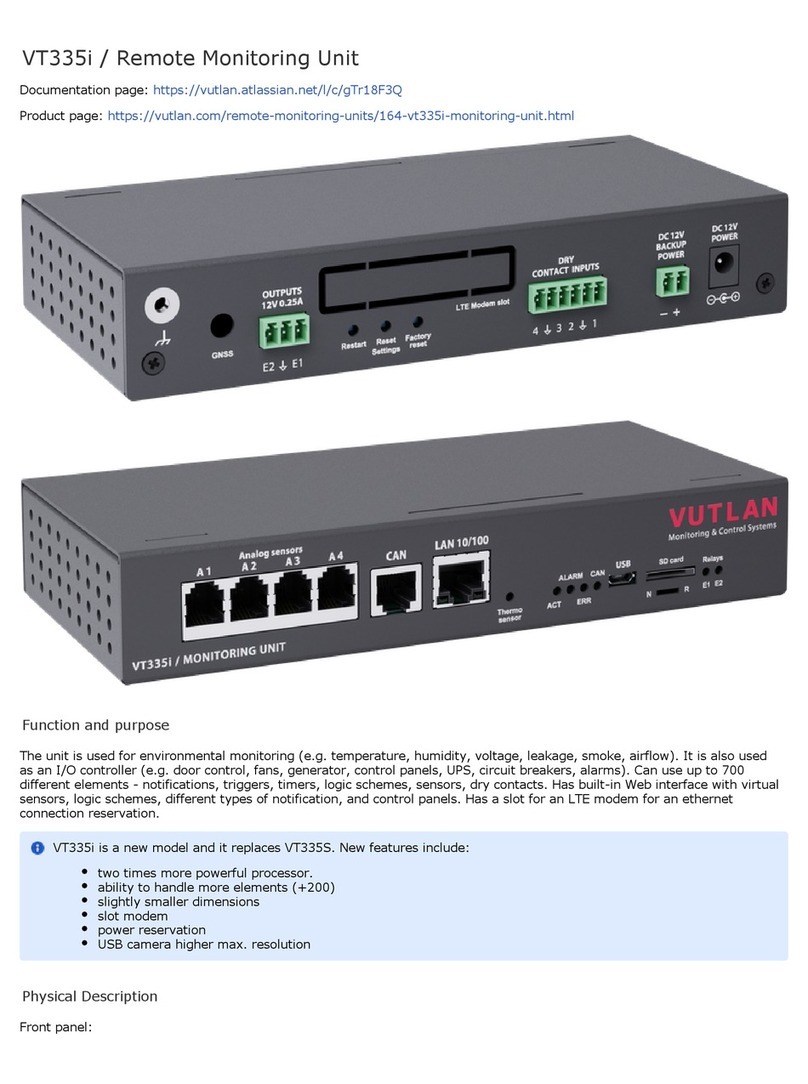
7. USB ports are needed for USB camera recording, USB Flash for system logs, and for the system restore. Read instructions
at " ", " ", " ", "Connecting USB camera USB camera settings. How to save a video Saving system logs on USB flash drive USB
".upgrade or restore of default settings
a. " " - type micro USB-port 2.0, required to connect a USB camera.USB 0
b. " " - type USB-port 2.0, required to connect a USB camera or a USB Flash card.USB 1
8. " " - MicroSD card slot with an ejector. The card is needed for data storage or for the "system restore". Read SD card
instructions at " ", " ".Saving system logs to SD card Restore of the appliance (for VT960 series)
9a. " " - digital connector RJ12 for the connection of CAN sensors/extensions/devices on a CAN bus. Modules can CAN DEVICES
be chained together. Read instructions at " ", " ".CAN devises connection Setting up CAN
" " - green LED indicates CAN bus status.LED: CAN
The LED blinks slowly - nothing is connected
The LED blinks fast - configuration is in process
The LED glows constantly - connected to CAN devices
10ab. for Modbus RTU devices/meters/sensors with reading/write functionality. Read instructions at "Modbus port Connecting
", " ".Modbus RTU sensors to VT336 & VT336PoE Configuring Modbus devices
LED: " " - Modbus data sent activity (Transmission).LED: TX
LED: " " - Modbus data received activity (Receiving).LED: RX
"MODBUS" - port for connecting Modbus RTU / RS-485 sensors and devices.
11. " " - accuracy +/- 1 C.TEMPERATURE SENSOR °
12. " " - green LED indicates appliance system status,LED: ACT
- operating mode of the device: switches at a frequency of 2 times per second;
- successful completion of the software update process: switches at a frequency of 4 times per second;
" " - The button can be programmed from the interface for alarm indicating.LED: ALARM
" " - red LED indicates error and traffic.LED: ERR
the operating mode of the device: If everything is normal, the LED is extinguished, if not - there's a constant glow;
software update mode: switches at a rate of 2 times per second;
13. " " Dip switch
Normal mode: The switch is switched to the left . The switch should be always in this position.
Recovery mode: The switch is switched to the right . Use this option only in case you need to recover manufacturing
settings.
14a. - 12V 0.25A (for each output) terminals outputs (electronic relay). Read instructions at ""OUTPUTS 12V 0.25A" Connecting
".12V devices to 12V outputs
" " - status indicators for two 12V 0.25A outputs.LEDs: E1, E2
The LED is ON (orange) - the output is ON (the initial state can be configured).
The LED is OFF (orange) - the output is OFF ((the initial state can be configured).
15. - NC / NO power relay terminals. Read instructions at " ", ""Relays 1, Relay 2" Connecting NC/NO relays A relay switching
", " ".(NC NO) Relays (Outlets) (SNMP)
" " - status indicators for x2 relays at the back of the unit.LEDs: R1, R2
The LED is ON (orange) - the relay is ON (the initial state can be configured).
The LED is OFF (orange) - the output is OFF ((the initial state can be configured).
16. " " - Digital inputs (Type IN). Read instructions at " ", "DRY CONTACT INPUTS 1...32 Connecting dry contacts Dry contacts
".settings
17. " - Digital outputs 24VDC / 15mA (type OUT). Read instructions at ""ISOLATED DRY CONTACTS OUTPUTS 1...8 Connecting
", " ".dry contacts Dry contacts settings
18/19. Please refer to section "Order options" in this document.
18. - Reserve power inlet. 100-240VAC, 50/60Hz, Fuse 2A, Fuse 5x20mm, type C14."RESERVE"
19. " " - Power inlet. 100-240VAC, 50/60Hz, Fuse 2A, Fuse 5x20mm, type C14.MAIN
20. Buttons
9a. " " - the button restarts the appliance. Hold the button for 2 seconds and then let go, the system will restart.Restart
9b. " " - reset smoke sensors. Read more at .Reset settings Operation of smoke detectors in dusty conditions
9b. " " - reset settings to default factory settings.Factory reset